
Best Embedded Integration Platforms for SaaS Compared

Nov 24, 202614 min read
If your customers build their own workflows inside your product, or if you must self-host, Activepieces fits best: the core is MIT-licensed and comes with 750 integrations. If you need a unified API that normalises many vendors' data into one schema, it doesn't fit.
You get a white-labelled workflow builder and an open-source core you can run yourself. In exchange you take on a builder that customers will expect you to support, rather than a fixed catalogue you control.
On the build-your-own side of the choice, the answer is direct. Customers assemble automations in an embedded builder under your branding, and self-hosting means the data path stays on infrastructure you own.
I haven't confirmed from the pages checked how deep the embed's customisation goes or what the hosted embed costs at scale. Test both against the embed docs before committing.
1. Activepieces
Activepieces pricing
You pay a flat amount by plan, not a metered one per customer. The Activepieces pricing page lists Free at $0 a month, so you can prototype the builder without a budget line.
At $20 a month, Plus is cheap enough to run a pilot with a few design partners. Team is $200 a month, ten times Plus, so budget for that step the moment you outgrow the lower tier.
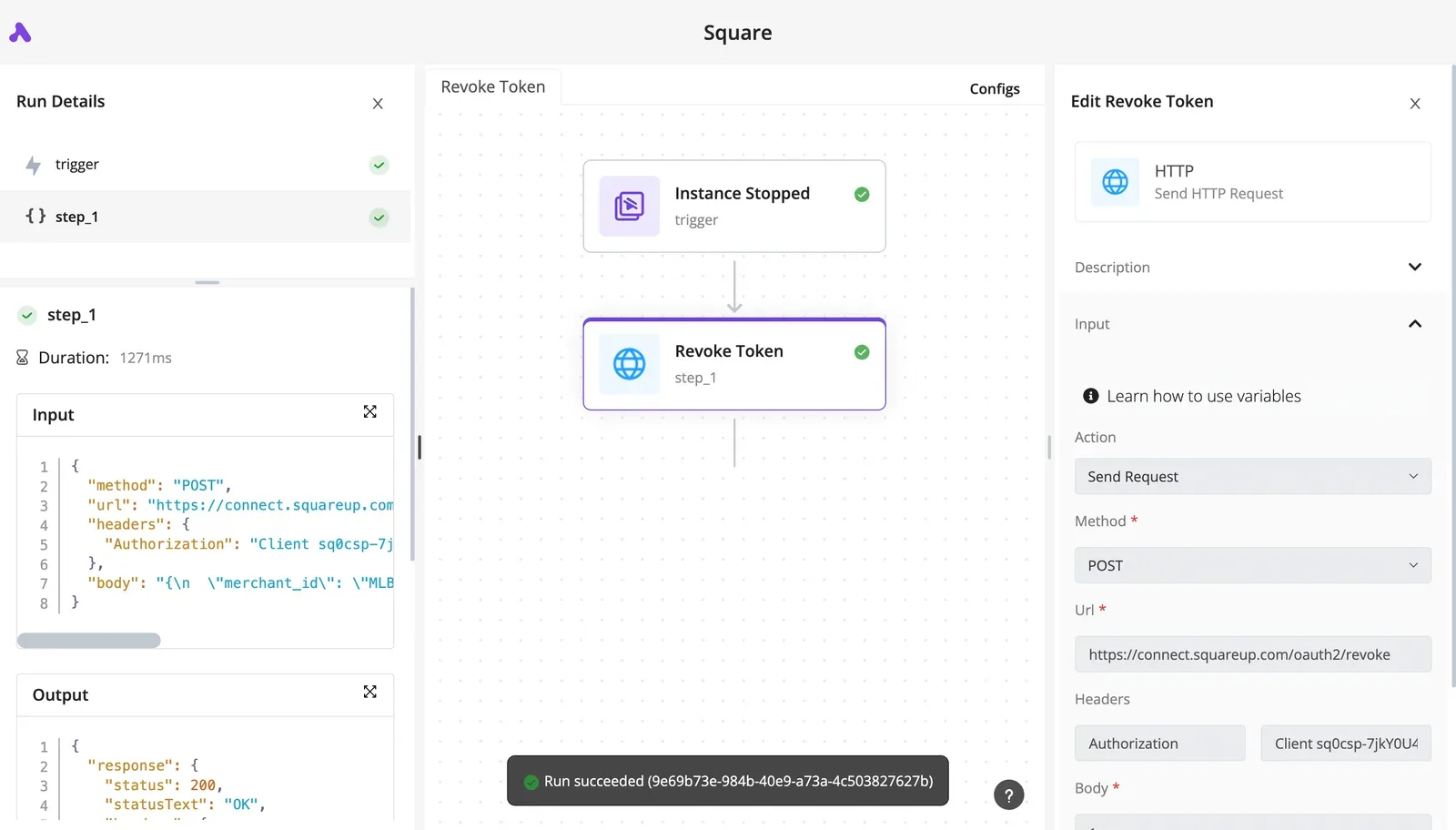
Before you read the table, know that two limits matter most, the user cap and the credits, because both set when you move up.
| Plan | Price per month | Monthly credits | User limit |
|---|---|---|---|
| Free | $0 | 1,000 | Up to 5 |
| Plus | $20 | 10,000 | Up to 5 |
| Team | $200 | Not confirmed | Not confirmed |
Checked 24 November 2026.
Even if your usage is modest, a larger internal team forces the jump to Team, because Plus raises credits tenfold but not the user cap.
I didn't confirm Team's credits or user limit, so read that row on the vendor's page before you model your costs.
The fastest way to settle a shortlist is to try one. Activepieces is free to try, no credit card.
Ranking criteria for embedded integration platforms
Put simply, an embedded integration platform sits inside your SaaS product and gives your customers integrations. What separates the options is who builds them: your customers, or you, from a catalogue you ship.
Customer-built versus vendor-shipped SaaS integrations
This is the commercial decision, and it comes before any technical comparison. If customers build their own workflows, you give up control of what runs in your product, and in exchange you stop writing a connector for every request.
If you ship a fixed catalogue, you decide which integrations exist and how they behave, and your team carries the roadmap for them.
Activepieces doesn't force the choice: the same 750 integrations can be offered as a catalogue you ship or opened up to customers through the embedded builder, so your users find what they need regardless of which approach you choose.
The table shows which side each of the five starts from, and whether pricing is published, self-hosting is possible and white-labelling is offered. Read the first column first, because it narrows the field before price does.
| Platform | Customer-built or shipped catalogue | Published pricing | Self-hosting | White-label |
|---|---|---|---|---|
| Activepieces | Both | Yes, from $0 a month | Yes, MIT-licensed core | Yes |
| Prismatic | Both | Contact sales | No | Yes |
| Pipedream Connect | Shipped, built by your developers | Yes | No | Yes |
| Workato Embedded | Shipped catalogue | Contact sales | No | Yes |
| Merge.dev | Shipped catalogue | Published Launch tier, contact sales for higher tiers | No | Yes |
Because white-label is yes across the board, it won't separate them. Self-hosting does, and it matters if your customers' data has to stay inside your own infrastructure.
Price at your customer count
Until you multiply it by your own customers, a price page tells you little. Per-customer, per-workflow and per-task models scale differently, so the cheapest option at a handful of accounts can become the most expensive at a few hundred.
Where a vendor says "contact sales", you can't model that curve yourself, and that gap is a cost in its own right.
Per-customer, per-workflow and per-task models scale differently, so the cheapest option at a handful of accounts can become the most expensive at a few hundred.
On 24 November 2026, pricing and limits were checked against vendor pages.
Where a vendor doesn't publish a price, the table says "contact sales" and this article gives no figure. Vendors change plans often, so confirm each cell on the vendor's own page before you commit.
Prismatic marketplace for customer integrations
Prismatic suits a SaaS team that wants to ship integrations as a customer-facing marketplace inside its own product. Its own engineers build most of them, and each customer runs a separate configured copy.

Commercially, Prismatic is closer to a catalogue you curate than a canvas you hand over.
You build an integration once, publish it to the marketplace, and customers switch it on and fill in their own settings, such as credentials and field mappings. Each customer gets their own instance of that integration, so one customer's configuration or failure doesn't touch another's.
In practice you build in two modes. A low-code designer handles the common path of connecting steps, mapping data and branching.
When the designer can't cover something, such as an odd authentication scheme or a transformation specific to your product, custom code components do.
So a mixed team of integration specialists and developers can work in one tool, but the code path means you need someone who can write and maintain it.
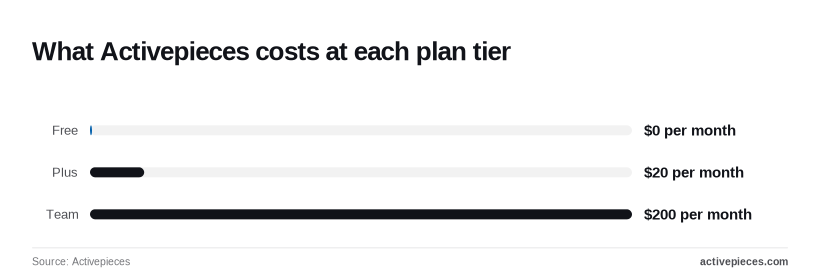
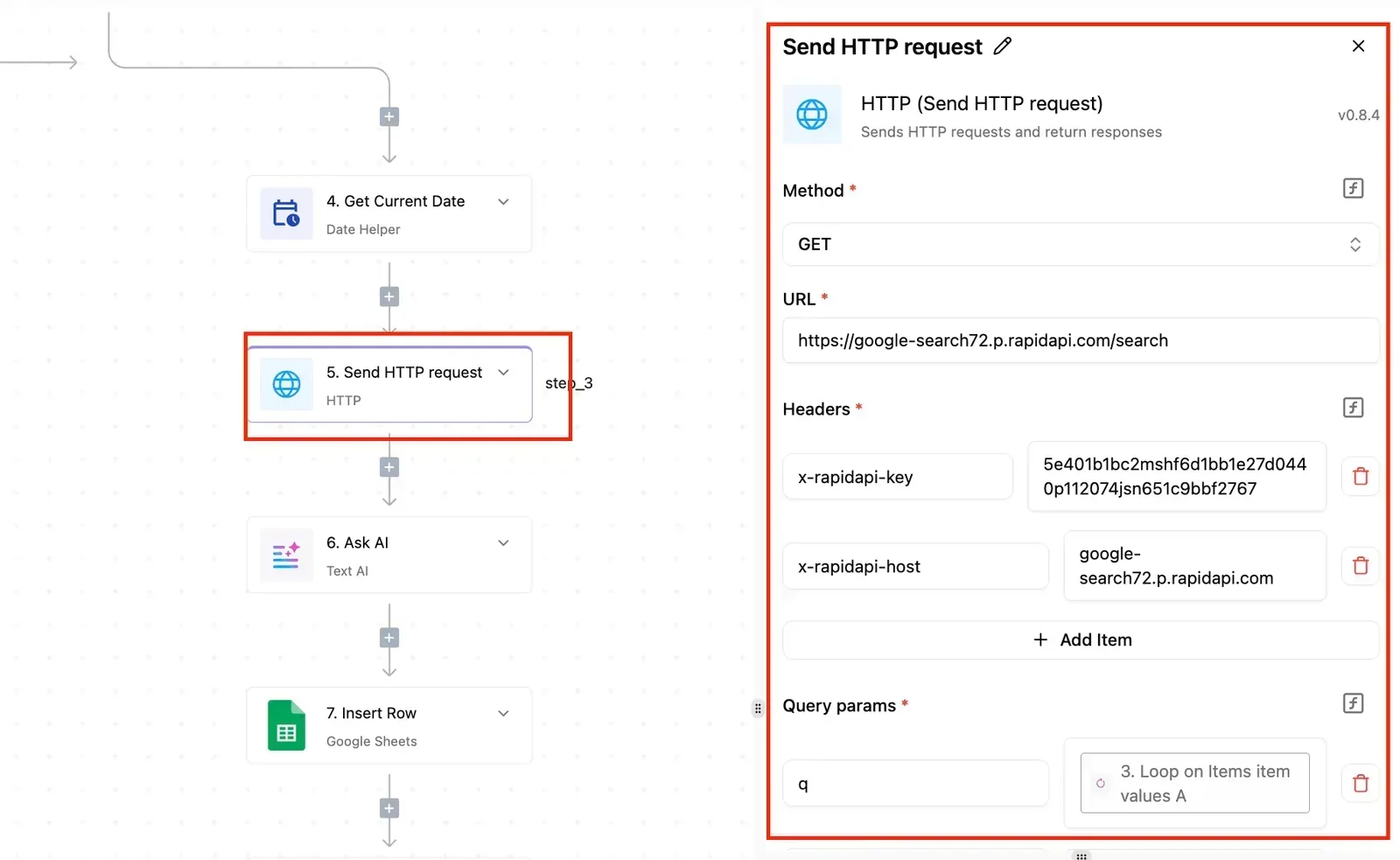
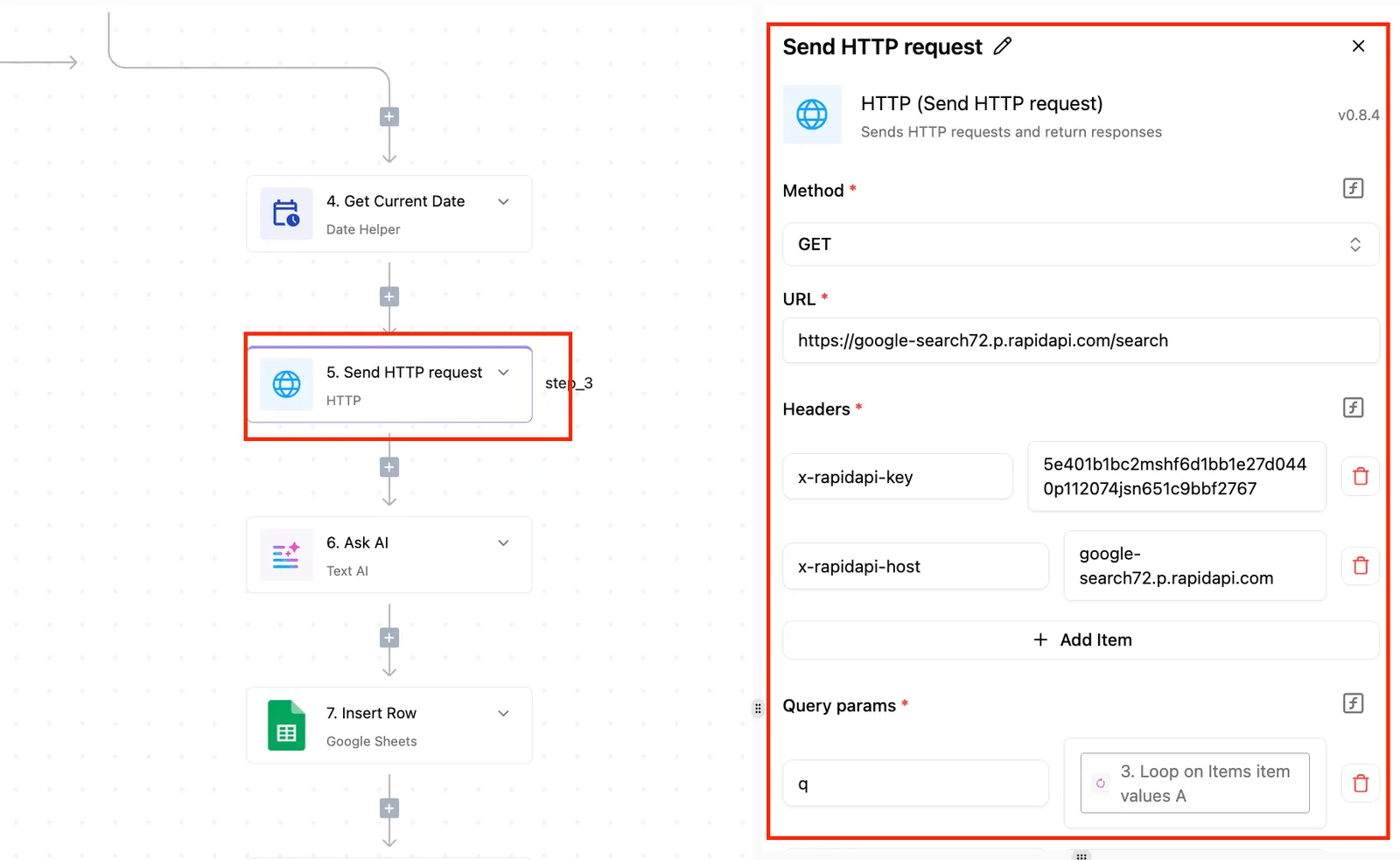
Below is a screenshot from another builder, not Prismatic. It shows the shape an embedded workflow takes on a canvas: a trigger, a chain of steps, and a configuration panel for the selected step.

That panel is where Prismatic's marketplace puts the customer-facing part, the settings a customer fills in once the integration is yours.
Prismatic pricing and main limitation
On price, I couldn't confirm published figures for Prismatic, so treat every tier as contact sales. Get a quote at your expected customer count before you compare it with vendors that list prices.
Its main limit follows from the design. The model is built around integrations your team authors and customers configure. If your customers need to invent their own workflows from scratch, a builder you expose to them fits better than a marketplace of fixed integrations.
At the other end of that choice sits the next vendor.
Reading a table only gets you so far. Build the same workflow in Activepieces and compare it yourself.
2. Pipedream for customer authentication and APIs
Pipedream Connect lets your product handle customer authentication and call APIs across a very large app catalogue, while your own engineers write the integration logic in code. Commercially, you trade a visual builder your customers can use for control over exactly what each integration does.
The catalogue is the draw.
Pipedream's stated app count rose from 700+ in 2022 to 1,000+ in 2023 and 2,100+ in 2024, and now stands at 3,000+, so a customer request for an app is increasingly one where you don't have to build and maintain the OAuth handshake yourself.
On the page, the chart sits here.
What follows from that is a division of labour. Pipedream manages the credentials: your customer connects their account inside your product, and Pipedream stores and refreshes the tokens.
Your code then calls the app's API with those credentials, either directly or through Pipedream's workflows, which are written in code and can be triggered from your backend.
For a team that already writes integration logic, that's a short path from "we need a Slack or CRM connection" to a shipped feature.
Pipedream Connect limitations for workflows
Seen from the other side, the main limit is the same property. Connect gives your customers a way to authorise apps, not a workflow editor they can reshape.
If your customers need to design their own automations, you would be building that interface yourself on top of it. Count that engineering time against the catalogue savings.
Activepieces ships that interface already, and a missing connector doesn't wait on a vendor release: if the app a customer asks for isn't among its 750 integrations, you can have AI build the missing one and keep it private to your own instance.
The 750 is the number of integrations in the packages/pieces/community directory of the MIT-licensed open-source repository on GitHub, so you can count it yourself rather than take a marketing figure on trust, and roughly 60% of what's in that directory was contributed by the community, so the platform's future depends on volunteers staying engaged.

MoneyGram, Moneypenny, Alan and FundingSocieties run it in production.
You will find pricing and usage limits on Pipedream's own pricing page, and they change. I haven't quoted figures here because I couldn't confirm them for this article.
Read that page on the day you decide, with your expected number of connected customer accounts and monthly workflow runs in hand. Those are the two volumes a product-embedded setup scales on.
Pipedream Connect suits a SaaS company with developers available that wants a fixed set of integrations it controls end to end, across many apps, without owning authentication for each one. It suits you less if the plan is for customers to build their own workflows.

3. Workato for large enterprise integrations
Workato Embedded suits SaaS companies that sell to large enterprises and need a very wide connector catalogue and strict governance under their own brand.
Its pricing is arranged through sales rather than published. That makes it a different commercial decision from the self-serve tools above, especially if customer-built workflows are on your roadmap.
At the core of the offer is an OEM-style arrangement. You embed Workato's automation engine inside your product, present it as yours, and draw on the connector library Workato already maintains.
For a vendor whose buyers ask for integrations with a long tail of enterprise systems, that breadth saves you from building and maintaining each connector yourself.
Then there is governance, the second strength. Access controls, environment separation and audit trails are the things a procurement or security review at a large customer will ask about, and Workato's platform is built around them.
On price, Workato's own pages direct embedded buyers to talk to sales. I found no public tier ladder or per-task rate for it, so any figure you see elsewhere should be treated as unconfirmed until a quote arrives.
To see the contrast, look at a published ladder like the one below: it lets you model cost at your customer count before speaking to anyone, and Workato Embedded doesn't.

That difference is the main limit for a smaller SaaS team. A quote-based contract means a longer buying cycle, a commitment sized for enterprise volumes, and no way to test unit economics before you sign.

If your integration revenue is still unproven, you take on that commitment first and learn the margin afterwards.
Workato Embedded fits when three things are true: your customers are enterprises, the integration catalogue is a reason they buy, and your finance team can accept negotiated pricing.
Merge for unified API connectivity
Merge is a unified API: you build against one schema and it connects your product to many tools in a category, billed per linked customer account. It fits a fixed catalogue you ship, not workflows your customers build.
Start with the commercial trade-off. Merge covers categories such as HRIS (human resources systems), ATS (applicant tracking), CRM and ticketing.
For each category you write your code once against Merge's common data model, and it handles the connections to the underlying vendors.
You trade breadth of control for speed: your engineers don't maintain dozens of separate connectors, but you accept the shape of the data Merge defines, so you're locked into that shape.
More than any headline rate, the pricing unit matters. Because you pay per linked customer account, cost follows adoption. If every customer connects one system, your bill tracks your customer count. If customers connect several systems each, it grows faster than your user growth suggests.
Before you commit, model it against your own customer count and expected connections per customer. Take the current tiers, included accounts and overage terms from Merge's pricing page rather than from this article, since I don't have any confirmed figures to give you.
Merge unified API data model limits
The main limit is the common data model itself. A unified schema covers the fields most vendors share.
If a customer relies on a custom field or an unusual object in their CRM, you may need to work around the model, and what Merge exposes for it is worth testing early.
More fundamentally, Merge doesn't give your customers any way to design their own logic. They get the integration you built, with the triggers and actions you chose, and nothing beyond it.
Merge suits a SaaS company that:
- needs the same data from many tools in one or two categories
- wants engineers writing product code, not connectors
- can decide on its own which integrations to offer, with no customer-authored automation
If your customers ask to build their own multi-step workflows, a unified API is the wrong shape for that job, whatever the price.
Steps to choose an integration platform
If your customers want to build their own workflows, that settles the platform shape, and the rest of the decision is checking price and fit against your own numbers.
The five steps below take you from a guess to a decision you can defend, and each one narrows the field before the next.
- List the ten integrations customers ask for most, so you know where to invest without spreading thin.
- Decide whether customers build them or you ship them.
- Model cost at your current customer count and at ten times that.
- Trial-build one integration for a week.
- Re-check every vendor page before you sign.
Spend your effort on the first two steps, which are cheap and decide most of the outcome, so this is where leverage concentrates. The last three test that decision against money and real work.
Pull your ten from support tickets, sales calls and churn notes, not from a vendor's logo wall.
If most of the ten are standard connections to well-known apps, you are shipping a catalogue. If the requests sound like "when this happens, do that, then that," your customers want to build, and step two is already answered.
Model platform pricing at 10x customers
Price the platform at today's customer count, then at ten times that. Many pricing models look harmless at your current size and become a line item the board asks about later.
Check whether you pay per customer, per connected account, per workflow run or per task, because each one grows differently as you do.
Write down which of your own growth numbers drives the bill, so you can see what happens if usage grows faster than customer count.
Run a one-week integration trial build
Pick one integration from your list and build it end to end on your shortlisted platform, including authentication, error handling and the customer-facing setup screen.
Within a week you can learn how much work the vendor's abstractions save you and where you end up writing code anyway. Then re-read each vendor's pricing and limits pages, since both change and your model is only as current as those pages.
If customers build, shortlist platforms that embed a workflow builder. If you ship a fixed set, a unified API or a lighter embedded layer is the cheaper fit.
Related reading
References
Still comparing
The fastest way to settle it is to build something.
Open source under MIT, so you can self-host the same thing later.
Start free Talk to sales