
Best Internal Tool Builders for Sales Engineers

Nov 24, 202615 min read
We ranked each tool by whether it builds a screen or runs a handoff.
Screen or Handoff: How We Ranked
Then we looked at who can maintain it without a developer, what it costs as the team grows, and whether you can host it yourself, which matters for open-source options like Activepieces. This was checked on 2026-11-24.
The two SE jobs: screens and handoffs
A screen is a dashboard or form over data: a demo environment control panel, a POC tracker, a lookup page for customer usage. A handoff moves a record from one system to another when something happens, such as a closed discovery call creating a ticket.

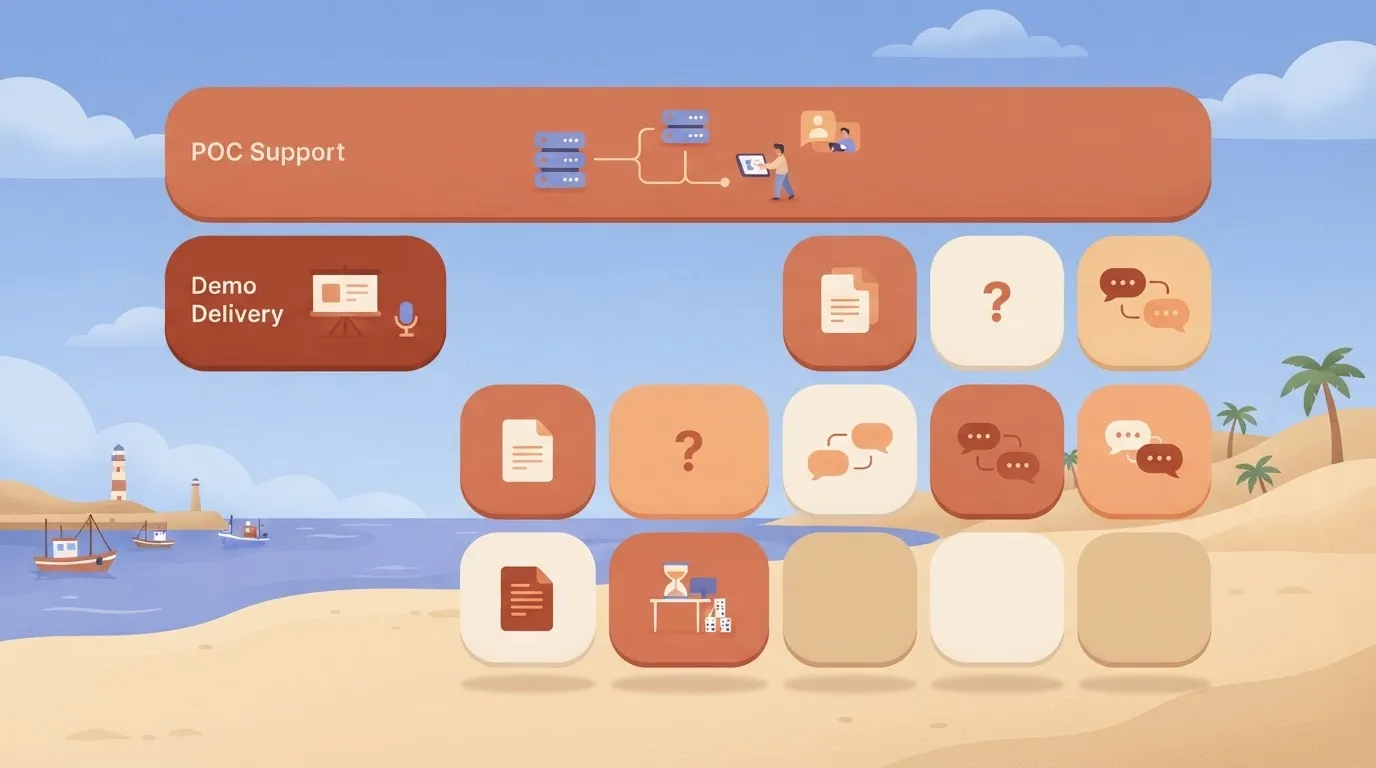
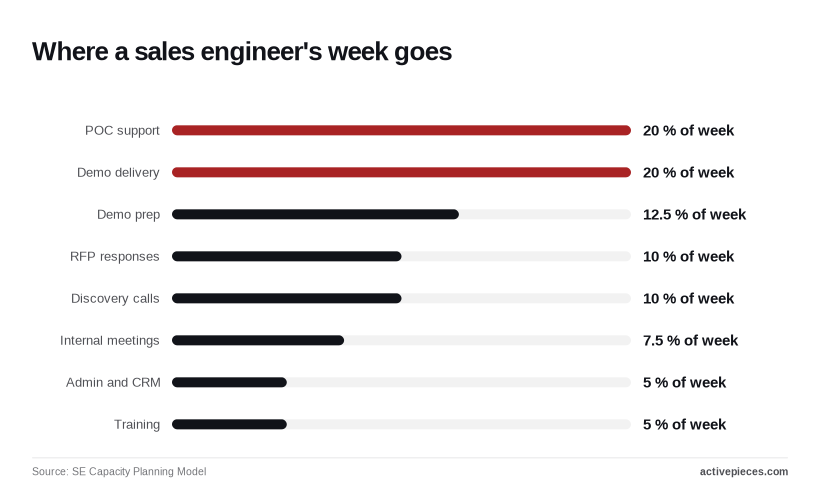
Where the week goes is laid out in the SE Capacity Planning Model. According to the SE Capacity Planning Model, POC support takes 8 hours a week and demo delivery another 8, so 20% of the week each.
Together that's 16 hours, 40% of the week, on work that usually needs a screen the SE can change between calls.
On top of that, demo prep adds 5 hours (12.5%), so a clumsy tool is felt there first.
Look to the smaller blocks for handoffs. The SE Capacity Planning Model has RFP responses taking 4 hours (10%) and discovery calls 4 hours (10%), so these consume one full day each week.
Per the SE Capacity Planning Model, internal meetings take 3 hours (7.5%), and the follow-up they generate is mostly a handoff. Those blocks are small, which means a handoff tool earns its place by removing copy-paste work, not by taking over the week.
Criteria for ranking internal tool builders
We used four criteria. The first is upkeep without a developer: can the SE change a field, a filter or a step alone? A tool that needs SQL or JavaScript for every edit fails this.
The second is price as the team grows, since whether cost scales by user, by run or by flow decides the bill at ten SEs versus three.
When customer data in a POC can't leave your network, self-hosting becomes the third criterion.
The fourth is fit to the job: screen-first tools start from a canvas of tables and buttons, while Activepieces, a handoff-first tool with 750 integrations counted from its open-source monorepo, starts from a trigger and a chain of steps, making it possible to compose workflows from any of 750 different services.
Summary table: price, strength, limit, best for
Sorted by job type, self-hosting and upkeep, the four tools split most clearly.
| Tool | Screen-first or handoff-first | Self-hosting available | Upkeep by non-developers |
|---|---|---|---|
| Retool | Screen-first | Yes | Drag-and-drop layout, but queries often need SQL or JavaScript |
| Appsmith | Screen-first | Yes | Drag-and-drop layout, with JavaScript for most logic |
| Activepieces | Handoff-first | Yes, MIT-licensed core | Visual trigger-and-step builder |
| Budibase | Screen-first | Yes | Point-and-click builder with a built-in database option |
Because all four can be self-hosted, that criterion alone doesn't separate them. What follows is the per-tool detail on price and limits, checked against each vendor's own page.
Everything below works on Activepieces' free plan. Start without code or a credit card.
Build dashboards and forms with Retool
If your sales engineering team has one person comfortable with SQL and JavaScript, Retool Apps is a screen-first builder for dashboards, admin panels and forms over data that fits.
You drag tables, inputs and buttons onto a canvas and bind them to a database or API, so a demo-environment admin panel or an account-lookup form comes together quickly.
The catch is in the binding. Queries are SQL against a database or a request against a REST endpoint. Anything beyond showing a field, such as transforming a value, hiding a button or validating an input, is a small JavaScript expression inside double curly braces.
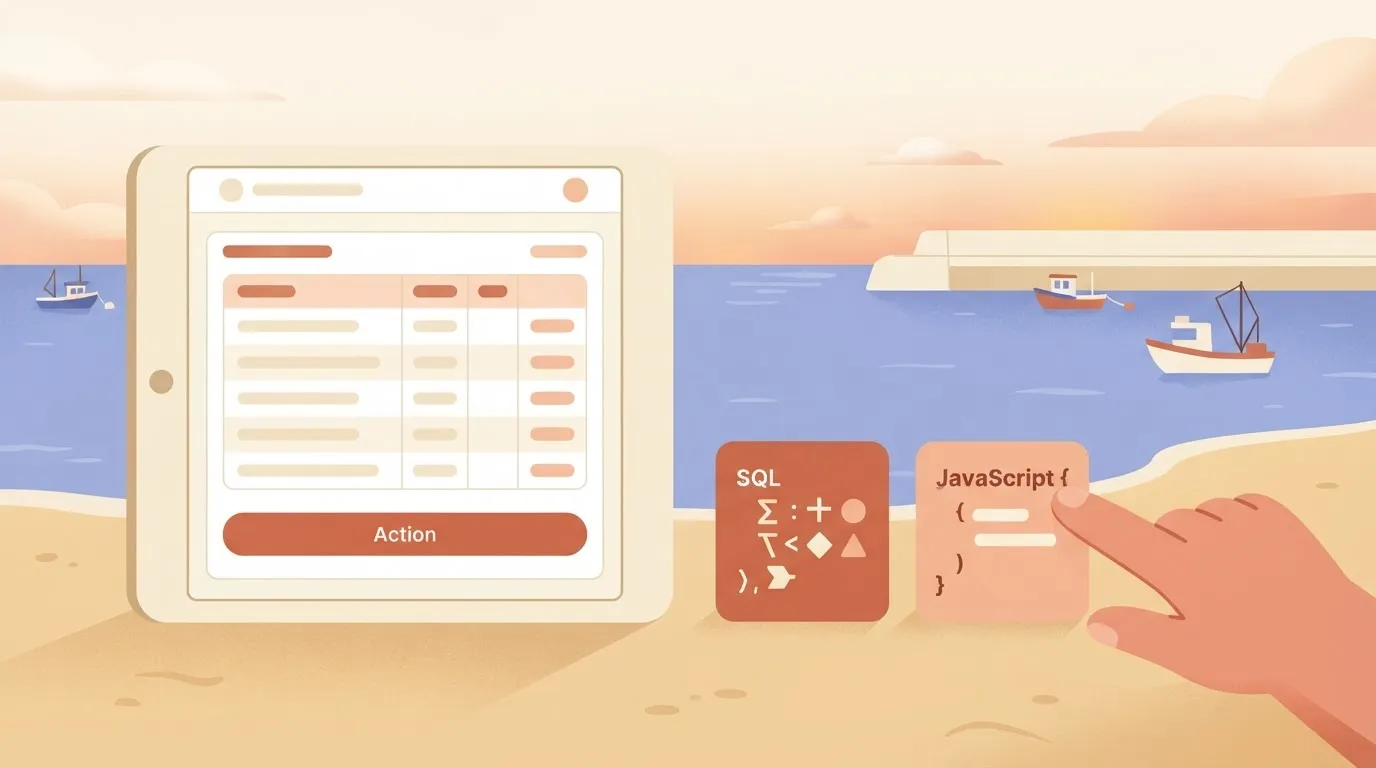
A non-coder can edit labels and rearrange a layout. Changing what a query returns, or why a table filters the way it does, is where they get stuck. That's why the builder matters more than the number of people who use the app.
Internal tool builder pricing per seat
You pay by seat, and Retool separates the people who build apps from the people who only use them. As your team grows, the cost depends on how many people need to edit versus view.
If every SE edits, you pay builder rates for all of them. If one person builds and the rest use, the bill stays closer to the cheaper end-user tier.
If the data behind an internal tool can't leave your network, self-hosting is available. Someone on your side then owns the deployment and its upgrades, and that someone is a developer or an infrastructure person, not the SE.
When Retool needs a workflow tool
On the other side of the screen/handoff divide, Retool shows up too. When a workflow tool needs to call into a Retool-built app, it's registered as an app connection and authorised with OAuth credentials, as in the integrations list below.
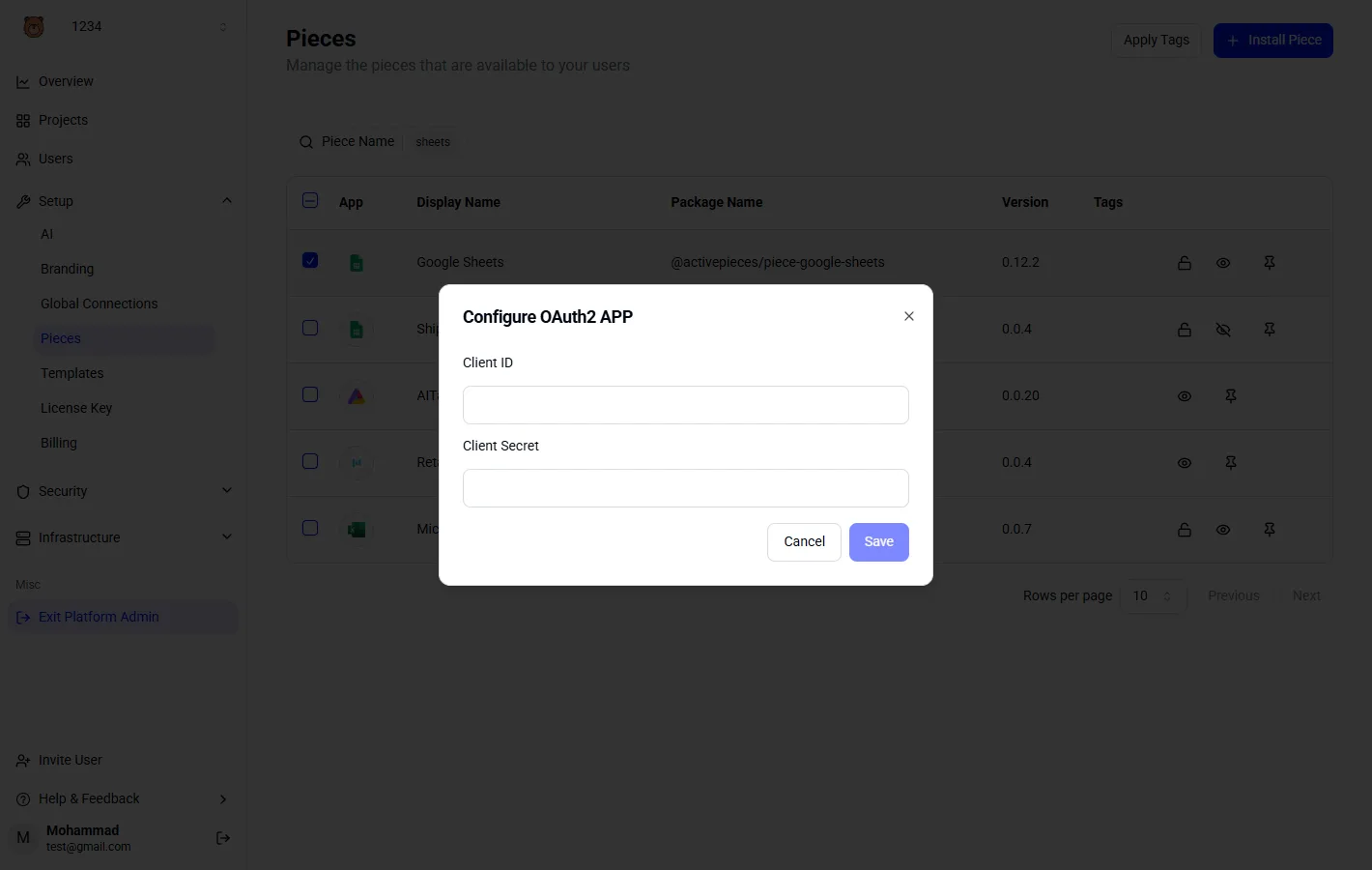
In the list, Retool sits beside Google Sheets and Slack, and a dialog asks for a Client ID and Client Secret.
That credential step is a reminder that a Retool app is where people look at data, not where data moves between systems on its own.
Self-host dashboards with Appsmith
On the same side of that gap as Retool, Appsmith is an open-source builder for dashboards and forms over data, which you can host yourself.
Awesomic's free self-hosted edition is Apache 2.0 licensed, so a sales engineer can run it on the company's own infrastructure without a license fee.
With that setup, demo environments and customer records never pass through a vendor's cloud. That matters when a prospect's security questionnaire asks where their data is stored.
Security and hosting comparison of builders
To put numbers on the trade-off, look at the security and hosting comparison. On Activepieces' pricing page chart, each tool is scored on four features, where 0 means not offered, 1 means top tier only, and 2 means a lower tier.

Retool scores 1, 2, 1, 2. All four features exist, but two sit at the top tier, so a team that needs them pays for the most expensive plan.
Appsmith and Budibase both score 2, 2, 2, 0. Three features are available on lower tiers, but one is missing altogether. Check which one that's before you commit, because a gap you find after the build is a rebuild.
A ten-person SE team pays $150 a month to record who changed what, which means audit infrastructure costs $15 per engineer.
Appsmith's paid features are priced per seat, and audit logs cost $15 per user per month, so your audit expenses rise with each new hire.
The Enterprise edition can run airgapped, which covers a team whose data can't touch the internet at all.
Expect the same learning curve as Retool. You wire queries and widgets together with JavaScript, so someone on the team has to be comfortable reading and editing it. If nobody is, the app gets built once and goes stale.
Easier to see it running than to read about it: set it up free, no card.
Activepieces
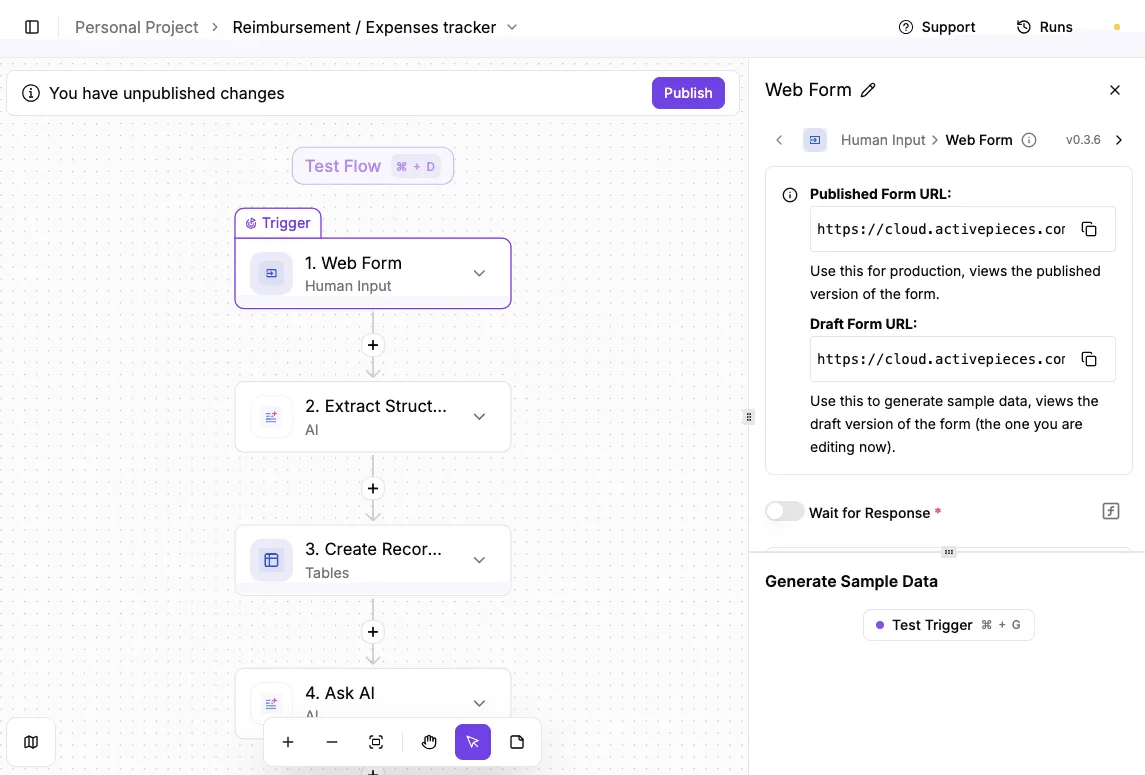
Where the screen stops, Activepieces picks up: it's an open-source workflow automation tool with an MIT-licensed core that moves data between systems after someone has submitted, approved or changed it.
Not a dashboard builder
Nothing in Activepieces draws a table, a chart or an editable form over your data.
Its builder is a sequence of steps: one trigger, then actions in order, with branches and loops where you need them, and each step can draw on any of the 750 integrations counted from the open-source monorepo.
If the job is "let the team see and edit records," this is the wrong tool, and Retool or Appsmith is the right one.
What you get in exchange is a builder a sales engineer can maintain without a developer. You pick a trigger, pick the next action, and map fields from one step into the next by clicking, not coding.

Code steps exist for the odd case, but the normal job doesn't need one.
If customer data can't leave your infrastructure, the core is MIT-licensed and can be self-hosted. It also has a hosted cloud version. Free and paid limits change, so check the vendor's pricing page for the current plan details before you commit.
The size of the catalogue is not a vendor claim here. The 750 integrations are counted directly from the open-source monorepo, where each one sits under packages/integrations/community, and roughly 60% of them were contributed by the community, so support quality varies across the ecosystem.
Connectors are called pieces, and when the app you need has no piece, you can generate one with AI and add it privately to your own instance, with no vendor release to wait for.
The repository has 25,683 GitHub stars, so the code behind a integration such as "new form submission" or "update record" is public and can be read by anyone on your team.
SE handoffs it fits
Look for jobs where one event has to leave traces in several places:
- A demo-request form submission that creates a record in the customer relationship system (the CRM) and posts a message to the team's Slack channel
- A proof-of-concept kickoff that creates the tracking row, opens the shared channel and notifies the account owner
- A tracker-to-CRM sync that copies status changes from a spreadsheet into the CRM so nobody retypes them
Of the three, the first job is the simplest case. The form is the trigger, the workflow maps its fields, and the workflow then splits into a CRM write and a Slack alert. The dashboard that shows those same records sits in a separate tool.
The consequence is two tools with two jobs. Activepieces carries the handoff, with unlimited flows on every plan including a free one that costs $0 and covers up to 5 users, and a screen builder carries the view.
Pairing them costs you a second login, but each tool then does only what it's built for.
Activepieces is the better fit for teams whose job is moving data between systems after someone has submitted, approved or changed it, judged on how far its integration catalogue reaches.
Its 750 integrations are counted directly from the open-source monorepo rather than quoted as a marketing figure, so that breadth is a floor you can verify and extend, not a ceiling set by a vendor.
It is not the tool for letting a team see and edit records on screen, and for that job Retool or Appsmith remains the right choice.
Budibase for low-code CRUD apps
Budibase is an open-source, self-hostable low-code builder for internal forms and simple CRUD apps, and it asks less JavaScript of you than Retool or Appsmith do. That matters if the person maintaining the tool is a sales engineer, not a developer.
You assemble screens from prebuilt components and bind them to a table. That covers the usual jobs: a lead intake form, an approval screen, a record editor for a customer list.
It ships with its own database, so you can start without standing up anything else. It also connects to external databases and APIs when the data already lives elsewhere.
Basic handoffs don't need a second tool, because a few simple automations, such as "when a row is added, send a notification," sit inside the builder.
Self-hosting is the other draw. Because the core is open source, running it on your own server means the data stays inside your network, and the cost is the server and the upkeep, not a per-seat license.
The upkeep is yours, though: upgrades, backups and uptime become your job.
Where Budibase runs out
When the screen stops being a form, the limit shows up. Dashboards with many linked queries, heavy transformations or custom logic push you toward writing code, and the lighter learning curve stops helping. Budibase can show data, but it's built around capturing and editing it.
To see where Budibase's gentler start trades against the others' headroom for dashboards, compare all three builders on the same five points in the table.
| Learning curve | Built-in database | Self-hosting | Simple CRUD forms | Complex dashboards | |
|---|---|---|---|---|---|
| Budibase | Gentle; component-driven | Yes, plus external connections | Yes, open source | Direct fit | Limited |
| Retool | Moderate; JavaScript expected | Yes, Retool Database | Yes, offered | Yes | Yes, with queries and JavaScript |
| Appsmith | Moderate; JavaScript in bindings | No; connects to your own databases | Yes, open source | Yes | Yes, with JavaScript |
Read the table as a trade. Budibase asks the least of you up front, while the other two ask for more scripting and give you more room once a dashboard gets complicated.
When a screen builder is the better choice
If the job is a screen, the screen builders win it outright, and Activepieces isn't in the running. A POC tracker, a demo-environment panel or a customer usage lookup needs tables, filters and buttons, and a workflow tool draws none of them.
Retool is the strongest pick when one person on the team reads SQL and JavaScript. Its component set and its connections to databases and APIs are deeper than Budibase's, and one builder can serve a whole team of viewers at the cheaper tier.
Choose it when upkeep sits with one capable person and the app is likely to grow complicated.
Appsmith is the pick when budget and hosting decide it. The free self-hosted edition carries no license fee and keeps data inside your network, with the same JavaScript headroom as Retool.
Budibase is the pick when the maintainer is a sales engineer with no code habit and the job is a form or a record editor.
What none of the three does well is carry a record between systems on its own. That's the one job they leave to a handoff tool.
Run a One-Afternoon Trial
Build the same proof-of-concept (POC) tracker on every shortlisted tool in a single afternoon, because what each one demands of the person maintaining it shows up within the first hour.
Because POC support was the biggest block in the share-of-week chart, it's the job most worth testing. The steps below run in order and each is small enough to finish without a developer.
- Connect a data source you already use, such as a Google Sheet, a Postgres table or your CRM. Use a copy, not the live record.
- Add the POC fields: account, SE owner, stage and start date. If a tool makes you write code to add a field, note it.
- Build a view that shows open POCs only, filtered by stage and sorted by start date.
- Add a status form that updates the stage on an existing row. Creating a new row doesn't count.
- Send a Slack alert to the team channel when a stage changes, naming the account and the SE owner.
- Ask a second SE to change the filter, add a field and edit the alert text, without your help.
Step 6 is the whole trial. The first five tell you whether the tool can do the job, and the sixth tells you whether anyone but you can keep it running.
If your colleague stalls, count where: on the data connection, on the form logic, or on the alert. Each stall is a task that will land back on you, or on a developer, every time the process changes.
Which kind of tool you need shows up in your stall points too. If the time went into the table, the form and the filter, the job is a screen, and a screen-first tool fits.
If the time went into the Slack message, the field mapping between systems and the trigger that fires on a stage change, the job is a handoff, and a handoff-first tool fits. Most teams find one side clearly harder, and that side names the category.