Calendly HubSpot Integration: How to Set It Up (2026)

Nov 17, 202616 min read
The fastest path's a no-code workflow, built in a tool like Activepieces, where a new Calendly booking triggers HubSpot actions, such as finding or creating the contact and logging the meeting.
A Calendly HubSpot integration's that handoff: invitee data leaves Calendly and lands as a contact record in HubSpot.
A Calendly HubSpot integration is an automated connection that sends each new Calendly booking's invitee details into HubSpot, where a workflow finds or creates the matching contact and logs the meeting without manual data entry.
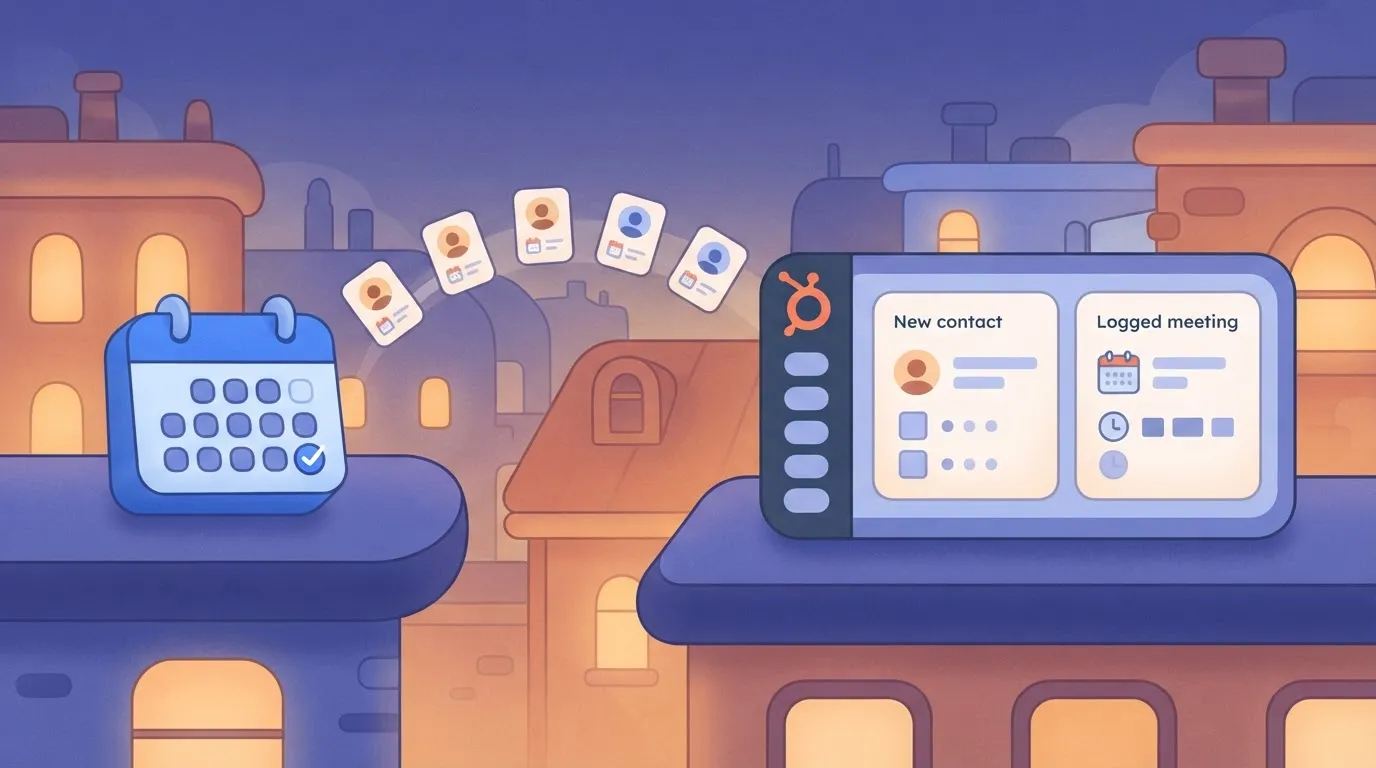
Connecting the two takes minutes. Mapping fields and catching failures takes the rest of the hour.
Calendly and HubSpot integration setup
Requirements for connecting HubSpot and Calendly
Gather these first, because each one blocks you mid-setup if it's missing:
- An automation account to build the workflow in, such as Activepieces
- A Calendly account with API access
- A HubSpot account whose user is allowed to authorize apps
- A test invitee email you control, ideally one that doesn't already exist in HubSpot
- The HubSpot contact properties you plan to map, written down in advance
If you aren't allowed to authorize apps, the authorization screen will fail, and you'll be waiting on someone else. The HubSpot permission's the one that stalls people.
Seats matter too. According to Outblox, HubSpot Sales Hub costs 0 $ per seat per month on Free, 15 $ on Starter, 100 $ on Professional and 150 $ on Enterprise. Free means you can build and test without a seat fee.
Per Outblox, Starter's cheap enough that a five-seat team pays 100 $ a month.
Professional's five times Starter, so a five-seat team pays 500 $, and you shouldn't upgrade just for this workflow without checking that you need something it adds. Enterprise at 150 $ puts the same team at 750 $ a month.
From one trigger, a new booking, most workflows fan out. The common ones:
- Create or update a contact from the invitee's name and email.
- Log the meeting against that contact so the sales rep sees it.
- Set a lifecycle stage or lead status based on which event type was booked.
- Handle cancellations by updating the contact instead of leaving a ghost meeting.
When a booking form has a free-text "company" answer and a HubSpot dropdown property, it fails the moment someone types something unexpected. Those steps are why the mapping work dominates.
Confirm the current price on HubSpot's own pricing page before you budget, because vendors change tiers and limits without notice. Vendor pages were checked on 2026-11-17, and the seat prices above come from the Outblox pricing dataset linked earlier.
viz type=stackrank title="What HubSpot Sales Hub costs per seat each month" unit="$ per seat per month" source="Outblox - https://www.outblox.com/sales-tech-stack-cost/sales-stack-prices.csv"00 on Professional and
This takes minutes, not a project: automate it in Activepieces free.
Five HubSpot and Calendly workflows worth automating
Once your test invitee email fires the trigger, five flows are worth building. All of them start from one of two Calendly triggers: "Event Scheduled" or "Event Canceled".
The table shows each flow's trigger, HubSpot action, optional filter and job, so you can pick the ones that match your pipeline and skip the rest.
| Flow | Calendly trigger | HubSpot action | Optional filter step | Job done |
|---|---|---|---|---|
| 1 | "Event Scheduled" | "Create or Update Contact" | None | Every invitee exists in HubSpot once |
| 2 | "Event Scheduled" | "Create Deal" | Only for sales-call event types | Owner has a record to work from |
| 3 | "Event Canceled" | "Update Contact" | Only if the contact exists | Records stop showing a meeting that won't happen |
| 4 | "Event Scheduled" | "Create Deal" | Qualified answers only | Sales hears about good leads first |
| 5 | "Event Scheduled" | "Update Contact" | Only returning contacts | Existing contacts show a new booking |
Prices and plan limits checked against activepieces.com and activepieces.com on November 17, 2026.
Build flow 1 first, because the other four assume the contact exists.
Start with "Event Scheduled", which feeds "Create or Update Contact", matched on email. That matching's what prevents duplicates when someone books twice, so map email before anything else.
For the owner to have a record tied to the meeting, flow 2 uses "Event Scheduled" and "Create Deal". If you need a note or task on that record, use the custom call described in the last subsection.

Without a filter that checks the contact exists, a cancellation for an email HubSpot never saw ends the run in an error. So "Event Canceled" feeds "Update Contact", ideally behind that filter.
Qualified-lead branch for HubSpot sales alerts
Speed matters here. Novigem puts the odds of qualifying a lead at 21 times baseline within 5 minutes, so an instant alert's worth far more than a daily digest.

At 30 minutes the odds fall to 7 times, and at one hour to 3 times.
At 24 hours they're 0.35 times baseline, meaning a lead you contact the next day is less likely to qualify than one you never prioritised. Put the filter before "Create Deal" so only qualified bookings reach the owner's queue.
When a step is missing: HTTP request or webhook
If a HubSpot action you need isn't offered, call the HubSpot API directly with an HTTP request step. On the Calendly side, "Custom API Call" does the same job for anything the built-in actions don't cover.
When you want another system to start the flow, a webhook works. Check the HubSpot API's authentication and rate limits before you rely on either path, since a failed call won't announce itself.
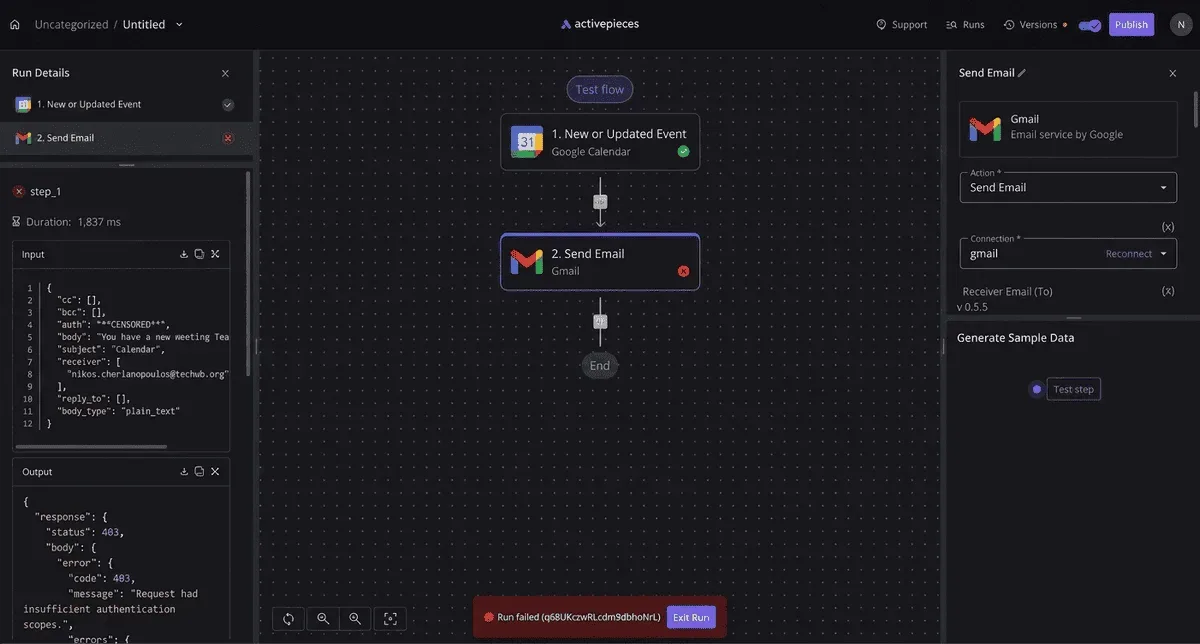
A raw API call leaves you maintaining the request yourself, and Activepieces offers a way out of that: it generates a missing integration with AI and adds it privately to your own instance, with no vendor release to wait for.
The 750 integrations it starts from are the entries in the packages/pieces/community directory of the MIT-licensed monorepo on GitHub (25,578 stars), counted there rather than taken from a marketing page.
Roughly 60% of them were contributed by the community, so the majority of the platform's integrations come from developers outside the core team. MoneyGram, Moneypenny, Alan and FundingSocieties run it in production.
Build the booking-to-contact workflow step by step
Build it as six stages, each leaving something that works, so when a call fails you know which stage broke it. The sequence below's the whole workflow; the four subsections after it hold the detail and the failure points.
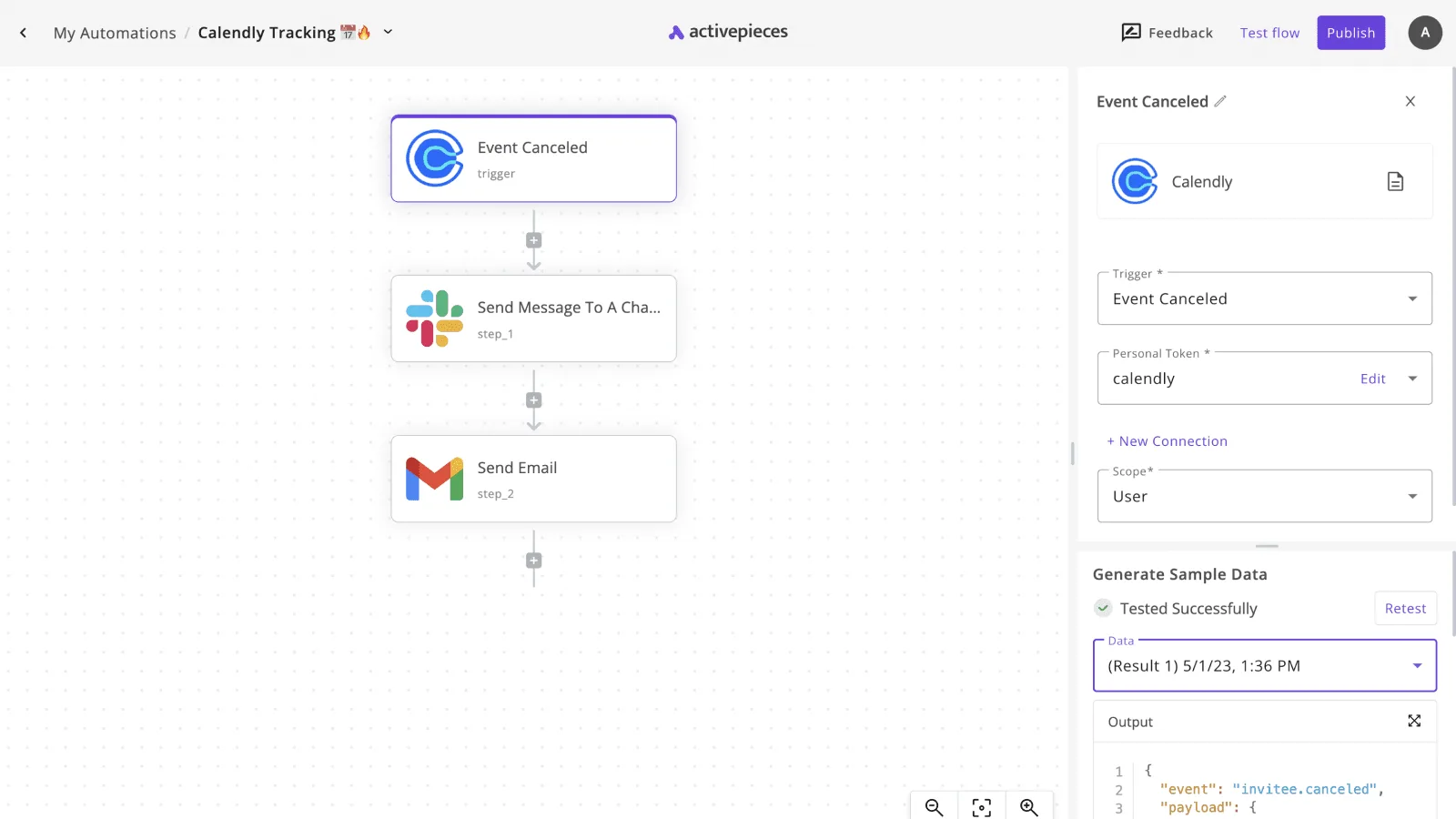
- Connect Calendly and HubSpot.
- Add the "Event Scheduled" trigger and load sample data.
- Add the "Create or Update Contact" action.
- Map fields.
- Test with a real booking.
- Publish.
By stage 2 you have a live trigger, by stage 4 a working action, and by stage 6 proof that it holds up.
Stage 1: connect both accounts
Authorize both accounts from your automation tool's connections page, signing in as the user who owns the Calendly event types and has contact-write permission in HubSpot. If the HubSpot login lacks that permission, the connection saves fine and the contact write fails later, silently.
Take a screenshot of each connected account showing the account name, so you can confirm later which workspace the workflow writes to.
Stage 2: add the Calendly trigger and test it
Add the trigger "Event Scheduled" and select the event type you want to watch. Then load sample data.
The tool pulls a recent booking, or a stand-in, and shows you the fields it received. Screenshot that list, because it's your reference for what Calendly actually sends.
Look for the invitee's name, first name, last name and email. If email is empty in the sample, stop here, since every later stage depends on it.
Stage 3: add the HubSpot action and map fields
Add "Create or Update Contact" and map from the sample data:
- Calendly invitee email to HubSpot Email
- Calendly invitee first name to First Name
- Calendly invitee last name to Last Name
Map email first and never leave it blank, because it's the field HubSpot uses to decide between creating a new contact and updating an existing one.
If Calendly returns only a single full-name field, split it deliberately rather than pushing the whole name into First Name.
Screenshot the finished mapping panel. When a contact record looks wrong weeks later, that image shows what you intended.
Stage 4: test with a real booking and publish
Book your own event type using an email address that already exists in HubSpot, then check that the existing contact was updated and no duplicate appeared. Repeat with an address HubSpot has never seen, and confirm a new contact was created.
Both outcomes matter, because the action does two jobs.
Check the run history for each; a green status on the workflow doesn't prove the field values landed correctly, so open the contact itself. Once both cases pass, publish. An unpublished workflow ignores real bookings.

Once published, the connection is live, but that doesn't make it safe. The next section covers what happens when a booking arrives with missing fields, or HubSpot rejects the write.
You can follow the rest of this with the builder open. Start free, no card.
Limits and errors in HubSpot and Calendly connections
When a write is rejected, it usually traces to one of five causes: a dead connection, an exhausted API allowance, a duplicate contact, a missing property, or a plan that lacks the feature you're calling.
Each one leaves a distinct symptom in your automation's run log.
Connection and permission errors
When a run that worked yesterday now fails with an authorization error, the token behind the connection was usually revoked or expired. Disconnect the app inside your automation tool, reconnect it, and approve every scope the prompt lists.
Skipping a scope is how you end up with reads that succeed and contact writes that fail.
If the person who created a Calendly webhook subscription leaves, the trigger can go quiet, because subscriptions are tied to the account that created them.
HubSpot and Calendly API rate limits and plans
How many calls you get per day depends on your account tier. According to Jetstack, Free and Starter accounts get 250,000 calls per day, Professional gets 625,000, and Enterprise gets 1,000,000.

Even at four calls per booking, a Free account would need about 62,500 bookings in a day to hit its cap. Bookings alone won't exhaust it, so suspect a bulk import or another app sharing the same account.
There is a second limit, a short-window burst limit that HubSpot also enforces, but I have no confirmed figure for it, so treat it as unverified and add a retry with a delay.
| Problem | Symptom | Cause | Fix | Source doc and date checked |
|---|---|---|---|---|
| Reconnect failure | Authorization error on a previously working run | Revoked or expired token, or a missing scope | Reconnect and approve all scopes | Unverified |
| Rate limit | Rejected calls and "too many requests" errors | Daily or burst allowance exceeded | Retry with delay; spread bulk jobs out | Jetstack (daily figures), checked 2026-11-17; burst figure unverified |
| Duplicate contact | Two contact records for one invitee | Create step used instead of search-then-update | Search by email first, then update | Unverified |
| Missing property | Write rejected or field blank | Property absent in HubSpot or invitee skipped the question | Create the property first; set a fallback value | Unverified |
| Time zone | Meeting time shifted by hours | Calendly sends UTC and the receiving field expects local time | Convert explicitly before writing | Unverified |
| Plan requirement | Action unavailable or denied | Feature gated to a higher HubSpot tier | Check your tier before building the step | Unverified |
Verify every "Unverified" row against HubSpot's and Calendly's own documentation before you rely on it, since only the daily allowances come from a source I could confirm.
Duplicate contacts, missing properties and time zones
Because a name can vary between bookings, an email address is the safest match key. Build every flow as search, then update or create.
For missing properties, create the HubSpot property before the first test booking and give optional Calendly questions a default. Convert times from UTC explicitly rather than trusting the target field to do it.
Other tools for HubSpot and Calendly, and starting in Activepieces
Activepieces connects these two apps through its 750 integrations, and it's fair to ask whether it's the only one that does, so you should check whether competitors match this integration breadth. It isn't.
Other no-code automation tools also offer a Calendly trigger and HubSpot actions, and the five cases you just covered apply to them just as much.
When another tool works for HubSpot and Calendly
If your team already pays for an automation platform and someone there knows how to read its run history, build the flow there. The connection's the easy part, as this article has argued from the start.

A Calendly booking firing a HubSpot contact lookup, an update, and a meeting log works the same way in any tool that offers those triggers and actions.
Don't move to a new platform just to save a few clicks; it costs you more than it returns. The field mapping and failure handling are the work, and you'd be redoing them either way.
Stay where you are if your booking volume is modest, your flow is short, and nobody on the team needs to see or change the platform's code.
When transparency and independence matter most
In a few specific situations, Activepieces does more of the work across its 750 integrations:
- Its core is MIT-licensed, so you can read how a step behaves instead of guessing from a failed run.
- It's self-hostable, so booking data from Calendly and contact data in HubSpot can pass through infrastructure you control rather than a vendor's cloud.
- Its docs state its plans have unlimited steps, so a flow with a lookup, a branch for duplicates, a retry path, and an alert to your team doesn't push you into a higher tier because it got longer.
- It has an HTTP request step and a webhook step, so when the Calendly or HubSpot integrations lack an action you need, you call the API directly and keep the rest of the flow intact.
Of those, the last matters most for this article's argument.
The failures you planned for tend to show up in the gaps between what a prebuilt step covers and what your HubSpot setup requires, such as a custom property or an object the standard action doesn't expose.
To close that gap without leaving the flow, use an HTTP request step. Check the current plan details in the Activepieces docs before you commit, since they decide what unlimited means for your account.

Open Activepieces today and create a new flow with the Calendly booking trigger. Add the HubSpot contact lookup as your first action, map the invitee email to it, and run one test booking before you build anything else.
Everything after that, from the update to the meeting log to the failure alerts, grows from that first working step.
Frequently asked questions
Four questions come up once the first booking works, and each has a firm answer in the vendors' own documentation.
Does Calendly connect to HubSpot for free?
Only partly, and the limit's on the Calendly side. Calendly gates webhook access by plan, so a free Calendly account may not be able to fire the trigger this workflow depends on. Check your plan in Calendly's help center before you build anything.
On HubSpot's side, the free CRM can create and update contacts, but confirm in the HubSpot knowledge base that the specific actions you want, such as logging a meeting, are open to your tier. If the trigger's blocked, no amount of mapping will fix it.
Can I sync Calendly cancellations to HubSpot?
Yes. Calendly sends a separate event when an invitee cancels, distinct from the one it sends when they book, and the developer documentation at developer.calendly.com lists both. That means a cancellation needs its own trigger and its own HubSpot action.
Without that trigger, the contact keeps showing a meeting that no longer exists, and a rep will prepare for a call that isn't happening.
Build it as a second, small workflow rather than a branch bolted onto the booking one, so a failure in one can't hide a failure in the other.
Do I need to write code to connect Calendly and HubSpot?
No. A no-code automation builder can take the Calendly booking as its trigger and run HubSpot actions from it. The knowledge base at knowledge.hubspot.com documents the contact properties those actions write to.
What you'll do instead of coding is decide where each Calendly answer lands in HubSpot, and what happens when a field is empty or a contact already exists.
That's configuration, but it's still the part that breaks, so test it with awkward bookings: a missing phone number, a shared inbox address, a repeat booker.
Can I self-host the workflow?
You can self-host the part you control, not the two services on either end. Calendly and HubSpot are both hosted products, so only the automation layer in the middle can run on your own server, and only if the tool you choose offers that option.
If your chosen tool does, you take on a public endpoint that Calendly can reach, uptime, and retries when your server is down at the moment someone books.
Miss a booking during an outage and it's gone unless you've set up a way to replay it. For a single scheduling flow, that overhead is usually the reason to stay with a hosted runner.
Related reading
Build it
Set this up in minutes.
No code required. Connect your accounts, and Activepieces runs it from there.
Start free Talk to sales