
Notion Agents vs Workflows: What Each Costs in 2026

Oct 16, 202612 min read
What Notion Agents are in 3.8
If your team already lives in Notion, this is the part that matters on Monday morning: Notion Agents, Notion's new AI agents, released in Notion 3.8 on 13 October 2026, do their work inside your Notion workspace rather than in a separate tool, much the way teams who wire up automations with Activepieces tend to prefer keeping the work where it already happens.

On 13 October 2026, Notion shipped Agents as part of version 3.8, according to its own release page. The release is Notion's, so the framing is Notion's: AI work happens where your pages and databases already are.
For a team of any size, that means fewer new logins and less retraining, which is where most rollouts stall. People keep their habits and the agent comes to them.
Who can use Notion Agents today and how
Check Notion's release page before you promise anything to your team, because availability depends on your workspace's plan and on what your admins have switched on, and the page is the authority on both.

Then open your own workspace, because it shows what you can actually use, and that's the only version of "available" worth planning around. If the option is missing, ask your workspace admin before you assume it's a rollout delay.
What it costs, per Notion's own pages
Notion publishes its pricing and plan details on its own pages, and your workspace's billing screen shows what applies to you.
Settle the cost question before you pilot, so nobody builds a habit around something finance later switches off.
Once you know what Notion offers, it helps to see what a closed catalogue looks like next to an open one.
If the connector you need is missing from Activepieces, you can build it yourself with AI help and keep it on your own instance, with no vendor release to wait on.
Teams at companies such as MoneyGram, Moneypenny, Alan and FundingSocieties run open-source workflow platforms like this in production.
What you take from it is that the real work is deciding where each agent belongs.
That decision is the rest of this integration.
The fastest way to settle a shortlist is to try one. Activepieces is free to try, no credit card.
What makes Notion Agents matter for automation
When work your team once routed through other tools can stay in Notion, "what leaves Notion" becomes a deliberate choice instead of a default, and that is why Notion Agents matter.
Work that now can happen inside Notion
According to Notion's 3.8 release notes, the update is 'all about context'. The update involves connecting data, tools, and skills so you can use any agent or model.
For a 15-person ops team, that means status roundups, document drafts, and database cleanup can run where the pages already live, with no export step.
2,800 AI agents against 1,100 employees: that is what Notion says it runs, according to a LinkedIn post. That's roughly 2.5 agents per person, and it's the vendor's own claim.

It shows the habit Notion intends: people hand work to an agent first, so expect your team's daily routine to shift there.
Work that still crosses into other apps
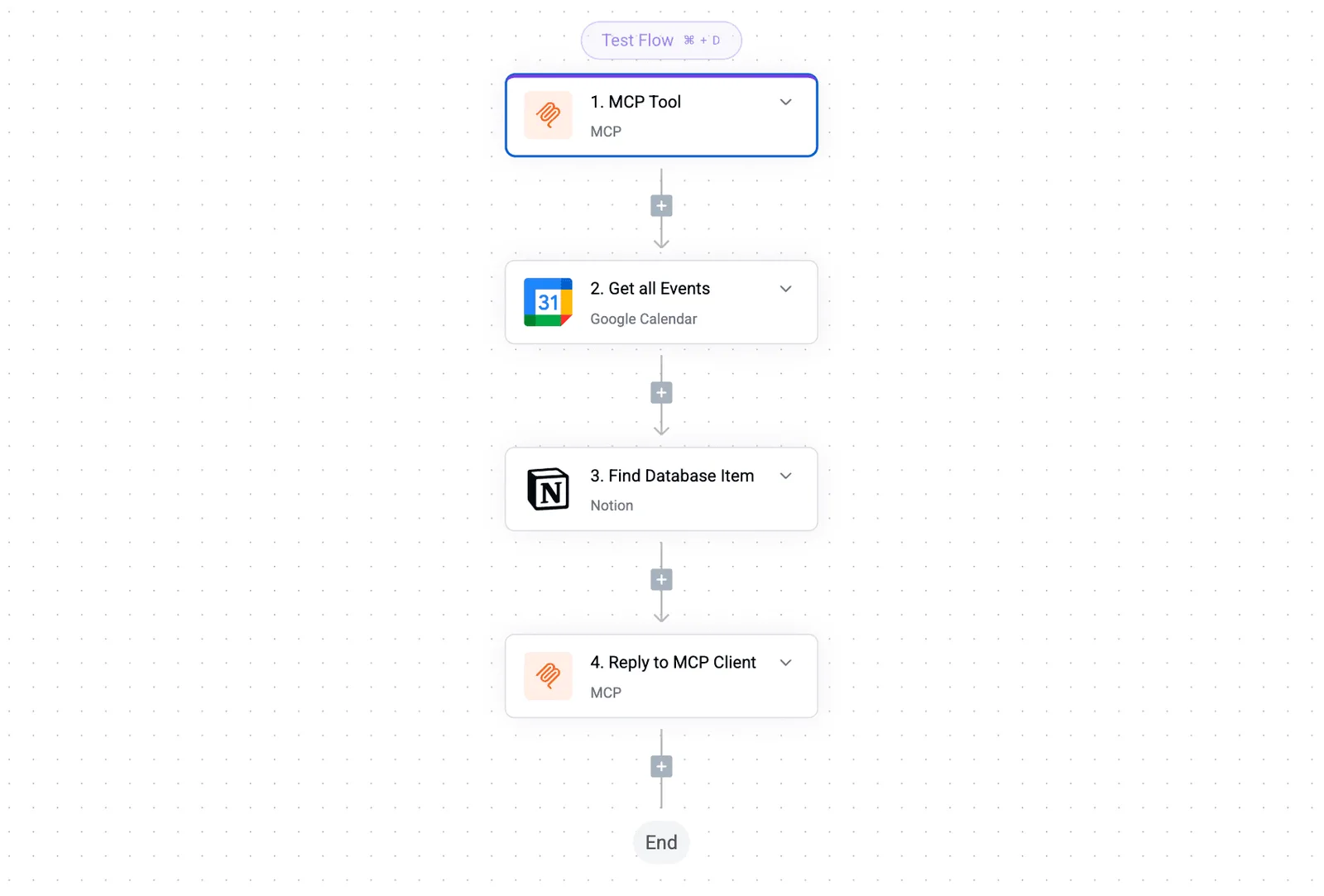
When a task starts or ends outside Notion, such as a support ticket, a billing event, a deploy alert, it still needs a workflow touching those apps.
The 2,800 agents describe Notion's internal use, so the figure says nothing about how agents behave against your other tools.
Treat it as evidence of adoption, not proof of reliability across your stack.
What MCP is and how it differs from a workflow
Before the four decisions below, one term needs explaining. MCP, short for Model Context Protocol, is an open standard that lets an AI agent connect to another app's data and actions.

In Notion's case, it means an agent built outside Notion can read or act in your workspace.
A trigger/action workflow works differently. You define in advance that when this happens in one app, that step runs in another, and the path is fixed.
With MCP, the outside agent decides at run time what to look up or change, within whatever access you give it.
One more term appears in the pricing later on. Credits are the units Notion uses to meter agent work, which is why the cost rises and falls with how often your agents run.
Before anything runs, the team has four decisions to make. The set below lays them out:
- Which tasks stay inside Notion
- Which tasks cross into other apps
- Who owns a failed run
- How external agents reach Notion through MCP
Start with ownership. A failed run nobody owns is what wears down trust in the whole setup. It's the hardest of the four to fix once people have gone back to doing the work by hand.
What's measurably new in Notion 3.8
You can't yet size an owner's workload or a failure rate from Notion's 3.8 page, dated 2026-10-13.
New Notion Agents capabilities on the release page
Read the table as the full set of claims you can plan around today; each capability appears as the page states it. Anything outside it is inference.
| Capability | What the page states | Figure given |
|---|---|---|
| Context focus | Agents can be directed toward particular context | No figure stated |
| MCP connection for external agents | Agents outside Notion can connect to it | No figure stated |
| Tool integrations | Agents can work with connected tools | 150+ tools connectable via MCP |
Prices and plan limits checked against notion.com and activepieces.com on October 16, 2026.
If you want to know how many pages, connections or runs a team can expect to handle, none of these rows says.
That follows from the gap: you'll be writing your own limits, and the first two weeks of a pilot are where you find them.
Limits and details Notion doesn't state
Plan around what's missing, because the omissions are where a pilot gets stuck. The page gives no figure for how much context an agent can focus on, so you can't tell whether a large workspace gets covered or only a slice of it.
With several tools in play, a team should test one connection before promising the rest, because the page gives no figure for how many external agents can connect over MCP.
It states that 150+ tools can be connected to Notion Agents via MCP, so check each app you depend on by name before building a process around it.
Treat every blank as a question for a small pilot group, with one person owning the answer. A gap nobody owns turns into the failed run nobody explains.
Reading a table only gets you so far. Build the same workflow in Activepieces and compare it yourself.
What Activepieces shipped for Notion 3.8 and how to connect today
We haven't run Notion 3.8 or Notion Agents ourselves, so nothing here's tested against them.
Activepieces has a Notion integration, one of the 741 integrations counted directly from the packages/pieces/community directory of its MIT-licensed open-source monorepo, where roughly 60% of the integrations are community-contributed, meaning most integrations are maintained by contributors outside the core project.
The integration page lists both triggers and actions for Notion.
Treat it as the connection layer you can set up now, not a verified Agents integration.
Accessing the Notion integration documentation
On the Activepieces Notion piece page, the integration is described as "The all-in-one workspace", with both triggers and actions listed.
The integration sits in the MIT-licensed monorepo, so you can read what it does in the source.
I can't give you a release date or a pull request for that change, so I won't invent one. Check the integration page for what your instance currently exposes before you plan around any specific step.
Connecting Notion to your other apps in a workflow
Think of it as a morning-standup handoff. A trigger fires when something changes in a Notion database, and each action that follows moves the work to another system.
- Connect your Notion workspace through the integration's connection modal and share the target database with the integration.
- Use a Notion trigger on new or updated items in that database.
- Add a Code step to reshape the fields, such as turning a status change into a clean payload.
- Add an action in the app that owns the next step, then write the result back to the Notion page.
Say your support lead marks a Notion request "approved." The flow can look up the customer in the Stripe payments account, issue the credit, and stamp the outcome on the page.
In the builder, the Data Selector's Variables tab lists a stored value such as STRIPE_PROD, and the Code step takes it through its context field. The key is stored once, so nobody pastes it into each step.
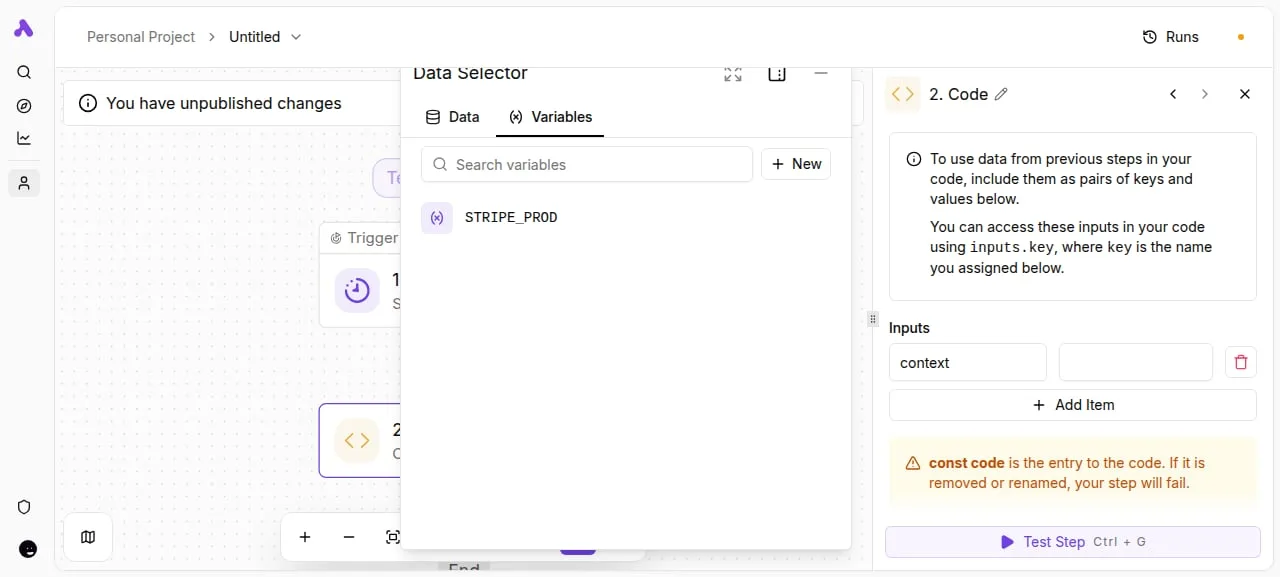
That's what keeps the failed run explainable: every handoff is a visible step with its own input.
How Notion's cost and speed compare
Notion's stated pricing versus workflow-tool pricing
For a ten-person team, credits are the part that moves with how often agents run.
For the cross-app option, Zapier lists plans from $0 to $103.50, which means you can test it at no cost before deciding to upgrade. That buys connections to apps outside Notion, which an agent living in Notion doesn't give you.

By hand costs no subscription, but it's paid in someone's morning.
Where Notion Agents speed claims exist and don't
I can stand behind one speed figure, Zapier's polling interval, from a Zapier Community explainer. The Free plan checks for new data every 15 minutes, meaning your data will always lag by up to that interval. A form submitted at 9:01 can sit until 9:16.
By hand costs no subscription, but it's paid in someone's morning.
Move up the tiers and the lag shrinks: Professional checks every 2 minutes, Team every 1, and Enterprise every 1, so even the Professional interval means accepting more lag than the top tiers.
If your handoff needs to feel instant, the plan tier decides that, not the tool.
| Option | Cost | Speed |
|---|---|---|
| Notion Agents | — | No figure |
| Cross-app workflow tool (Zapier) | $0-$103.50 | 15 minutes (Free) down to 1 minute (Company) |
| By hand | No figure | No figure |
I haven't tested any of these, so treat the blanks as unknowns rather than as zeros. Before you commit a team to either path, time one real handoff yourself.
What to watch next after Notion 3.8
Watch three pages and one open question.
The pages are Notion's release page, dated 2026-10-13, its pricing page, and the Notion integration page of whichever workflow tool you use; the question is whether agent usage ends up metered in a way that changes your budget, so agent costs scale with your actual usage frequency.
Your timed handoff gives you a baseline, and these pages tell you when that baseline stops being true.
Notion Agents pages to recheck regularly
Treat this like a standing item on the weekly ops check-in, not a one-time read. Do it in this order:
- Reread Notion's release page for Notion Agents, so you know what the agents are documented to do today rather than what the launch coverage implied.
- Check Notion's pricing page for changes to agent credits. Whoever owns the budget should know whether agent work is included in a plan or metered on top of it before the team builds habits around it.
- Check your workflow tool's Notion integration page, which lists the triggers and actions available for connecting Notion to your other apps. If a handoff you timed needs one the integration lacks, you'll learn it here and not mid-rollout.
- Pick one task to keep in Notion and one to move into a workflow that spans other apps.
Once the pages are rechecked, the open questions are the ones they may not settle yet. One is how agents behave when a task needs data from outside Notion, the other how credit use scales once more than a few people lean on them.
Write both down, and note which page you expect to answer each.
A first step for this week
Do step four, and keep it small. Choose a task that already lives in Notion, such as summarizing meeting notes into a project page, and let the agent own it.
Then choose a task that starts in another tool, such as a customer request that must reach Notion, support, and chat, and give it to a cross-app workflow.
Tell the team which is which in one sentence at standup. Habits change when people know exactly where a task lives.
Related reading
References
Still comparing
The fastest way to settle it is to build something.
Open source under MIT, so you can self-host the same thing later.
Start free Talk to sales