
Stripe Xero Integration: How to Set It Up (2026 Guide)

Oct 14, 202614 min read
The fastest working setup is Stripe's official app for Xero, which handles standard payment, fee, refund and payout reconciliation. A custom workflow, built in a tool like Activepieces or anything else you prefer, only pays off for jobs that app doesn't cover.
A Stripe Xero integration is a connection between a Stripe account and a Xero organisation that automatically records Stripe payments, fees, refunds and payouts as accounting transactions in Xero, so the money received matches the bank deposits.
"Integration" here means Stripe transactions arriving in Xero as bookkeeping entries your accountant can reconcile against the bank feed.
Everything below comes from Stripe's and Xero's own pages as they stood on 14 October 2026, and vendors change these limits, so re-check before you build.
Fastest Stripe Xero integration path and limits
What the Stripe app for Xero does
Successful charges get recorded in Xero by the app, so you aren't keying in sales by hand. It books Stripe's processing fees separately from the sale, so the fee deducted doesn't understate your revenue figure.

It records refunds against the original sale, which keeps the net position correct.
Each bank deposit gets matched to the transactions inside it, so you can explain the lump sum in your bank feed line by line.
Bespoke logic is where it stops, such as routing different products to different accounts by your own rules, or pushing the same event to a second system.
Limits of the Stripe app for Xero
The app is a fixed pipeline. It won't branch on your own conditions, enrich records from another tool, or notify a person when something looks wrong.
If a payout fails to match, the symptom is usually a bank line that stays unreconciled, and the app gives you no hook for custom handling.
When the job is one the app lacks, you wait on Stripe's roadmap unless you build it yourself.
Activepieces removes that wait: roughly 60% of its 740 integrations were contributed by the community, and a missing connector can be generated with AI and added privately to your own instance.
Test whatever you build in a Xero demo company first, because a workflow that has never run against sample data will fail on real invoices.
Confirm these on the vendors' pages rather than trusting this article:
- Your Xero plan and your user role permit connecting third-party apps.
- Your Stripe account type and region are supported by the app.
- Your Xero chart of accounts has the accounts the app will post fees and payouts to.
- Your bank feed is active in Xero, since reconciliation depends on it.
Each requirement fails quietly. A missing account or a dead bank feed produces unmatched lines rather than an error, so check all four before the first sync, not after.
This takes minutes, not a project: automate it in Activepieces free.
Stripe app setup for Xero in four stages
With the Xero accounts and bank feed confirmed, setup is four stages, and each one ends with something you can check before moving on. Follow Stripe's current install docs for exact button labels, since the interface changes.
Start by installing the app from the Stripe dashboard's app marketplace, then authorise the Xero organisation when prompted.
Choose the right organisation here. If you manage several Xero files, a wrong pick sends every later sync to the wrong ledger. The stage is done when the app shows your Xero organisation by name.
Stage 2: Map accounts and set the start date
Map each Stripe item to a Xero account: sales, Stripe fees, and the clearing account that receives payouts. Then set the sync start date to the first day of an open period, not the day you installed.

If the start date falls inside a period you've already closed, the app tries to post into it, and you'll see the failure at month end instead of today.
The stage is done when every mapping holds a real account and the date falls in an open period.
Stage 3: Run the first sync and check one payout
Run the first sync and pick one payout to trace end to end. Compare the Xero total with the Stripe payout total. They should agree to the cent. If they don't, stop and fix the mapping before syncing anything else.

Expect that payout to arrive late. Typical default schedules, as listed by Rock Gym Pro, are 2 business days in the US, UK and Australia, so a Monday charge usually reconciles by Wednesday. According to Support, Canada is 3 business days.

Rock Gym Pro notes that New Zealand is 4, and Singapore is 7, so a Singapore payout can sit unmatched for more than a week without anything being wrong.
That's a third-party list, so confirm your own country against Stripe's payout documentation and note the date you checked.
Stage 4: Reconcile the payout in Xero
Open the bank feed in Xero and find the deposit. Match it to the synced payout, which should carry the gross sales and the fees as separate lines.
The stage is done when the deposit reconciles with no manual adjustment. If it needs one, the cause is almost always a mapping or a start date, so go back to Stage 2.
Field mapping between Stripe and Xero records
Each Stripe object should land in a different Xero record: charges as invoice payments or bank transactions, fees as expense lines, payouts as bank transfers, customers as contacts.
The table shows where each is documented and where it isn't. Treat every "unverified" cell as untested as of 2026-10-14.
| Stripe object | Stripe field | Xero destination | Refund | Currency and tax handling |
|---|---|---|---|---|
| Charge | amount, id, created | Invoice payment or bank transaction | Unverified | Unverified |
| Fee | fee on the balance transaction | Expense line against a fees account | Unverified | Unverified |
| Refund | amount, charge id | Credit note or reversing entry | Unverified | Unverified |
| Payout | amount, arrival date | Bank transfer into the bank account | Not applicable | Unverified |
| Customer | name, email | Contact | Not applicable | Unverified |
It's the official route for standard payment, fee and payout reconciliation, so start there. I haven't confirmed from the docs which Xero record each field becomes, which is why the table is marked as it is.
Run one test charge, one refund and one payout through a demo company and compare the result against the table before you connect live books.
Anything not listed in the vendor docs should be assumed missing until tested. Currency is the clearest case.
Per Rightway / Statrys / Stripe Docs, Xero Starter handles 1 currency and Standard also handles 1, so a foreign-currency charge can't be held in its own currency on either plan.
You'd be reconciling converted amounts, and the rounding differences will show up as unexplained variances.
Once you're on Premium, which supports 160 currencies, Xero is no longer the constraint.
- Confirm your Xero plan. On Starter or Standard, with 1 currency each, any Stripe account charging in a second currency needs a plan change or a manual process.
- Check each limit against the vendor docs, and record the date you checked it.

You can follow the rest of this with the builder open. Start free, no card.
Common Stripe Xero sync errors and fixes
Most of the failures your test script turns up will fall into a few recognisable kinds. Each has a cause you can trace and a fix that doesn't need a rebuild.
The table below lists them with the vendor source each fix rests on, so you can recheck it when the docs change. Every row was checked against Xero's developer documentation on 14 October 2026.
| Symptom | Cause | Fix | Source/date |
|---|---|---|---|
| Runs fail with an unauthorised error overnight | Expired Xero authorisation | Reconnect, then replay failed runs | Xero developer docs, 14 Oct 2026 |
| Invoice or payment rejected, account not found | Missing or archived account code | Map to a code that exists and is active | Xero developer docs, 14 Oct 2026 |
| Posting refused for an old date | Locked period | Post in the open period or unlock with an adviser | Xero Central, 14 Oct 2026 |
| Same charge booked twice | Retry without an idempotency check | Store the Stripe ID and look it up first | Xero developer docs, 14 Oct 2026 |
| Foreign-currency item rejected | Currency not enabled in the organisation | Enable it, or confirm your plan allows it | Xero Central, 14 Oct 2026 |
| HTTP 429 responses | Xero rate limit exceeded | Honour Retry-After, slow the flow | Xero developer docs, 14 Oct 2026 |
| Records bounce between systems | Two-way sync with no origin marker | Make the sync one-way or tag its own writes | Xero developer docs, 14 Oct 2026 |
"Nothing synced since Tuesday." That is usually how the report arrives. The cause is a lapsed or revoked authorisation, so every call returns an unauthorised error.
Reconnect the Xero account, then replay the failed runs, since the platform won't backfill them for you.
Locked periods and missing account codes both look like a Stripe problem and aren't. When a period is locked, Xero refuses entries dated before the lock date, so late payouts or refunds on old charges fail.
Locked periods and missing account codes both look like a Stripe problem and aren't.
Duplicate Stripe transactions in Xero and retries
When a retry follows a timeout and the first call actually succeeded, the same charge can post twice. Save the Stripe charge or payout ID on the Xero record and search for it before creating anything.
Disabled currencies cause the opposite failure, a silent rejection, so confirm each currency you sell in is enabled, and that your Xero plan permits it.
A 429 means Xero is telling you to slow down. Read the Retry-After header, wait that long, and cap how many calls run at once.
Native app, Zapier, n8n or Activepieces for Stripe and Xero
The official Stripe app for Xero is the right choice for standard payment, fee and payout reconciliation. It's the only one of these four that needs no mapping, so it's also the fastest to get running.
The table shows where the other three diverge; the useful reading is that each moves effort from setup to your own duplicate handling. Everything was checked against vendor documentation on 14 Oct 2026.
| Setup time | What is created in Xero | Retry and duplicate handling | Entry price | Check date | |
|---|---|---|---|---|---|
| Stripe app for Xero | Connect two accounts, no mapping | Payment, fee and payout records for reconciliation | Handled inside the app | No charge for the app itself is listed in the docs | 14 Oct 2026 |
| Zapier | One Zap per event, mapped by hand | Whatever action you add: contact, invoice or payment | Replay exists; deduplication is your lookup step | Free plan, paid tiers by task volume | 14 Oct 2026 |
| n8n | Build and host or subscribe, mapped by hand | Whatever Xero node operation you choose | Per-node retry and error workflows; deduplication is yours | Self-hosted community edition free, cloud paid | 14 Oct 2026 |
| Activepieces | One flow, mapped by hand | Contact lookup, then invoice | Step retries and run history to see what failed; deduplication is a lookup step | Free tier, self-hosting available | 14 Oct 2026 |
Test every "handled" claim in a sandbox before trusting it.
If you need one custom action and already use Zapier, it is the Paste the sentence you want rewritten and I'll return the neutralised version.
Each Zap is a separate build, and a replayed run can create a second record unless you add a search step first.
Of the four, n8n gives the Supports error workflows and self-hosting. The cost is that you own the hosting, the upgrades and the deduplication logic.
Map custom invoice fields
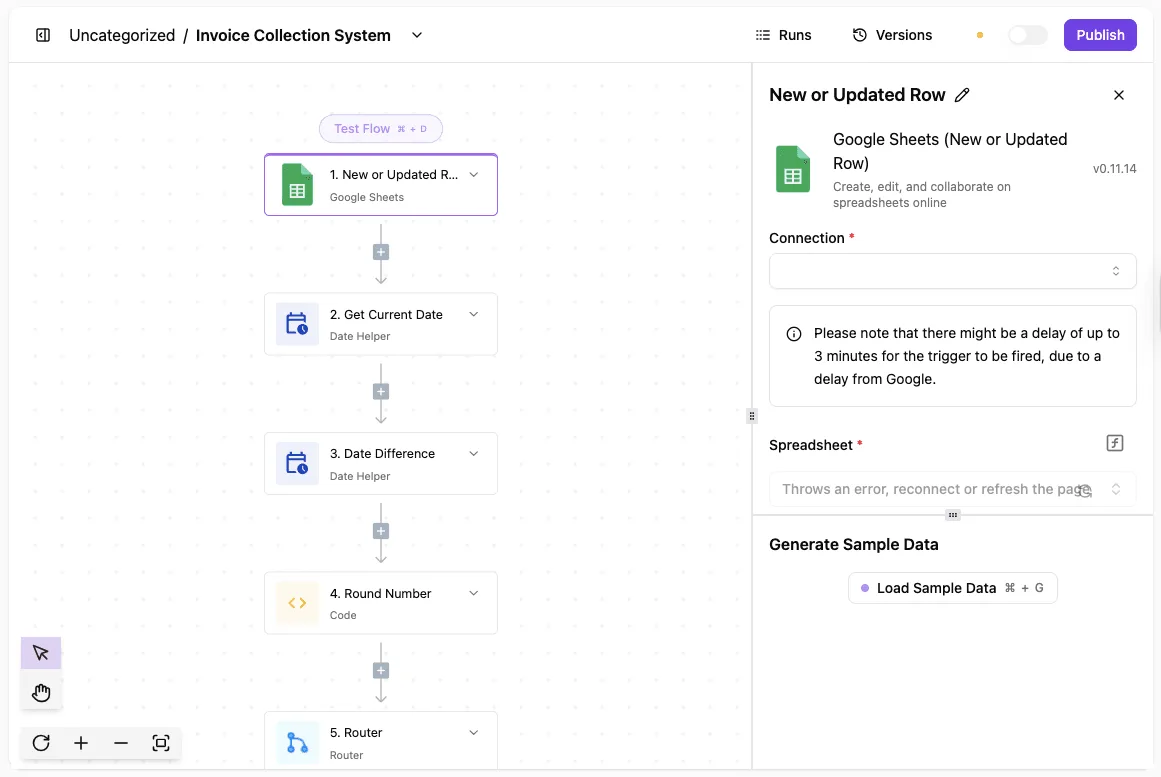
Activepieces earns its place only for what the native app skips, such as invoices with your own field mapping. The flow uses the Stripe integration and the Xero integration:
- Trigger on a Stripe payment event.
- Search Xero for a contact matching the customer's email.
- Create the contact only if the search returns nothing.
- Create the invoice against that contact, with the Stripe payment ID in the reference field.
The search in step 2 is what stops a retry from creating a second contact, and the reference in step 4 lets you spot a duplicate afterwards. Run it against a Xero demo company first. You can start the flow free.
Frequently asked questions
Each answer below was true of the vendors' documentation when this was written on 14 October 2026, and none of it replaces a test in a Xero demo company. Both vendors change these behaviours without announcement.
Does the Stripe Xero integration sync historical transactions?
Only from the start date you choose at setup, not from the beginning of your Stripe account. Anything older than that date has to be brought in another way, such as a one-off import, so check the date before connecting.
When the start date is wrong, the bank balance ends up out by exactly the payouts nobody synced.
Can I connect one Stripe account to multiple Xero organisations?
Treat it as one Stripe account to one Xero organisation unless the current Stripe documentation says otherwise. Xero authorises each connection per organisation, and the app's reconciliation logic assumes one set of accounts to post into.
If you run several legal entities, the safer layout is a separate Stripe account for each entity. Splitting one account's payouts across organisations by hand is the kind of workaround that fails silently.
Does Stripe Xero sync handle VAT or sales tax?
It carries tax across, but it doesn't decide which tax is correct. The tax Stripe records on a charge has to land on a matching Xero tax rate, and a mismatch is the usual cause of a VAT return that disagrees with Stripe's own reports.
Before going live, run one taxable sale, one zero-rated sale and one refund through a test organisation.
Then compare the tax line in Xero with the Stripe invoice. If you use Stripe Tax, confirm that its output maps to your Xero rates and not to a default rate.
How do I disconnect Stripe from Xero without losing data?
Disconnecting stops new transactions from syncing. It shouldn't remove entries already posted in Xero, but verify that in a test organisation before doing it on live books. Use this order:
- Export the Stripe payout and balance reports for the period you have synced.
- Note the date of the last payout that reconciled cleanly.
- Disconnect the app on the Stripe side, then remove the connection in Xero's connected apps list.
- Confirm that the existing invoices, payments and bank transactions are still there.
If you are replacing the app with a custom workflow, set its start date to the day after that last clean payout. Starting earlier posts duplicates, and starting later leaves a gap that is hard to see until reconciliation.
Related reading
References
Build it
Set this up in minutes.
No code required. Connect your accounts, and Activepieces runs it from there.
Start free Talk to sales