
Using the GitLab API Without Hand-Written Auth Code

Nov 20, 202616 min read
GitLab's API is REST v4 plus GraphQL, authenticated with tokens, and it works the same on GitLab.com or a self-managed instance, with no per-call fee, which is why tools like Activepieces can talk to either one in the same way.
The full reference is at docs.gitlab.com/api.
GitLab API access, plans and what it covers
What the API is: REST v4 and GraphQL
If you can click it in the web UI, REST v4 has an endpoint for it. That is the long-standing interface: projects, merge requests, issues, pipelines, users and groups, all exposed as resource URLs under a versioned path.
When you need nested data, such as a merge request with its approvals and pipelines, GraphQL saves requests. It is a single endpoint where you ask for exactly the fields you want.
Neither is complete on its own. Some operations exist only in REST and some newer features appear first in GraphQL, so expect to use both in anything non-trivial.
Both take the same tokens, which is the one piece of good news before the auth decisions start.
Plans that include API access and per-call pricing
Nobody sends you a bill per call, because API access isn't a paid add-on and GitLab doesn't meter calls. You pay per seat, and the practical limit is rate limiting, not a bill.

That means the cost of a heavy integration shows up as throttled requests at 2am, not as a line on an invoice.
As of 20 Nov 2026, the Free plan includes API access at $0 per user per month and Premium includes it at $29 per user per month, billed annually, with no per-call charge on either.
Read that as "the API is there on every tier, so the plan decision is about seats and features, not access."
I couldn't confirm Ultimate's figures on that date. Check the GitLab pricing page before you budget around it. Since access is the same, what follows is how to point your code at the right instance.
GitLab.com versus self-managed base URLs
On GitLab.com, REST calls go to https://gitlab.com/api/v4. On self-managed, you swap in your own hostname and keep the /api/v4 path. GraphQL lives at /api/graphql on the same host.
Make the base URL the first thing you make configurable, whether you write the client yourself or build the flow in Activepieces, which runs on Activepieces Cloud or on-prem on every plan.
Hard-code gitlab.com and the day someone asks you to run the same integration against an internal instance, you're rewriting it.
If you're on self-managed, behaviour you tested on GitLab.com may not carry over, because admins can also change rate limits and token policies.
Everything below works on Activepieces' free plan. Start without code or a credit card.
Tokens and a first working request
If you want a working call fast, a personal access token with the api scope gets you there. On self-managed, the admin's token policy can reject what GitLab.com accepted, so check the policy first.
Pick by who should appear in the audit log, not by which is quickest to create. The table below shows the four credential types side by side.
| Credential | Acting identity | Scopes | Expiry | Tier availability |
|---|---|---|---|---|
| Personal access token | You, with all your permissions | api, read_api and others |
Set at creation, capped by instance policy | All tiers |
| Project access token | A bot user tied to one project | api, read_api and others |
Set at creation, capped by instance policy | Depends on plan on GitLab.com |
| Group access token | A bot user tied to one group | api, read_api and others |
Set at creation, capped by instance policy | Depends on plan on GitLab.com |
| OAuth 2.0 app | The user who authorizes it | Requested at authorization | Short-lived, renewed with a refresh token | All tiers |
Leak a personal token and you've leaked the account, because it inherits everything you can do. The bot-user rows are narrower.
In your profile, open Access tokens, add a token, and name it after the job it'll do. Choose read_api if the script only reads; choose api only if it writes.
Set an expiry you can live with, because the token silently stops working on that date. Copy the value immediately, since GitLab shows it once.
Project and group tokens for automation
For anything that runs unattended, use a project or group token. The calls are attributed to a bot, not to whoever happened to create the token, so nothing breaks when that person leaves.

If the Access tokens page under the project or group settings is missing, your plan or instance policy doesn't include them. Fall back to a personal token on a dedicated service account.
curl --header "PRIVATE-TOKEN: $TOKEN" "https://gitlab.example.com/api/v4/user"
curl --header "PRIVATE-TOKEN: $TOKEN" "https://gitlab.example.com/api/v4/projects?membership=true"
When the first call returns your user object, you know the token and host are right. With a bot token it returns the bot. The second returns only the first page of results, so a script that assumes it got everything is already wrong.
curl --request POST --header "PRIVATE-TOKEN: $TOKEN" \
 --data "title=First API issue" \
 "https://gitlab.example.com/api/v4/projects/$PROJECT_ID/issues"
Once the created issue shows up in the response, you've confirmed write access. For GraphQL, one endpoint takes a query body:
curl --request POST --header "PRIVATE-TOKEN: $TOKEN" \
 --header "Content-Type: application/json" \
 --data '{"query":"{ currentUser { username } }"}' \
 "https://gitlab.example.com/api/graphql"
It returns the same identity as /user, so you know the token works on both surfaces.
GitLab API rate limits by tier
Even with a working token there is a ceiling: on GitLab.com, authenticated API traffic gets about 2,000 requests per minute per user, and anonymous and protected traffic get far less, so large migrations will face strict rate limiting.
I'd rather you learn that from a table than from a 429 at 2am.
GitLab.com limits as published
As of 20 Nov 2026, the table below shows the default ceilings by traffic type.
Take from it that the gap between authenticated and anonymous traffic is the whole point: sending your token on every call is what buys you headroom.
| Traffic type | Limit | Scope | Where published |
|---|---|---|---|
| Authenticated API | About 2,000 requests/min | Per user | GitLab Support |
| Unauthenticated | 500 requests/min, cut to 60/hour after 19 Oct 2026 | Per the article's unauthenticated tier | GitLab Support article |
| Protected paths | 10 requests/min | Per IP | GitLab Support article |
When a nightly sync and a CI job share one service account, they share one budget, and they can starve each other. The 2,000 per minute for authenticated calls is per user, which is generous for a single script.
According to Support, the 500 per minute for unauthenticated calls matters less than the change after it.
Since 19 Oct 2026 the ceiling is 60 per hour, which is about one request a minute. Anything still calling without a token will hit that fast, so add the token.
Retry against sign-in or similar sensitive routes and you are locked out in seconds. The 10 per minute on protected paths is the one that bites, and it's limited per IP.
Self-managed limits you set yourself
On a self-managed instance, those figures are defaults, not law. An administrator can change the rate limits, so the number that applies to you is whatever your admin configured.
Ask them before you design around 2,000 per minute, because they may have lowered it to protect a small server or raised it for an internal integration.
Don't copy GitLab.com's numbers into a self-managed config and call it tested.
Reading rate-limit headers
Don't hard-code the ceilings above; read what the server tells you. GitLab responses carry RateLimit headers showing your limit, what remains and when the window resets. Once you're throttled, the server returns a 429 with a Retry-After header giving the seconds to wait.
That header means your retry logic needs no guesswork. Sleep for the stated time, then resume. A fixed one-second backoff will either hammer a window that hasn't reset or wait far longer than needed.

Easier to see it running than to read about it: set it up free, no card.
Common GitLab API errors and their fixes
When a GitLab API call fails, it usually traces to a handful of status codes, each with a usual cause and a fix. The 429 is the one a fixed one-second backoff handles worst.
| Status | Usual cause | Fix |
|---|---|---|
| 401 | Token expired, revoked or mistyped | Issue or rotate a token and update the stored secret |
| 403 | Token lacks the scope, or the user lacks the role | Add the scope or raise the role on that project |
| 404 | Private resource, or an unencoded project path | Authenticate, and URL-encode the path |
| 422 | Request body failed validation | Read the error message and correct the field |
| 429 | Rate limit hit | Wait as the header says, then retry |
| 5xx | Server-side fault | Retry with backoff, then give up and log |
401, 403 and 404: token, scope and visibility
Get a 401 and GitLab doesn't accept the credential at all. Expiry is the usual culprit: a token that worked in testing quietly lapses weeks later, and your job fails at an hour nobody is watching.
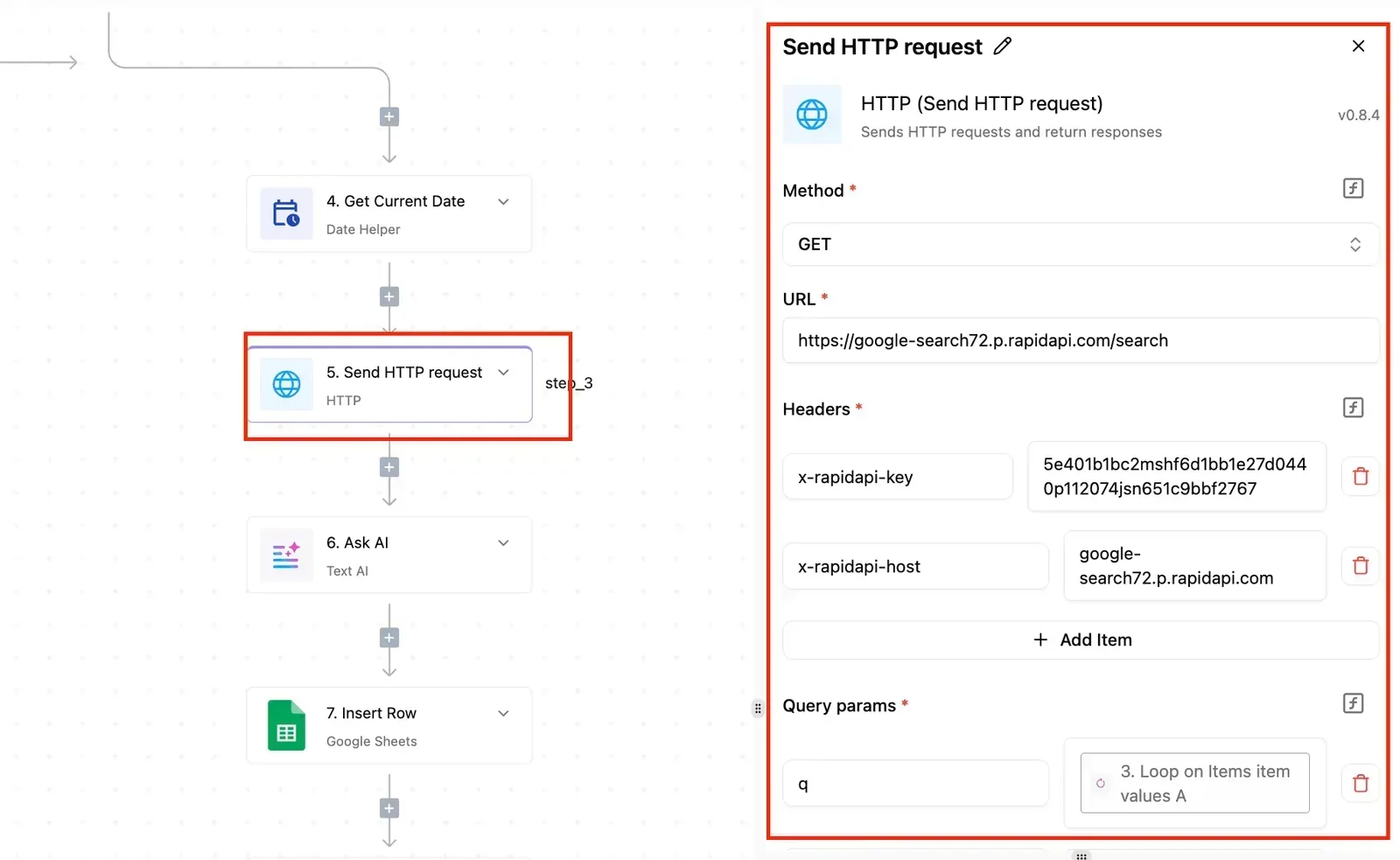
Put the expiry date somewhere you'll see it and rotate before it arrives.
With a 403, GitLab knows who you are and refuses anyway. Either the token was created without the scope the endpoint needs, or the account behind it holds too low a role on that project. Check both before you touch the code.
Confusingly, GitLab answers 404 for private resources you can't see, so a "missing" project often means a missing credential.
The other cause is a project path such as group/project used in a URL without encoding the slash as %2F. Use the numeric project ID and you sidestep the second problem entirely.
429: back off using Retry-After
When the limit trips, the response tells you how long to wait. Use that instead of a guess. The order that works:
- Read the
Retry-Afterheader. - Pause for that long.
- Retry the same request.
- If the 429 recurs, back off exponentially.
- Give up and log the failure.
That order matters because the header reflects the actual window, so you neither hammer it early nor sleep past it. Logging the final failure means a human finds out, rather than a script looping forever.
Treat 5xx responses the same way, with exponential backoff and a hard stop. A 422 is different: retrying never fixes it, because the request itself is wrong.
You don't have to hand-code that five-step order.
Describe it in plain words to the built-in chat in Activepieces, naming the GitLab project and the token you already hold, and it publishes a live flow in your account, the same artifact a builder would assemble by hand.
Every run of that flow leaves a run trace showing exactly what happened on each attempt, under the same RBAC and audit logs as every other flow. MoneyGram, Moneypenny, Alan and FundingSocieties run Activepieces in production.
Truncated results and pagination limits
Quietest of all is the failure that returns a 200. List endpoints give you one page, so a loop that reads the first response will happily report success on partial data.
You find out when a report is missing records and nobody can say since when.
**List endpoints give you one page, so a loop that reads the first response will happily report success on partial data.
Follow the pagination headers until there's no next page, and don't assume a short list is a complete one. For large collections, prefer keyset pagination where an endpoint supports it, since walking deep offsets is slower and can be cut off.
Whichever you use, count what you fetched and compare it to what you expected.
Call the GitLab API without code using Activepieces
If you counted what came back and it matched what you expected, the next question is whether you need to write the fetching code at all.
With Activepieces you can describe the fetch to the built-in chat instead of hand-writing it, and a run costs 1 credit however many steps it has, so paging through a large project doesn't change the bill.
Use the GitLab integration for common actions
For the everyday jobs, such as reacting to project events and creating or updating issues, Activepieces ships a GitLab integration with ready-made actions and triggers, one of 750 integrations in its MIT-licensed open source core, which means you're not limited to just GitLab automation.
You paste a token into a connection once, and every step in the flow reuses it. That means one place to rotate a credential instead of a token pasted into five scripts, which is the part of the integration that tends to rot first.

Pick the integration when the action you need is already listed. You get the connection handling and the run trace for free.
The trace shows each step's input and output, so when a flow returns fewer items than you expected you can see which step dropped them instead of guessing.
Fall back to the HTTP step for any endpoint
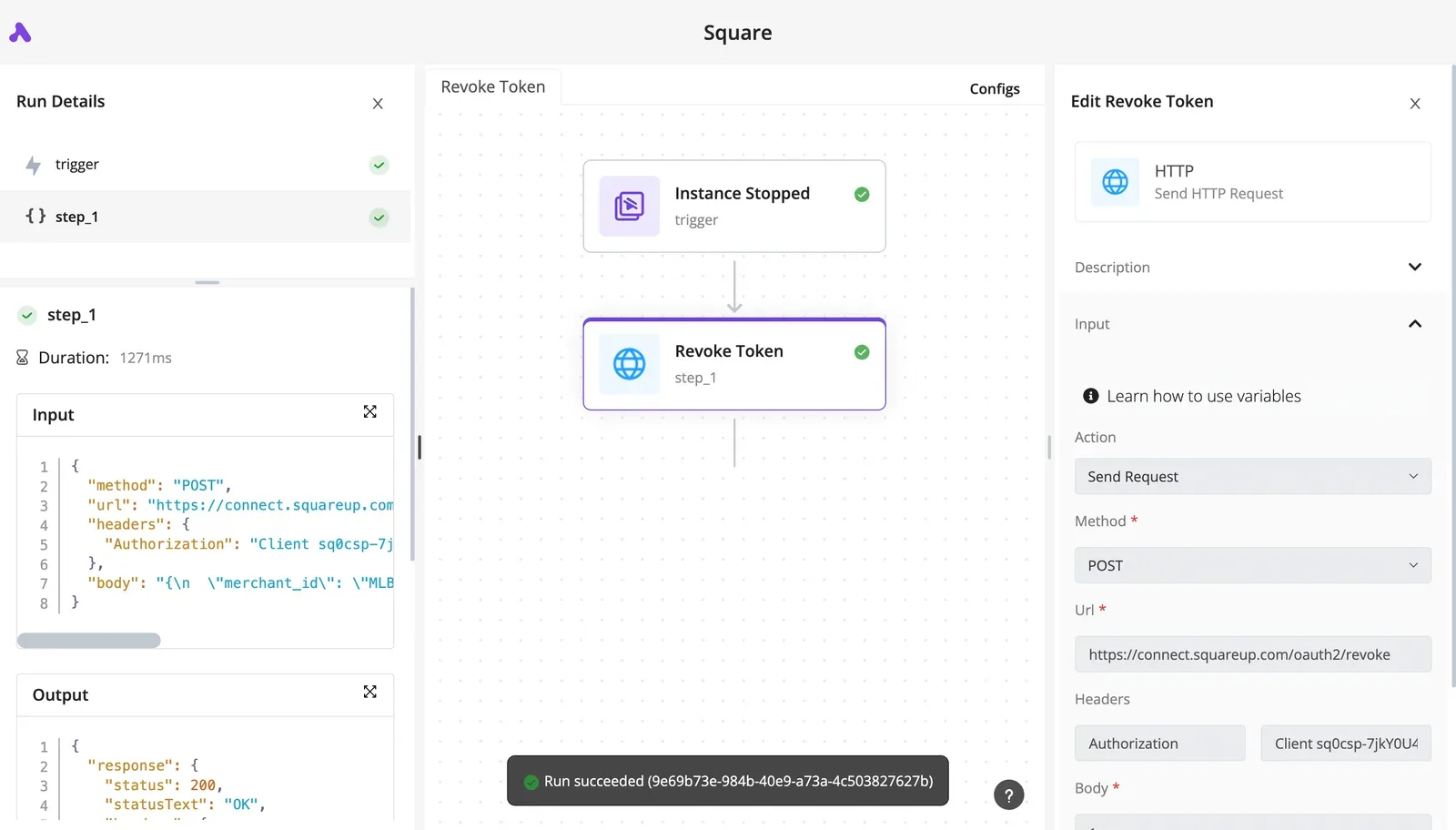
Not every endpoint is covered by the integration. When it isn't, use the HTTP step and send the same PRIVATE-TOKEN header you'd send from code, with the endpoint URL from GitLab's REST documentation.

Nothing about GitLab changes here: the token type, its scopes and its expiry are the same ones you chose for a script. You've only moved the call into a step.
Even inside a flow, GitLab's rate limits still apply. Activepieces doesn't make them disappear, so a flow that loops over a large project can still hit the 2,000-requests-per-minute per-user ceiling.
What the builder gives you is a visible failed run and a place to add a retry, rather than a silent gap in your data.
Keep the earlier advice: check the count you received against the count you expected, whichever step produced it.
- Create a GitLab token with the minimum scope the flow needs, and give it an expiry date. Don't accept a token that never expires.
- Add it to an Activepieces GitLab connection, or, if you're using the HTTP step, to a
PRIVATE-TOKENheader on that step. - Test the connection by calling
/user. If it returns your account, the token is valid and the header is right; if it fails, you've found the problem before building anything on top of it. - Set a calendar reminder ahead of the expiry date, so the rotation is a planned task rather than a flow that stops working one morning.
Once those four are done, the token is the only credential you maintain, and every flow you build afterwards inherits it.
Frequently asked questions
After the first call works, a few questions keep coming up, and GitLab's docs answer each of them. The token you set up earlier covers most of what you'll do.
Is the GitLab API free to use?
Yes, the API itself carries no separate charge, and it's available on GitLab's free tier as well as the paid ones. What changes by plan is the set of features behind the endpoints.
When a call works on a colleague's paid group, it can still return an error on your free one, because GitLab's docs mark some endpoints as limited to certain tiers.
Check the tier note at the top of each endpoint's docs page before you build on it, not after.
Can I use the GitLab API on a self-managed instance?
Yes, the same REST and GraphQL APIs run on a self-managed instance, with your own host in place of gitlab.com. The catch is that the limits stop being GitLab's and become your administrator's.
If you tuned a script against gitlab.com, it may be throttled harder, or not at all, on your server, because rate limits, pagination behavior and token policies can all be configured per instance.
Ask the administrator what's set, because the public documentation only tells you the defaults.
Read the docs version that matches your instance, because its version also decides which endpoints exist.
Should I use REST or GraphQL?
Use REST when you want a simple, predictable call for a known resource, and GraphQL when you need related data in one round trip.
REST is the better default for scripts and automations: each endpoint does one thing, and the docs show an example for it.
When you'd otherwise chain several REST calls to assemble one view, GraphQL earns its place, since you ask for exactly the fields you need.
The cost is that GraphQL enforces its own complexity limit on each query, so an ambitious query can be rejected even when your request rate is fine.
Not every feature has a counterpart in both, so check the docs for the one you need.
How long do GitLab access tokens last?
It depends on the token type, and the expiry is the thing that will break your integration at the worst moment.
Personal, project and group access tokens are issued with an expiration date, and when it passes they stop working with a plain authentication error, not a warning.
Short-lived by design, OAuth access tokens are renewed with a refresh token, so your code has to handle that renewal.
Put each token's expiry date in your calendar when you create it. If you hand the work to a builder that manages auth for you, it handles OAuth renewal, but you still own replacing a static token before it lapses.