
What Is Workflow Automatisation? A 2026 Automation Guide
Workflow automatisation, or workflow automation, uses triggers, rules and actions to run tasks automatically, saving time and reducing errors.

Apr 2, 202617 min read
Workflow automatisation — usually spelled workflow automation — replaces manual, repetitive steps like sending reminders, updating statuses, and double-checking work with rules that run on their own, so nothing depends on someone remembering to do it. Workflow automation technology handles this by turning routine steps into automatic actions, triggered by an event and carried out under set conditions. The result is less mental load and a smoother process from start to finish.
This guide covers what workflow automation is, its core components, the different types available, and the tools teams use to build it today.
TL;DR
- Workflow automation technology runs business tasks automatically using triggers, rules, and actions, so teams spend less time on repetitive work.
- Triggers start workflows, logic decides the path, and actions handle updates, messages, and task assignments.
- Different types include rule-based, RPA, AI-driven, event-based, and API-based automation for various use cases.
- Activepieces can help you build and manage these workflows, reduce errors, and keep processes running smoothly.
This takes minutes, not a project: automate it in Activepieces free.
What Is Workflow Automation Technology?
Workflow automation technology lets you run daily business operations with minimal human input, replacing the delays that come with manual, paper-based processes. People often type this differently — workflow automatisation, automation workflow, workflow and automation — but they're all pointing at the same idea: software that carries out a business process for you.
At its core, workflow automation follows a trigger → condition → action structure. A trigger is the event that starts the process (a form submission, a new record, a scheduled time). A condition checks whether the situation matches a rule you've set. An action is the step that actually happens — assigning a task, updating a record, sending a message — once the condition is met.
This is different from general "automation," which can mean a single automated task with no sequence at all. Workflow automation specifically strings several of these steps together into a repeatable process, which is what makes it useful for things like onboarding, approvals, or lead routing rather than one-off actions.
You'll also see it called workflow automation technology, IT workflow automation, or a workflow automation system — these usually describe the same category of software, sometimes with an emphasis on IT-specific use cases like provisioning accounts or managing tickets.
At a basic level, workflow automation handles the flow of information between systems. A form submission, for instance, can trigger task assignments, update records, and send messages without anyone having to step in.
Over time, this eliminates the manual tasks that eat up your team's day and reduces repeated data entry — freeing people to focus on the parts of a process that actually need judgment.
Workflow Automation vs. Related Terms
The terms "workflow automation," "business process automation," and "RPA" get used interchangeably, but they aren't quite the same thing.
| Term | What it actually automates | Best for |
|---|---|---|
| Workflow automation | A sequence of steps across a process (trigger → condition → action) | Recurring, multi-step processes like approvals, onboarding, or lead routing |
| Business process automation (BPA) | An entire business process, often spanning multiple departments and systems | Large-scale, cross-functional processes like order-to-cash |
| Robotic process automation (RPA) | Repeats clicks, keystrokes, and screen actions a person would otherwise do | Legacy systems with no API, high-volume manual data entry |
| iPaaS (integration platform) | The connection between two or more apps, moving data between them | Syncing tools like your CRM, email, and spreadsheets |
| AI workflow automation | Steps that require judgment, like reading a document or deciding a next step | Unstructured inputs — emails, PDFs, chat messages |
Workflow automation is really the umbrella term: it's the "what" (a defined sequence of steps that runs without manual work), while RPA, BPA, and AI automation are different "hows" — different techniques you can use to build that sequence, depending on what systems you're working with and how much judgment each step needs.
Common Components of Workflow Automation
You need to understand the components that make your system run:
Triggers
Every workflow begins with a trigger, the signal that starts the process.
A trigger is the event that tells the system to assign tasks to a specific person or app and move the workflow forward. Systems monitor sources (e.g., databases), and once a change appears, the trigger activates and passes data to the next step.
Different trigger types support different situations:
- Event-based triggers react instantly when something happens.
- Scheduled triggers run at fixed times, such as daily reports.
- AI-driven triggers go further by watching patterns, such as predicting when inventory will run low and starting a restock process.
Filters refine behavior by limiting when a trigger runs, so only important events move forward.
Conditions and Logic
After a trigger activates, the logic determines the next step based on predefined rules, such as “If the budget is over $500” or “If the request is urgent.”
Simple checks evaluate values, including numbers, text, or status fields. Branching allows the workflow to split into different paths, such as routing leads to different teams based on region. Loops repeat actions for lists, which helps process large batches of data without manual intervention.
AI-based logic expands this further by analyzing tone in messages or extracting values from documents.
Actions
Each step focuses on automating tasks like sending an email, handling task assignments, updating records, or creating documents based on incoming data.
Actions rely on data passed from earlier steps, which allows the system to complete work accurately. For example, a submitted form can trigger multiple actions at once, such as updating a customer relationship management (CRM) system, notifying a team, and generating a contract.
In more complex workflows, batch actions process thousands of records together, which reduces delays and keeps systems running smoothly.
Integrations
Your workflow automation integrates with your existing software stack, so each system can exchange information. Data integrations allow data to move seamlessly between multiple systems and act as a bridge between all your different software tools.
Application programming interfaces (APIs) handle most of these connections by sending requests and receiving responses between systems. Some setups use webhooks to send updates instantly when events happen.
Even older tools can connect to these workflows since automation can pull data from legacy systems and bring it into newer platforms.
Data Flow and Processing
Data moves through several steps before reaching its final destination, and each step prepares that data for the next system.
First, the system captures data from the trigger and passes it into the workflow. Logic then decides where the data should go, while processing steps adjust the format so each system can accept it.
Validation checks prevent errors by stopping duplicate records or flagging missing fields. Some workflows also enrich data by adding details like company size or role before storing it.
Monitoring and Reporting
Automation technology provides real-time performance metrics, so you know the system is healthy and error-free.
Dashboards show which steps succeed and which fail. Logs, on the other hand, reveal the exact data used at each stage.
Once a problem occurs, step-level tracking helps identify where the failure happened and why. You can further track key performance indicators (KPIs) like task volume, processing speed, and system usage.
These insights show how well the workflow performs and where improvements can be made.
Types of Automated Workflows
Different setups handle different needs, so most companies rely on multiple workflows that work together.
Rule-Based Workflow Automation
Rule-based systems follow a strict path. You can use this for standard internal workflows that follow a strict “yes/no” path, which makes it easy to control outcomes without unexpected changes.
A workflow checks data against conditions and moves forward only when those conditions match. For example, an expense request under a set limit can move forward automatically. Then, for higher amounts, it goes to a manager.
In resource allocation, you can apply the same structure and manage it according to company policies, with tasks assigned based on role, budget, or priority.
Robotic Process Automation
Robotic process automation (RPA) manages tasks by copying how a person works on a screen. It opens apps, clicks buttons, types values, and moves files without needing direct system connections.
Since RPA mimics human clicks, it can do manual processes on older desktop software, which is what you need when your systems lack built-in integrations. A bot can log in to a system, pull data, and enter it into another platform, just like a person would.
High-volume workload automation for back-office chores becomes easier with this setup. Instead of processing invoices or records one by one, bots handle large batches continuously.
AI-Powered Workflow Automation Technology
AI takes automation beyond fixed rules and lets your systems make decisions based on data patterns. Many businesses move toward this approach when they deal with more complex workflows that require “thinking” or “reasoning” rather than simple checks.
A system can read emails, extract details from documents, and decide what to do next without needing exact instructions for every case. Based on past outcomes, AI can evaluate context and route work effectively.
Over time, the system improves as it learns from previous results and adjusts how it handles new inputs. In turn, you can focus on strategic initiatives.
Event-Driven Workflow Automation
Event-driven systems react the moment something happens. When a user submits a form or completes a step, the workflow starts immediately.
Your system, for example, can react instantly to service requests the moment a customer submits a form, which helps reduce wait time and speeds up response handling.
Typically, customer service teams use event-driven workflows to provide instant help without manual follow-up.
API-Based Workflow Automation
API-based automation connects systems directly through code. Each system sends requests and receives responses without relying on screen actions or manual input.
Unlike RPA, this method doesn’t depend on how a screen looks, so it avoids breaking when interfaces change.
Data moves directly between systems, which improves speed and keeps workflows running without interruption.
How to Start Automating Your Workflows
Most teams get the best results from workflow automation when they follow the same rough sequence, regardless of which tool they pick.
- Map the process as it runs today. Write down every step, who does it, and what triggers it to move forward. This surfaces the bottlenecks worth fixing first.
- Pick the workflows worth automating. Favor tasks that are repetitive, rule-based, and high-volume — expense approvals, lead routing, onboarding checklists — over one-off, judgment-heavy work.
- Choose your trigger and conditions. Decide what event should start the workflow and what has to be true for each action to fire.
- Build and test with real data. Run the workflow against actual records before turning it on for everyone, so you catch missing fields or wrong assumptions early.
- Monitor and adjust. Track how often the workflow runs, where it fails, and how long each step takes, then refine the rules as your process changes.
Starting with one well-defined workflow, rather than trying to automate an entire department at once, makes it easier to spot what's working and expand from there. Tools like Activepieces let you test a workflow in its own workspace before rolling it out more broadly, which keeps early mistakes contained.
You can follow the rest of this with the builder open. Start free, no card.
Benefits of Workflow Automation
Once you understand how workflows run, the next step is seeing what changes after you start using workflow automation solutions in your daily work.
Saves Time by Automating Repetitive Tasks
Workflow automation streamlines processes you usually do by hand, which removes that constant back-and-forth between systems.
By automating routine tasks, you give your employees hours of their day back. A system can capture data, update tools, and send notifications on its own.
Over time, you finally stop wasting time on time-consuming tasks that slow progress.
Reduces Errors and Improves Accuracy
Repetition leads to mistakes, especially when you manage the same task for hours. Typing the wrong number or missing a step can create bigger problems later.
Using automation, you avoid that risk as it follows the same process every time.
Systems handle data transfers directly, which is one of the most reliable ways to eliminate human error from data transfers. Information moves between systems without anyone having to retype it.
Your data stays consistent, and tasks don’t get lost or skipped. Every step follows the same path, which keeps records accurate and easier to track.
Speeds Up Business Processes
Automation technology streamlines operations by moving work instantly from one step to the next. As soon as one action finishes, the next one begins immediately.
Because you rely on automated processes that run 24/7, your business moves faster. Faster processing also leads to a significant drop in your operational costs since less time and effort go into completing each task.
Improves Team Productivity
When systems handle repetitive work, your team members can focus on tasks that require attention and judgment.
By reducing distractions and cutting down on context switching, you boost productivity in your entire organization. Work moves forward without constant checking, which allows teams to stay focused longer.
Additionally, when your tasks move smoothly, it leads directly to higher customer satisfaction since requests get handled quickly.
Types of Workflow Automation Software
Different tools handle different needs, so the right software solutions depend on the size and complexity of your team.
Integration Platforms (iPaaS Tools)
Integration platforms let you create automated workflows between tools like CRM, email, spreadsheets, and support systems.
Setup usually starts with picking a trigger, then choosing what should happen next. That’s why business users who aren’t technical experts can still build useful flows.
Once connected, you can easily customize workflows to fit your specific department’s needs, whether you’re routing leads, updating deal stages, or sending alerts.
Common tools include:
- Zapier – It supports thousands of apps and is often used by marketing, sales, and ops teams.
- Make (Integromat) – Offers a visual builder where you see how data moves. Better for users who want deeper control over logic.
- Workato – For large teams that need better control, security, and high-volume data handling.
Enterprise Workflow Automation Tools
Enterprise automation tools help with implementing workflow automation in different departments while keeping control over access, data, and compliance.
A common use case is automating employee onboarding for new hires. After HR adds a new employee, the system creates accounts, assigns tools, and sends documents.
Teams in human resources rely on this setup when managing thousands of staff records, since manual updates quickly become hard to track.
Finance teams even use these tools for automating invoice approvals between different global offices.
Common tools include:
- ServiceNow – Handles internal requests like IT tickets, HR tasks, and approvals in one system.
- Microsoft Power Automate – Common option if your company already uses Microsoft tools like Excel, Outlook, and Teams.
- Appian – Combines workflow logic, data handling, and automation in one platform for large operations.
AI Workflow Automation Platforms
AI-based platforms handle tasks that go beyond fixed rules and start making decisions based on context. Many workflow automation examples now include AI agents that can draft entire emails for you or respond to requests based on past data.
For example, AI can now manage the entire client onboarding process by “reading” their intake forms, extracting details, and assigning next steps without someone reviewing every field.
New automation strategies now prioritize AI for handling unstructured data like emails, PDFs, or chat messages. That shift expands what business automation can handle, especially when workflows include decisions.
The top tool in this category is Activepieces.
Activepieces

Activepieces brings everything into one place so you can build, run, and control automation without switching tools. You get full workflow automation capabilities that cover simple tasks and large-scale systems:
Build Advanced Workflows and AI Agents
To start, you can pick a template, then adjust it based on your team’s needs.
AI agents handle more than simple actions. You describe the task, connect your tools, and the agent takes over. It can read inputs, decide next steps, and complete actions without fixed rules.
When something needs review, it pauses and asks for approval, so approval processes stay controlled.
See Exactly What Happens in Every Workflow
Every workflow run shows full input and output data at each step. You don’t need to guess where something failed.
Logs track every action, including who triggered it and when it happened. Filters, in addition, help you search by workflow, user, or date, which makes it easier to manage multiple projects.
Connect 673+ Integrations and Build Your Own
Activepieces supports 673+ integrations, called pieces. With these integration capabilities, you can easily connect tools.
If a tool isn’t available, you can build your own piece using TypeScript, so you can automate complex processes without waiting for new integrations.
Control Access, Security, and Team Usage
Managing access becomes easier when everything is in one platform. You can assign roles, limit access to certain tools, and control who can run or edit workflows.
Single sign-on (SSO) and user syncing reduce setup time, especially for large teams. Sensitive connections can require approval before use, which adds another layer of control when handling important data.
Every action is logged with full detail, which helps track changes and maintain visibility across teams.
Deploy It Your Way
Activepieces supports both cloud and self-hosted setups. Cloud deployment removes maintenance and gives you fast access with built-in compliance standards like SOC 2 and GDPR.
Self-hosting gives complete control over your data. You can run it on your own servers, meet strict compliance needs, and manage everything internally.
Develop Advanced Automated Workflows With Activepieces
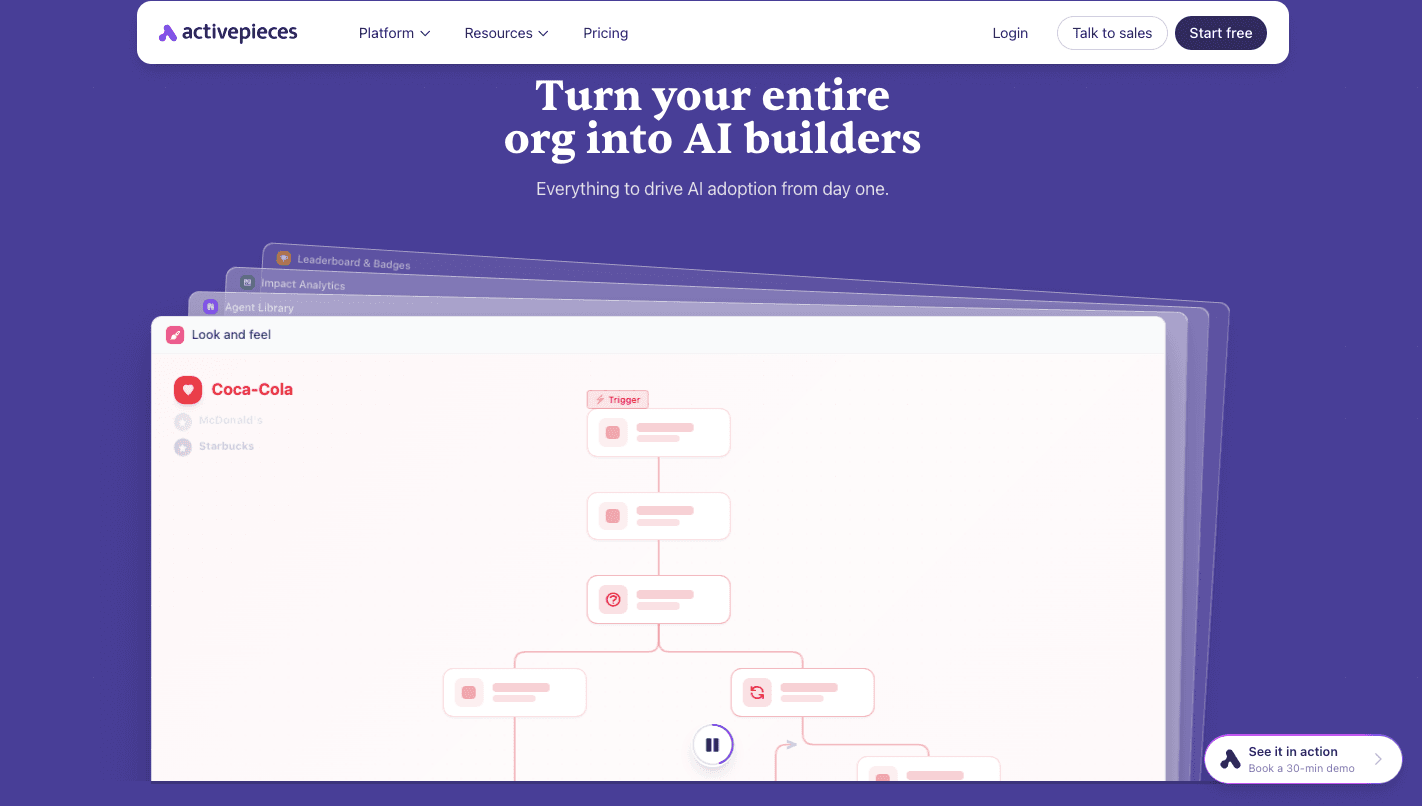
Activepieces helps you apply workflow automation quickly. You can start with ready-made templates for HR, sales, finance, or operations, then adjust each step to match how your team actually works.
Each user gets their own workspace, so you can test and build without affecting shared workflows.
AI agents handle more than simple steps. You describe the task, connect your tools, and the agent runs the process. It reads inputs, decides next actions, and pauses when approval is needed, so control stays in place.
Teams use it for business process management, where workflows include both automation and human input. Over time, processes become easier to manage, and teams spend less time on coordination.
FAQs About Workflow Automation Technology
How does automation software work?
Automation software follows a simple flow. A trigger starts the process, rules decide what should happen, and actions complete the task. It moves data between apps, assigns work, and updates systems without manual input.
What are examples of workflow automation technology?
Common examples include automatically sending follow-up emails after a form submission, assigning leads to sales reps, processing invoices, and onboarding new employees with pre-set steps.
What tools are used for workflow automation?
Popular tools include Activepieces, Zapier, Make, Workato, Microsoft Power Automate, and ServiceNow. Each connects apps and helps build workflows based on your needs.
What are the benefits of workflow automation technology?
It saves time, reduces errors, speeds up processes, and helps teams focus on more important work instead of repetitive tasks.
Which part of an automation decides if an action should happen only under certain circumstances — trigger, condition, action, or step?
The condition is the part that makes that call. A trigger just starts the workflow when an event happens; it doesn't judge anything. The condition then checks the data against a rule (like "if amount > $500") and decides whether the workflow continues down that path. The action is what actually runs once the condition passes, and a step is simply one stage in the sequence — it can be a trigger, a condition, or an action.
What's the difference between a workflow and automation?
A workflow is the sequence of steps a task follows from start to finish, whether or not a computer is involved — see workflow automation vs. process automation for a deeper comparison. Automation is what happens when software carries out those steps for you. Put them together — workflow automation — and you get a defined process that runs on its own, using triggers, conditions, and actions instead of someone manually pushing each step forward.
Build it
Set this up in minutes.
No code required. Connect your accounts, and Activepieces runs it from there.
Start free Talk to sales