Zendesk Pricing Plans and Total Costs for 2026
Zendesk pricing structures vary based on your team size and feature needs. You can evaluate your total budget and choose the right tier for your business.

Covers untangling inherited e-commerce spreadsheets for solo operators: what to fix first, what to leave alone, and what neglect costs.
ContributorSeptember 29, 202614 min read
This article was researched and fact-checked by an advanced research system.
Navigating the Zendesk pricing landscape requires a clear understanding of your organization's specific support volume and technical requirements.
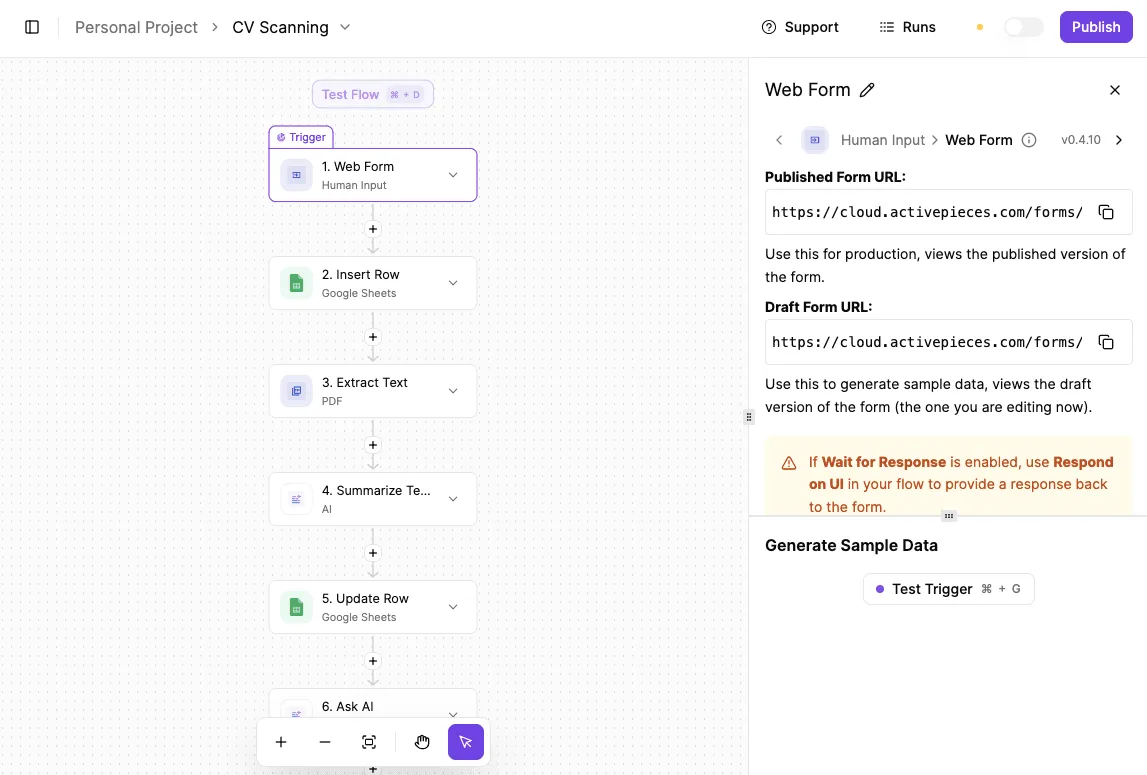
As businesses scale their operations, many teams choose to connect their help desk to external databases using Activepieces to synchronize customer records, ensuring that agents have real-time data without manual entry.
Beyond the base subscription fees, companies must account for the total cost of ownership, which often includes add-ons for advanced AI capabilities, premium sandbox environments, and extended data retention policies.
By evaluating these variables early in the procurement process, decision-makers can avoid unexpected budget overruns while maximizing the platform's utility for their service teams.
Zendesk pricing plans for 2026 defined
On January 1, 2026, Zendesk shifted its operations to a tiered subscription model. Costs scale based on human seat count and the depth of automation features required.
While the entry-level plans provide basic ticketing, the platform’s true capabilities and its highest costs are locked behind higher tiers. These levels gate essential business functions like custom reporting and advanced AI routing.

The Support Team and Suite Team entry points
$19 per agent, per month is the starting price for the Support Team plan when billed annually. This is a foundational ticketing system for small teams that only need to manage email and social media requests in one place.
When a business requires a unified workspace that includes live chat and voice, the Suite Team plan at $55 per agent, per month becomes the functional baseline.
This jump in price means a five-person team pays significantly more just to access the "Suite" features, such as a basic help center for customer self-service.
At this level, teams often use Activepieces, which offers unlimited flows on every plan to automate the exchange of data between business apps, ensuring entry-level workflows remain functional without jumping to a more expensive Zendesk tier.
Suite Growth and Professional mid-market tiers
Moving into the mid-market tiers introduces tools for managing larger volumes of data and more complex team structures. The Suite Professional plan costs $115 per agent, per month, which means a team of ten will incur a recurring expense of $1,150 every thirty days.
This is the minimum requirement for companies that need to track Service Level Agreements (SLAs). The following table illustrates how these mid-market choices impact daily operations:
| Tier | Monthly Cost (Annual) | SLA Management | Custom Roles | AI Agent Inclusion |
|---|---|---|---|---|
| Suite Team | $55 | Not included | No | Limited |
| Suite Growth | $89 | Included | No | Standard |
| Suite Professional | $115 | Advanced | Yes | Advanced |
| Enterprise | $215 | Full Customization | Unlimited | Full Access |
Prices and plan limits checked against zendesk.com on September 29, 2026.
By choosing Professional over Growth, managers gain the ability to create custom agent roles.
Zendesk Enterprise and Enterprise Plus pricing
Organizations that treat support as a data-driven operation are the primary targets for the Enterprise tiers. These plans start at $215 per agent, per month, so a company must budget over two thousand dollars monthly for every ten seats added.
This price point grants access to the "Advanced Data Privacy and Protection" add-on.
For companies handling sensitive health or financial information, this level of security is necessary.
At this scale, the cost isn't just about the people answering phones. It's about the "AI Agents" that handle routine queries.
Frontier models like Gemini 3.8 Flash for coding tasks or GPT-6 Luna for high-volume ticket sorting require these top-tier plans. On the Enterprise tiers, this shift toward automation is the only way to justify the high per-seat cost.
It allows a small team to manage a massive customer base.
If you are running this arithmetic for your own team, see what the same workload costs on Activepieces.
The premium cost of zendesk compared to rivals
Zendesk costs significantly more than its closest competitors. It prices its AI features as a mandatory add-on rather than an integrated perk.
Zendesk costs significantly more than its closest competitors.
While rivals bundle automation into their higher tiers, Zendesk requires a $50 per-month premium for its "Advanced AI" suite on top of the base seat price, meaning the total cost of ownership for automated features is significantly higher than the advertised entry rate.
For a standard team of 20 agents, this structure pushes the monthly bill to 4,000 $. A manager is paying roughly double the market rate for the same headcount.
Understanding the professional tier calculation
The $4,000 monthly total for 20 agents on the Professional plan includes more than just the base seat and AI add-on, which covers hidden overhead costs beyond the advertised per-user fees.
While the $115 seat and $50 AI premium total $3,300, Zendesk frequently requires the Advanced Data Privacy and Protection add-on for professional-grade operations, so the actual expenditure is significantly higher than the base price suggests.
This security layer adds $35 per agent to the monthly bill, meaning your recurring commitment increases by $700 every single month. When combined with the $165 for core services and AI, the total reaches $200 per agent.

This brings the final invoice to exactly $4,000 for a 20-person team, leaving no room in the budget for additional feature scaling.
This price gap is evident when comparing the total monthly spend for a 20-agent team using modern AI tools:
- Freshdesk Omni: 1,580 $
- Intercom Advanced: 2,195 $
- Zendesk Professional: 4,000 $

Choosing Zendesk results in a 153% price increase over Freshdesk Omni. This forces a company to automate at least half of its ticket volume just to reach cost parity.
Choosing Zendesk results in a 153% price increase over Freshdesk Omni.
This premium only makes financial sense if your team uses the platform to connect complex tools like GitHub to handle high-level technical workflows that cheaper platforms might struggle to organize.
Using a tool like Gemini 3.8 Flash within the Zendesk ecosystem can deflect thousands of tickets. If your team is simply answering emails manually, you're overpaying for a brand name.
Why Zendesk remains the market standard despite high seat costs
Zendesk is a central hub that reduces the need for custom-coded integrations and manual data entry. While a cheaper helpdesk might save money on the monthly invoice, it often requires hiring developers to build the connections that Zendesk includes out of the box.
The value of the Zendesk Marketplace ecosystem
Over 1,300 pre-built applications are available in the Zendesk Marketplace. This means your team can connect tools like Shopify for order management or Slack for internal communication without writing a single line of code.
By using these ready-made tools, a small support team can handle the workload of a much larger department because they never have to leave the ticket screen to find customer information.
Zendesk Explore reporting and Sunshine Platform
Deep visibility into team performance is provided by Zendesk Explore. Managers can identify exactly which types of customer issues are causing the longest delays.
The Sunshine Platform is Zendesk’s underlying data layer. It lets you pull in information from outside sources like a custom warehouse database.
This consolidated view prevents the context switching that slows down agents and frustrates customers who have to repeat their history.
Zendesk Enterprise security and compliance features
For organizations in regulated industries, Zendesk is the infrastructure necessary to meet strict legal requirements for data handling and privacy.
HIPAA compliance ensures that healthcare providers can communicate with patients without risking legal penalties. Data Locality allows companies to choose where their information is physically stored.
This is a requirement for doing business in regions with strict sovereignty laws like the European Union. Advanced Encryption gives your IT department control over the digital keys to your data.
Worth checking against a plan that does not meter every step: one credit covers a whole run on Activepieces.
Hidden costs and usage limits in the Zendesk ecosystem
Zendesk’s total cost of ownership depends on how much work you offload to their automation engines and how many people touch a ticket before it closes.
A ten-step process costs the same to run as the two-step workaround it replaced. One credit, however the flow is built.
Pricing that rises with granularity punishes the exact discipline good automation depends on (breaking work into smaller, more reliable steps) so it taxes the builder for doing the job properly. The meter is the run.
What happens inside it is not the vendor's business. Activepieces avoids this by using the run as the meter, rather than the steps inside it.
The published pricing page shows 1 credit per flow run regardless of complexity, which stands in contrast to the per-task or per-module billing found on the Zapier or Make pricing pages.
AI Agent consumption-based billing explained
Budgeting for automation requires shifting from a fixed headcount cost to a variable fee for every successful customer outcome.
This model uses a credit-based system. An "AI Agent" powered by models like Gemini 3.8 Flash or Claude Sonnet 5 only triggers a charge when it resolves a conversation without human intervention.
While this prevents you from paying for failed attempts, it creates a budget that fluctuates with your ticket volume.
Data storage and API rate limits by plan tier
Technical constraints are tied to your subscription level. This forces an upgrade if your data volume or integration frequency grows too large for your current bracket.
Every plan has a ceiling on how much file storage you can use. Similarly, API rate limits govern the speed at which external tools can talk to Zendesk.
If your developers build a tool that checks for updates too frequently, the system will throttle the connection. This causes delays for your staff unless you pay for a more robust tier or an add-on to increase the throughput.

The cost of 'light agents' and collaborator seats
Expanding your team’s reach to other departments involves paying for visibility. Even staff members who don't manage tickets full-time require specific permissions.
Zendesk uses a restricted role for these employees. It allows them to view ticket history and leave internal notes without taking up a full-priced seat.
However, these roles aren't unlimited. They're bundled in specific quantities based on your plan level. If your support team needs to loop in more engineers or warehouse managers than your plan allows, you must either buy more seats or upgrade the entire subscription.
Reducing Zendesk overhead with Activepieces automation
Activepieces reaches across 735+ integrations to move information between your technical tools and Zendesk so your staff doesn't have to do it manually.
By setting up automated workflows, you allow the software to talk to itself. This keeps your team small even as your customer list grows.
Regulated and public-sector organizations run the air-gapped edition of Activepieces in production today to maintain this connectivity without compromising security. The enterprise feature list (including SSO, SCIM, custom RBAC, and audit logs) is identical across the self-hosted air-gapped docs and the managed cloud regions.
This ensures that teams at companies like MoneyGram and FundingSocieties can scale their automation under the same governance standards regardless of their infrastructure choice.
GitHub integration
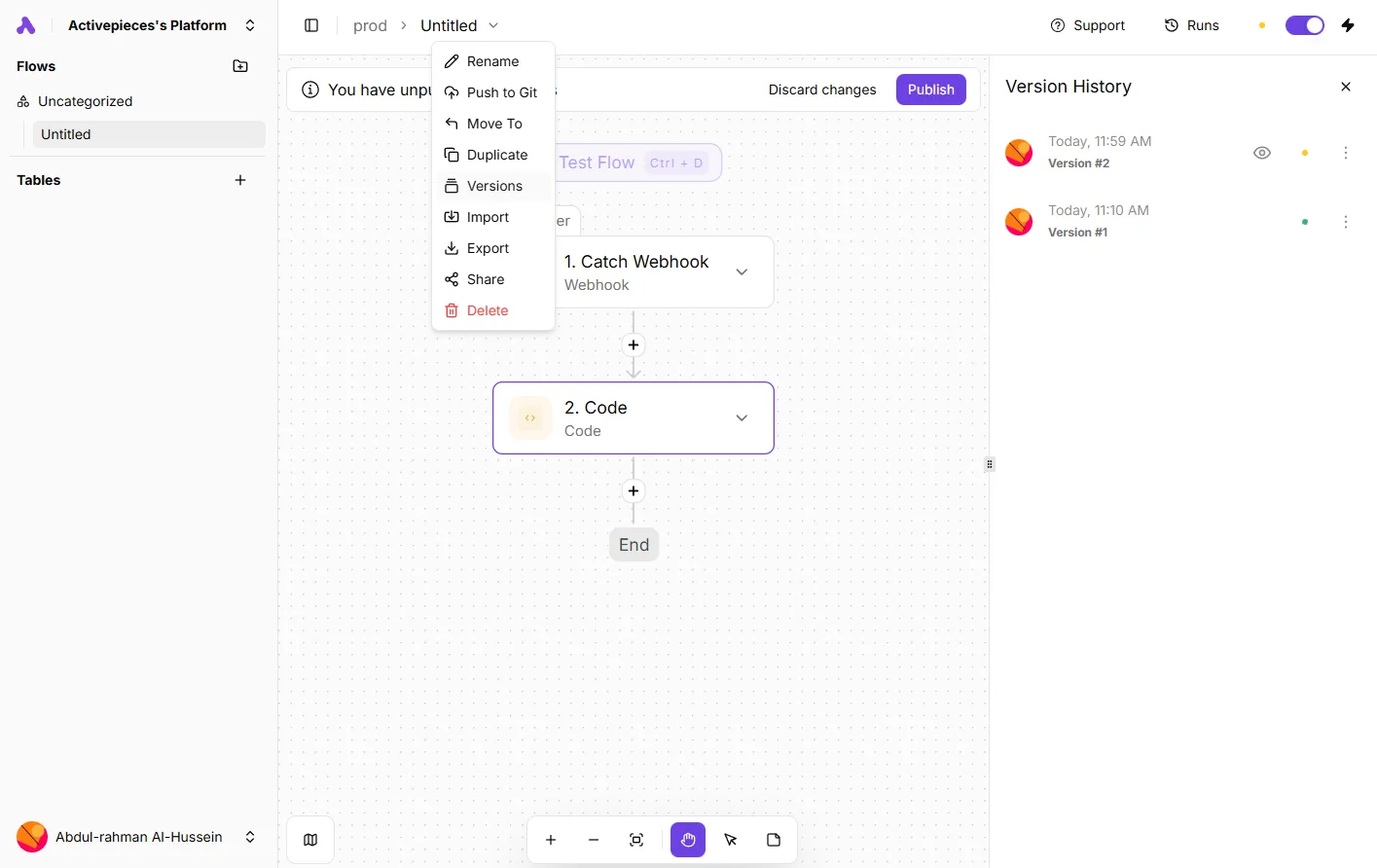
When an engineer fixes a bug and marks it finished in GitHub, you can set a workflow so the corresponding Zendesk ticket closes itself and emails the customer automatically.
Slack integration
You can program Activepieces to watch for specific keywords in a channel and then create or update a Zendesk ticket. A manager can trigger a formal support process without ever logging into the help desk software.
Google Sheets integration
You can automatically sync new rows of customer feedback into Zendesk as tickets. This prevents a coordinator from having to spend hours on data entry.
AI-powered ticket routing with Zendesk
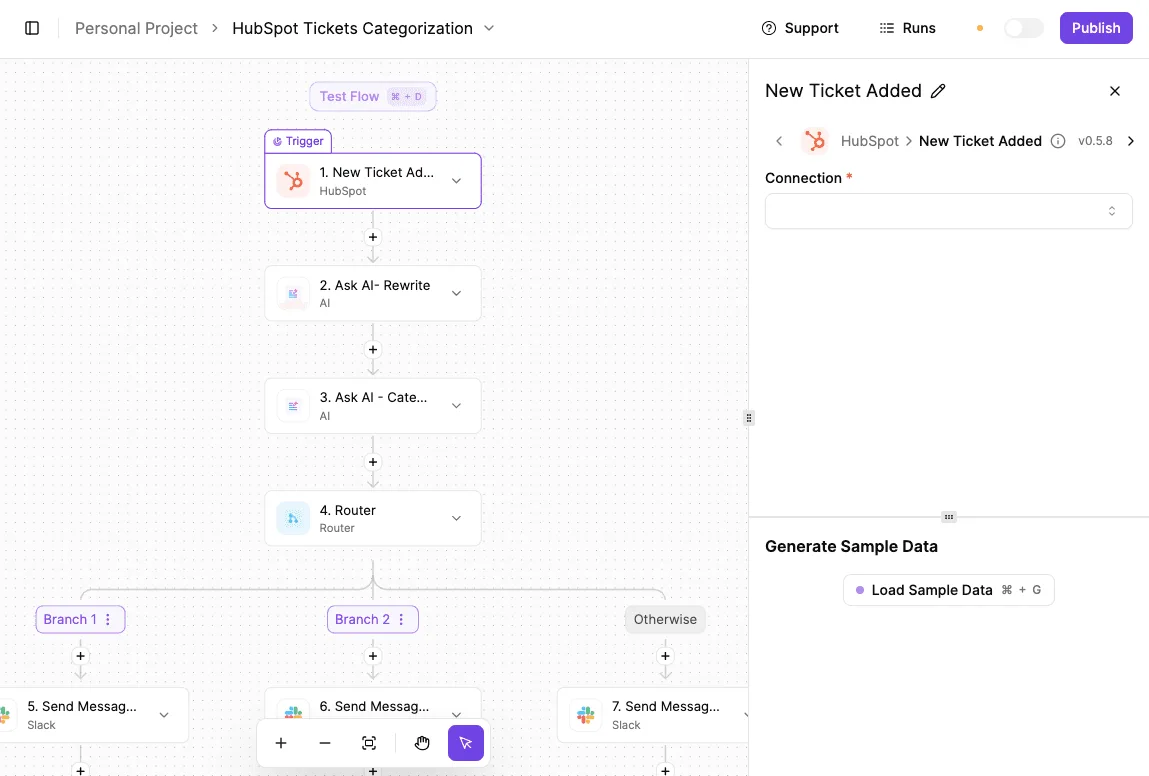
To make these automated updates smarter, you can plug in an AI model like Gemini 3.8 Flash. It can read incoming messages and decide which department should handle them. This removes the need for a "dispatcher" role.
The software can categorize the request and assign it to the right person before a human even sees it. Over time, these small automations prevent the seat creep that happens when you hire people just to manage the flow of information between your apps.
Practical steps for Zendesk cost optimization
Auditing your Zendesk environment every quarter prevents the feature creep that quietly inflates your annual renewal costs.
Because Zendesk locks specific security and reporting tools behind higher-priced tiers, you often end up paying for fifty seats at a premium level just to give one administrator access to a single advanced setting.
- Identify every agent who hasn't logged in for over thirty days, as these inactive seats represent immediate waste that can be reclaimed.
- Review your usage of Zendesk AI to see if your automated resolutions are actually deflecting tickets.
- Document which specific features are forcing you into your current plan tier to determine if a third-party integration could provide that same function at a lower total cost.
The goal is to move from manual data entry to a system that updates itself based on real-world triggers.
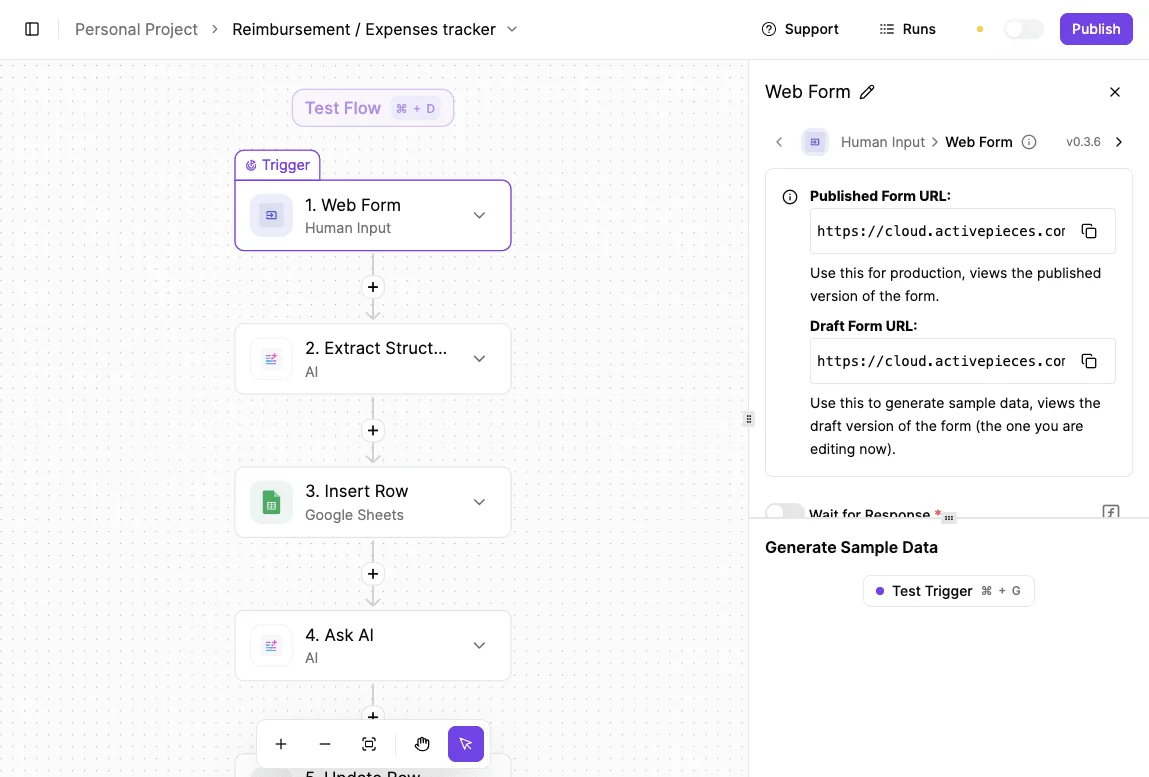
The following interface demonstrates how a scheduled workflow can automatically sync your support data with external spreadsheets like Microsoft Excel 365 or Google Sheets.
Once these automated pipelines are in place, you can begin offloading the most expensive reasoning tasks to specialized AI models.
Frequently asked questions about Zendesk costs?
Does Zendesk offer a free version for small teams?
Zendesk doesn't provide a permanent free tier. Every user requires a paid seat to access the ticketing system. While they offer a limited-time trial, the lack of a "forever free" option forces small teams to budget for software costs from their first day of operation.
How much is the Zendesk startup discount?
Qualifying early-stage companies can access the platform at no cost for a set period. This is a temporary window to build workflows before the full subscription price takes effect.
This program is restricted to startups that meet specific funding and employee count criteria. Companies that have grown too large or raised too much capital will be required to pay standard market rates immediately.
Can i mix and match different Zendesk plan tiers?
Zendesk requires every agent in a specific instance to be on the same plan level. This prevents you from buying expensive tools for your managers while keeping entry-level staff on a cheaper tier.
Because features like advanced reporting or internal knowledge bases are locked behind specific levels, you must pay the higher rate for your entire workforce. This applies even if only one department needs those specific capabilities.
What happens if i exceed my AI Agent limit?
When your automated resolutions surpass the monthly volume included in your plan, you're charged an overage fee for every additional successful interaction. These costs scale directly with your success in deflecting tickets.
If you don't monitor your usage, a sudden surge in customer inquiries can result in a bill that significantly exceeds your monthly seat-based subscription. To manage these costs, teams often connect Zendesk to external models for ticket categorization and initial drafting.
This allows the organization to leverage lower-cost intelligence for high-volume tasks while reserving expensive Zendesk AI credits for final resolutions. By offloading the heavy lifting to external APIs, companies maintain a predictable budget without sacrificing the speed of their response times.
Related reading
References
Running the numbers
See what the same workload costs here.
Free forever plan, and every paid plan self-hosts at no extra cost.
See pricing Talk to sales