Zoho Desk Pricing 2026: Plans, Tiers and Real Costs

Oct 22, 202615 min read
Zoho Desk runs from about $7 to $50 per agent per month across four tiers.
It's a help desk product that gathers customer emails, chats and calls into one shared inbox, much as teams using Activepieces to automate their workflows often want their support requests pulled into one place.
A team will rarely stay on the entry tier, cheap as it is. The dollar ranges below come from Macha's pricing breakdown.
Review Zoho Desk's per-agent pricing structure
Zoho Desk plan table with prices, inclusions and limits
| Tier | Per agent, per month |
|---|---|
| Express | $7–$9 |
| Standard | $14–$20 |
| Professional | $23–$35 |
| Enterprise | $40–$50 |
At $7–$9, Express is the cheapest paid entry point. It also means you pay the same per-agent rate whether or not the tier's limits fit your work.
According to Macha, Standard at $14–$20 roughly doubles that, and Professional at $23–$35 roughly triples it. A team of ten that outgrows Express and lands on Professional is therefore looking at $230–$350 a month instead of $70–$90.
Why the limits matter more than the price
Ignore the price column first, because the limits decide which row you end up in.
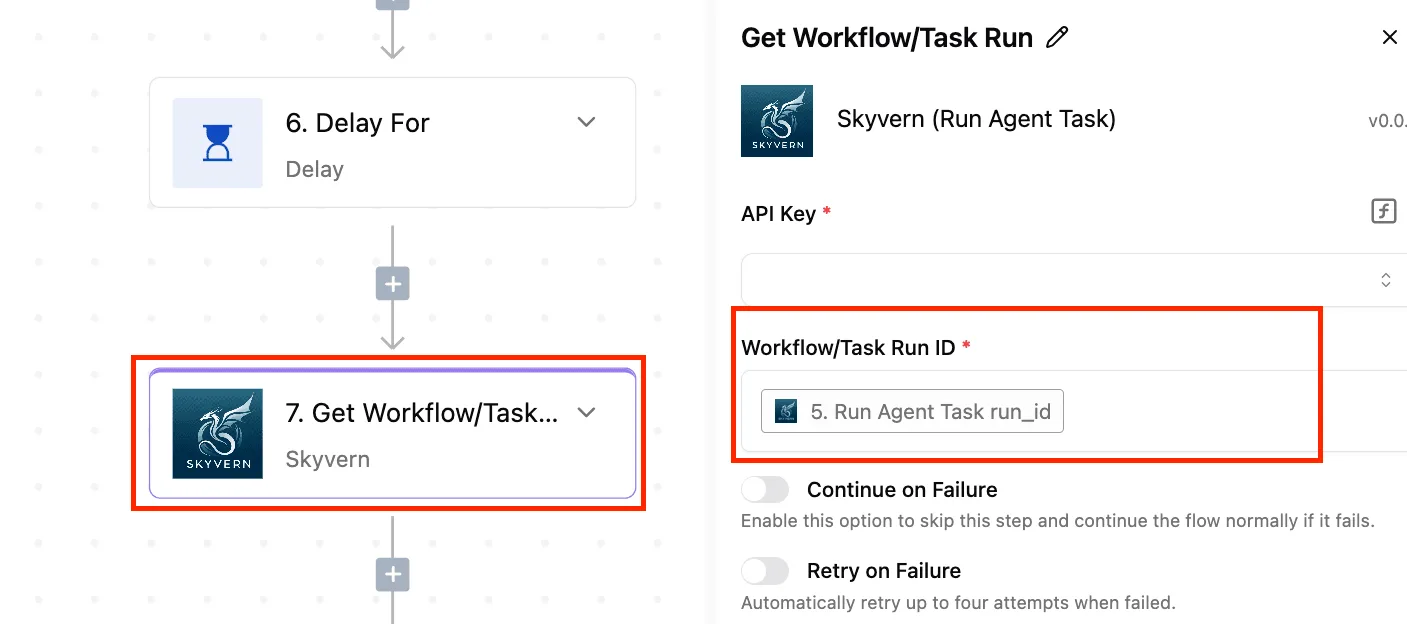
The canvas below, built in Activepieces, shows a multi-step flow where step 6 waits and step 7, highlighted in red, asks Skyvern (a browser-automation service) for the result of an earlier run.
Activepieces has unlimited flows on every plan, including free, and its credits meter AI usage, so how many flows you build to work around a cap doesn't change the plan you're on.
On the right, a panel asks for an API key and a run ID, with switches for continuing or retrying on failure.
Each step like this is a unit that automation limits are written around, so a flow that looks like one task to you can look like several to a tier's cap.
That's why you should count your steps, channels and service-level rules before you look at the price.
How annual versus monthly billing changes the number
At the low end of each range is the annual-billing rate; at the high end, the month-to-month rate. Express moves by $2 and Enterprise by $10. On Enterprise, the flexibility of paying monthly costs up to $120 per agent over a year.

Because prices also vary by region and currency, treat the dollar figures as a US-based reference. Confirm your own region's rate on the pricing page before you build a budget.
If you are running this arithmetic for your own team, see what the same workload costs on Activepieces.
Choose your tier based on feature limits
Once you know your region's per-agent rate, the next question is which tier's limits you can live with. The limits, not the rate, decide which plan you end up buying.
Features gated to higher tiers
Start with email channels, meaning the separate support addresses (say, billing@ and help@) that feed tickets into Desk. Zoho's pricing page lists them as 5 on Express, 10 on Standard and 100 on Professional, so the gaps are steep rather than gradual.

For one small team, five channels is enough. But if you run separate addresses for sales, billing, returns and each brand, you reach the ceiling fast, and Standard only doubles it.
Go from 10 to 100 and you are in a different category: Professional suits a company with many regional or product inboxes. A growing team can outgrow Standard in one step and skip nothing in between.
If you think channels are the only limit that behaves this way, they aren't. Workflow rules, light agents (cheaper seats for staff who only comment on tickets) and Zia AI usage (Zoho's built-in assistant) are gated or capped by tier.
So are Blueprint (the tool that forces tickets through set steps), SLAs and business hours.
Read each on the page for your plan before you commit.
Usage and API limits to check before buying
If you hit a ceiling mid-year, you either pay to upgrade every seat or you work around it by hand. Ignoring a cap costs more than reading it.
List what your team does in a typical week: how many inboxes, how many automated rules, how many outside staff need access. Compare that list with the tier's limits, not its price.
If you plan to link Desk to a billing system or a chat tool, API allowances deserve the same check. They're the number of requests your connected tools can make to Desk.
Where the pricing page is ambiguous
Because the figures above come from Zoho's Japan page, limits and wording may differ on your region's version. Some rows describe a feature as included without saying how much of it you get, and that's where surprises come from.

Where the page is silent, ask Zoho sales for the number in writing. A tier's only a fair price if you know what its limits are.
Calculate Zoho Desk costs by team size
Once you know a tier's limits, the price is simple arithmetic: agents times monthly price times twelve.
On the three listed prices, a 5-agent team pays $840 to $2,400 a year and a 50-agent team pays $8,400 to $24,000, which means per-agent costs don't decline with team size.
Annual cost by team size and plan
Here is what each plan costs per year at three team sizes, and what it costs to move up a tier. Read the last two columns first: they're the price of discovering, a year in, that the cheaper plan's limits don't fit.

| Agents | Standard ($14) | Professional ($23) | Enterprise ($40) | Step-up, Standard to Professional | Step-up, Professional to Enterprise |
|---|---|---|---|---|---|
| 5 | $840 | $1,380 | $2,400 | $540 | $1,020 |
| 15 | $2,520 | $4,140 | $7,200 | $1,620 | $3,060 |
| 50 | $8,400 | $13,800 | $24,000 | $5,400 | $10,200 |
Our calculations: agents × monthly price per agent × 12, using annual-billing prices. These are not Zoho quotes.
At 5 agents a tier mistake costs $540; at 50 it costs $5,400, because the step-up grows in proportion to your headcount.
Light agents and collaborators: who you pay for
Not everyone who touches a ticket has to be a full agent. Zoho Desk has lighter roles for people who only need to comment on or look at tickets, such as an accountant answering a billing question.
Whether a role is free or billed, and how many you can have, is set on the plan, so check it before you count heads.
Count everyone who will actually work tickets as a full agent, and treat light roles as a separate question. If you size the table's headcount too low, every figure in it is too low as well.
When the cheaper plan stops being cheaper
The moment a limit forces you up a tier, the cheapest plan stops being cheap. You then pay the step-up for every agent, not just the one who hit the wall.
The moment a limit forces you up a tier, the cheapest plan stops being cheap.
At 15 agents, hitting a Standard limit means $1,620 more per year, whether one person needs the feature or all fifteen do.

Staying put has a cost too, and it is harder to see. Without the automation, service-level targets or channels you need, someone does that work by hand.
Put a rough hourly figure on that time and compare it with the step-up for your team size. If the manual hours cost more than the step-up, the higher tier is the cheaper one.
Budget from the limits, then multiply by headcount.
Worth checking against a plan that does not meter every step: one credit covers a whole run on Activepieces.
Account for hidden costs beyond plan pricing
After you sign, several charges arrive that the pricing page never showed, so headcount times the per-agent price is still only the opening bill.
The list below shows the usual ones, and what to take from it is that most scale with use rather than seats, so they surface in month two or three.
At 15 agents, hitting a Standard limit means $1,620 more per year, whether one person needs the feature or all fifteen do, which means a single user's needs require upgrading all agents.
- Zia, the built-in AI assistant, at $1.00 per million tokens past 30 million. A token's a small chunk of text the AI reads or writes, so long ticket threads are what push you over.
- Telephony, which is usually billed separately from the plan, so phone support has a second meter running.
- Extra storage, which matters once attachments and years of ticket history pile up.
- Migration effort, paid in staff hours or consultant fees.
- Work to connect tools outside the Zoho family.
Add-ons and extra-cost features
You rarely notice telephony, AI usage or storage until a team is already relying on them, which is the trait they share. A support desk that answers by phone ends up paying for calling no matter which plan tier it chose.
Price the add-ons you know you need before you pick a tier, and ask what happens when usage passes the included amount. Overage is the part that surprises people.
Cost of connecting Zoho Desk to non-Zoho tools
Although Zoho Desk connects smoothly to other Zoho products, each of those products carries its own subscription. If your billing system, chat tool or internal database comes from another vendor, someone has to build and maintain the link.
Activepieces passes ticket data to apps outside the Zoho family through its 744 integrations, counted directly from its open source monorepo. Even then the real cost is the hours spent setting it up and fixing it when either side changes.
Doing nothing has a price too: staff copy details between screens by hand, and that time never shows up on an invoice.
Budget for Zoho Desk migration and setup time
Moving from an old help desk means exporting tickets, mapping fields, rebuilding automations and retraining people. That's the cost most often left out of the budget, because it's paid in salaries rather than subscriptions.
Budget for a stretch where agents work more slowly while they learn the new layout. A rushed migration usually costs more to repair than a planned one costs to do properly.
Compare Zoho Desk pricing with competing plans
At $7 per agent per month, Zoho Desk has the lowest entry price of the four. The lowest sticker isn't the lowest bill, because the limits on that tier decide what you end up paying. Skipping that check is how teams end up migrating twice.

Entry price and free tier
Taken from Featurebase, the four entry prices in the table below sit side by side with the kind of team each one suits. Read it as the price of getting through the door, not the price of running a support desk.
| Help desk | Entry paid price per agent per month | Who it suits |
|---|---|---|
| Zoho Desk | $7 | Small teams that have checked the limits first |
| Freshdesk | $19 | Teams wanting a mainstream desk with room to grow |
| Zendesk Support | $19 | Teams expecting to add channels over time |
| Help Scout | $25 | Small teams that value a simple, shared-inbox feel |
For a ten-agent team, Zoho Desk's $7 comes to $70 a month. Freshdesk and Zendesk, each at $19, come to $190. Help Scout at $25 comes to $250.

At that size, Zoho Desk's gap of $12 per agent is $1,440 a year, which is real money. It disappears the moment you need a feature the entry tier doesn't carry and have to move up.
Price of the plan with SLAs and automation
Two terms need defining here: an SLA is a promised response time, and automation is the rules that route and answer tickets without a person touching them.
The $7 is the price of a desk without them, since vendors commonly hold SLAs and automation back for a tier above the entry one. The number you should budget from is the price of the tier that includes them.
To find that number, work through it in this order:
- Get that tier's price in writing from each vendor, along with its caps on automation rules and channels.
- Multiply by your agent count.
- Add any AI charge.
Do this before you compare, because a $12 head start can shrink fast once the right tier is priced.
Decide which help desk pricing suits your team
Pick Zoho Desk if your needs are simple and you have confirmed the entry tier covers them. Doing nothing about the limits means finding them mid-project, which costs more than reading them now.
Pick Freshdesk or Zendesk Support, both at $19, if you expect to grow into more channels or heavier automation and would rather start near the tier you'll need.
Pick Help Scout, at $25, if a smaller team wants a straightforward experience and accepts paying the most for it.
What Activepieces does about this
The problem in this article is that a help desk's tier limits, not its per-agent price, set what you pay, and one of those limits is how much automation you can run.
Activepieces takes that limit out of the equation for the work around your desk.
It has unlimited flows on every plan, including free, so you don't buy a higher Zoho tier just to get more rules, and you don't build fewer flows to stay under a cap. Its credits meter AI usage, which makes that the number to watch.

In practice, you can keep a cheaper Zoho Desk tier and move the routing, escalation and hand-off logic into flows of your own.
A flow can pick up a new ticket, check it against your rules, post it to a chat tool, write a line to your billing system and update the record when the customer replies.
Those are the multi-step jobs a tier's automation cap is written around, and here they sit in a tool where a step count doesn't push you toward a higher plan.
It also covers the cost of connecting Desk to tools outside the Zoho family.
Activepieces has 744 integrations, counted directly from its open source monorepo, and the community edition is MIT licensed, so you can read the code, self-host it and see exactly what a flow does. Building and maintaining a link still takes hours, as noted above.
But the hours go into a flow you own, not into a tier upgrade applied to every seat.
None of this removes the need to read the tier's limits. SLAs, email channels and light-agent rules are set inside Zoho Desk, and a flow can't change them.
If those are the ones forcing the move, try building them in Activepieces first and see whether the cheaper tier holds.
Frequently asked questions
Does Zoho Desk have a free plan?
Zoho has offered a free edition of Zoho Desk, but it's a small-team starter with most of the automation, SLA and channel features stripped out.
Treat it as a way to test the help desk, not as a plan you can run a real support operation on.
Check Zoho's pricing page for whether it's currently listed and what it includes, because free editions are the part vendors change most often.
Can I pay for Zoho Desk monthly? Yes, Zoho's pricing page lets you switch between monthly and annual billing, and the annual rate is the lower per-month price.
The headline figure you see is usually the annual one, so if you need month-to-month flexibility, read the monthly number, not the first one on the page. Multiply both by twelve before deciding.
Is there a free trial of Zoho Desk? Yes, Zoho has offered a time-limited trial of its paid editions.
The trial's worth using for one specific job: testing your actual automation rules, SLAs and channels against the tier's limits. A trial that only clicks through the default screens tells you nothing about whether the tier fits.
Confirm the current trial length on Zoho's sign-up page.
Do I pay for light agents or customers?
You don't pay per customer. The people who send you tickets aren't seats.
Count light agents, the limited-access users who can view and comment on tickets but not work them, separately from full agents, since they're a separate line.
Look at how Zoho's pricing page treats them for your tier. Leaving them out of the count is how a budget ends up short.
Does Zoho Desk charge extra for AI features?
It depends on the tier. Zoho's AI assistant, Zia, is bundled into some editions, while certain AI capabilities may carry usage limits or sit behind add-ons.
Read the feature comparison for the tier you plan to buy and ask Zoho's sales team in writing what happens when you hit an AI limit, since that's the cost nobody quotes up front.
Related reading
References
Running the numbers
See what the same workload costs here.
Free forever plan, and every paid plan self-hosts at no extra cost.
See pricing Talk to sales