
Activepieces Error Handling: Retries and Alerts

Oct 24, 202613 min read
In this illustrative case, the HTTP step that writes invoices in an invoice-sync flow failed at 02:14.
No failure notification went out, because nobody had built an alert for it; the failure sat in the platform's run history, and neither retries nor a branch on the step's output were in place to catch it.
Error handling failed silently at 02:14
This is an illustrative case, built from a common pattern.
What error handling consists of
It comes down to a pair of step-level settings plus the signals around them. Auto retry reruns a failed step before giving up. Continue on fail lets the flow move past a failed step. Run status and failure notifications then report the outcome.
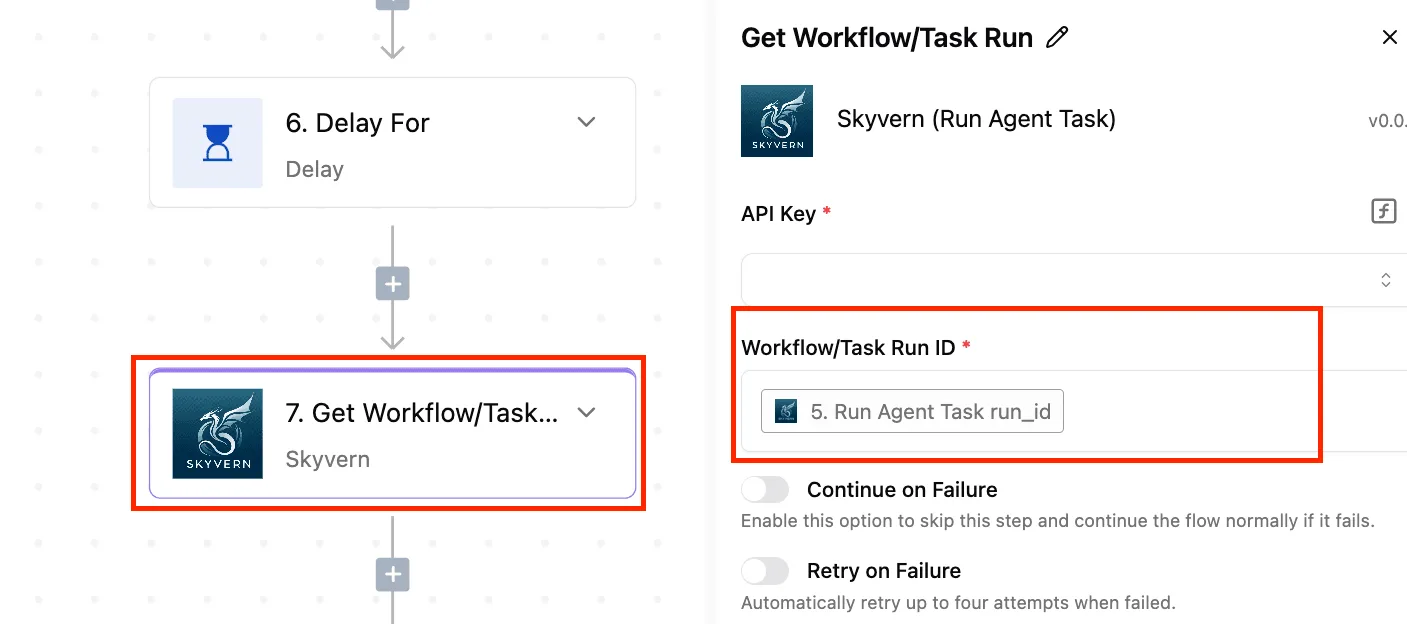
How the silent workflow failure was discovered
Nothing paged anyone overnight. The first sign came when a customer asked where their invoice was.
That's the unusual path: Here it couldn't, because everything we watch said the run succeeded.
Filter the Runs page to the invoice-sync flow and the 02:14 run shows a green Succeeded badge, while the run detail marks the invoice-write step as failed but continued, meaning invoices were never persisted even though the workflow appears complete to anyone checking the main dashboard.

Everything below works on Activepieces' free plan. Start without code or a credit card.
What the silent failure cost the finance team
Finance paid for it anyway: invoices that never reached the ledger, hours spent hunting for them, and customers chased for payments they had already made.
Take an illustrative flow that pushes each approved invoice into the accounting system. Its sync step was set to continue on failure, so every rejected write still ended the run as succeeded.

Read the table below as the shape of one incident, not a benchmark: the counts are illustrative, and you can fill each from your own logs with the formula shown. It shows what the business felt, and how to measure each unit.
| Unit the business felt | Illustrative count | How measured |
|---|---|---|
| Hours of reconciliation | Hours spent × $22.88 per hour (AP specialist rate) | Timesheet entries against the cleanup |
| Invoices not synced | Every invoice whose sync step failed but whose run showed succeeded | Ledger records compared with the approved-invoice list |
| Customers chased | Customers contacted about an invoice that was actually paid | Outbound reminders matched to the missing records |
| Alerts fired | Zero, because no run was marked failed | Alert log for the period |
When the step swallowed each failed write, the run carried on to completion. The dashboard counted it as a success, so the number of missing invoices was never visible as a number.
Time spent finding failed workflow runs
It was detection, not repair, that took the hours. An AP specialist had to diff the approved list against the ledger, then open individual runs to find which step had quietly failed.

At $22.88 an hour, that's paid time spent rebuilding a trail the platform should have left, which is why retry or stop belongs on any step the ledger depends on.
What auto retry and continue on fail do
Before giving up, auto retry reruns a failing step. Continue on fail lets the run move past the failure, and the default halts the run at that step, so each leaves a very different trail behind it.
The table compares them on what happens to later steps, what the run status reads, and when someone is alerted.
| What happens to later steps | What the run status reads | When someone is alerted | |
|---|---|---|---|
| Auto retry | They wait while the step reruns, then proceed if it succeeds | Succeeded if a rerun works, Failed if retries run out | Only after retries are exhausted |
| Continue on fail | They run regardless, often on missing or error data | Succeeded, even though the step failed | Not through failure alerts, because the run did not fail |
| Default stop-the-run | They never run | Failed | As soon as the run fails |
This is the behavior you want for any step the ledger depends on, because the red run points at the exact step to open and debug.
Auto retry: for temporary failures
If the failure clears on its own, such as a rate limit, a timeout, or a brief outage at the other service, retry suits it. The step runs again, and if it recovers, the run completes as if nothing happened.
If retries run out, you get the default outcome, a failed run and an alert. It doesn't do anything for permanent errors such as bad credentials or a malformed payload, which will fail identically every time.
Continue on fail: for optional steps only
With continue on fail, the step is treated as nice to have. The step's output becomes the error, later steps run, and the run reads as successful.
That's correct for something like a courtesy Slack notification, and wrong for anything a later step consumes.
What the continue on fail setting hid
Someone switched on Continue On Fail to quiet a flaky call, and that call was the invoice write, so a required step became optional and its failure disappeared. In order:
Someone switched on Continue On Fail to quiet a flaky call, and that call was the invoice write, so a required step became optional and its failure disappeared.
- Someone flagged the invoice API call as flaky because it failed intermittently.
- Someone turned on Continue On Fail to stop the failures interrupting the flow.
- At 02:14 the write failed.
- Downstream steps ran on empty output.
- No alert had been built, so nothing flagged the failure.
- Finance found the gaps later, with nothing in the run history pointing at the cause.
Retry cannot fix a permanent error
"Flaky" usually means rate limiting, and that's where retry belongs. Requesty puts 429 rate limits at 65.8% of rejected API calls, so about two in three rejections may clear on a later attempt. The rest won't.

Another 19.4% are bad requests (400) and 9.4% are forbidden responses (403), together 28.8%. Those fail the same way every time, so retrying only delays the failure. The remaining 5.4% are other codes.
For the 429s the invoice step needed a retry, and for everything else a hard stop, not a switch that swallowed both.
Retrying a read is harmless. Retrying a write is not, because a timeout can mean the server accepted the request and the reply was lost.
A second attempt then creates a second invoice. Retry a write only when the API accepts an idempotency key, or after a lookup confirms the first attempt didn't land.
With Continue On Fail on, a failed step hands on nothing, and nothing isn't an error. The next steps treated it as data, built records around blanks, and reported success.
Add an explicit check after any step that matters, such as "invoice ID exists", and stop the run when it's missing.
You don't hire for this, you describe it: tell the built-in chat of a platform that offers one that the run must stop when the invoice ID is missing, and it builds and publishes that flow in your account, the same artifact a builder would have assembled by hand.
It sits under the same RBAC and audit logs as every flow a person wrote, and each run leaves a trace anyone can read to see which step failed and was continued past, no certification needed.
Companies such as MoneyGram, Moneypenny, Alan and FundingSocieties run this kind of platform in production.
Easier to see it running than to read about it: set it up free, no card.
Other ways to catch failures before customers do
Only if the flow runs does a check inside it help, so you also need controls that sit outside it.
The data says most teams lack them: in Netdata's research on dashboard gaps during outages, customers, not monitoring, found the failure first in 69% of major incidents.
By incident type, the same research puts the figure at 33% for outages, 32% for performance issues and 23% for production errors, so outages and performance issues are the two most common types of failure customers find first. Even the best case is nearly one in four.

In the table, compare four controls on effort, what they catch and where each one breaks.
| Control | Setup effort | Failures caught | Where it fails |
|---|---|---|---|
| Idempotency keys | Low per step, but needs a stable unique ID | Duplicates from retries and replays | Does nothing for a step that never ran |
| Error table or dead-letter queue | Medium: a table, a write on every failure path, someone owning it | Failures you can see, with payload kept for replay | Crashes before the write; a queue nobody reads |
| Scheduled reconciliation count | Medium: a second flow and a source of truth | Silent drops and partial runs | Only finds them after the schedule fires |
| Failure alert flow in Zapier, Make or n8n | Low: each tool documents its error trigger | Loud failures, immediately | Silent successes; alert fatigue |
| Activepieces | — | — | — |
Idempotency keys and reconciliation for safe retries
An idempotency key is a stable ID, such as the order number, sent with each write so a retry updates the record instead of creating a second one.
It makes retrying safe, which is what lets you retry confidently instead of continuing past errors. It can't detect a step that was skipped.
That is where a reconciliation count comes in. Once an hour or once a day, compare records in the source with records in the destination, and alert when the numbers differ. It finds the failure no step reported.
Failure alerts and error tables
When another flow fails, Zapier, Make and n8n each have a way to run a separate one; read their error-handling docs for the current trigger names.
Have that flow write the payload to an error table first and send the alert second, so the data survives a missed message. Assign one person to empty the table, or it becomes a graveyard.
What changed in error handling
Nothing is left on the default by accident now: every step has an explicit decision attached, whether to retry it, continue past it, or stop the run.
The flow that broke production had one setting applied to a step that was never optional, so the fix was to make that choice visible on each step.
Four rules for retry and error handling
- Auto retry is on for steps that talk to the network or hit rate limits, such as HTTP calls and third-party API actions, because a transient timeout there usually clears on a second attempt and a human shouldn't be paged for it.
- Continue On Fail is allowed only on optional steps, like a Slack notification or an enrichment lookup. If the run is still correct without the step's output, it qualifies. If not, it doesn't.
- The write step is followed by a branch that checks its output. If the record ID is missing or the response is empty, the flow takes an explicit failure path, so a swallowed error can no longer pass as a successful run.
- Failures are reported by a separate failure-alert flow, not by the main flow. The main flow stays readable, and the alert logic can change without touching the business logic.
Where error handling ends and monitoring begins
Activepieces gives you retries and branches and lets you build the alert flow yourself, with 770+ integrations available to carry the message, which means you're never blocked by tool incompatibility. It's not a monitoring platform.
If you need alert deduplication, on-call rotation, escalation, or trend analysis across many flows, a dedicated monitoring or incident tool fits better, and the alert flow can simply forward failures to it.
On licensing, the Community Edition is MIT-licensed and can be self-hosted. The paid plans, as listed on the pricing page checked 2026-10-24, add capabilities beyond it; check that page for the current split before planning a team rollout. SOC 2 is in progress, not certified.
To try these rules, a free sign-up is enough: the free plan is $0 with up to 5 users and unlimited flows, so you can validate production workflows before investing. For plan details see the pricing page.
For self-hosted enterprise, SSO beyond Team, audit logs or embedding, use the sales form.
Frequently asked questions
Does the platform retry failed steps automatically? Only where you switch it on. Retry is a setting on each step, not a blanket policy for the flow, so a write step that must succeed needs it enabled deliberately.
The 65.8% of rejected calls that are 429s are the ones a retry may clear, meaning most of your rejects aren't permanent failures.
Retrying suits transient failures such as timeouts and rate limits. It doesn't fix a bad payload, which fails the same way every time.
Does Continue On Fail mark the run as failed? No. The step is allowed to fail and the flow keeps going, so the run can finish looking healthy while the work was never done.
That's why it belongs only on steps that really are optional. If the invoice write is skipped, nobody sees a red run, and the gap surfaces later in someone's reconciliation.
Is error handling available in the free Community Edition? Yes. Per-step retry and continue settings are part of the builder, and the MIT-licensed Community Edition is self-hostable.
Paid plans cover things like team features and SSO. Audit logs, embedding and self-hosted enterprise support go through the sales team.
How do I get alerted when a workflow fails?
Don't rely on the run status alone. Check the output of the step that matters and branch on it.
The point is that the alert fires on missing output, which is the symptom you care about, not on an error that Continue On Fail may have swallowed. A separate alert flow also gives you one place to change who gets notified.
After the diagram, the practical step is to build the check on your most important write step first, then work outward.
Where do I start with error handling? Pick one flow with a write step you can't afford to lose, set retry on it, and add the output check and alert branch.
The free plan's 1,000 credits a month cover the trial, since a run costs 1 credit however many steps it has.
Then review every step marked Continue On Fail and ask whether it was ever optional.
- Builders can start free.
- For plans, see the pricing page.
- For self-hosted enterprise, SSO beyond Team, audit logs or embedding, use the sales form.