Exa 3.0: What's New and What Is Still Unconfirmed

Oct 20, 202613 min read
Announced on exa.ai/blog/exa-3, Exa 3.0 is a search quality release from Exa, a search and retrieval service.
I read the facts on exa.ai on 2026-10-20, and the release is new, so outside users have had no time to test it, including people who wire search into automations with tools like Activepieces.
Exa released version 3.0 on the date its blog gives
What Exa is and who makes it
When software needs to find web content and pull it back in a form other software can use, it calls Exa, a search and retrieval service. The Exa Team signs the post, so the maker is Exa itself.
The release bundles retrieval stack improvements with a new search type, Exa Lite. The post calls it "the largest improvement to search quality we've ever released." That's the maker's own claim, so treat it as a claim until you've run your own queries.
Two things in that sentence are named but not described by anything I could confirm.
The post names Exa Lite as a new search type, and it names improvements to the retrieval stack, meaning the part of the service that finds and ranks pages before results come back.
I could not confirm the post's wording on what Exa Lite does, how it differs from Exa's existing search types, or which stack changes were made, so I won't paraphrase them here.
The post is dated Oct 19, 2026, which is the release date.
Take the date and the description of Exa Lite straight from the post, and note the day you read them.
What changes in the request and the response
A search type is something you choose per request.
In Exa's search API it is set by a type field in the request body, next to the query, so a new search type arrives as a new value for a field your step may already send. Exa Lite is announced as one of these.

That much follows from how the post presents it, and the rest I could not confirm.
What I could not confirm is the part that would let you choose between types: what Exa Lite trades away or gains against the types your step calls today, such as speed against depth of ranking.
The same goes for the stack changes.
I found no confirmed new or renamed request fields and no confirmed change to the response shape, which in Exa's API is a list of results, each with fields such as a title and a URL, plus any page contents you asked for.

So the useful reading of the post is narrow. Find the sentence that says what Exa Lite is, the sentence that says how it differs from the existing types, and any mention of a field added, renamed or removed.
Write those down with the date you read them, because they are the specifics the checks and the test later in this article rest on.
When exa 3.0 was released
If you need the release date, the announcement post itself is dated Oct 19, 2026.
Because the release is new, any third-party tutorial or connector description that predates it describes an older Exa, so check it against the post before you wire anything.
If you build in Activepieces, check whether the Exa connector exposes Exa Lite before you rely on it.
How the facts here were checked
I took every fact from Exa's own pages and recorded the day I read them, because a vendor can change a page after you read it.
The set below is what the rest of this article rests on, and a later change to the post would void any line in it.
- Product name: Exa 3.0 (exa.ai/blog/exa-3)
- Maker: Exa, credited as The Exa Team (exa.ai/blog/exa-3)
- Release date: Oct 19, 2026 (exa.ai/blog/exa-3)
- Facts read on: 2026-10-20 (exa.ai)
Next come pricing and what each search type does, and they're held to the same standard: only what Exa's pages say, dated to the day they were read.
Everything below works on Activepieces' free plan. Start without code or a credit card.
Why exa 3.0 matters to teams automating work
For an automation team, Exa 3.0 matters at only one point: the step where a workflow stops relying on what it already holds and asks the live web a question.
Whatever Exa's pages say about the release changes that step and nothing else, so the rest of your flow stays as it was.
Where a search step sits in an automated workflow
In the middle of the chain sits a search step. A trigger fires, such as a new row in a lead sheet or a ticket opened. The workflow sends a query out to the search service.

Once results come back as a payload, an AI step summarises them, and a final step writes the output into an app, say a CRM record or a shared doc.
Take from it where the arrows run: the query goes out from your trigger's data, and results come back in for the model to read.
Every change in Exa 3.0 lands on that one highlighted box. What you map into the query and what you read out of the response are the fields to watch.
What to check before switching to Exa 3.0
Treat Exa's own pages as the spec, and read them the way you would read one before quoting a job. Confirm four things:
- Which search types the release offers, and which one your query actually calls.
- The request fields your current step sends, and whether Exa renamed or removed any.
- The shape of the response, since your summarise step maps fields out of it.
- The pricing page, dated to the day you read it, not a figure remembered from a blog post.
The first check turns on Exa Lite. Read what the post says Exa Lite is, and how it differs from the search type your step calls today, before you change the type value in a live step.
The second and third checks apply to the retrieval stack changes the post names, since those are where a renamed request field or a reshaped response would come from.
If a platform's connector for Exa lags the release, you can still call the API directly through a generic HTTP step. A long catalogue of integrations tells you nothing about whether one exposes the fields you need, so check the field list, not the count.

What is measurably new in exa 3.0, per Exa
So far there is little to measure in Exa 3.0. Held to that field-list test, the record behind this article has confirmed figures from Exa's pages, so the Lite and Auto prices can be planned around.
New capabilities Exa lists
To learn what changed, go to Exa's release post at exa.ai/blog/exa-3, with exa.ai as the product page. This article doesn't restate a capability it couldn't confirm, because a paraphrased feature is how a workflow ends up built on a field that doesn't exist.

Read the post's list against your own spec: which endpoint is new, what parameters it takes, and what it returns per result. Those three answers decide whether your automation can use it.
Figures Exa publishes
The claims about 3.0 prices and latency can be tied to figures on Exa's pages. The release announcement at exa.ai/blog/exa-3 gives prices and benchmark scores, as does the pricing page, both read on 2026-10-20.
Treat every "no number given" as a gap to close with Exa directly, not as a zero. Until a figure appears, a cost or speed estimate built on 3.0 is a guess, and a quote based on it carries that risk.

Exa publishes prices ($4 Lite, $7 Auto per 1,000 requests), latency tiers and benchmark scores for 3.0.
That means you can budget a per-request cost from the vendor's pages, though not set a timeout from them alone. Run a small test against your real queries, log what comes back, and measure it yourself before committing a workflow to it.
Exa publishes prices ($4 per 1,000 requests for Lite, $7 for Auto), latency tiers and accuracy figures such as 91.8% on BrowseComp for 3.0.
Easier to see it running than to read about it: set it up free, no card.
What Activepieces shipped for Exa and how to connect it
Activepieces has 742 integrations, counted from its open source monorepo, and each one is available to the AI as a tool.
If the Exa connector doesn't cover Exa 3.0 yet, you can generate a integration with AI and add it privately to your own instance, so you don't have to wait on anyone's release or benchmark.
New capabilities for agent control
On 2026-09-30, pull request 15983 gave the Exa integration Start, Get, List and Cancel Agent Run actions.
It also added a monitor trigger that watches a search on a schedule, and flat search, contents and answer actions for AI agents. The consequence: scheduled monitoring and agent runs are buildable now.
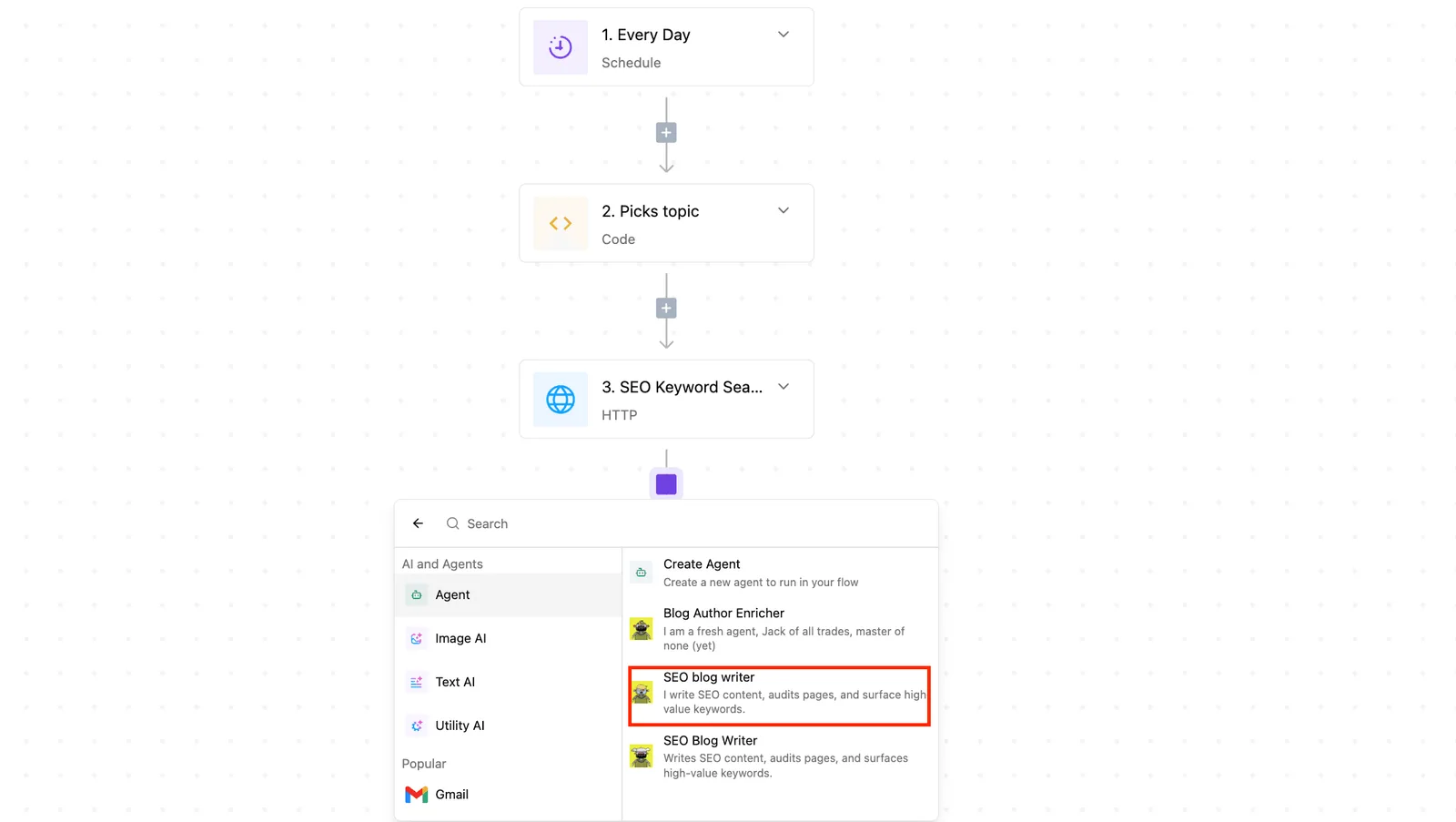
Nothing on that page says Activepieces tested Exa 3.0, so your own test run is the evidence.
Which actions take the most input
According to the Activepieces Exa page, Perform Search takes the most input fields, so it needs the most decisions before it returns anything useful. Get Contents and Find Similar Links also take a good number, which means a real mapping job for both.
Start Agent Run and Ask AI take fewer, and the listing and get actions take only one or two. Budget your setup time for search, not for the listing actions.
- Open the flow you want to add search to, or create a new one.
- Add a step and pick the Exa integration from the list.
- Create an API key in your Exa account, then add it as a connection in the integration.
- Choose the search action and fill in the query. Start with the query field and leave the other fields at defaults.
- Run a test and check the output against what you expected from your real queries.
That test output is the log the previous section asked you to keep. Once it looks right, add fields one at a time, so you know which one changed the results.
Exa 3.0 pricing and access compared with current options
If you ask what Exa 3.0 costs, the answer is whatever Exa's pricing page says it costs. As of 2026-10-20 that page lists Lite Search at $4 per 1k requests and Auto Search at $7, with configurable latency from 450ms to 1s.
How to get exa 3.0
Start at the pricing page. It links to the announcement post, "Introducing Exa 3.0: Our largest ever improvement to search quality." That headline is Exa's own claim, and the page gives no model specifications to check it against.
Until Exa publishes them, treat the improvement as unverified and test it on your own queries before you swap it into a live workflow.
What Exa's pricing page lists
On the page, 3.0 appears only as that blog link. It doesn't tie 3.0 to a price line, so you can't yet tell whether it bills differently from the earlier search.
Before you commit volume, check the plan you would use and ask Exa to confirm how 3.0 requests are charged.
Nobody has run Exa 3.0 in a workflow for this article, so no speed or accuracy result is reported here.
Exa 3.0 cost and speed versus alternatives
The table shows what each vendor states, dated 2026-10-20. "Not published" means this article couldn't confirm a figure. Don't read it as proof that the vendor has none.
The consequence is that you can rank Exa on cost and speed from its published numbers.
| Service | Price per request | Stated latency | How to get access |
|---|---|---|---|
| Exa 3.0 | Lite $4 per 1,000 requests; Auto $7 per 1,000 requests | Lite 450ms; Auto 1s | Through exa.ai/pricing |
| Tavily | Not published | Not published | Not published |
| Brave Search API | Not published | Not published | Not published |
| Google Programmable Search | Not published | Not published | Not published |
Run the same twenty queries through each candidate and time them yourself, then price the result against each vendor's current page.
What to watch next after the exa 3.0 release
Recheck three of Exa's own pages and run one small test of your own. The release is only as reliable as what those pages say today and what your workflow actually returns.
Exa pages to recheck after the 3.0 release
After the release, Exa's pages can change, and a workflow built on last month's reading can break or cost more without warning. Date what you read, then look again before you commit.
The list below is short enough to run through in one sitting, and the last two checks happen inside your own workflow, not on Exa's site.
- The Exa blog, for new posts that amend or extend the 3.0 announcement.
- The pricing page, for changed rates, since a rate change alters what every run costs you.
- The docs, for changed endpoints, because a renamed or retired endpoint breaks a connection that worked yesterday.
- A test run in your own workflow, to confirm it completes end to end.
- Output format and cost per run, checked against what the docs and pricing page promise.
Anything that differs from your notes is a reason to pause the rollout, not to patch around it later.
How to test Exa 3.0 on your automations
Pick a handful of real queries your automation already sends, the ones whose results feed a later step. Run them through the new release and look at the fields your next step reads.
If a field is renamed, nested differently or missing, the downstream mapping fails quietly, and you want to find that before a scheduled run does.
Run the same queries once on your current search type and once on Exa Lite, if your connector or HTTP step can call it.
Comparing the two outputs side by side shows what Exa Lite changes for your own data, which the post's description alone can't tell you.
Then divide the bill by the number of runs to get a cost per run you can set against your previous provider. That number, not the launch post, tells you whether the release belongs in the workflow.