



Stop building agents on platforms that can't debug them
Activepieces
Jul 11, 20268 min read

The take
Building AI agents that work in production requires more than prompt engineering and API calls. The gap between a demo that impresses stakeholders and a system that handles real workloads comes down to infrastructure: debugging tools, version control, testing frameworks, and monitoring systems that most consumer automation platforms never built for.
The developer tooling around agents is splitting into two camps. Consumer platforms optimize for speed and simplicity, letting business users chain together pre-built actions through visual interfaces. Developer-first platforms assume you'll write code, manage deployments, and instrument your systems like any other production service.
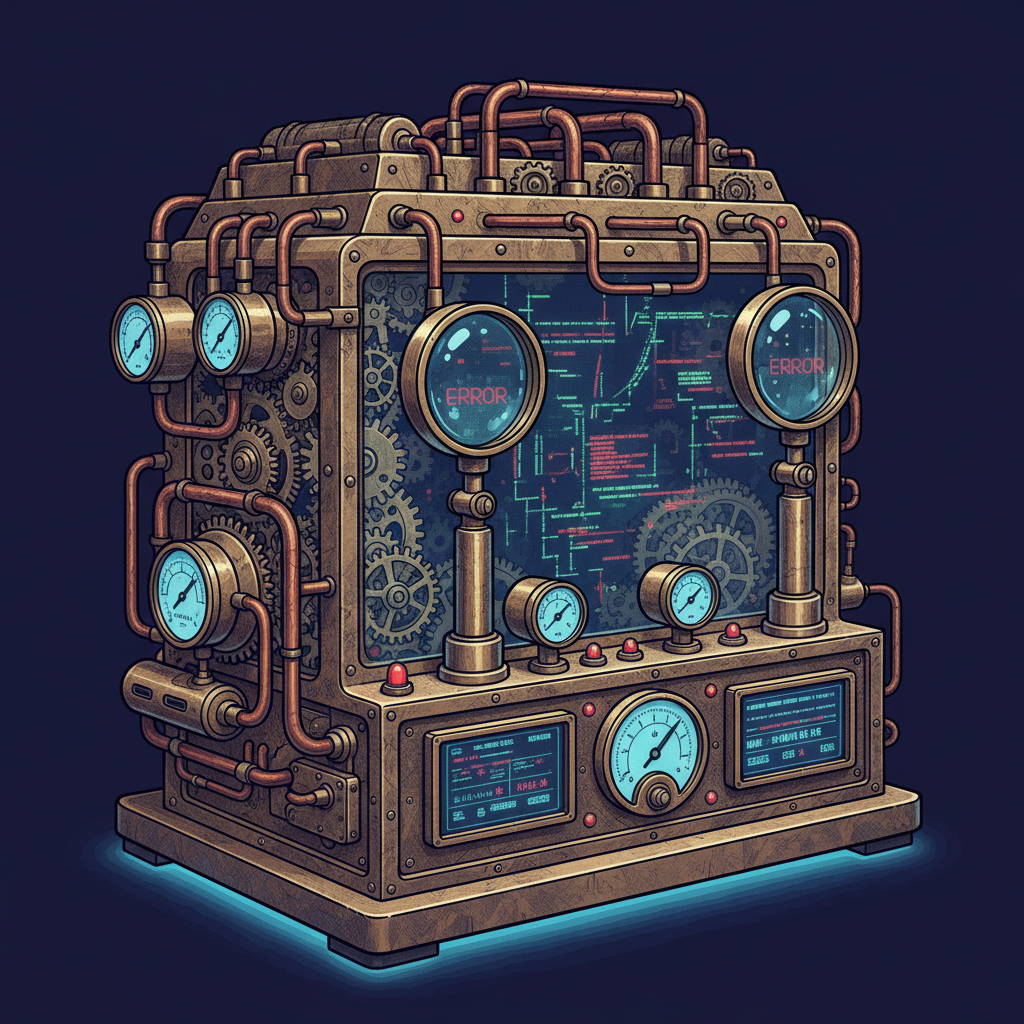
For teams shipping agents that handle real business processes, the developer path increasingly makes sense. Not because it's easier to start with, but because it's the only way to maintain reliability at scale.
The briefs
1. Debugging agents requires code-level visibility
When an agent fails, you need to see exactly which tool call went wrong, what data it received, and how it made its decision. Consumer platforms show you "workflow failed" with minimal context. Developer platforms give you stack traces, execution logs, and the ability to replay individual steps with different inputs.
The debugging experience matters most when agents interact with external APIs that return unexpected responses or when the reasoning chain breaks down in subtle ways. Visual workflow builders can't surface the granular execution details that help you identify whether the issue is in your prompt, your tool implementation, or the underlying model's reasoning.
Consider an agent processing supplier invoices that suddenly starts rejecting valid documents. On a consumer platform, you see "validation failed" in the execution history. On a developer platform, you can examine the exact API response that triggered the failure, inspect the agent's reasoning process step by step, and replay the execution with modified inputs to isolate the root cause. The difference becomes critical when you're debugging intermittent failures that only occur with specific data patterns.
2. Version control becomes critical with complex agent behaviors
Agents that make decisions based on context require careful prompt versioning and rollback capabilities. When you update an agent's instructions or add new tools, you need to test the changes against historical scenarios before deploying to production.
Developer platforms treat agent configurations as code, with Git-based workflows for managing changes. This lets you branch agent behavior, run A/B tests on different reasoning approaches, and maintain staging environments that mirror production workloads. Consumer platforms typically offer basic versioning at best, making it difficult to track which changes caused performance regressions.
The versioning challenge becomes acute when multiple team members iterate on agent behavior simultaneously. Without proper branching and merge strategies, conflicting changes to prompt templates or tool configurations can introduce subtle bugs that only surface under specific conditions. Developer platforms solve this by treating agent definitions as source code, complete with diff views, conflict resolution, and automated testing on pull requests.
3. Testing frameworks prevent agents from breaking in production
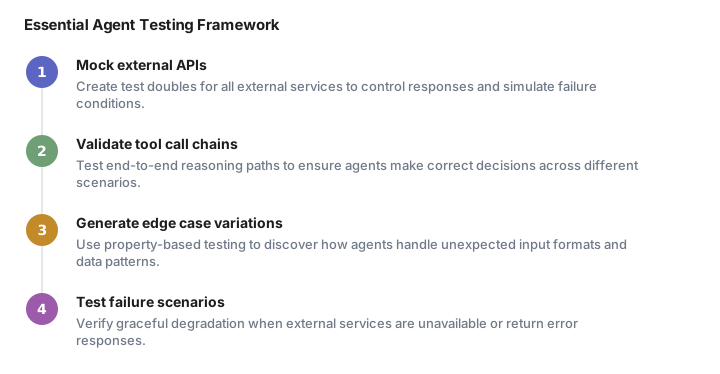
Reliable agents require test suites that validate both individual tool calls and end-to-end reasoning chains. You need to verify that your agent handles edge cases correctly, maintains consistent behavior across different input formats, and fails gracefully when external services are unavailable.
Developer-focused platforms provide testing frameworks that let you mock external APIs, simulate different execution environments, and validate agent outputs against expected results. This testing infrastructure becomes essential when agents handle sensitive operations like financial transactions or customer communications where failures have real business impact.
Comprehensive testing goes beyond simple input-output validation. You need to test how agents behave when external services return rate limits, when input data contains unexpected formats, and when reasoning chains encounter ambiguous scenarios. Developer platforms enable property-based testing where you can generate hundreds of variations on input data to discover edge cases that manual testing would miss. This systematic approach to validation becomes crucial when agents operate autonomously without human oversight.
4. Infrastructure ownership matters for compliance and security
Production agent deployments often require specific security controls, data residency requirements, and audit trails that hosted platforms can't accommodate. Teams in regulated industries need to run agents on their own infrastructure with full control over data flows and execution environments.
Self-hosted platforms let you deploy agents within your existing security perimeter, integrate with internal authentication systems, and maintain detailed logs for compliance purposes. The operational overhead is higher, but the control is often necessary for enterprise deployments.

Security considerations extend beyond basic data protection. Agents that interact with internal systems need to respect existing access controls, maintain audit trails for every action taken, and integrate with enterprise identity management systems. When processing sensitive data like customer records or financial information, the ability to run agents entirely within your own infrastructure becomes a hard requirement rather than a preference.
5. Monitoring and observability tools catch issues before users do
Agents can fail in subtle ways that don't trigger obvious error conditions. An agent might start making poor decisions due to model drift, external API changes, or shifts in input data patterns. Production deployments need monitoring systems that track agent performance metrics and alert when behavior deviates from expected patterns.
Developer platforms typically integrate with existing observability stacks, letting you set up custom metrics, dashboards, and alerting rules. This integration becomes crucial when agents are part of larger systems where failures cascade across multiple services.
Effective monitoring requires tracking both technical metrics and business outcomes. You need to monitor API response times and error rates, but also track whether agents are making decisions that align with business objectives. For example, an agent processing customer support tickets might maintain good technical performance while gradually becoming less helpful in its responses. Developer platforms enable custom metrics that capture these business-level indicators alongside traditional infrastructure monitoring.
6. Cost optimization requires granular usage tracking
Agents that make multiple API calls per task can generate significant compute costs, especially when processing high volumes of requests. Production deployments need detailed usage analytics to identify expensive operations and optimize resource allocation.
Developer platforms provide granular cost tracking at the tool and execution level, helping teams identify which agent behaviors drive the highest costs. This visibility enables targeted optimizations like caching strategies, batching operations, or switching to more efficient models for specific tasks.

Cost optimization becomes particularly important when agents exhibit emergent behaviors that weren't anticipated during initial design. An agent might discover that making additional API calls improves its accuracy, leading to unexpectedly high usage costs. With granular tracking, you can identify these patterns and implement guardrails or optimization strategies before costs spiral out of control.
7. Integration complexity demands flexible architecture
Production agents rarely operate in isolation. They need to integrate with existing business systems, respect established data flows, and coordinate with other automated processes. Consumer platforms typically offer pre-built connectors for popular services, but struggle with custom integrations or complex data transformation requirements.
Developer platforms provide the flexibility to build custom integrations, implement complex business logic, and adapt to changing requirements without platform limitations. This architectural flexibility becomes essential when agents need to work within established enterprise systems that have specific data formats, authentication requirements, or processing constraints.
Watching next
The tooling gap between consumer and developer platforms will likely narrow as agent deployments mature. Consumer platforms are adding more debugging capabilities and testing tools, while developer platforms are building better onboarding experiences for teams without extensive DevOps resources.
The more interesting question is whether hybrid approaches emerge that combine the ease of visual workflow builders with the infrastructure control that production deployments require. Early experiments in this direction suggest that the complexity of reliable agent systems may resist simplification beyond a certain point.
The infrastructure patterns around agent deployment are still evolving rapidly. Teams that invest in proper tooling and monitoring now will have significant advantages as agent workloads scale and become more critical to business operations.
Reply if you're building production agents and have thoughts on where the tooling needs to evolve. The infrastructure patterns are still forming, and the teams shipping real systems are the ones defining what works.
Frequently asked questions
What debugging tools do AI agents need in production?
Production AI agents need code-level visibility including stack traces, execution logs, and the ability to replay individual steps with different inputs. Consumer platforms only show 'workflow failed' while developer platforms let you examine exact API responses and inspect reasoning processes step by step.
Why is version control important for AI agents?
AI agents require careful prompt versioning and rollback capabilities because they make context-based decisions. Developer platforms treat agent configurations as code with Git-based workflows, enabling A/B tests and staging environments that consumer platforms can't provide.
How do you test AI agents before production deployment?
Reliable agents need test suites that validate both individual tool calls and end-to-end reasoning chains. Developer platforms provide frameworks to mock external APIs, simulate different environments, and run property-based testing with hundreds of input variations.
What monitoring do production AI agents require?
Production agents need monitoring that tracks both technical metrics and business outcomes, since agents can fail subtly without obvious errors. Developer platforms integrate with observability stacks to monitor API performance alongside business-level decision quality.
Should teams choose consumer or developer platforms for AI agents?
Consumer platforms work for simple automation, but teams shipping agents that handle real business processes increasingly need developer platforms. The developer path provides debugging tools, version control, and infrastructure control that consumer platforms can't match at scale.
Automate your work without writing code
Create an Activepieces account in seconds.
Written by
Activepieces
