
Workflow Process Management Software: What to Look For
Learn about what to look for in workflow process management software. Discover what makes Activepieces the best tool for the job.

Dec 24, 202511 min read
Workflow management software is a system that automates how work moves from trigger to completion—assigning tasks, enforcing rules, and tracking status so nothing stalls in someone's inbox. It replaces ad hoc emails and spreadsheets with a repeatable, visual process that anyone on the team can follow, and it applies to everything from purchase approvals to content reviews to client onboarding.
This article covers how workflow management software fits into day-to-day operations, the features that separate a reliable platform from a limiting one, and how to evaluate tools that support the way your team actually works.
Build workflows that stay accurate as your operations grow. Explore Activepieces now!
TL;DR
- Workflow process management software helps you automate tasks and run critical business processes using structured, repeatable workflows.
- Workflow automation platforms should offer visual workflow builders, automation triggers, dashboards, integrations, AI capabilities, security permissions, and error handling.
- Activepieces combines automation, AI support, and integrations to make the workflow easier to build.
Everything below works on Activepieces' free plan. Start without code or a credit card.
What Is Workflow Process Management Software?
Workflow process management software gives you a system to automate repetitive processes.
Daily operations rely on defined steps, ownership, and predictable outcomes, especially when business processes grow more complex. Many teams adopt this type of management software to reduce repetitive tasks that drain time and create avoidable delays.
Typically, these platforms follow a structure that stays easy to follow as volume increases. A trigger starts the work, such as a form submission or a request from a client. Actions then move the work forward through approvals or data updates until the system produces a final result.
With a visual builder, you can map each step without deep technical knowledge. Rules guide decisions, dashboards show live status, and integrations move data between software. Together, these features make it easier to automate processes.
Some of the different types of these tools include:
- General workflow management tools
- Business Process Management (BPM) tools
- Project management software
- Automation and integration-first platforms
- Low-code/no-code workflow platforms
Why Businesses Rely on Workflow Process Management Software
Businesses use these platforms for the following reasons:
- Clear ownership across teams: You can assign tasks to the right people at the right time, so work doesn't stall or bounce between inboxes.
- Less manual work: Task automation handles repeat steps like approvals, notifications, and data updates without constant input.
- Better visibility for leadership: Project managers can see progress in real time, spot delays early, and keep timelines on track.
- Fewer missed steps: Built-in task management keeps processes consistent, even when workloads increase or teams change.
- Faster execution overall: Defined paths help teams move work forward with fewer handoffs, resulting in more efficient workflows.
Marketing Workflow Software vs. General Workflow Management Software
Marketing teams often search for "marketing workflow software" instead of a general tool because campaigns move through a narrower, more visual set of steps: briefs, content drafts, design reviews, legal or brand sign-off, and scheduled publishing.
A dedicated marketing workflow tool usually ships with templates for those steps out of the box. General workflow management software doesn't assume any single use case, so you build the campaign approval chain the same way you'd build a purchase order or an onboarding process, using the same triggers, actions, and approval logic.
That difference matters when a business runs more than one kind of process. Buying a separate tool for every department (marketing, finance, HR, support) adds licensing costs and creates disconnected data. A general-purpose platform like Activepieces lets a marketing team build campaign approvals with the same pieces that finance uses for invoice routing, so ownership and audit history live in one place instead of four.
The tradeoff runs the other way too: a team that only ever needs marketing approvals may get to a working flow faster with a tool built specifically for that job. Choose based on how many processes you actually need to automate, not just the one in front of you today.
Key Features to Look for in Workflow Automation Platforms
Selecting a powerful automated workflow tool gets simpler once you focus on these robust features:
Visual Workflow Builders
Start with the builder since it controls how fast you can turn an idea into a working flow.
A visual editor lets you map steps in order, add conditions, and see the full path without relying on technical knowledge. It should also let you customize workflows since no two teams handle requests in the exact same way.
When you begin building workflow steps, friction shows up fast if the tool requires a developer for every change.
No-code setup only counts if the editor lets non-technical teammates adjust steps, test changes, and publish updates without fear.
Workflow Automation and Trigger Logic
Once the builder feels clear, automation and triggers decide whether the system can run your work. That combination supports custom workflows that match your real-world operations rather than forcing you into a generic template.
See if the software allows multi-step workflows, since most work needs several actions in a row.
Manual intervention is also necessary, as some steps require review before the workflow can continue.
And it should make it easy to see what happened and why it happened, so look for:
- Logs
- Testing
- Version history
Integration and Connectivity
Even the best workflow design falls apart when systems can't share data.
Integration and connectivity should connect your business applications so updates happen once and appear everywhere they need to. Meanwhile, webhooks and APIs are useful when a tool requires a custom trigger or action.
When integrations work well, you spend less time fixing sync problems and more time finishing work.
AI Capabilities
AI capabilities can remove work that rules alone can't handle. Text-heavy work often eats hours, so AI can help with sorting requests, summarizing long messages, or drafting first-pass responses.
It should further give you:
- Customizable dashboards that show what runs, what stalls, and what fails
- Predictive analytics features that add another layer by flagging likely delays based on past runs
- Review steps and approvals to prevent bad outputs from turning into bad actions
Error Handling
Automation breaks sometimes, so error handling decides whether you trust the system. Failures happen for normal reasons like missing fields, short outages, or bad responses from an external tool.
Clear error messages show the exact step that failed and the data that caused it.
Retries help for temporary issues, but real workflows need fallback paths too. A failed step can route work to a review queue, alert the owner, or pause until missing data arrives, which helps manage workflows.
Security Permissions and Governance
As more teams rely on workflow software, control over changes becomes non-negotiable.
Permissions define who can edit workflows, who can run them, and who can connect external accounts. Those controls protect data and prevent accidental changes to live systems.
Role-based access controls fit most teams, as they limit edits to admins while others run approved workflows. Audit logs also show who changed what and when.
Then, single sign-on and multi-factor login reduce account risk.
With clear governance in place, you move faster since the system blocks mistakes before they cause damage.
Easier to see it running than to read about it: set it up free, no card.
Top Workflow Management Software Options to Compare
Feature lists only tell part of the story. Seeing how popular workflow management software options position themselves helps you shortlist faster.
| Tool | Best For | Core Strength |
|---|---|---|
| Activepieces | AI-driven, custom workflows | 735+ integrations, open-source core, self-host or cloud |
| monday.com | Visual work management | Configurable boards, forms, dashboards |
| Asana | Cross-functional projects | Rules, forms, templates, reporting |
| ClickUp | Consolidated team workspaces | Tasks, views, automations, AI-assisted setup |
| Zapier | Fast app-to-app automation | Trigger-and-action workflows |
| Make | Visual integration scenarios | Branching, data transformation |
| Kissflow | Governed no-code processes | Visual process design, routing, SLAs |
| n8n | Technical, self-hosted automation | Visual workflows with code and webhooks |
Most of these tools solve a narrow slice of the problem well: monday.com and Asana lean toward project and task tracking, Zapier and Make lean toward connecting apps, and Kissflow and n8n lean toward process governance or technical flexibility.
Activepieces sits closer to the automation-and-AI end of that spectrum, with the added option to self-host when data has to stay inside your own infrastructure.
Why Activepieces Works So Well for Workflow Process Management

Most platforms promise automation, then hit a wall the moment a process needs judgment, approvals, or data that lives in three different places.
Activepieces feels different because it helps you create workflows without turning every update into a ticket for someone with deep technical expertise.
A user-friendly interface keeps the setup approachable for non-technical teammates. The more advanced features stay available when the process gets complicated.
These features empower businesses to build better workflows:
Built for AI Agents and Modern Automation
Activepieces includes AI tools that can read an inbound message, pull the right context, and decide what comes next before anything gets pushed live. You can also bring your own model provider key, so spend stays on your own account instead of being tied to a single vendor.
Rule-only automation often fails when wording changes or details arrive incomplete. Activepieces can add a reasoning step, then ask for approval when risk shows up.
Deep Integration Control
Automation breaks when data can't move cleanly between software applications.
Activepieces connects apps through 735+ pre-built "pieces," then lets a flow read data, write updates, and pass structured info to the next step without manual copy work.
That ends up reducing manual effort in the exact places teams complain about, like syncing CRM fields after a form submit or updating billing status after a payment.
Custom connections are also possible when your stack includes niche tools. Developers can build a custom piece, then hand it back to the ops team.
Some of the integrations include:
- Jira Cloud
- Trello
- Nifty
- Fountain
- AITable
- MeisterTask
- Productboard
- Todoist
…and many more.
Open-Source and Self-Hosted Options
Open-source gives you options that other tools don't.
Self-hosting, on the other hand, keeps sensitive data inside your own environment when policy demands it, including air-gapped deployments. Whether you self-host or run Activepieces in the cloud with an EU or US data region, you get the same role-based access controls, single sign-on, SCIM provisioning, and audit logs, backed by SOC 2 Type II.
Self-host your automation or run it in the cloud. Start with Activepieces!
Take Full Control of Complex Workflows With Activepieces
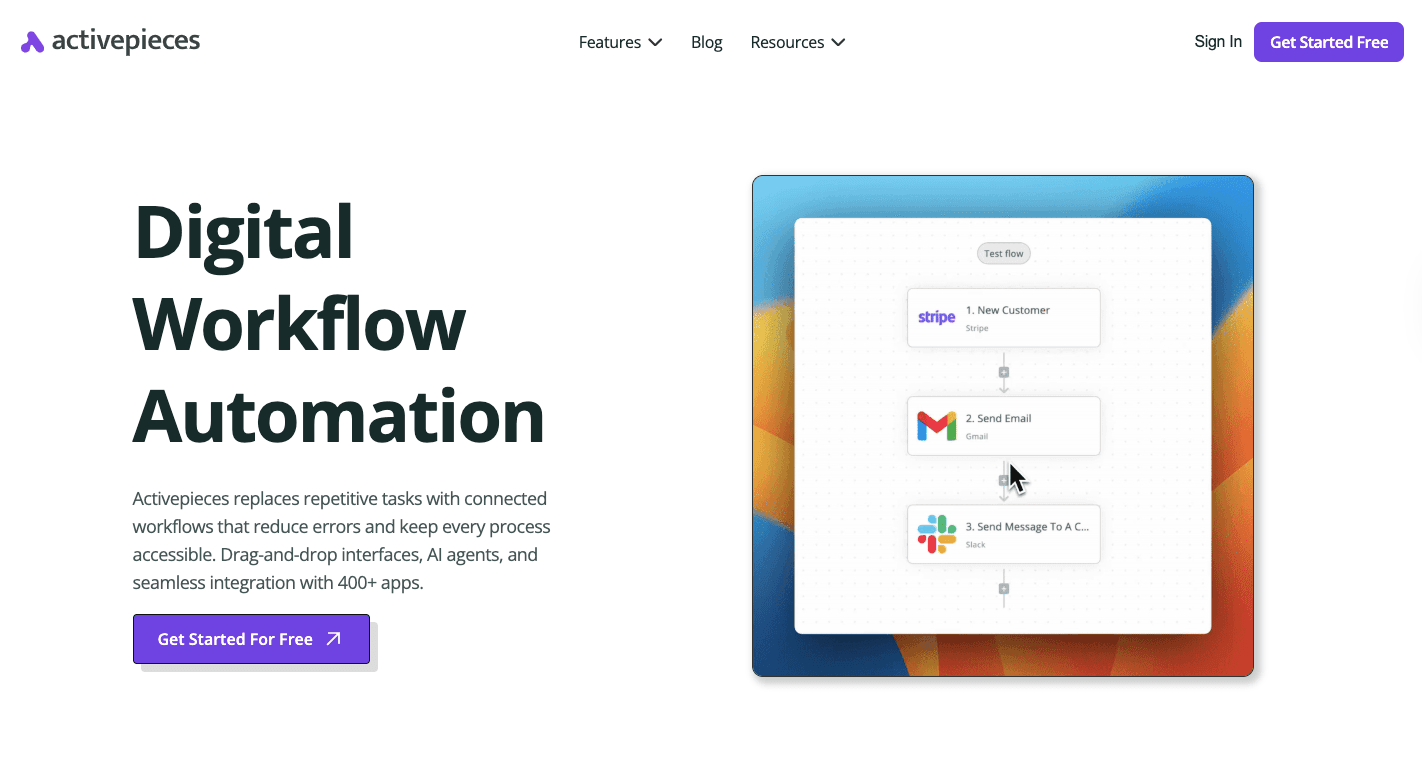
Activepieces, a workflow automation tool, helps you optimize processes by setting up workflows that match how work actually moves, then adjusting steps quickly when there are changes.
It has an intuitive interface, which helps you avoid a steep learning curve. Developers can still add deep logic when needed, yet day-to-day updates stay doable for your non-technical teams.
In addition, Activepieces supports advanced automation with branching, loops, delays, and human-approval checkpoints.
Currently, it offers 735+ data integrations, plus a TypeScript SDK for custom ones. And if you're an enterprise-level team, you can self-host for data control, air-gapped if required, or run it in the cloud in an EU or US region with SOC 2 Type II, RBAC, SSO, and audit logs for stronger governance.
You can start creating workflows for free with Activepieces' Standard plan, then pay only $5 per active flow per month.
From simple approvals to advanced automation, all in one place. Check out Activepieces!
FAQs About Workflow Process Management Software
What is the best workflow management software?
Activepieces leads the pack when AI agents and integrations sit at the top of your list, since it lets you create workflows without heavy technical expertise. Through its pieces, you can also run marketing campaigns with the marketing automation platforms.
What are the seven workflows in SPM?
In SPM, teams usually work with seven core workflows: intake, planning, approval, execution, monitoring, review, and closure. These workflows cover how work enters the system, how it gets approved, how tasks move forward, how progress is checked, and how results get finalized.
Does Microsoft have a workflow management tool?
Yes, Microsoft offers Power Automate as its workflow management tool. It integrates closely with Microsoft 365 apps like Outlook, SharePoint, and Teams, and works best inside the Microsoft ecosystem.
Does Google have a workflow management tool?
Google doesn't offer a standalone workflow management platform. Teams usually rely on combinations of Google Forms, Sheets, Apps Script, and third-party tools to build workflows.
What's the difference between workflow management software and project management software?
Workflow management software controls how one specific process moves step by step: who approves what, in what order, and what happens when a step fails. Project management software organizes tasks, timelines, and resources across a broader initiative. Many teams use both together, planning in a project tool and running the repeatable steps inside a workflow tool.
Is marketing workflow software different from general workflow management software?
Marketing workflow software focuses on campaign-specific steps like content approvals, asset reviews, and channel publishing. General workflow management software can automate any repeatable business process, from HR onboarding to finance approvals. Activepieces covers both, since the same pieces that connect marketing tools also connect HR, finance, and support systems.