
What Is HIPAA Compliant Workflow Automation?
Learn all you need to know about HIPAA-compliant workflow automation, including the most common examples, and the best tools to do it.

May 24, 20247 min read
Behind every healthcare task is a trail of systems and approvals. Keeping everything secure while staying efficient isn't easy.
Healthcare processes involve a lot of applications, so there's a real need to have a HIPAA-compliant tool that can be connected, integrated, and perform scheduled tasks through automation.
HIPAA-compliant automation enables small and large healthcare organizations to automate manual processes without risking HIPAA compliance.
In this guide, you'll learn what HIPAA-compliant workflow automation is, see the most common examples, and find the best tools to do it.
Automate everyday healthcare tasks while keeping data protected. Connect with our sales team!
TL;DR
- HIPAA-compliant workflow automation securely moves patient data between healthcare systems while following strict privacy and security rules.
- The most common examples include patient intake, EHR updates, lab orders and results, billing, clinical alerts, and patient communication.
- The 3 best HIPAA-compliant workflow automation tools are Activepieces, Workato, and Keragon.
Everything below works on Activepieces' free plan. Start without code or a credit card.
Why Do Healthcare Organizations Need HIPAA-Compliant Automation Platforms?
If you look closely at daily work in healthcare, you'll notice how often information gets passed around.
Patient data starts with intake forms, then moves into the electronic health record (EHR), and then shows up in scheduling, billing systems, and follow-up messages.
HIPAA-compliant workflow automation integrates those systems together, so data moves on its own. It further transfers and follows set rules each time to protect sensitive data. Audit logs track activity as it happens, too.
Compliance also needs daily attention, not yearly panic. Automation platforms support continuous monitoring, so issues show up early. Administrative processes stay steady, and you won't lose your patients' trust.
Other reasons healthcare teams often make the switch:
- Reporting breaks when data lives in too many places
- Patient engagement grows faster than manual tracking can keep up
- Billing slows when systems fail to connect
- Reviews take longer without a clear audit trail
What Makes Workflow Automation HIPAA-Compliant?
Any automation tool deployed in the health system should be HIPAA-compliant. To maintain compliance, the platform should adhere to the HIPAA rules of privacy, security, and breach notification.
So, your software should:
- Encrypt the protected health information (PHI) of the individuals during electronic transactions.
- Notify individuals of the privacy practices and how their PHI will be used and disclosed.
- Create policies and procedures for identifying, reporting, and responding to breaches of unsecured PHI.
- Promptly notify affected individuals of any breach and report it to Health and Human Services (HHS) in accordance with the specified guidelines and timeframes.
- Document the policies, incidents, and audit the workflow tool frequently.
- Sign the Business Associate Agreement (BAA).
Common Examples of Healthcare Workflow Automation
The healthcare industry performs a lot of manual and repetitive tasks. Technology can be used to optimize these tasks.
Also, the healthcare system is very sensitive in terms of data, so workflow tools adopted should, in addition to being HIPAA-compliant, adhere to the specified standards and regulations, such as:
- General Data Protection Regulation (GDPR)
- Personal Information Protection and Electronic Documents Act (PIPEDA)
- National Health Service (NHS)
- 21st Century Cures Act
Below are some examples of healthcare workflow automation:
Electronic Health Records Management
EHR management breaks down when you rely on manual tasks to keep charts updated. Automation changes that by connecting tools that capture information as care happens.
For EHR, third-party applications like voice recognition, fingerprint scanners, and others can be integrated to collect patients' information and store it in the system's database automatically.
Strong EHR integration keeps records aligned, while stable EHR connectivity prevents duplicate entries.
Lab Test Orders and Results
A workflow tool can automatically order lab tests, send the results to the patient's online portal, and notify the doctor or other healthcare provider.
Patients see outcomes sooner, which reduces follow-up messages. Providers act faster, and care delivery stays on track.
Billing
Automation connects prescriptions and treatments to billing systems as care finishes. Charges generate right away, which reduces rework and missing items.
Based on the patient's prescription, automated bills can be generated and sent to the patient using the workflow tool. Custom workflows also adjust steps based on visit type, so you can close accounts faster and keep billing questions low.
Clinical Decision Support
Clinical decision support helps you catch issues before they grow. Automation reviews records in the background and flags overdue screenings or missed tests at the right moment.
For cases of overdue or missed screening, tests, or any other medical process, the patient and the healthcare providers can be alerted automatically using the workflow tool. Providers respond earlier, patient care stays proactive, and fewer gaps slip through busy schedules.
Patient Communication
Automation can handle scheduling, updates, and reminders through secure communication tools.
Patients can receive consent forms before appointments, reply to messages easily, and stay informed without phone tag. Appointment scheduling, reminders, appointment cancellations, and other patient interactions can be automated with a workflow tool.
The goal of using healthcare workflow automation is to achieve more secure and optimized processes.
Easier to see it running than to read about it: set it up free, no card.
Top 3 HIPAA-Compliant Workflow Automation Tools
These are the top three HIPAA-compliant platforms:
1. Activepieces

Activepieces is a workflow automation tool. It is open-source, secured, and offers both cloud-hosting and on-prem.
Since it offers on-prem capabilities, it allows you to own and manage the database and transfer data in its environment, also making it easier to comply with regulatory laws.
As a HIPAA-compliant company, Activepieces ensures that patient PHI is encrypted. You can use it to automate healthcare operations such as electronic health recording, scheduling of appointments, and so on.
Keep PHI protected and workflows under your control. See what Activepieces can do!
2. Workato

Another HIPAA-compliant automation tool is Workato. Being an enterprise tool, Workato can automate workflows, including those of healthcare. As a signee of the BAA, Workato ensures the PHI of patients is safe and secure.
However, Workato's pricing increases depending on how many "recipes" you set up and the task volume. Still, the spend is justifiable for large provider networks or VC‑backed telehealth firms, given the range of connectors and security.
3. Keragon
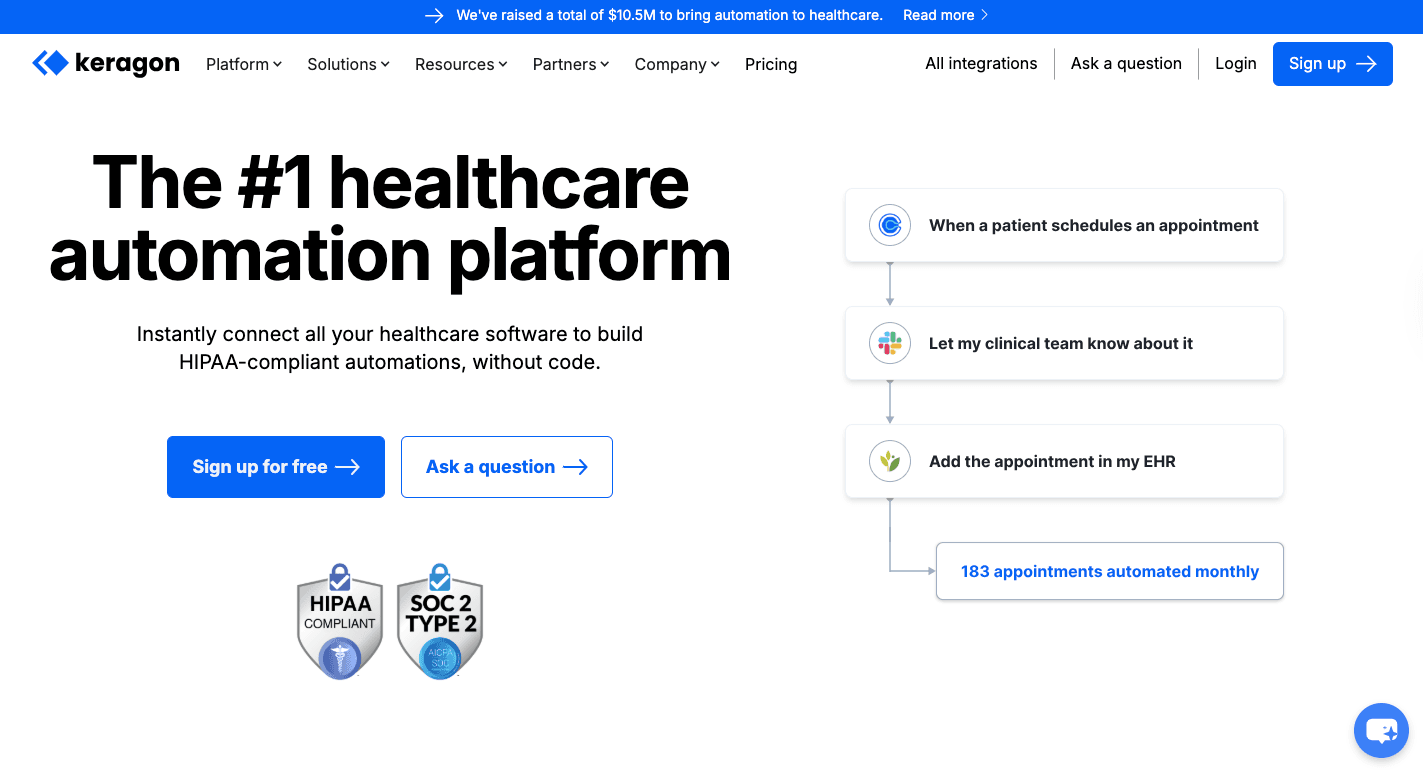
Although a new kid on the block, Keragona is a healthcare automation software that's also HIPAA-compliant. It automates processes like data entry, appointment scheduling, and so on.
With the prebuilt connectors and application programming interface (API) architecture, you can easily integrate your legacy systems.
Yet, as a young platform, it lacks a partner ecosystem and third‑party forums compared to other platforms.
Build an EHR Workflow Using Activepieces

Follow these steps to create your first EHR Workflow using Activepieces:
- Trigger: A patient completes the registration form.
- Actions: The data is extracted from the form, formatted based on the EHR's system, and updated on the patient's EHR profile by integrating the EHR's existing application.
- Actions: A confirmation SMS is sent to the patient for receipt of their information and the next steps.
- Action: The healthcare provider is alerted to the new patient needing attention.
Turn patient registration into an automatic process. Start using Activepieces!
FAQs About HIPAA-Compliant Workflow Automation
What are the common healthcare workflows that need HIPAA-compliant automation?
Most teams start with patient intake and patient onboarding, since those steps collect patient data first. Scheduling, appointment reminders, lab coordination, and billing follow right after.
These workflows touch many systems, which makes them risky when handled manually. When you run these steps as active workflows, information flows automatically between systems.
What are the benefits of using HIPAA-compliant workflow automation?
Work becomes easier to manage and more predictable. Automation reduces human error and improves operational efficiency by cutting delays between steps. Patients see faster updates and clearer communication, which improves patient experience.
Which features are necessary in a HIPAA-compliant workflow automation platform?
The platform needs access controls, detailed activity tracking, and secure handling of patient data. You should also be able to build workflows without writing code and run everything inside a single platform.
What are the usual compliance gaps?
Most gaps come from disconnected systems, manual work, and limited visibility. Data moves between tools without records, approvals get missed, and errors go unnoticed until audits or incidents surface.
Is Zapier HIPAA-compliant?
It's not, but you can find HIPAA-compliant Zapier alternatives such as Activepieces, Workato, Tray, Keragon, and more.