
n8n vs Zapier: How They Stack Up for Everyday Automation
Explore our in-depth n8n vs Zapier comparison and see how these tools stack up. See what makes Activepieces a better option.

Oct 30, 202516 min read
Every team hits that breaking point: too many apps, too many tabs, and the same task done three times in three different tools.
You start thinking, there has to be an easier way to connect everything. That's when the search for an automation platform begins, and basically every road leads to n8n and Zapier.
But which one actually fits the way your team works?
This comparative analysis looks at Zapier vs n8n. You'll learn how these platforms handle workflow automation and what that means for enterprise environments with bigger technical needs.
What Is n8n?
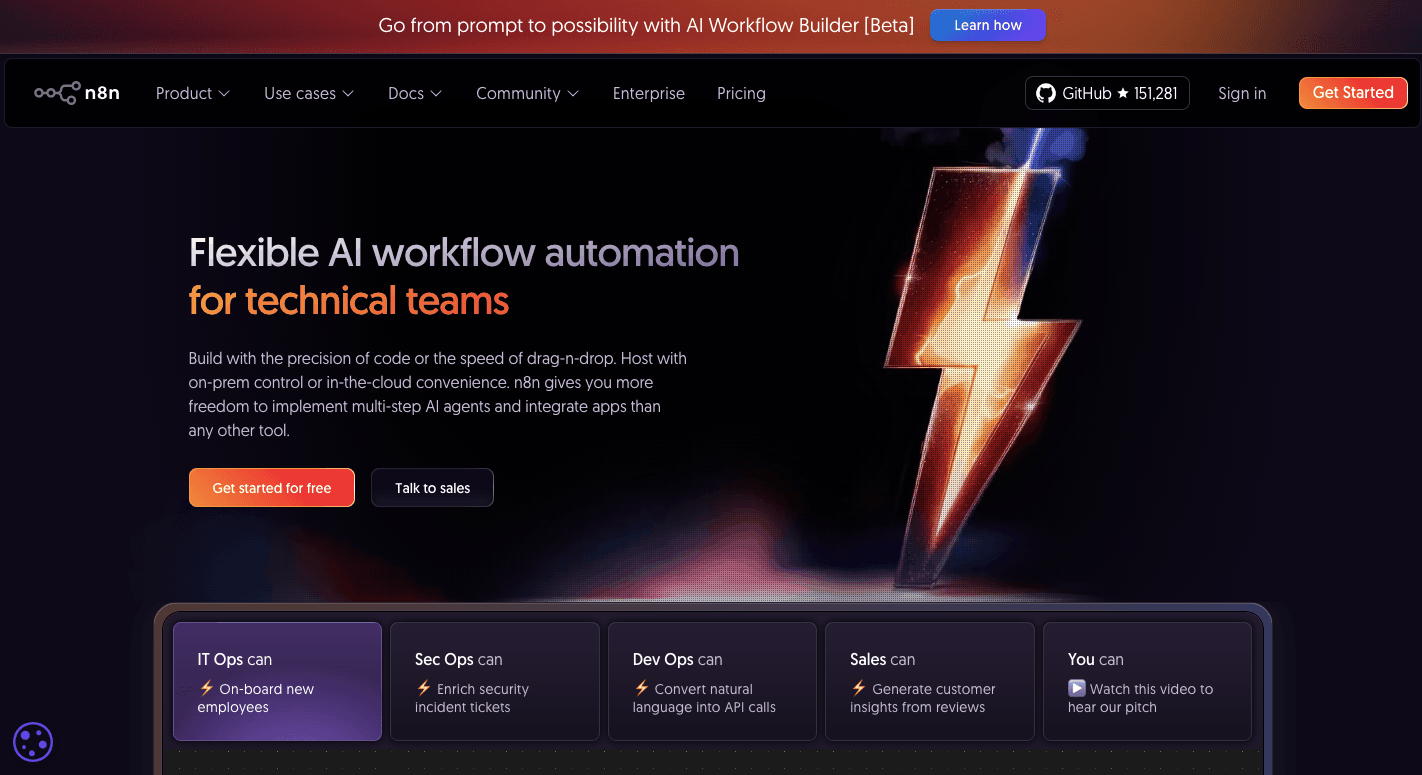
n8n is a workflow automation platform for those who want to automate tasks and control how data moves between apps. Since it's open source, you can use it freely and even modify it for your own systems.
On the visual canvas, you can see every step of your process and track your entire workflow.
A workflow in n8n uses nodes that connect one step to the next:
- Trigger nodes start the process
- Action nodes do the work
- Logic nodes handle complex logic, like conditions or loops
You can begin with basic integrations and grow into advanced automations that involve APIs or code.
For technical teams that want privacy or to handle sensitive data, n8n can run on the cloud or through self-hosting. The visual builder lets you design workflows easily, while advanced users can go deeper with scripting and custom nodes.
It even has support for vector databases and model endpoints for more advanced automation.
The fastest way to settle a shortlist is to try one. Activepieces is free to try, no credit card.
What Is Zapier?
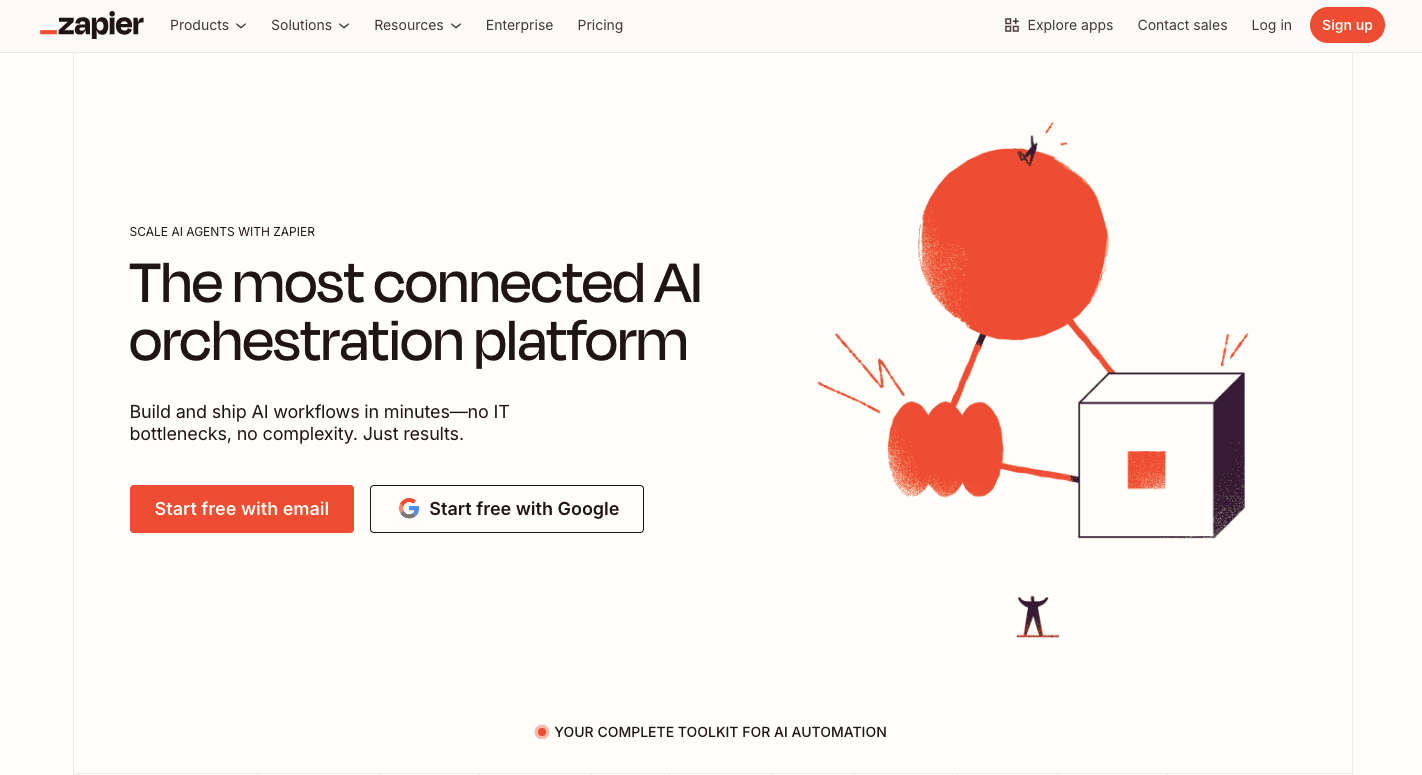
Zapier is an automation platform for people who want to build automated workflows without writing code. It follows the logic of "when this happens, do that."
Each automation, called a Zap, links triggers and actions across apps like Gmail, Slack, and Google Sheets. Every Zap starts with a trigger, and that trigger sets off one or more actions.
You can further add conditions and filters to make sure each Zap runs only when it should.
Aside from that, it includes tools for basic automation, like single-step Zaps, and more advanced setups with multiple actions, custom filters, and conditional paths. You can test and publish your workflows in minutes.
n8n vs Zapier: Feature-by-Feature Comparison
Below is an objective assessment of how n8n and Zapier compare in design, integrations, workflow control, and overall automation performance.
Visual Builder Comparison
n8n
n8n's visual builder feels like a blank canvas where you can connect your ideas and build your entire workflow step by step. Each piece of your automation is a block, called a "node," that connects to another.
You start with workflow creation by choosing a trigger, such as a webhook or a time-based event. From there, you drag and drop other nodes to handle the tasks you want.
Each node has a small settings panel where you can enter your app credentials, pick data fields, or use simple code to control how data behaves.
n8n can also work with advanced AI setups. It supports vector databases and custom model endpoints, which let you connect AI systems or build tools for retrieval augmented generation (RAG).
Because it offers deep control and advanced options, n8n often requires technical expertise to use well, but it rewards you with complete flexibility once you get comfortable.
Zapier
Zapier's visual builder feels much simpler for non-technical users. It uses a linear interface that takes you from the first trigger to the final action in a clear, top-to-bottom order.
Each Zapier automation follows the rule of "if this, then that." You pick an app like Gmail to start things off, then add what should happen next, such as saving a file or sending a message.
You don't need to know code or have technical skills to make it work. Everything is done through dropdown menus, quick tests, and ready-to-use templates.
In short, it's the friendlier option for anyone who values ease of use and speed over deep customization.
App Integration Ecosystem
n8n
n8n doesn't try to include every app on the market, but focuses on depth and control.
Inside the Node Browser, you'll find over 1,000 pre-built native integrations across categories. You can also add community nodes created by other users or build your own. In fact, 4,000 community-contributed data integrations are available.
You can also easily connect to virtually any service with n8n's universal connectors for REST APIs.
For advanced AI integration via LangChain, n8n supports AI agents and other frameworks that connect automation with reasoning and contextual data. You can even add your own logic or code through the HTTP Request and code nodes to get full control over how information moves through your workflows.
Zapier
Zapier is for those who want rapid SaaS application integration without setup headaches. With over 8,000 basic integrations, there's a high probability of your favorite apps being in there.
Inside Zapier's App Directory, you'll find these integrations organized by categories like:
- Sales
- Marketing
- HR
- Productivity
It typically only takes a single click to connect to these apps. Once linked, you can start building Zaps using triggers and actions.
Each integration supports the most common tasks, such as creating contacts, updating spreadsheets, or sending emails. Templates help beginners start fast by offering pre-built workflows for frequent use cases.
Although Zapier does shine in automation infrastructure for everyday use, it can feel restrictive as you connect with private or legacy systems that need more technical access.
Workflow Complexity
n8n
Through n8n, you can design complex workflows that branch, merge, or loop based on your needs. The interface shows your process as a visual map, so you always see how each part connects.
You can use multiple triggers to start actions from different sources, and each node handles its own part of the process. If you want to go deeper, n8n lets you write custom LangChain logic using the LangChain Code node, which helps you blend automation with AI reasoning.
That kind of automation is useful when you want to build multi-agent systems that handle advanced decision-making or smart responses.
During testing, you can open any node to inspect the workflow data in real time, which makes it easy to debug and refine your setup. Each workflow can also include error triggers and recovery paths, so automations keep running even if something fails.
Zapier
Zapier uses a step-by-step layout that follows an "if this, then that" pattern. You pick a trigger, set an action, and connect the dots. Each step is arranged from top to bottom, so it's easy to follow even if you've never worked with automation before.
To add advanced logic, it supports conditions and filters. For instance, you can route data differently based on customer type or skip steps when certain rules aren't met.
These features are easy to use, but may not handle deep customization or heavy data processing. Due to the technical limitations, you can't always modify the data as deeply or handle large, branching workflows like you can in n8n.
AI and Advanced Features
n8n
n8n supports AI models directly inside workflows, so you can create systems that think, learn, and make decisions based on your data. These tools can run multiple steps, interact with APIs, and perform reasoning through AI agents that move between different actions in one flow.
You can connect n8n to your own databases or APIs to give AI more context, and you can even handle custom error handling for sensitive or mission-critical workflows. Other than that, it connects to retrieval augmented generation pipelines to let you build AI that references stored information.
Beyond basic setups, n8n has advanced capabilities that allow you to manage data flow, analyze results, and create smart automation systems that fit your process. Developers, for example, can use code nodes to insert scripts and control exactly how automations behave.
Zapier
Zapier includes AI features such as automation suggestions and sentiment analysis to help you build smarter workflows faster. These AI agents can take information from different sources, make decisions, and act across integrated apps.
You can also use Zapier Tables for data storage and connect agents to knowledge sources like Google Sheets or Notion to create context-aware automations.
For troubleshooting, Zapier includes simple debugging tools that make it easier to fix errors and test each step before turning your automation live.
Hosting and Data Control
n8n
Running n8n gives you a lot of freedom over your setup. You can use the cloud version or go all in with self-hosting.
When you host it yourself, everything stays in your own environment, including credentials and data stored from workflows. That level of control matters to teams that handle private information or follow strict internal policies.
The self-hosted option is free and lets you execute unlimited workflows without worrying about limits or pricing tiers. You can install it with Docker or npm and run it on your own servers or virtual machines.
When you decide to host it yourself, you're in charge of:
- Configuration
- Scaling
- Ongoing maintenance
That means you'll handle updates and backups, but in exchange, you get privacy and complete independence.
Even then, n8n offers transparency and data control, which lets you decide where your workflows and logs are stored.
Zapier
Zapier keeps everything on its own managed infrastructure. There's no self-hosting, and all data runs through its cloud system. The platform stores workflows and connections securely and follows the General Data Protection Regulation (GDPR) compliance standards to protect user information.
Data is hosted on servers in the United States, which can raise questions for companies that need regional control or strict data residency. You can't move your data to another location, so if your business requires in-country storage, that could be a dealbreaker.
For most users, though, Zapier's setup makes automation easier since you never have to manage infrastructure, handle updates, or worry about downtime.
Reading a table only gets you so far. Build the same workflow in Activepieces and compare it yourself.
n8n vs Zapier: Pricing Comparison
n8n and Zapier take different routes on how they charge users.
How n8n's Pricing Works
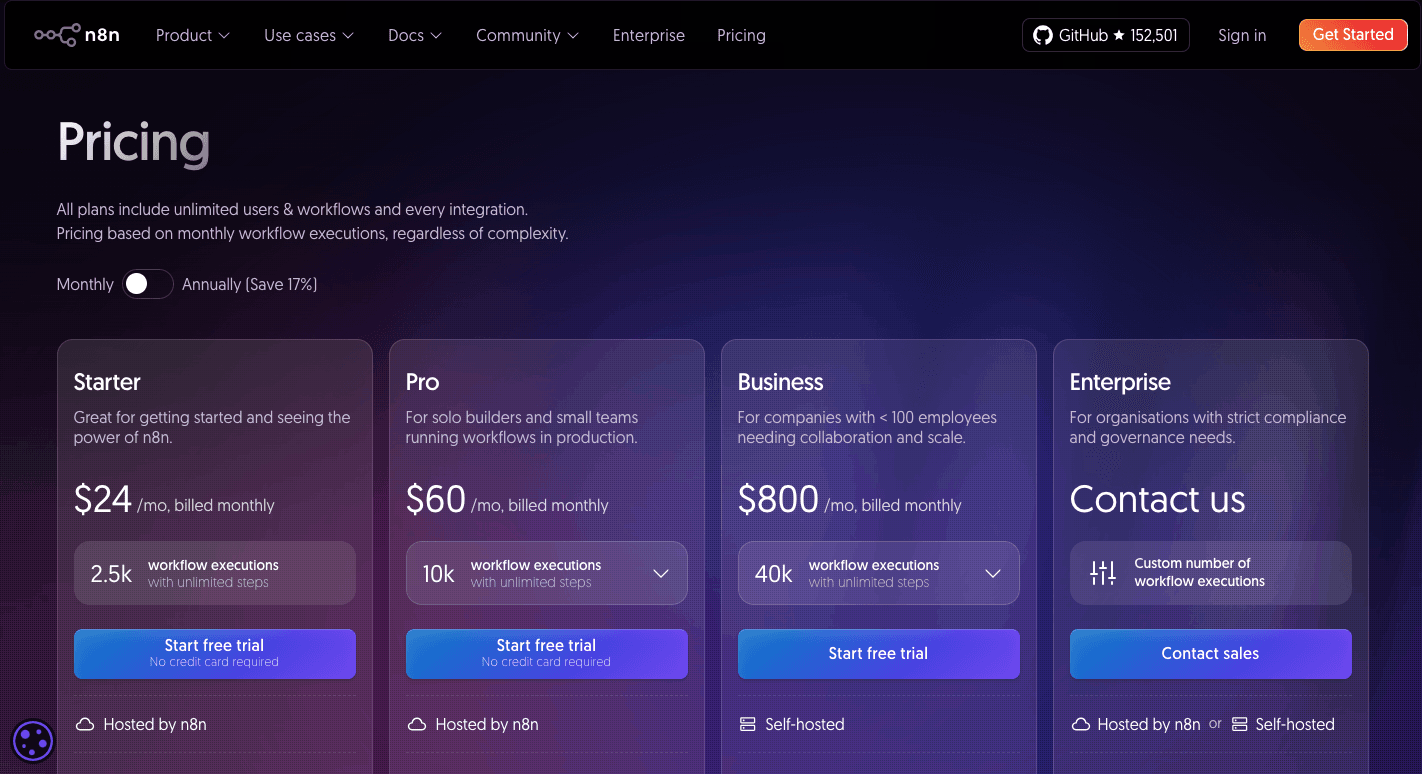
n8n prices its cloud service by workflow execution, not by the number of steps. Every time a workflow runs, it counts as one execution, even if it has dozens of nodes.
Cloud plans start with the Starter tier at $24 a month, which covers 2,500 executions and includes one shared project with up to five concurrent runs. Small teams that want to test automations without managing their own servers usually start here.
The Pro plan costs $60 a month and allows 10,000 executions. It supports up to three shared projects and includes admin roles and workflow history.
The Business plan, priced at $800 a month, covers 40,000 executions and adds enterprise tools like:
- Single sign-on
- Git integration
- Multiple environments
Larger companies can also request the Enterprise plan with custom pricing and dedicated support.
A self-hosting option is free for anyone who prefers to manage their own setup. The self-hosted version supports custom scripting and private integrations without extra fees.
Startups that qualify can get 50% off the Business plan, which makes it easier to grow automations for less operational costs.
How Zapier's Pricing Works
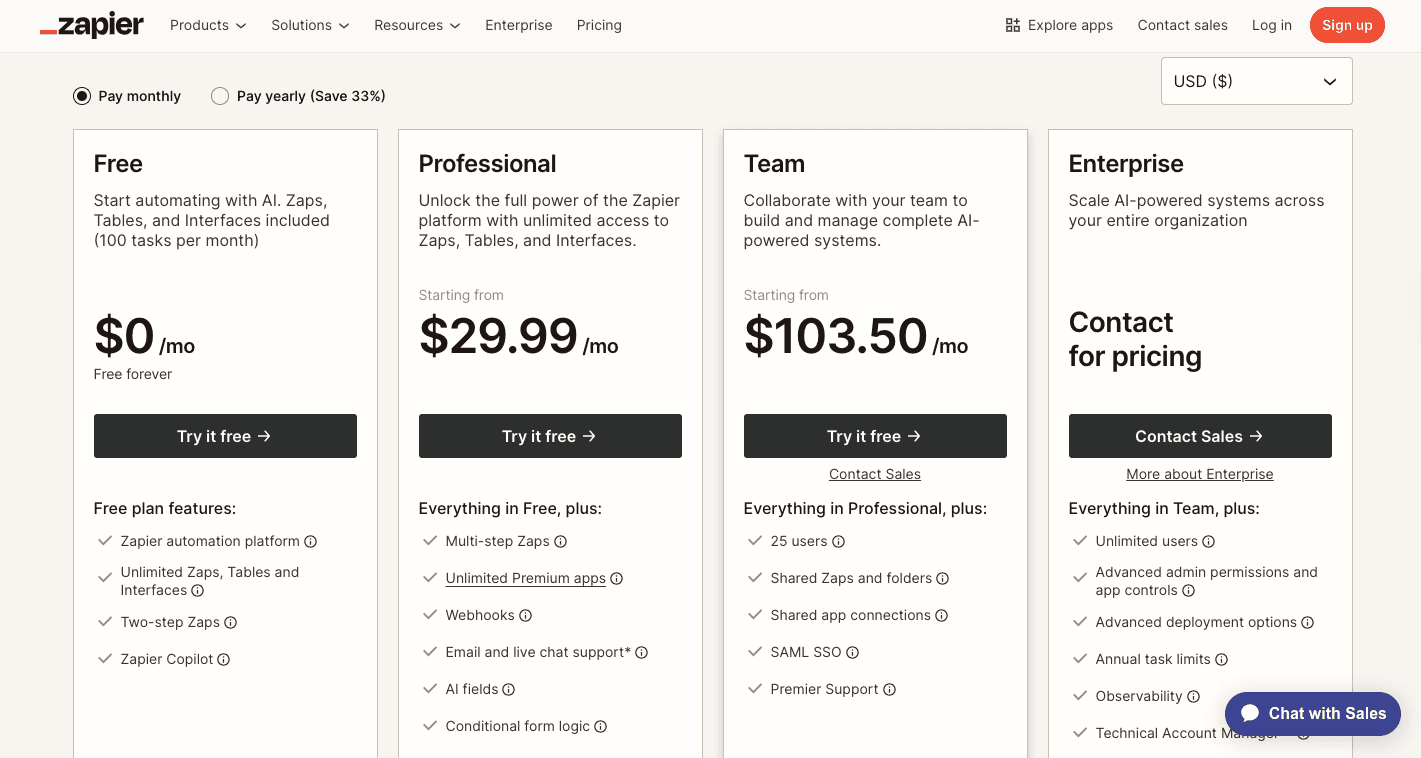
Zapier structures its plans based on the number of tasks that run each month. A task is a single action inside a workflow, such as sending an email or creating a record.
For free, Zapier gives 100 tasks monthly for one user and runs every 15 minutes, which works fine for small or personal automations.
The Professional plan starts at $29.99 a month for 750 tasks and includes multi-step workflows, filters, and faster two-minute updates. Teams that need shared access can move up to the Team plan, which starts at $103.50 a month and supports 2,000 tasks, unlimited users, shared connections, and one-minute update times.
Organizations that need advanced admin features and tighter security controls can request the custom Enterprise plan. It includes everything from the Team plan, plus single sign-on, detailed permissions, and direct support.
Activepieces: The Modern Alternative to n8n and Zapier

Activepieces combines the best parts of no-code automation with AI, an open-source ecosystem, and complete data control.
For teams comparing options, Activepieces offers what n8n and Zapier can't:
- Open-source transparency
- Support for self-hosting and cloud deployment
- AI-powered builder that's simple but powerful
- Expanding library of integrations and community add-ons
- Designed for everyone: beginners to developers
Visual Builder That Works for Everyone
The visual builder in Activepieces is simple for beginners, but powerful enough for advanced users. Workflows follow a vertical layout that's easy to read and adjust. Each step connects naturally to the next, so even your people with no technical capabilities can build automations confidently.
The AI Copilot helps by suggesting steps while you work. You can describe what you want to automate, and it recommends actions, apps, or logic that fit. Developers can go deeper by adding custom code and testing each step individually.
Inline testing makes debugging fast. You can check outputs for each step, fix problems, and run the workflow again without restarting the entire setup.
Rapid and Community-Driven App Integration Ecosystem
As of now, Activepieces includes 453 pre-built integrations that cover marketing, AI, CRM, finance, and more. The open-source model means developers worldwide can contribute and share new integrations, so the library keeps expanding.
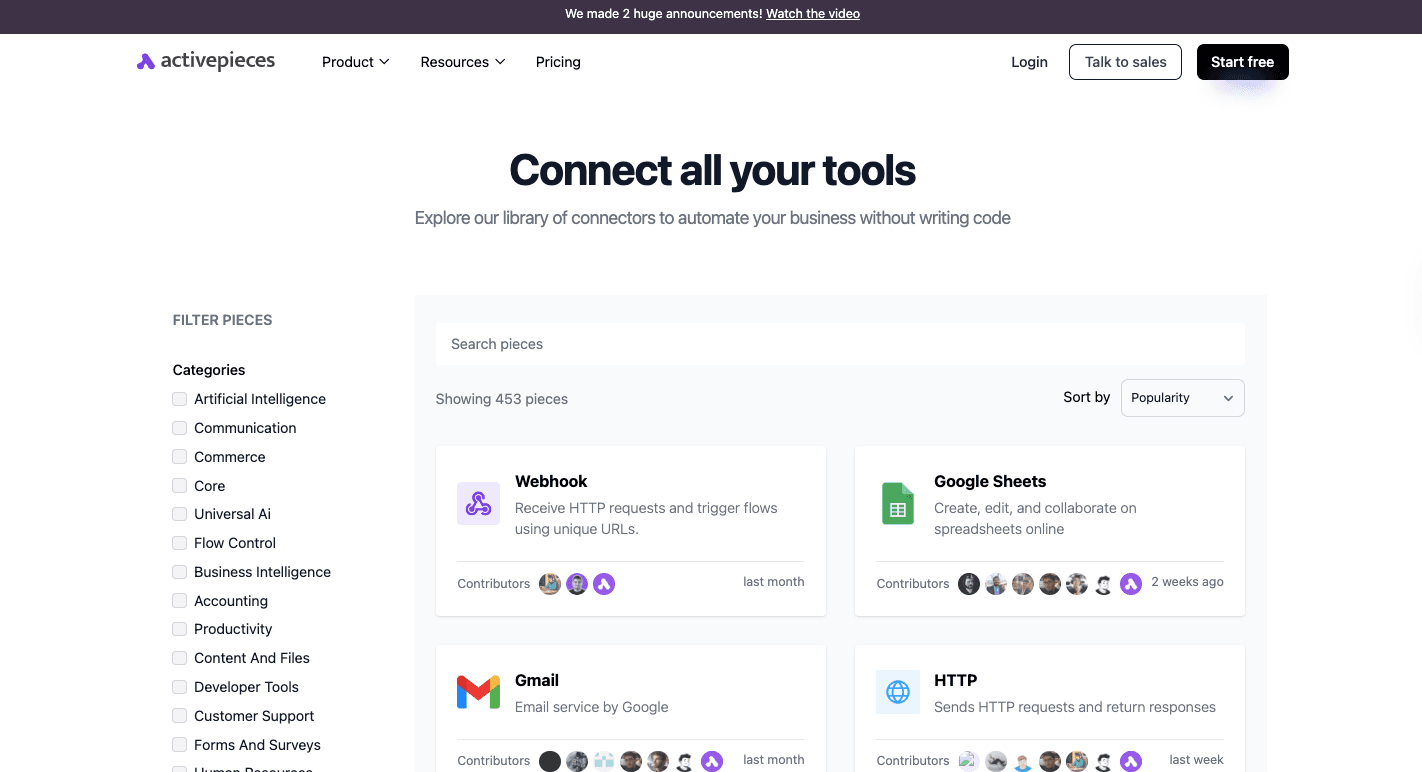
If you need something specific, you can connect to any service using Webhooks or HTTP requests. The platform can reach virtually any service, including private or internal APIs.
You can even create your own custom "pieces" using TypeScript, which makes integration with in-house tools simple.
Accessible Workflow Complexity and Orchestration
The platform makes complex automation feel easy. You can design multi-step workflows that use loops, filters, and conditions without writing code. Everything happens in one visual flow, so it's easy to track data movement.
Activepieces handles advanced logic, too. It can run multiple processes at once, trigger human approvals, and manage large datasets directly inside the workflow.
Built-in data tables then allow persistent storage, which gives each workflow memory that helps track progress or store lists.
Native and Autonomous AI
AI is deeply integrated into Activepieces. You can create AI agents that make decisions, summarize data, or act based on information pulled from connected apps.
These agents use multiple AI models, such as:
- OpenAI
- Gemini
Activepieces also supports summarization, classification, and contextual understanding directly within workflows. This makes it easy to blend automation with intelligence for more autonomous systems.
Flexible Data Control and Security
Businesses that manage sensitive data often choose Activepieces for its transparency and hosting options. You can self-host it on your own servers, so you have full control over your data and workflows.
Self-hosting further provides unlimited workflows and predictable operational costs since you only pay for your own infrastructure.
If you prefer less setup, the managed cloud handles everything for you. It's SOC 2 Type II compliant and maintains strict privacy standards while offering full visibility into how data is processed.
Transparent Pricing
Activepieces offers a free open-source Community Edition and several cloud-hosted plans.
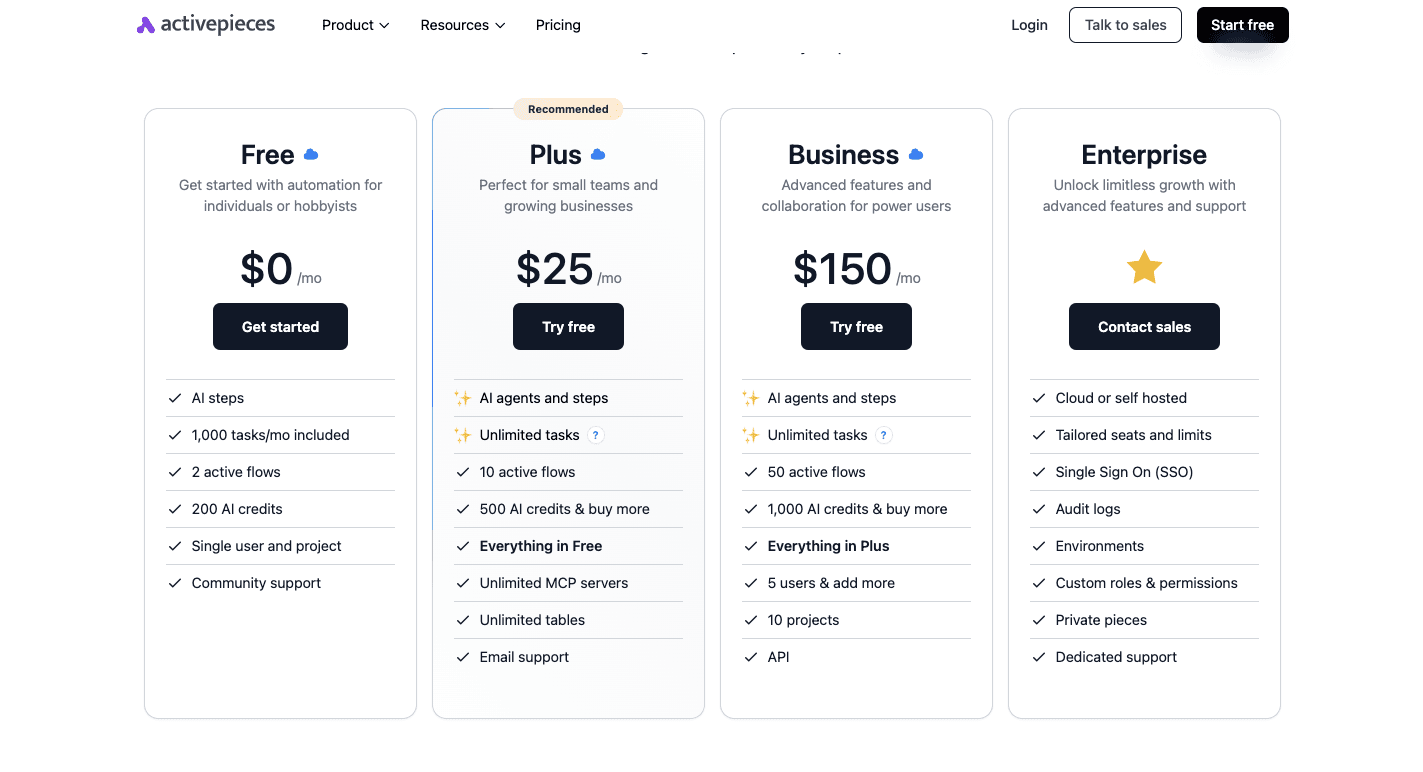
The Free plan includes 1,000 tasks per month, two active flows, 200 AI credits, access to AI agents, and community support.
Then the Plus plan costs $25 per month and gives small teams unlimited tasks under a fair use policy, over ten active flows, 500 AI credits, unlimited tables, and email support.
Moving up, the Business plan, at $150 per month, includes unlimited tasks, 50 active flows, 1,000 AI credits, ten projects, API access, and five user seats.
The Enterprise plan is custom-built for large organizations and includes dedicated resources, custom limits, and priority support.
The Community Edition is free to self-host and offers complete control over data without task limits. You'll manage your own server and setup.
Compared with n8n's execution-based and Zapier's task-based billing, Activepieces is more predictable and affordable for high-volume automation. It lets you scale without worrying about unexpected costs or task limits.
Outperform Every Automation Workflow Platform With Activepieces
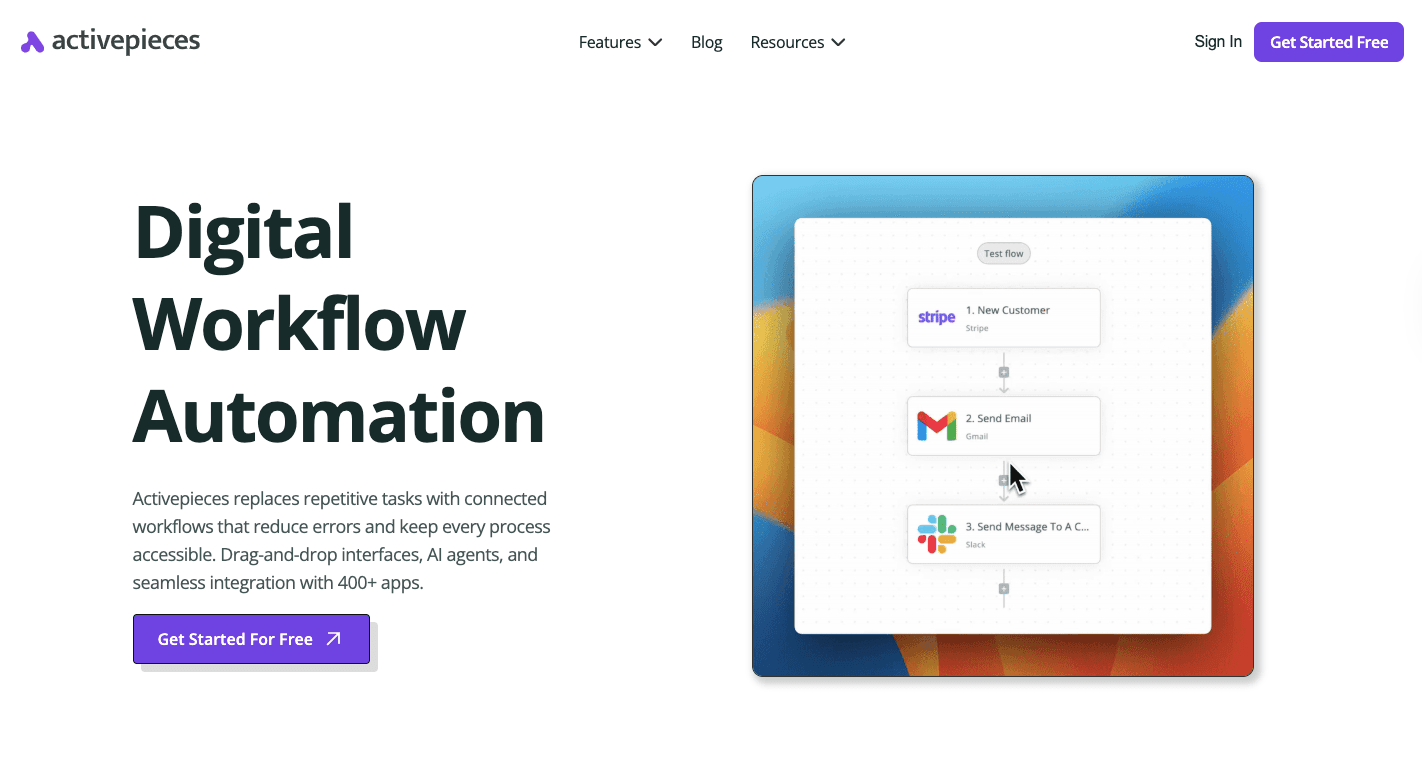
When comparing n8n vs Zapier, it's easy to think those are your only choices. Have you ever tried Activepieces, a no-code automation platform?
It gives you the flexibility of n8n and the simplicity of Zapier. You can build complex workflows that run across departments, connect hundreds of apps, and even bring AI directly into your automations.
Those who have struggled with Zapier's task limits or n8n's technical resources requirement can finally find a middle ground. The interface is fast and friendly, the setup is quick, and you can start automating right away.
Developers can extend it endlessly through TypeScript-based "pieces," while non-technical users can drag, drop, and connect apps in minutes.
You can further create autonomous agents, connect data sources, and add human approval steps for smarter automation. Hence, Activepieces helps your team move faster without hitting limits.
FAQs About n8n vs Zapier
Is there anything better than n8n?
Yes. Activepieces is often seen as a stronger option for teams that want open-source flexibility without the technical constraints of n8n. It offers faster setup, easier customization, and built-in AI support for complex business process automation.
Besides that, it allows rapid deployment through cloud or self-hosting, which gives you more control without the significant limitations of traditional workflow tools.
Is n8n a Chinese company?
No. n8n is a German company founded by Jan Oberhauser and headquartered in Berlin.
Why is n8n so popular?
n8n gained popularity for being open-source and highly flexible. Developers like its visual builder, ability to run on private servers, and support for custom code and APIs. It gives teams control over how automations run and where their data lives.
Is there anything better than Zapier?
Yes. Activepieces offers more freedom and transparency compared to Zapier's closed, task-based model. It's open-source and allows full control over hosting.
Are development skills required to use n8n and Zapier?
n8n benefits users with basic coding knowledge, while Zapier is built for non-technical users.
Still comparing
The fastest way to settle it is to build something.
Open source under MIT, so you can self-host the same thing later.
Start free Talk to sales