
Top 9 AI Productivity Tools for Digital Workflow Management
Explore the top nine AI productivity tools for digital workflow management. Discover what makes Activepieces stand out as the superior choice.

Sep 23, 202527 min read
Your workday fills up fast with emails, meetings, and endless time-consuming tasks. That’s why more teams turn to AI productivity tools.
These platforms use artificial intelligence to support a wide range of daily work, from writing and planning to research, meeting notekeeping, and workflow automation.
In this article, you’ll discover the nine best AI productivity tools in 2026 and how these AI-powered apps can improve your daily digital workflow automation.
Start for free with Activepieces and watch your productivity skyrocket!
TL;DR
These are the top nine AI productivity tools available in 2026:
- Activepieces
- Notion AI
- Canva AI
- Perplexity
- Motion
- ChatGPT
- Any.do
- Buffer
- Grammarly
Everything below works on Activepieces' free plan. Start without code or a credit card.
What Are AI Productivity Tools?
AI productivity tools are applications powered by artificial intelligence that assist in saving time and boosting efficiency.
Some of them use machine learning to improve outputs over time or personalize suggestions based on usage patterns. For example, some AI scheduling assistants can analyze your calendar patterns and suggest suitable meeting times.
Through automation, these tools can help draft content, summarize meeting notes, and assist with organizing tasks or replying to emails.
There are also tools that use natural language processing (NLP) to create summaries, drafts, or replies. Others rely on AI capabilities like predictive analytics to spot delays, bottlenecks, or risks in project workflows.
These tools can help out in many areas, such as:
- Writing and generating AI content
- Team communication
- Task management
- Research and knowledge management
- Complex workflows in project management
- Data analysis
How AI Productivity Apps Are Automating Repetitive Tasks
Old-school automation follows a fixed set of rules: “If X happens, do Y.” But work doesn’t really flow in neat little boxes, right?
An AI productivity app isn’t just a rule-following system. These productivity tools add context, learn patterns, and adjust in real time. It takes on time-consuming tasks so you can save hours and focus on the bigger stuff.
For example, in project management, an AI agent looks at your deadlines and workload, then tells you where things might fall apart before they actually do.
In finance, AI scans invoices and catches fraud attempts way faster than a human could. HR uses it for resume screening, while sales teams lean on it to qualify leads. Many teams also use AI chatbots for internal help desks and routine tasks that do not need a manual reply.
Overall, these apps let teams work smarter through AI workflow automation. They cut down on manual effort, improve your efficiency, and even help manage complex workflows. This allows you to save more time on tasks that would normally eat up an entire afternoon.
9 Best AI Productivity Tools for 2026
There’s no shortage when it comes to AI software options out there, but some stand out as the best AI tools for improving how you get things done. Here are the nine best tools for teams that want great results:
1. Activepieces

Activepieces is an AI workflow automation platform that helps teams automate the tools they already use. Its AI agents can understand incoming information, decide what action to take based on predefined logic, and then complete the next step in the workflow.
It can also act as a project management platform for teams that want automated workflows for various departments. For example, a customer support workflow can implement AI to read a new email and understand what the request is about.
From there, Activepieces can then draft a reply, update the helpdesk ticket, and notify the right teammate in Slack or Microsoft Teams.
Each integration in Activepieces is called a piece. These pieces are written in TypeScript and can be customized for more advanced use cases. Teams that prefer a simpler setup can use the drag-and-drop builder to create workflows using their no-code automation feature.
Activepieces can also be self-hosted, which makes it a strong fit for organizations with stricter security or deployment needs.
Whether you’re automating lead handoffs, managing content distribution, or syncing schedules with Google Calendar, Activepieces helps teams reduce manual work behind the scenes.
Key Features
- AI agents – Context-aware agents that analyze input, make decisions, and carry out tasks.
- Workflow builder – A visual drag-and-drop tool for non-technical users, plus TypeScript support for developers.
- Tables – A lightweight database built into the platform to store data for workflows.
- Human-in-the-loop support – Add steps where human approval or input is required.
- AI Copilot – An AI assistant that helps create flows faster with natural prompts.
- AI SDK – Build your own custom AI agents.
- Security controls – Options for self-hosting, branding, and enterprise-grade governance.
Use Cases
Activepieces covers multiple areas of work through automation. The platform helps remove repetitive steps in such a way that you have:
- Agents that can analyze incoming tickets, assign priorities, and draft responses.
- A marketing team that can manage campaign data, update customer relationship management (CRM) systems, and send follow-ups automatically.
- A sales team that can score leads, update records, and send outreach emails without manual steps or extra data entry.
- A project management tool that can sync calendars, coordinate meetings, manage calendar events, or keep multiple teams aligned.
- Agents that can publish tasks, including scheduling posts, updating CMS entries, or tagging content and data.
- Agents that can clean, organize, and move data between apps like spreadsheets, databases, and CRMs, including Google Sheets.
- A built-in team that routes alerts into channels like Microsoft Teams when certain conditions are met, including internal updates sent as Slack messages.
Contact sales and learn how to use Activepieces to improve your workflow.
Integrations
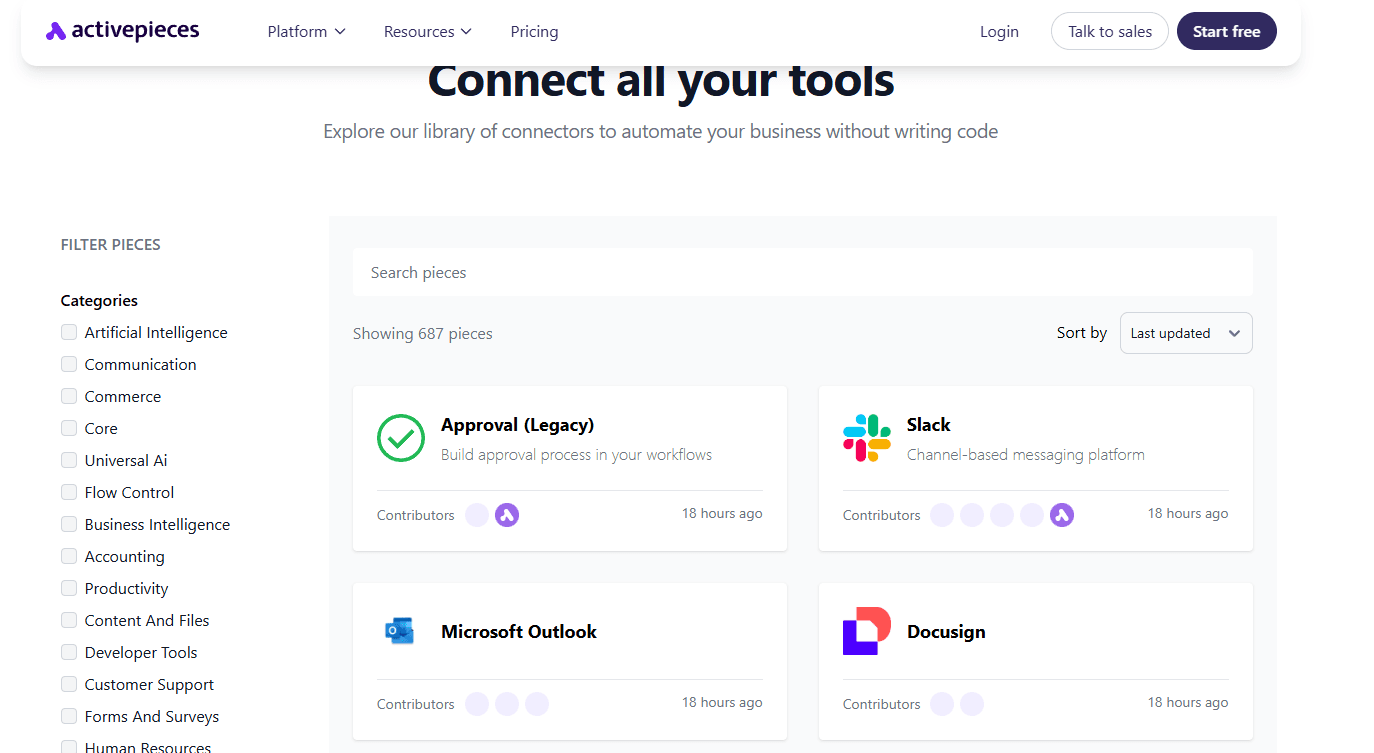
Activepieces currently offers over 687 pre-built integrations, including AI providers, CRMs, productivity tools, and finance apps. The catalog continues to grow through its open-source ecosystem, with new pieces added over time.
You get to connect to your existing workflows and tools, such as:
- OpenAI
- Google AI Studio
- ElevenLabs
- Slack
- ClickUp
- Microsoft Teams
- Discord
- Google Sheets
- Notion
- Google Calendar
- WordPress
- HubSpot
Since the platform is community-driven, the integration library keeps evolving with new pieces being added or improved more quickly. This gives teams more flexibility than platforms limited to vendor-managed integrations.
For enterprises and fast-moving teams, that means less waiting when they need to connect new tools or support changing workflows. It also helps streamline tasks for your support, sales, and marketing.
Pricing
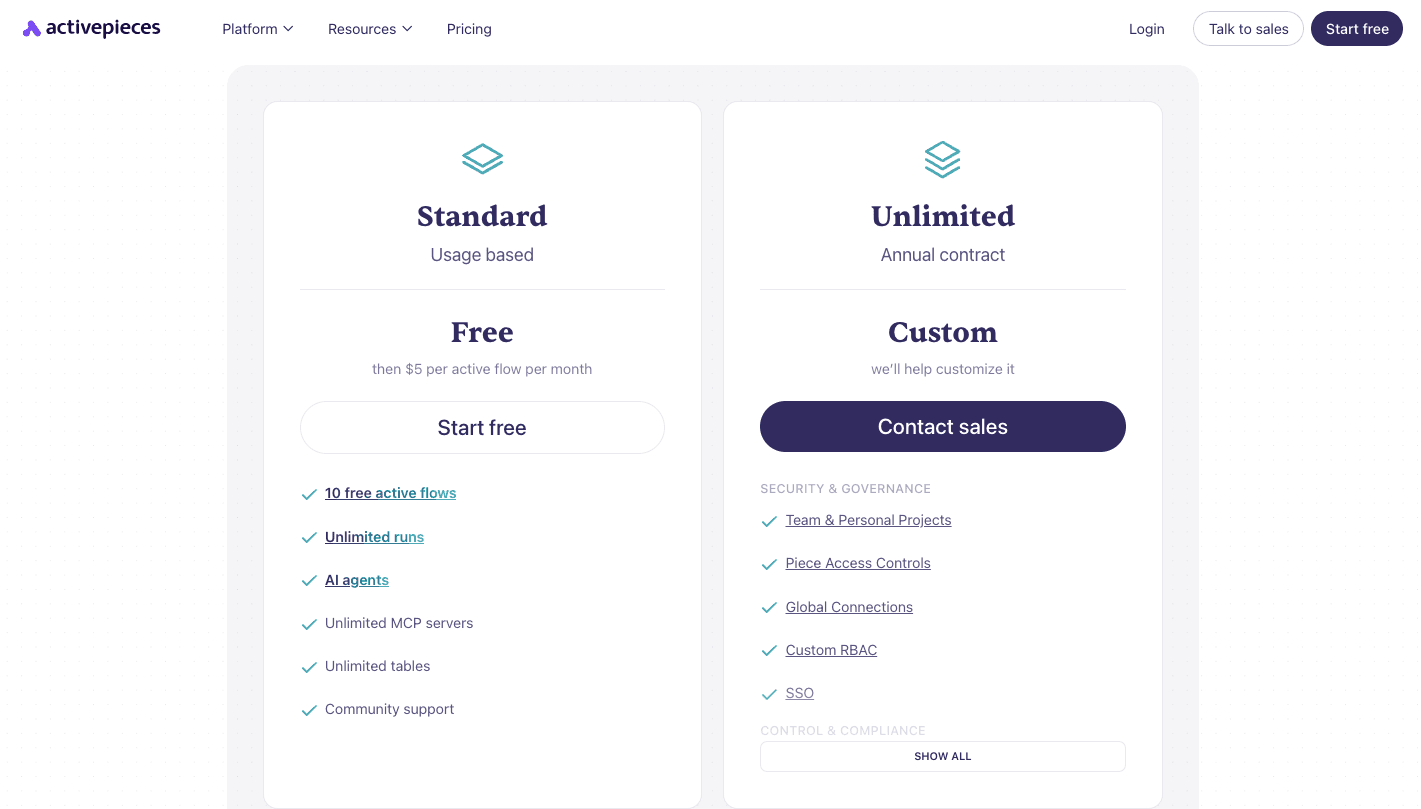
Activepieces keeps pricing straightforward. Instead of charging per task, its cloud pricing is based on active flows, which makes costs easier to predict as usage grows.
The Standard plan starts free and includes 10 free active flows, unlimited runs, AI agents, unlimited MCP servers, unlimited tables, and community support. After that, pricing starts at $5 per active flow per month.
For larger teams, Activepieces also offers an Unlimited plan with custom pricing through an annual contract.
This plan includes added security, governance, and admin features such as custom role-based access control (RBAC), single sign-on (SSO), audit logs, global connections, and piece access controls.
There is also a self-hosted Community Edition. It’s MIT-licensed and free to use, but it includes only the core features and requires technical skills to manage and deploy. For teams that want more control, it can still be a cost-effective way to run automations privately.
Get in touch with sales and unlock the full potential of Activepieces for your team!
2. Notion AI

Notion AI combines artificial intelligence directly into Notion’s workspace. It works as an AI assistant that helps with writing, planning, and automating project management without forcing you to switch tools.
You can draft blog posts, create to-do lists, support note-taking, or summarize meeting notes on the same page. Since it has context from your workspace, the answers and drafts it produces can feel more relevant than generic tools.
For teams, Notion AI supports knowledge management by pulling insights from documents, databases, and connected sources like Slack, Google Drive, and Google Docs.
It also generates smart summaries of long notes and meetings. The only catch is the learning curve. New users often find Notion tricky to set up, and AI tends to work best once the workspace is well organized.
Key Features
- Content generation – Draft emails, articles, or agendas from a short prompt.
- Text rewriting – Change tone, shorten or expand writing, or simplify complex wording for different writing styles.
- Translation – Convert text into multiple languages without leaving the app.
- Idea support – Suggest outlines, brainstorm lists, or create starter drafts for content creation.
- Summarization – Produce summaries for long documents or articles.
- Action item extraction – Pull tasks directly from meeting notes.
- Workspace Q&A– Answer questions by searching through your pages and databases.
- Database automation – Auto-fill summaries, tags, or categories in large databases used in project management.
- Connected search – On eligible plans, search connected apps and get answers with citations.
Pros
- Integrated directly into the Notion workspace.
- Cuts down on repetitive, time-consuming tasks.
- Context-aware answers from your own documents.
- Convenient for teams already using Notion daily.
Cons
- Extra subscription cost on top of the base plan.
- Occasional inaccuracies or “hallucinations.”
- Steeper learning curve compared to other tools
- Performance lag with large databases.
Pricing
Notion’s Free plan covers basic workspace use, including forms, sites, databases, Notion Calendar, and Notion Mail syncing. It also includes limited trial access to Notion AI.
The Plus plan costs $12 per user each month and includes unlimited collaborative blocks, unlimited uploads, custom forms, custom sites, and basic integrations.
The Business plan costs $24 per user each month, adding features like Notion Agent, AI Meeting Notes, Enterprise Search beta, private teamspaces, domain verification, premium integrations, and SAML SSO.
For larger companies, the Enterprise plan with custom pricing offers advanced security, provisioning, audit logs, and more integrations and admin controls. Notion also lists Custom Agents separately, with usage-based pricing after a free trial.
3. Canva AI
Canva added AI into its design platform through Magic Studio. It brings together AI tools for writing, design, image editing, and video creation in one place, so you don’t need to keep switching between different tools.
Many people use Canva for quick design work, but it has grown into a broader content creation platform for teams. In addition to design, it also supports content planning, collaboration, and publishing, which makes it useful for managing creative work in one workspace.
It’s also one of the easiest content creation tools for non-designers. Under the hood, Canva’s AI features draw on a mix of its own technology and models from partners such as OpenAI and Google. You can type a prompt to generate images, create videos, or edit images more quickly.
It also supports audio and video creation, giving teams more ways to produce marketing assets, training materials, presentations, and social media content without relying on outside tools.
Smaller teams often use it to move faster on day-to-day creative work, especially when the target audience expects fast-turn social content.
Key Features
- Magic design – Suggests templates and layouts from a short text prompt.
- Magic media – Generates images and short clips from text descriptions.
- Magic edit – Adds, changes, or removes objects in a photo using a prompt.
- Magic grab – Separates a photo’s subject so you can move or resize it.
- Magic eraser – Deletes unwanted objects and fills the space automatically.
- Magic expand – Extends the edge of an image and creates a matching background.
- Magic write – Functions as an AI writing assistant for blogs, emails, and social media posts using multiple writing styles.
- Magic switch – Resizes or reformats designs for different platforms.
- AI video generator – Helps create videos from prompts inside Canva.
- AI voice generator – Offers AI voice and music generation for narration or soundtracks.
Pros
- Easy for beginners to pick up.
- Combines design, copy, and editing in one place.
- Saves time on repetitive edits.
- Effective for branding and social media management.
Cons
- Limited controls for advanced designers.
- The free version comes with strict limits on AI credits.
- Needs an internet connection to run.
- Designs look similar if templates aren’t adjusted.
Pricing
Canva includes Magic Studio in all its paid plans, but AI access depends on the subscription and the type of AI tools you use.
The Free plan includes a shared monthly AI allowance, with up to 200 uses of Standard AI tools or up to 20 uses of Premium AI tools.
The Pro plan costs $15 per month and includes premium templates, design tools, and a higher shared AI allowance. This plan includes up to 2,000 Standard AI uses, 200 Premium AI uses, or 20 Ultra AI uses per month.
The Business plan, which costs $21 per month per user, is designed for individuals and growing teams that need stronger content creation tools. It includes everything in Pro, plus more collaboration, brand management, integrations, and a higher AI allowance.
This plan includes up to 4,000 Standard AI uses, 400 Premium AI uses, or 40 Ultra AI uses per month.
The Enterprise plan uses custom pricing and adds larger-scale admin, security, and governance controls such as SSO, system for cross-domain identity management (SCIM), custom apps and integrations, and stronger brand management.
Canva also offers free access to eligible K-12 educators and nonprofits through its education and nonprofit programs.
4. Perplexity
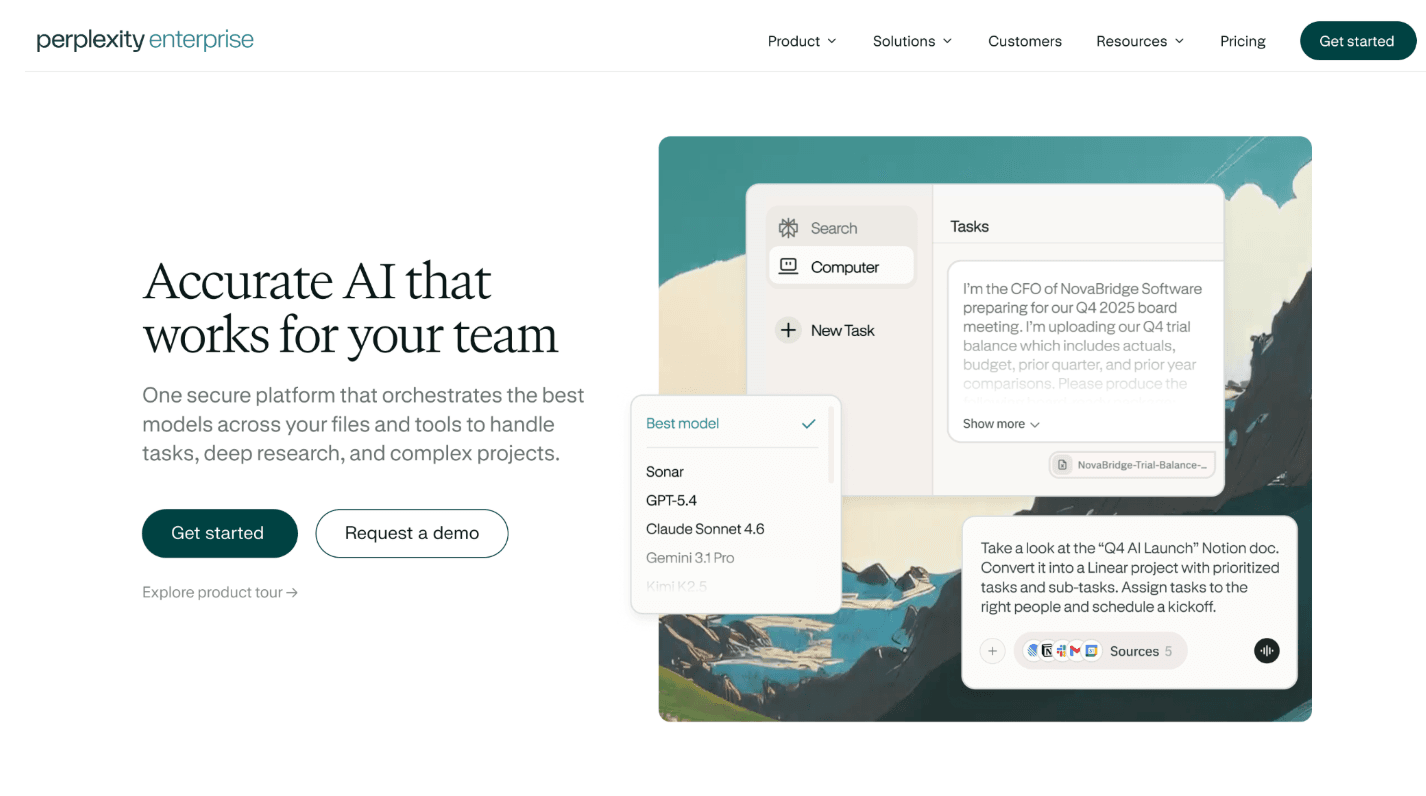
Perplexity is a conversational AI answer engine that reads through sources and gives you direct answers with citations. Think of it as a more interactive search experience that combines AI summaries with links to their original sources.
It pulls information from live web pages, organizes it, and delivers answers with references attached. For anyone doing research, that cuts down the extra work of opening and comparing multiple search results manually.
Students and professionals like it because it can break down complicated topics quickly, while content teams use it to draft articles or outlines with sources attached. It can also help teams review historical data and summarize reports faster.
The Deep Research mode takes this further by running multi-step searches and compiling the results into a more complete report. Perplexity Pages can then turn research into a formatted page or article.
Perplexity also supports file uploads for analysis, and its application programming interface (API) lets developers bring Perplexity-powered search and summarization into their own products and workflows.
Key Features
- Conversational AI – Gives clear answers and keeps context in all follow-up questions.
- Real-time search – Pulls fresh data from the web instead of only relying on training data.
- Cited sources – Every answer links back to its original sources for verification.
- Search modes – Focus searches on news, research papers, videos, or social platforms.
- Deep Research mode – Runs multi-step queries, reads through many sources, and compiles full reports.
- File uploads – Analyze PDFs, docs, or spreadsheets alongside online data.
- Collections – Save and organize threads into project folders for collaboration.
- Perplexity pages – Turn a search into a formatted article with sections.
- Multiple AI models – Paid users get access to more advanced models and deeper research features.
Pros
- Direct answers with full citations.
- Speeds up research and fact-checking.
- Supports file uploads and analysis.
- Performs well for knowledge workers handling reports or content projects.
Cons
- Can produce occasional inaccuracies.
- Expensive at higher tiers.
- Collaboration tools still feel basic compared to dedicated platforms.
- Dependent on third-party AI models.
Pricing
Perplexity has a Free plan that includes unlimited standard use, with more limited access to advanced features. The Pro plan costs $20 per month and adds access to the latest AI models, extended Deep Research, increased file uploads, and deeper sourcing.
For teams, the Enterprise Pro plan costs $40 per user per month and adds enterprise management and security features. Perplexity also offers the Enterprise Max plan at $325 per user per month, which includes higher limits and additional enterprise capabilities
5. Motion
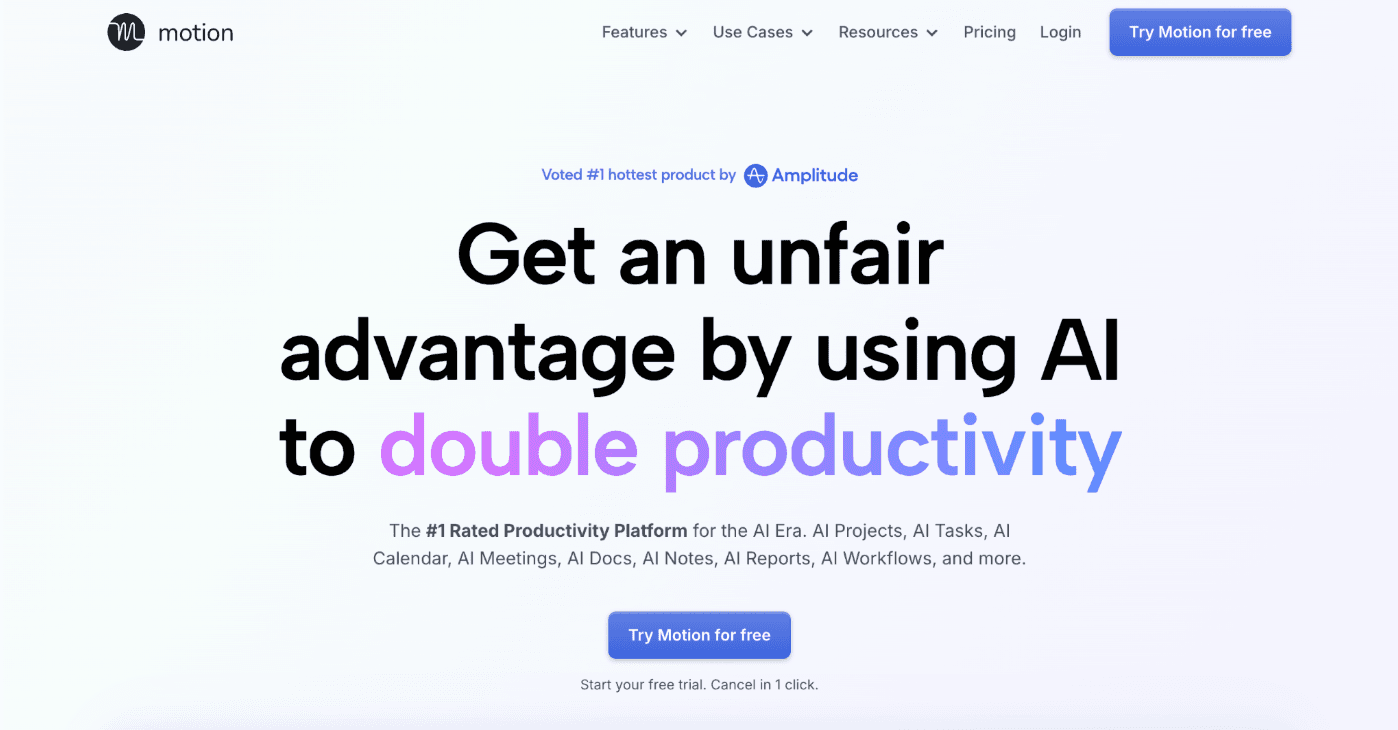
Motion is built to bring your calendar, tasks, and projects together in one app. This platform uses AI to arrange your day automatically and adjust your schedule when plans change.
You can add tasks, meetings, and deadlines, and Motion reorganizes the rest for you. The platform uses project management tools to prioritize deadlines and place work into open time blocks.
When something unexpected comes up, Motion can reschedule your day automatically, such as when meetings run long or new tasks appear. It also works as a meeting assistant, with an AI Notetaker that records, transcribes, and summarizes calls.
Those summaries can turn action items into tasks, which makes it easier to keep projects moving. Task setup for larger projects is also faster because Motion supports dependencies, project templates, and clearer project timelines.
Some people use it for work, while others use it as a personal productivity tool to organize their day-to-day lives.
Key Features
- AI-powered scheduling – Blocks out tasks on your calendar based on deadlines and priorities.
- Dynamic rescheduling – Rearranges your day automatically when new tasks or meetings appear.
- Focus time protection – Builds in uninterrupted blocks for deep work.
- Automated booking links – Creates links so others can schedule time without back-and-forth emails.
- Meeting assistant – Offers an AI Notetaker that records, transcribes, summarizes meetings, and captures action items.
- Unified calendar – Combines Google, Outlook, and iCloud calendars into a single view for easier organizing tasks.
- AI-driven prioritization – Schedules work based on urgency, deadlines, and available time in all routine tasks and larger priorities.
- Task creation and dependencies – Supports linked tasks and project templates for more structured planning.
- Integrations – Connects with tools like Google Calendar, Outlook, iCloud, Gmail, Google Meet, Microsoft Teams, Zoom, Siri, and Zapier.
- AI employees – Higher tiers include AI employees and AI workflows for more advanced task execution and work automation.
Pros
- Removes manual scheduling and saves time.
- Combines calendar, tasks, and projects in one place.
- Protects focus by carving out time for deep work.
- Predictive alerts for deadlines and project risks.
Cons
- Users who want manual control may resist automated scheduling.
- Some find the interface overwhelming.
- Limited native integrations compared to other project management tools.
- The mobile app lacks some features from the desktop version.
Pricing
Motion offers two main pricing plans: Pro AI and Business AI. The Pro AI plan costs $29 per seat per month and is designed for professionals and small teams.
It includes AI chat, AI projects and tasks, AI calendar and meetings, AI docs and notes, AI task planning, AI writing tools, integrations, unlimited storage, and 7,500 credits per seat each month.
The Business AI plan costs $49 per seat per month and is built for power users and businesses with more complex needs.
It includes everything in Pro AI, plus team capacity planning, advanced dashboards and reports, timeline and Gantt charts, time tracking, permissions and access control, central billing, priority support, and 15,000 credits per seat each month.
In both plans, Motion includes its core AI features for scheduling, tasks, projects, meetings, docs, and calendar management
6. ChatGPT
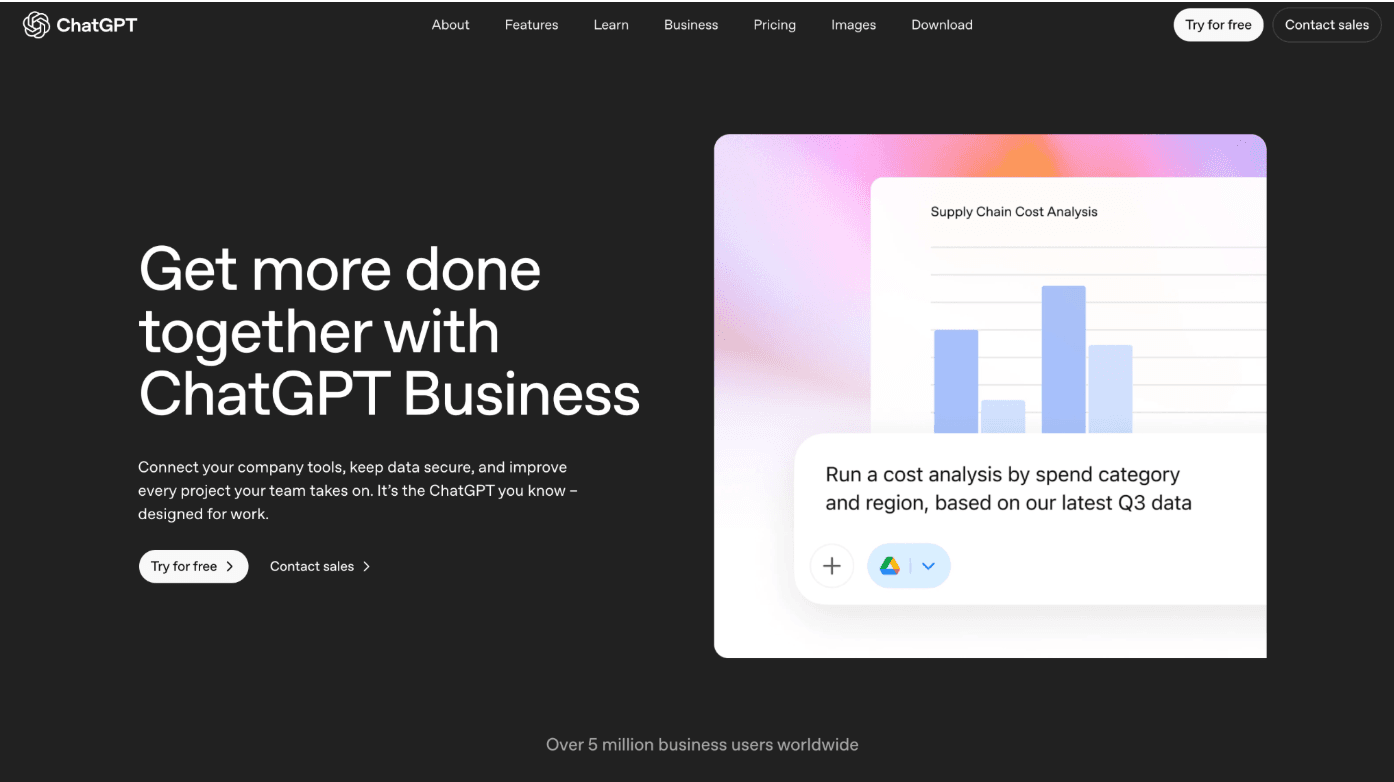
ChatGPT runs on advanced AI models that can hold conversations and generate text in response to natural prompts. It helps with writing, answering questions, explaining code, and brainstorming ideas for various writing styles.
It responds in context and can handle a wide range of tasks in a single chat. Newer versions also support broader capabilities, including web browsing, data analysis, and custom responses based on your instructions.
These AI-powered workflows can also help teams write emails, summarize research, and create images. For example, it can generate visuals for a draft, presentation, or other creative project, and it can support long-form content planning.
For many people, ChatGPT allows for more time saved on tasks that would otherwise take much longer if done manually. Developers use it for debugging, students use it for explanations, and teams use it for drafting reports, summarizing notes, or brainstorming campaigns.
Key Features
- Natural language processing – Understands instructions and responds in context.
- Answering questions – Explains topics, summarizes documents, and clarifies complex ideas.
- Creative writing – Produces stories, essays, scripts, and more.
- Code help – Writes and debugs code in multiple languages.
- Multilingual support – Can translate and converse in many languages.
- Advanced multimodal tools – Supports text, images, voice, and file-based work.
- File analysis – Can read uploaded files and help analyze data, summarize information, or create charts.
- Browsing and research – Can search the web for timely information with links to sources and help compare the best AI options.
- Image generation – Can create images from prompts inside ChatGPT for AI-generated graphics.
- Custom GPTs – Paid plans include the ability to create and share custom GPTs for specific AI apps.
Pros
- Feels conversational and natural.
- Provides quick answers with context.
- Helpful for brainstorming and creative tasks.
- Available 24/7 with no wait time.
Cons
- Tends to give wrong or misleading answers at times.
- Responses occasionally lack depth on very complex tasks.
- Prone to biases in its training data.
- Risk of over-reliance, especially for students.
Pricing
ChatGPT has several pricing plans. The Free plan includes limited access to GPT-5.3, along with limited messages, uploads, image generation, deep research, memory, and Codex access. The Go plan costs $8 per month and provides additional access to GPT-5.3 and image creation.
The Plus plan costs $20 per month and adds advanced reasoning models, expanded messages and uploads, faster image creation, expanded deep research, and agent mode.
The Pro plan starts at $100 per month and includes much higher usage limits, GPT-5.4 Pro, unlimited GPT-5.3 and file uploads, faster image creation, and broader access to projects, tasks, and custom GPTs.
Business is priced at $25 per user per month and adds a secure shared workspace, admin controls, SAML SSO, MFA, business apps, custom workspace GPTs, and no training on business data by default.
The Enterprise plan uses custom pricing and adds larger context support, SCIM, enterprise key management, domain verification, role-based access controls, regional data residency, and 24/7 priority support.
7. Any.do
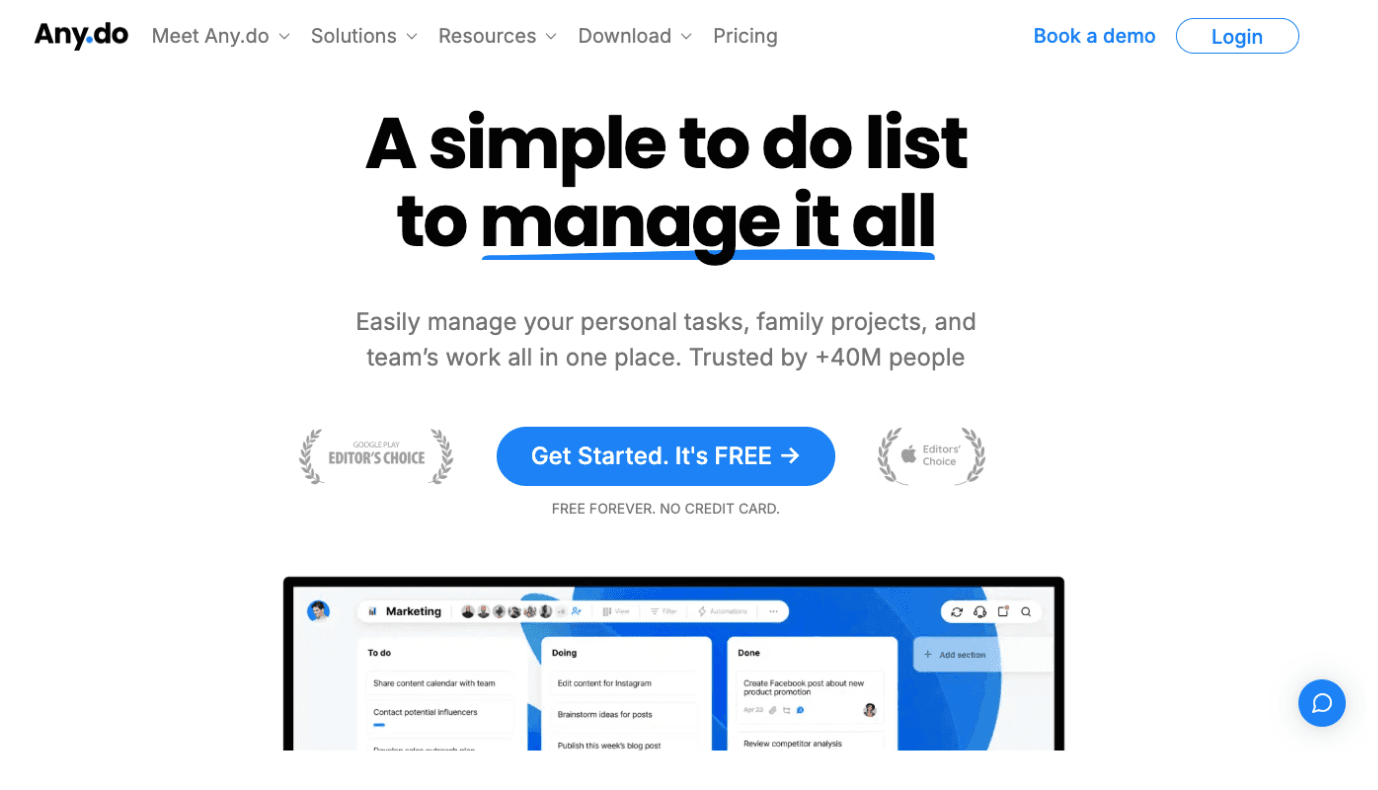
Any.do is an AI productivity tool that combines a calendar, to-do list, and daily planner.
Rather than just storing tasks, it also uses AI to help expand and organize what you add. When you create a task, the system does more than log it. It can suggest subtasks that make the goal easier to manage.
For example, adding “plan a trip” can lead to related items like booking flights, searching for hotels, or drafting an itinerary. Shared boards let you collaborate on simple projects, and the platform includes templates and planning tools that help teams stay organized.
Outside work, it also has a shared grocery list that automatically groups items by aisle, which can save time during store runs. For daily focus, Any.do includes a My Day planner that helps you choose priorities.
Even if you use it for personal errands, family chores, or work tasks, Any.do helps reduce the mental load of staying organized and keeps routine tasks easier to review.
Key Features
- Task management – Add tasks, subtasks, and notes, then group them into lists or projects.
- Customization – Use color tags and visual organization tools to prioritize and sort work.
- My day – A daily planner that prompts you to choose priorities each morning.
- Moment review – A mobile-focused review feature for today’s and overdue tasks.
- Reminders – Time-based, recurring, or location-based alerts to stay on track.
- Focus mode – A focus timer designed to help you stay on task.
- Shared boards – Collaborate with others using Kanban, calendar, or table views.
- Templates – Access more than 100 starter templates for common workflows.
- Integrations – Connect with apps like WhatsApp, Google Calendar, Slack, Gmail, Zoom, and Microsoft Teams, plus Google Docs for shared work.
Pros
- Syncs in all major platforms.
- Combines calendar, tasks, and planning in one.
- Helpful AI-powered breakdowns and lists.
- Works for both personal and small team use.
Cons
- Some advanced team and project features are only available on higher-tier plans.
- The desktop and mobile experience can differ depending on the feature.
Pricing
Any.do’s pricing starts with the Free Personal plan with core features like tasks, lists, reminders, calendar, daily planning, and device sync.
The Premium plan costs $7.99 per month and adds recurring tasks, WhatsApp reminders, AI-powered features, color tags, and location reminders.
The Family plan costs $9.99 per month for four members and adds a shared family space, a shared grocery list, and shared projects for up to four members.
The Teams plan costs $7.99 per user per month and brings a collaborative workspace, unlimited project boards, unlimited team members, admin tools, permissions, and more than 100 workflow templates.
8. Buffer
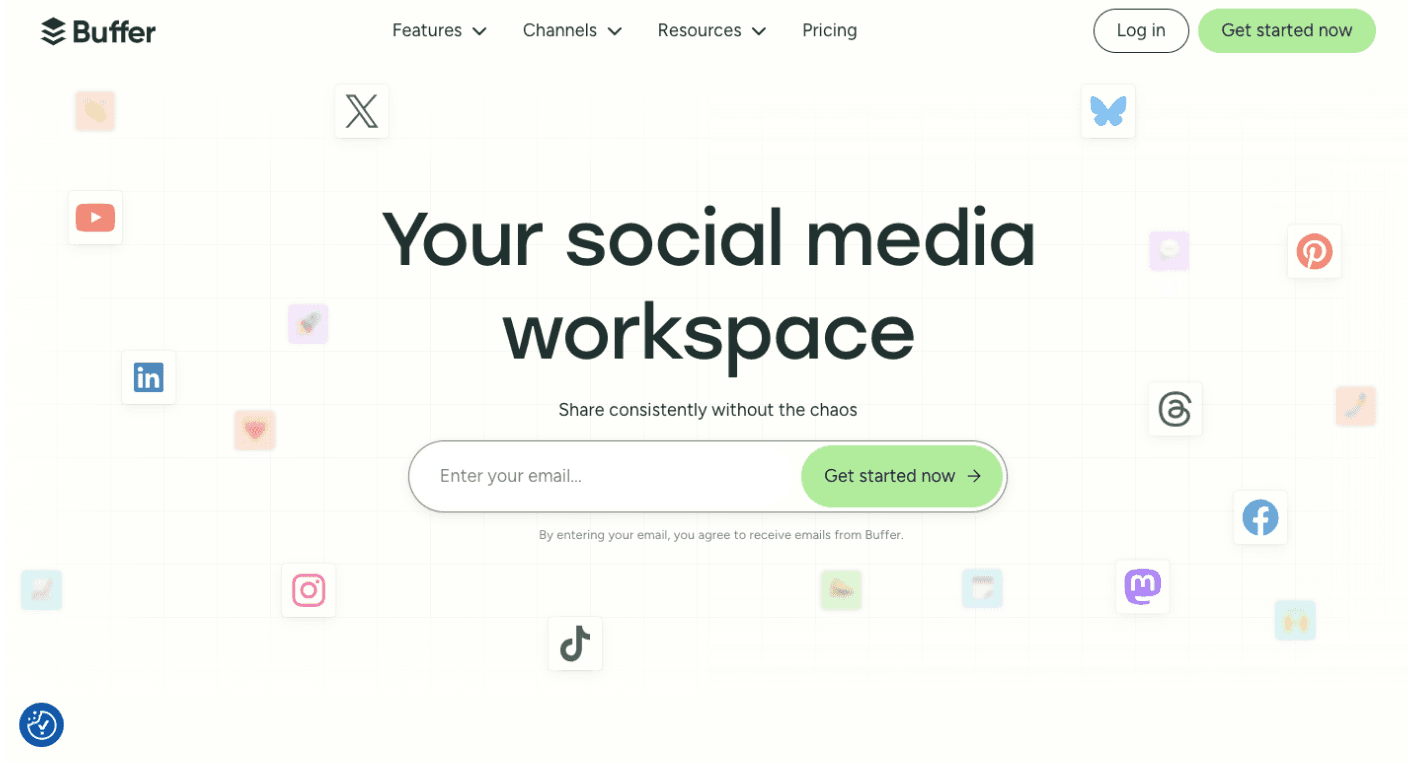
Buffer is an AI productivity tool built for social media management.
It helps you plan, schedule, and publish posts on platforms like LinkedIn, Instagram, TikTok, and X (Twitter). It also supports other channels such as Facebook, Threads, YouTube, Pinterest, Bluesky, Google Business Profile, and Mastodon.
In addition to scheduling, Buffer includes an AI assistant that helps with the creative side of posting. It can generate ideas, draft posts, rewrite content, and adapt copy for different channels without making you switch to other tools.
Rather than focusing only on publishing, Buffer also uses AI tools to create, organize, and repurpose content for multiple platforms. For marketers, small businesses, and creators, that makes it easier to maintain a consistent online presence with less manual effort.
Key Features
- Multi-channel scheduling – Manage posts on Instagram, Facebook, LinkedIn, TikTok, and more.
- Visual calendar – Plan campaigns and see everything at a glance.
- Channel-specific formatting – AI helps rewrite and adapt content for different platforms.
- Hashtag manager – Save and insert groups of hashtags quickly.
- Content tagging – Organize ideas and posts by theme or workflow.
- Post analytics – Measure results with basic or advanced analytics, depending on the plan.
- Engagement dashboard – Use the Community inbox to manage comments and conversations in one place.
- AI assistant – Generate ideas, draft posts, rewrite text, and repurpose content for many different writing styles.
- Integrations – Includes Canva, RSS feeds, browser tools, and other connected apps for content workflows.
Pros
- Simple and intuitive interface.
- Unlimited AI credits even on the free tier.
- Drag-and-drop content calendar makes planning easy.
- Good for creators and small teams that want quick posting.
Cons
- Analytics are basic compared to competitors.
- Engagement tools are limited.
- Occasional glitches with scheduled posts.
- The AI assistant is less advanced than some rivals.
Pricing
Buffer’s pricing is based on how many channels you connect. The free plan lets you manage up to three channels and includes 10 scheduled posts per channel, 100 ideas, one user account, the AI Assistant, basic analytics, and the Community inbox.
Paid plans start with the Essentials plan at $6 per channel per month. It adds unlimited scheduled posts, unlimited ideas, advanced analytics, the Community inbox, the hashtag manager, and first comment scheduling.
The Team plan costs $12 per channel per month and adds unlimited team members, access levels, and content approval workflows for collaboration. Both paid plans include the AI Assistant and customer support.
9. Grammarly
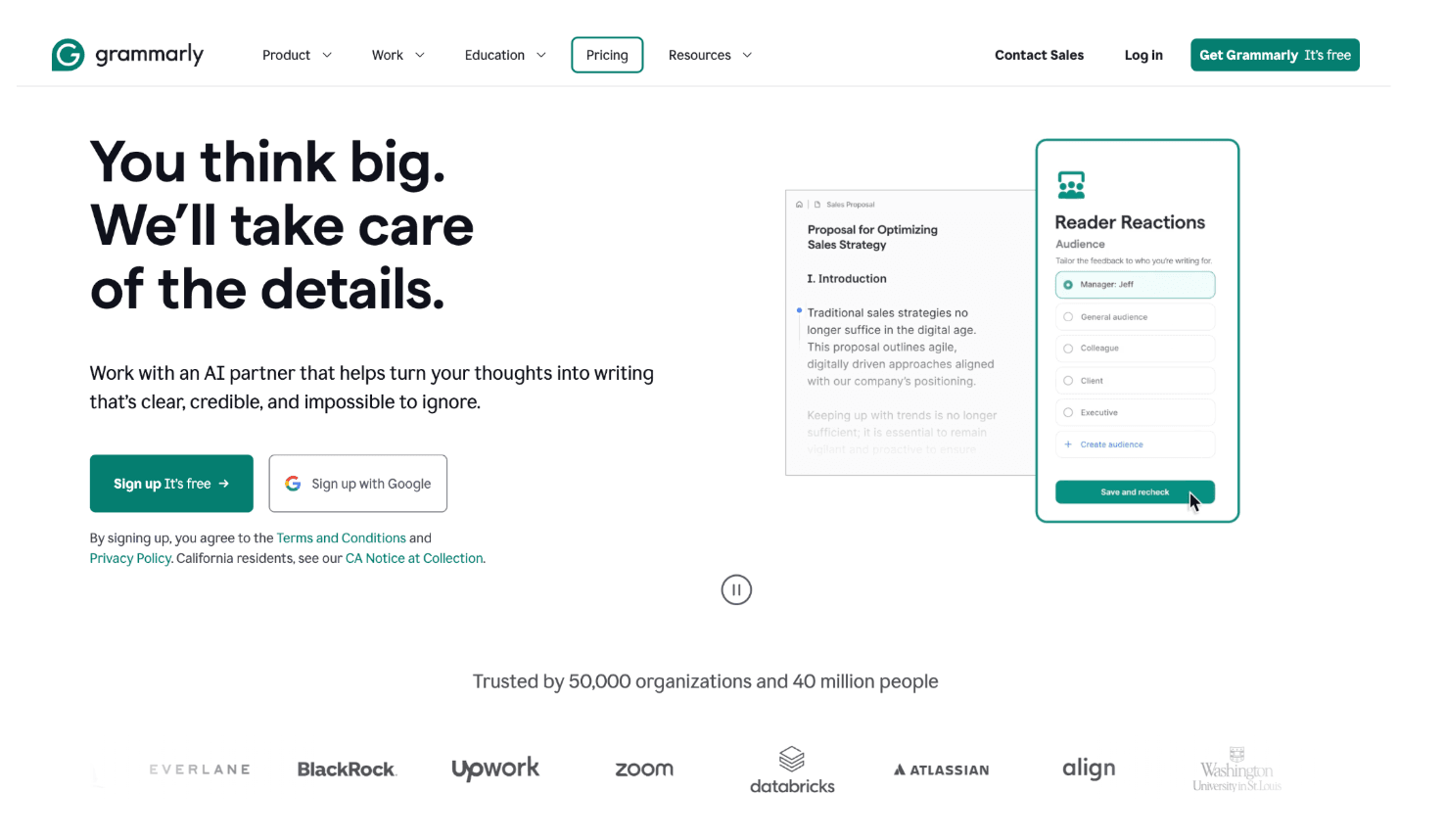
Grammarly functions as an AI writing assistant that checks your text for errors and style improvements in real time. Aside from identifying grammar mistakes, it also suggests changes to tone, clarity, and word choice.
You can use it on the web, as a desktop app, or as a browser extension, which means it works in many of the places where people write, including documents, email, browsers, and Google Docs.
The system runs in the cloud and reviews your writing as you type. It underlines issues, suggests improvements, and explains many of its recommendations so you can either accept the change or understand the rule behind it.
Grammarly also includes AI writing features that can help draft text, rewrite sentences, and adjust tone directly in the editor.
For students, professionals, and businesses, that means having the combined feature of editing support with generative AI tools that can adapt to more writing styles.
Key Features
- Grammar and spelling – Catches basic errors as you type.
- Clarity and conciseness – Suggests shorter, simpler alternatives for long sentences.
- Vocabulary suggestions – Recommends stronger word choices.
- Tone detection – Shows how your writing may seem to readers.
- AI writing assistance – Helps draft, paraphrase, and rewrite text based on prompts for different writing styles.
- Email help – Can help summarize or draft email responses within supported workflows and write emails faster.
- Plagiarism checker – Available as part of Grammarly’s tool set for checking copied text.
- Style guides – Businesses can set brand and writing rules for more consistent communication.
- App actions – Connects with workplace tools and helps you work in apps and tabs.
- Cross-platform support – Works on browsers, mobile, desktop, and its web editor.
Pros
- Saves time by catching errors during writing.
- Premium adds advanced rewrites and vocabulary checks.
- Plagiarism checker for academic and professional use.
- Explanations help users improve over time.
Cons
- Not always accurate with complex sentences.
- Frequent prompts to upgrade can be distracting.
- It sometimes flags correct sentences as wrong.
- Users may become too dependent on suggestions.
Pricing
The Free plan covers basic writing support and includes tone detection plus 100 AI prompts, which is a practical option for quick edits and note-taking. The Pro plan costs $12 per member each month.
It includes everything in the Free plan, plus sentence rewrites, tone adjustments, brand support, and 2,000 AI prompts. If your team works with AI-generated drafts, the added review layer can help.
For larger organizations, Grammarly offers the Enterprise plan with custom pricing. It adds features like dedicated support, confidential mode, granular roles and permissions, data loss prevention, and unlimited generative AI prompts.
Use Automation Tools Seamlessly With Activepieces
Choosing from the best AI productivity tools is not just about picking the most popular option. It is about finding an AI tool that fits the way your team already works.
If your work depends on multiple apps, systems, and handoffs, Activepieces is a practical next step. It helps teams connect those tools and reduce the manual work that slows everything down.
From support and marketing to sales and operations, Activepieces makes automating repetitive task flows easier in all the apps your team already uses. The result is better coordination, fewer manual updates, and more time saved for work that needs more attention.
For teams that want connected workflows instead of scattered tools, Activepieces is a strong choice.
Begin your free journey with Activepieces and unlock next-level productivity!
FAQs About AI Productivity Tools
Does ChatGPT actually increase productivity?
Yes, ChatGPT increases productivity by handling routine writing, research, and brainstorming tasks quickly, letting people focus on more complex and creative work.
What is productivity AI?
Productivity AI is a category of tools that automate or optimize workflows, reduce repetitive tasks, and provide smart assistance so individuals and teams can work smarter and save hours. That includes everything from AI chatbots to scheduling assistants.
How can AI maximize productivity?
AI maximizes productivity by using machine learning and automation to handle time-consuming tasks, provide real-time suggestions, and streamline collaboration in all your existing tools and workflows.
How can AI track productivity?
AI tracks productivity by analyzing calendars, meeting notes, and task data to measure time spent, identify patterns, and highlight areas where focus time could be improved. Some tools can even use historical data to spot long-term patterns.