
Pipedream vs Zapier: A Head-to-Head Comparison for 2026
Looking for a Pipedream vs Zapier comparison? Explore our guide to see how these tools stack up and discover what makes Activepieces a better option.

Nov 3, 202513 min read
For anyone who's tried Zapier and Pipedream, the difference is clear from the first click. Both belong to the same family of automation and integration services, yet they couldn't feel more different.
Zapier is a workflow automation tool with a user-friendly interface that, even as a beginner, you can master. Pipedream offers more control and lets you write custom code.
The real question, though, isn't which one is better, but which fits how you like to build and automate.
In this article, you'll find a full comparison of Zapier and Pipedream, including key features, pricing, and performance, to help you choose the right fit.
What Is Pipedream
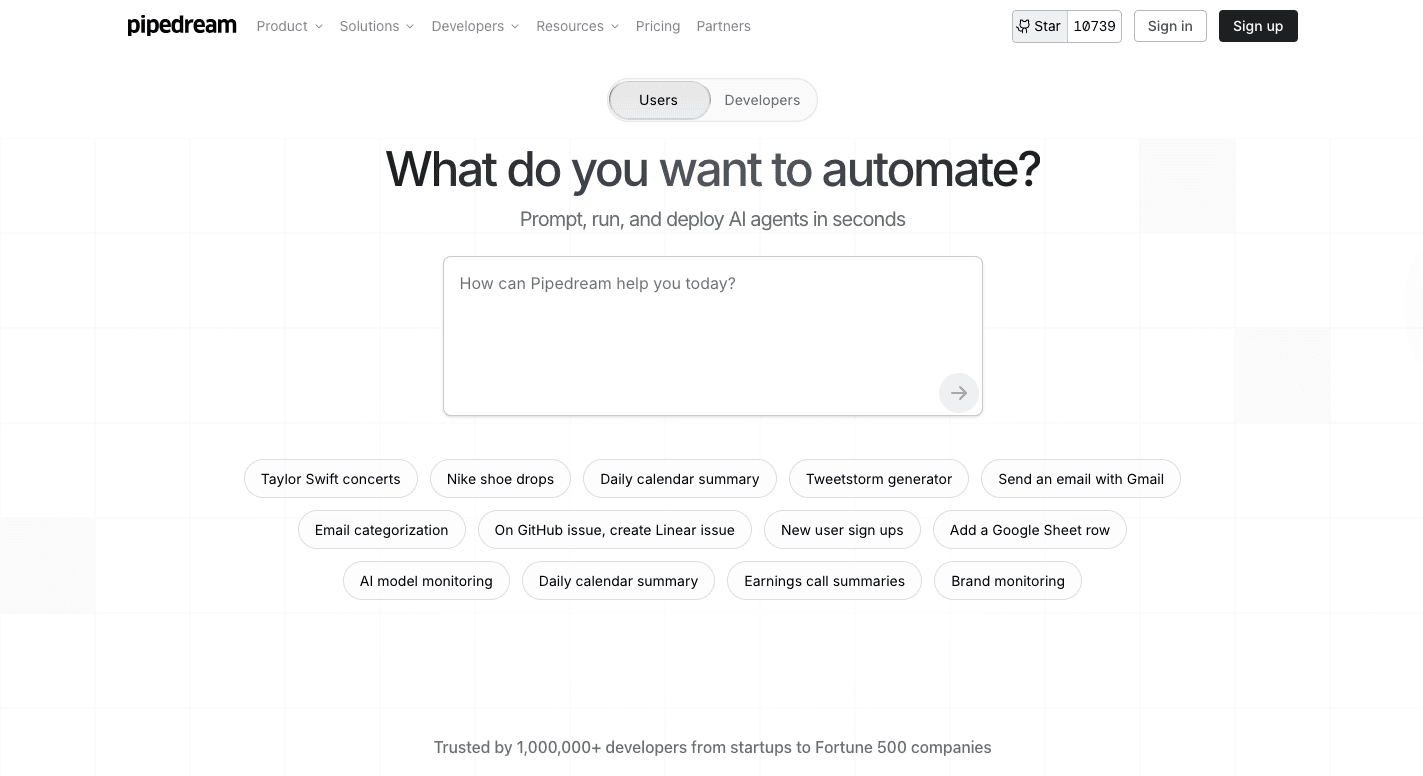
Pipedream is a workflow automation tool that runs on a serverless system, so there's no need to manage or maintain servers. It reacts to events in real time, such as receiving HTTP requests, updating a Google Sheet, or sending a message in Slack.
Each workflow starts with a trigger and continues through steps that define what happens next. Pipedream offers pre-built integrations and code-based actions, allowing users to create advanced workflows using code in:
- Node.js
- Python
- Go
- Bash
The visual workflow builder clearly shows the entire flow of events. It helps teams with technical expertise fine-tune their automations with granular control. That setup will suit you if you prefer a developer-centric approach.
The fastest way to settle a shortlist is to try one. Activepieces is free to try, no credit card.
What Is Zapier?
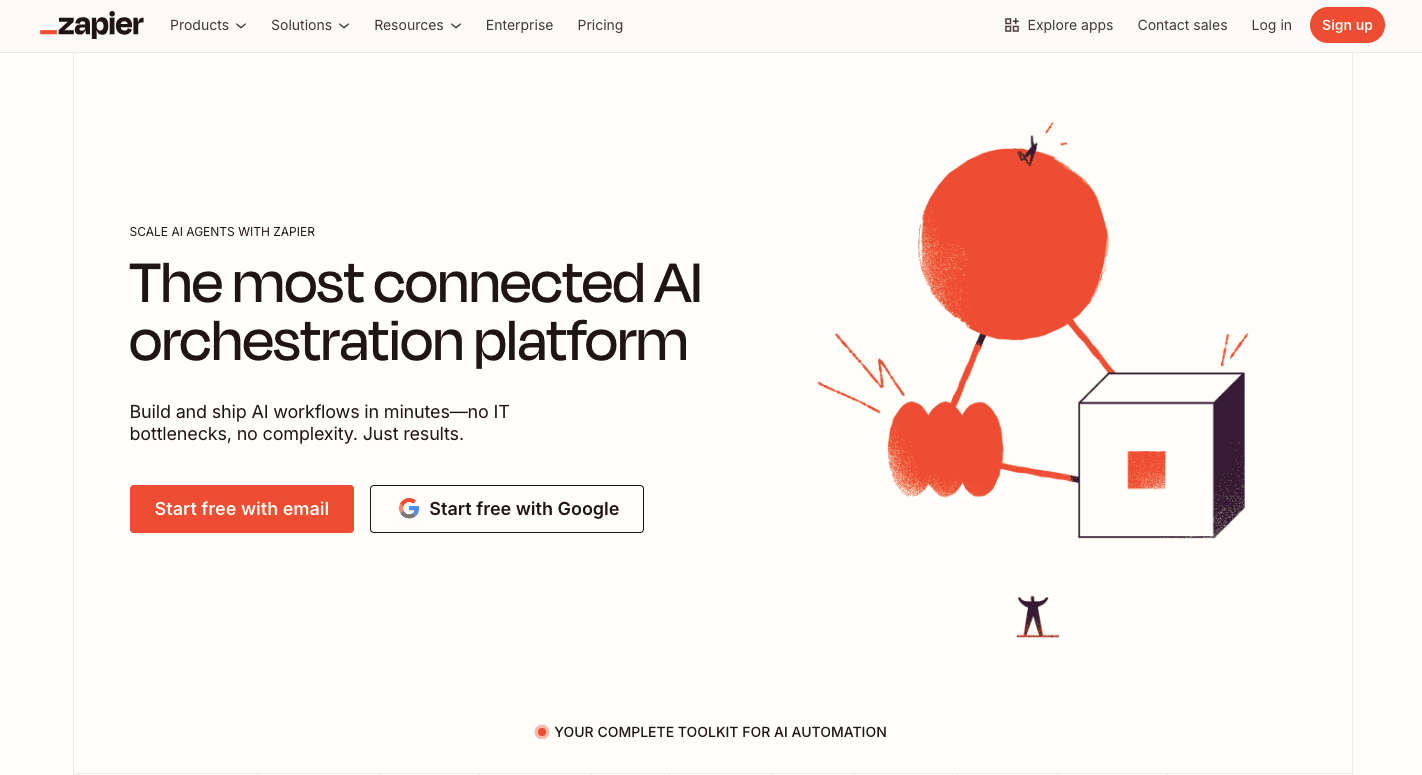
Zapier is a no-code platform that connects apps so you can automate workflows without writing code. It runs on a simple rule: when something happens in one app, another action follows automatically.
Each workflow, called a "Zap," starts with a trigger and follows through with one or more actions. For those who want more than just straightforward automation, Zapier also supports:
- Filters
- Multi-step workflows
- Conditional logic through its "Paths" feature
From its dashboard, you can design automations using templates or build from scratch with a drag-and-drop interface. The intuitive platform makes it easy to streamline processes, set triggers, and test automations before going live.
Zapier vs Pipedream: Integrations and Ecosystem
Zapier
Zapier is the easier one to start with. Currently, it includes more than 8,000 data integrations in its extensive library, so your apps share information automatically.
To set it up, choose an app to trigger something, such as "when I get a new email," and another app to react, like "save the file to Google Drive." Once you set it up, it handles automation processes in the background.
The integration process feels quick because you don't need to code anything. You just drag boxes, fill in what each one should do, and press start. Zapier takes care of the rest, managing the various apps and services effortlessly.
Pipedream
Pipedream works differently. Aside from picking templates, you can write custom code and connect it to over 2,900 different APIs.
That means you can build custom integrations that behave exactly how you want, even between various services that normally don't work together. It still comes with some ready-made pieces for common tasks.
You can further run scripts in Python, Node.js, or Go, and test everything right inside Pipedream's editor.
Even though it's more advanced, it helps automate processes just like Zapier. You can track what happens, see logs, and make changes as needed.
Zapier vs Pipedream: Security and Compliance
Data Handling
Zapier
Zapier focuses on data transfer, not storage. When you run a workflow, Zapier processes the information on its servers and then sends it straight to the next app. It temporarily keeps logs so you can check your workflow history, usually for 60 days, and deletes older data after that.
Data on Zapier is encrypted while moving and while stored briefly on its servers. The platform uses AES-256 encryption to keep everything secure. All data is processed in the United States, and you can't choose other hosting regions.
As the person managing your workflows, you decide which data fields go through each step. That means you're in charge of following privacy rules like GDPR or CCPA. It also doesn't support HIPAA, so it shouldn't be used for medical information.
Pipedream
Pipedream takes a developer-centric approach to privacy and keeps control in your hands. Each automation workflow happens in its own private virtual environment.
Once the workflow finishes, Pipedream deletes any temporary data stored in memory. The system follows a "process, don't store" model, keeping only limited logs for debugging unless you choose to save more.
Developers can decide how long data is retained or disable logs entirely for sensitive workflows. Credentials, API keys, and tokens are fully encrypted at all times.
The platform also complies with GDPR and CCPA and can handle HIPAA-compliant automations for enterprise clients.
Enterprise and Compliance Certifications
Zapier
Zapier's enterprise plan includes security tools that help you manage access and track automation activity. It supports:
- Single sign-on
- User roles
- Permission settings
Administrators can view audit logs and customize data retention settings to meet internal compliance rules. Data is encrypted while stored and transferred, protecting user information at every stage.
Zapier maintains certifications such as SOC 2 Type II and SOC 3, confirming that its systems meet strict security standards. It also complies with GDPR and CCPA privacy regulations.
Pipedream
Pipedream offers enterprise features designed for teams that manage sensitive or regulated information. You can enable HIPAA support through a signed Business Associate Agreement (BAA), which allows for the safe handling of protected health data.
Enterprise users, on the other hand, can turn off all data retention, use private networks, and manage access with single sign-on and detailed user permissions.
Aside from that, Pipedream holds SOC 2 Type II certification and complies with GDPR and CCPA requirements. Its infrastructure uses AES-256 encryption and TLS for secure data transfer. The company publishes compliance information and audit reports for transparency.
Zapier vs Pipedream: Pricing Breakdown and Plans
Zapier
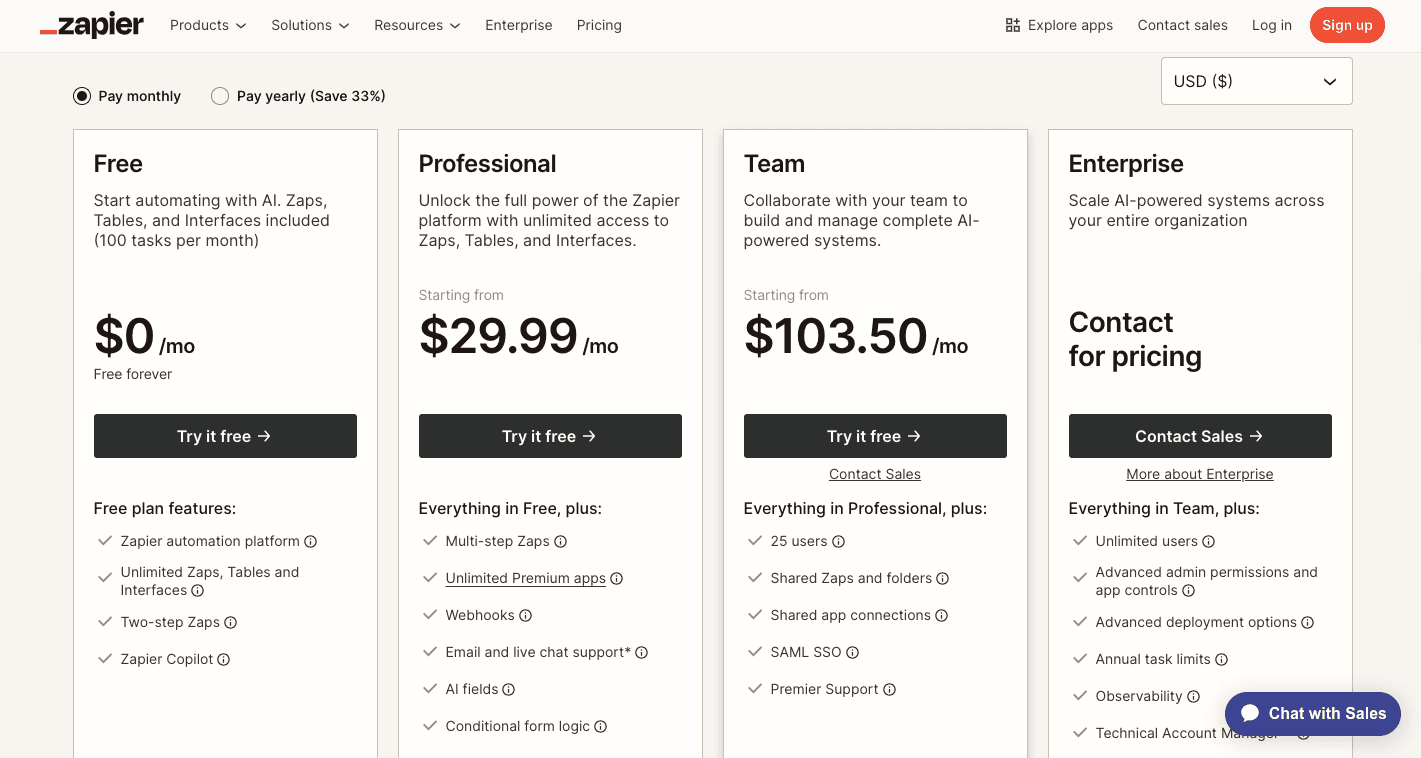
Zapier's pricing is based on how many automations you run each month. The more Zaps you create, the more you pay.
It starts with the free plan that includes basic features for small tasks. You get 100 runs a month and one active user, which is enough for testing or light personal use.
The first paid plan, Professional, is at $29.99 monthly and lets you create multi-step Zaps with faster refresh times. On the other hand, the Team plan, which costs $103.50 a month, is meant for groups that need shared folders and unlimited users.
At the Enterprise plan, pricing depends on your company's needs. That tier unlocks more advanced features such as single sign-on, audit logs, and priority support. It handles more tasks, too.
Pipedream
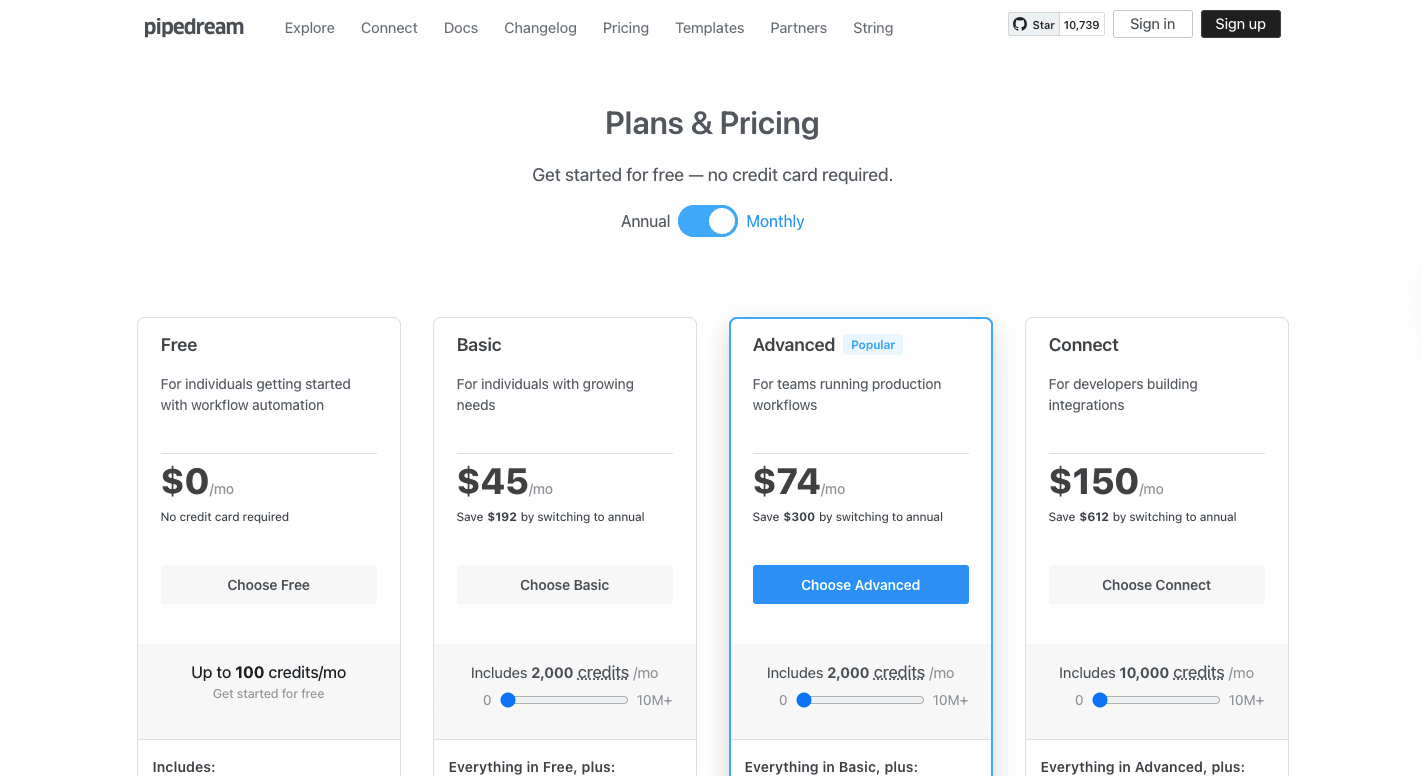
Pipedream follows a credit-based model that adjusts to how much you use it. Each automation run, known as a "workflow execution," costs a certain number of credits.
The free plan gives you 100 credits and access to three workflows. Pipedream offers paid tiers that start with the Basic plan at $45 monthly, increasing your credit limit and the number of connected accounts.
Moving up, the Advanced plan costs $74 per month and adds unlimited workflow testing, GitHub sync, and premium app connections.
And for $150 monthly, the Connect plan lets you access production-ready features and user authentication for external apps. You need to pay an additional $2 per added user.
Reading a table only gets you so far. Build the same workflow in Activepieces and compare it yourself.
Zapier vs Pipedream: Performance
Workflow Speed and Execution
Zapier
Zapier's workflow speed depends mostly on the type of trigger you use and your plan level. Some apps can send information instantly when something happens, while others use "polling," where Zapier checks for updates every few minutes.
The free plan checks every 15 minutes, so if you're using it to collect leads or sync data, there's a short delay. Paid plans refresh more often, with the fastest ones running checks every minute.
You can build a workflow that adds a new contact in HubSpot when you get an email in Gmail, all without coding skills. The platform makes it easy to create workflows with drag-and-drop actions and conditional logic for more flexible automations.
If your automation depends on real-time reactions or high data volume, Zapier may slow down. Still, for non-developers who need simple, quick workflows, it performs exactly as expected.
Pipedream
Pipedream runs on event-driven technology, meaning every action happens right away when something triggers it. You don't wait for checks or delays because everything runs instantly.
The platform supports trigger types like:
- HTTP requests
- Emails
- Scheduled events
Users with technical knowledge and who want advanced customization can develop a personal custom code in JavaScript, Python, or Go to handle unique situations. You can even increase memory or CPU to speed up tasks, manage concurrency, and even set dedicated workers that stay active to prevent slow starts.
That level of advanced automation lets you manage multi-step workflows, connect APIs, and apply complex logic in one place.
Every custom workflow runs in isolation as well, so one user's process never slows down another's. You can monitor every run, check logs, and even replay events to fix problems.
Downtime and Error Handling
Zapier
Zapier's system shows live updates on its status page whenever there's a slowdown or app issue.
Since it depends on many third-party services, problems usually happen when one of those apps goes down. When errors occur, you can check Zap History for clear details like status codes and logs.
On higher plans, Zapier can retry failed automations automatically. You can also add error handlers to control what happens when something breaks, like sending an alert to your email or saving data for later. These tools help minimize downtime and reduce lost work.
Pipedream
Pipedream gives you full control over how to handle problems. You can view full error reports, replay failed events, or even trigger backup workflows that alert your team.
For instance, when an error appears, Pipedream can send a message to Slack, log the issue, and retry automatically.
You can further write your own fixes using "try/catch" blocks or global error streams. That level of customization means fewer manual recoveries and faster responses when something goes wrong.
For business-critical systems, you can expect reliable uptime and transparency, with clear logs that make debugging simple.
Why Teams Are Replacing Both Zapier and Pipedream With Activepieces

Activepieces is a no-code workflow automation platform that gives you a way to build automations. Some of its powerful automation capabilities include:
Extensive Integrations and Growing Ecosystem
Right now, it includes 453 pre-built integrations, called "pieces," covering productivity apps, CRMs, AI tools, and marketing platforms. Developers can create new pieces in TypeScript, while non-technical users can build automations using simple drag-and-drop actions.
Unlike other automation platforms, Activepieces doesn't limit you to a fixed app list. You can connect applications through APIs or custom-built integrations, so you have full control over how data moves between systems.
Secure and Transparent Data Handling
Activepieces gives you control over how and where your data is handled.
For teams that need maximum security, there's a self-hosted version that keeps everything on your own servers. For cloud users, all credentials are encrypted with 256-bit protection, and all data is encrypted both in transit and at rest.
Logs automatically hide sensitive information, keeping personal data safe. It also complies with GDPR, and all cloud data is hosted in Germany, offering transparency and protection for companies operating in strict data regions.
Enterprise and Compliance Certifications
Large organizations get enterprise-grade tools for managing users, permissions, and compliance. Activepieces offers features that give you a clear view of automation activity, such as:
- SSO
- Role-Based Access Control
- Detailed audit logs
The platform is SOC 2 Type II certified and compliant with GDPR and CCPA standards. Besides that, it supports Git synchronization for version control, which helps your development teams manage and track changes to their automations with confidence.
Simple and Predictable Pricing
Activepieces offers transparent pricing that's easier to manage than Zapier's or Pipedream's usage-based models.
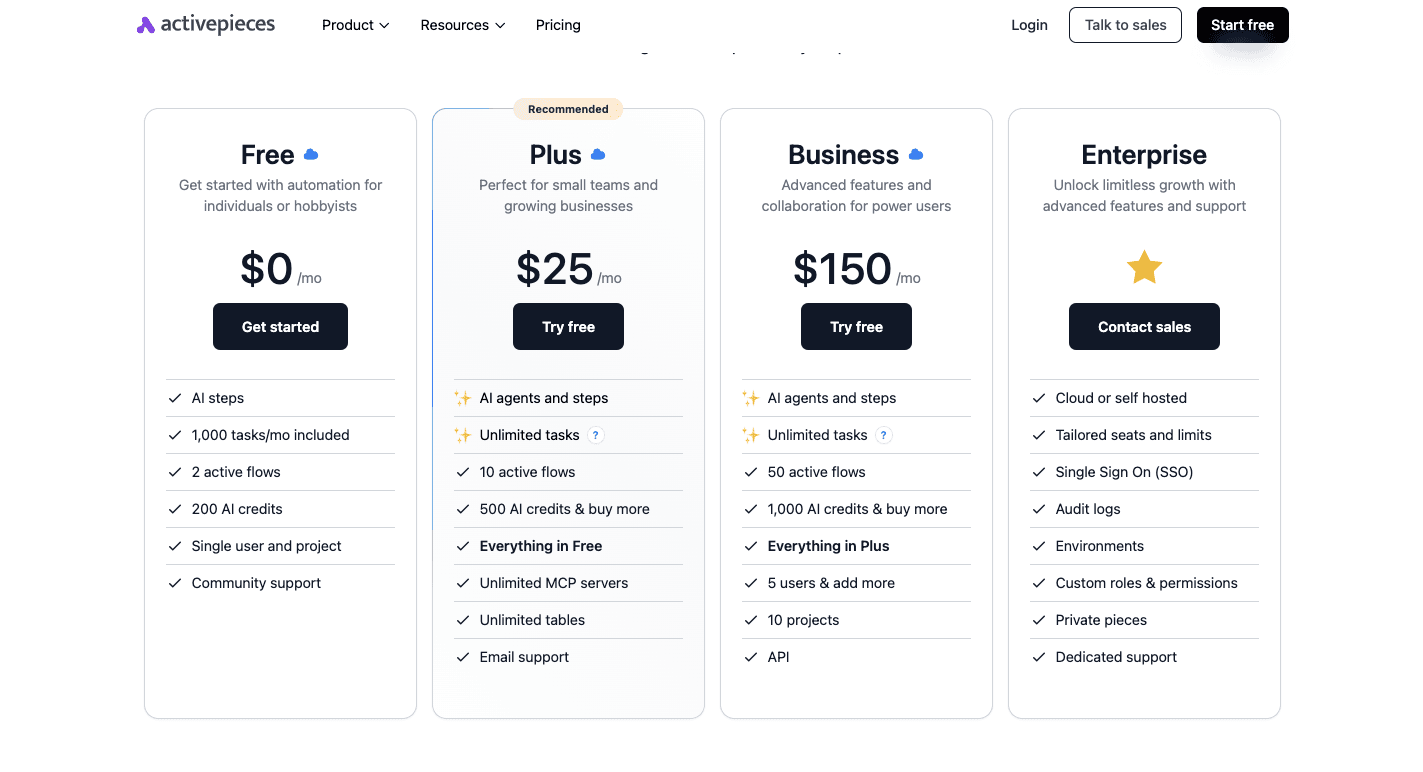
You get the free plan with 1,000 monthly tasks, access to AI agents, and two active flows. The Plus plan, at $25 per month, includes unlimited tasks, 10 flows, and 500 AI credits.
Meanwhile, the Business plan, which costs $150 per month, includes 50 active flows, 10 projects, and API access for team automation.
For the Enterprise plan, pricing is custom, with dedicated support and performance tuning. There's also a free self-hosted version, which gives you complete control without recurring costs.
Fast Workflow Execution
Built on a serverless, event-driven system, Activepieces executes tasks instantly. It avoids the polling delays seen in some competitors, so workflows trigger right when events happen.
Activepieces can process up to 95 executions per second with less than 300 milliseconds of delay.
Reliable Error Handling and Recovery
Each workflow in Activepieces includes built-in retry logic that automatically reruns steps if a temporary issue occurs. You receive alerts through logs, dashboard messages, or email when something fails.
If a process can't complete, you can build alternate paths to handle the issue. For developers, the platform provides deep debugging tools similar to Pipedream, offering detailed logs and stack traces for quick fixes.
Take Your Workflow Automation Further Than Ever Before With Activepieces

When comparing Zapier vs Pipedream, most teams realize they're looking for something faster, simpler, and more flexible. That's where Activepieces steps in. It gives you robust automation capabilities without the complexity or cost of other platforms.
You don't need to be a workflow automation expert to get started. Activepieces has an easy-to-use interface that anyone can pick up. It includes pre-built workflows to help you start right away, connecting your apps, automating your daily operations, and cutting hours of manual work.
At the same time, developers can take it further by building advanced automations, integrating APIs, or creating new "pieces" with TypeScript.
Compared to Zapier's limited no-code system or Pipedream's code-heavy approach, Activepieces blends both. It offers automation without worrying about steep learning curves or server management.
FAQs About Pipedream vs Zapier
Is Pipedream like Zapier?
Yes, but they serve slightly different audiences. Both Pipedream and Zapier are powerful automation platforms, but Zapier focuses on simplicity for beginners, while Pipedream appeals more to tech-savvy users who prefer writing code for deeper control.
Is Pipedream worth it?
Yes, if you need custom integrations or to handle complex AI workflows. For non-coders, the setup can feel more advanced than other tools.
What's better than Zapier?
Activepieces is one of the best options right now. It's open source, AI-ready, and designed for all skill levels. It automates routine tasks like Zapier, but also supports advanced use cases that need speed, flexibility, and custom logic.
Does Pipedream cost money?
Yes, though it has a free tier. Paid plans start at $45 per month and scale based on usage.
What tool is best for complex workflows and event-driven automations?
Pipedream is excellent for complex workflows and event-driven automations, but Activepieces offers the same power with easier setup, better scalability, and no heavy coding requirements.
Still comparing
The fastest way to settle it is to build something.
Open source under MIT, so you can self-host the same thing later.
Start free Talk to sales