
How to Choose n8n Alternatives (Workflow Automation Tools)
Learn how to choose the best n8n alternatives that are workflow automation tools and see what makes Activepieces stand out.

Dec 12, 202519 min read
Often, teams reach a moment where n8n no longer feels easy to manage.
Small flows grow into long chains, new teammates get stuck on setup steps, and simple changes take more time than expected. Heavy AI work raises the load even more and creates pressure the team didn't expect.
These pain points push many teams to explore n8n alternatives that match the pace of modern workflow automation. A better set of automation tools helps everyone move without slowdown.
In this article, you'll learn how to review any automation platform and pick the setup that fits your work.
Prices and plan limits checked against n8n.io on September 28, 2026.
TL;DR
- n8n is a workflow tool that links apps through triggers and actions while passing data as JSON.
- Teams look for n8n alternatives when the learning curve, hosting work, performance issues, and debugging slow down progress.
- Choosing the right alternative means checking AI strength, integrations, builder experience, speed, hosting options, and security.
- Activepieces solves these gaps with easier building, better AI support, faster setup, flexible deployment, and better governance.
The fastest way to settle a shortlist is to try one. Activepieces is free to try, no credit card.
What is n8n?
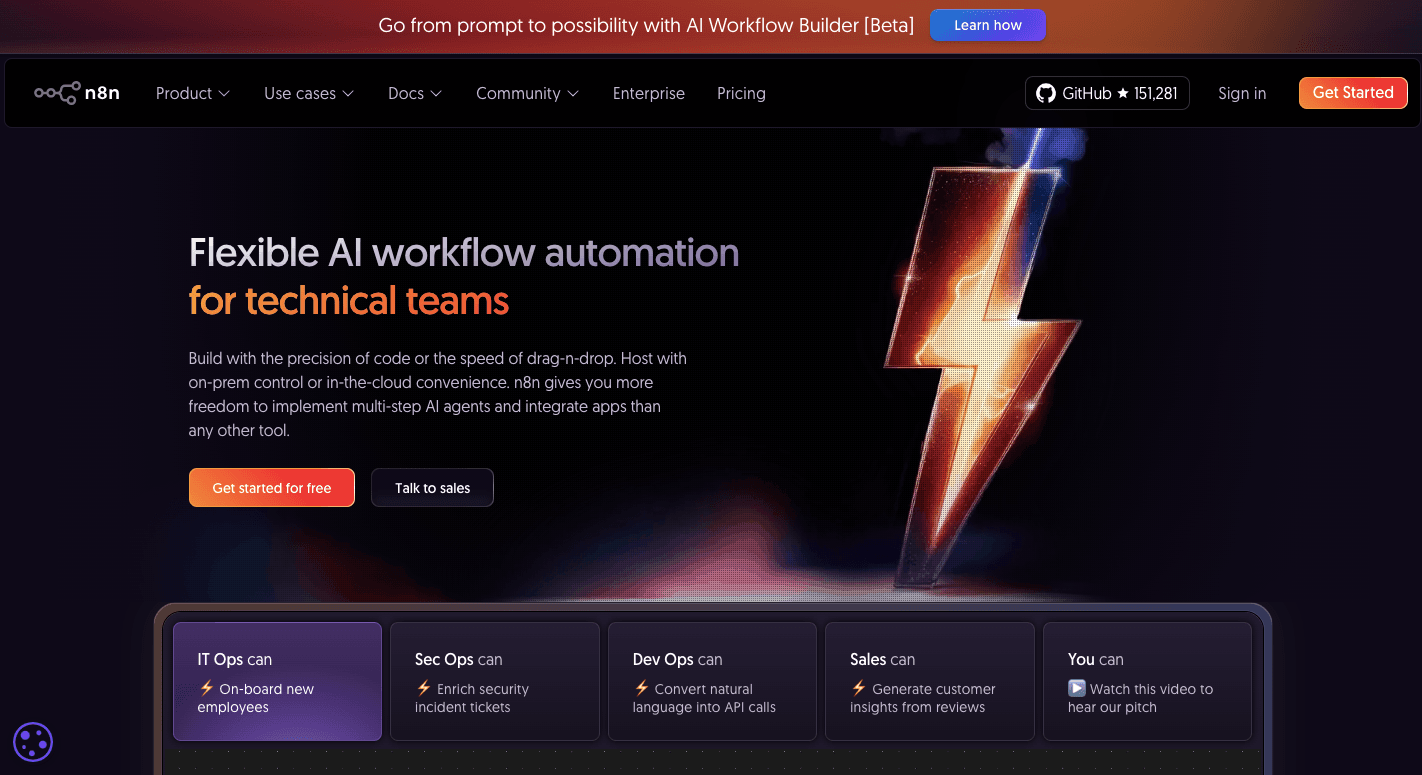
n8n is a workflow automation platform that links different apps, APIs, and services in one place. Typically, you use it to automate repetitive tasks so you can stop doing the same manual steps each day.
Every workflow starts with a trigger. That trigger can come from a webhook, an app event, or a manual button press. Once the trigger fires, the workflow moves through action nodes in the order you set.
Simple flows follow a linear line. More advanced flows branch with conditional logic when the next step depends on values in the data.
Data travels through these steps as JSON items, so each node can read and update the same record. Those who write code can also drop JavaScript or Python into special nodes when they need custom behavior beyond the visual editor.
Why People Look for n8n Alternatives
Different issues show up as workflows grow, and each one pushes teams to explore n8n alternatives, such as:
Steeper Learning Curve for Non-Developers
New users often struggle with n8n because the system requires knowledge of APIs, JSON data, and simple code expressions.
The visual interface looks friendly at first, then reveals technical steps that feel closer to writing code than arranging actions. Troubleshooting adds more weight because many messages point to raw API text or stack traces.
Non-technical users further need help from developers for even small fixes, which slows teams that want quick progress.
Self-Hosting and Maintenance
Hosting n8n on your own server places setup, security patches, database tuning, and uptime checks on the same people who are trying to build flows.
A small team can handle early tasks, then pressure rises once traffic grows. Larger runs fill memory, updates break old settings, and new features require upgrades that demand Docker or Linux work.
These steps call for skills many business users never build, which forces teams to rely on a developer for tasks that should be straightforward.
Performance Concerns
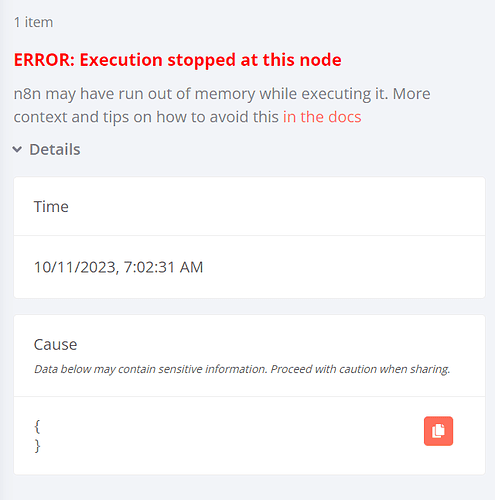
Heavy flows often slow down once they pass through long chains of nodes. Each action stores full data in memory until the run finishes, which pushes RAM limits during large jobs.
More triggers make the delay worse because one slow run blocks the next. You can switch to queue mode to handle the load, but that route brings more moving parts and more server tuning.
Database logs grow further quickly and add pressure during peak hours. These patterns push groups toward smoother setups with faster workflow execution.
Integration Gaps
Some tools don't have built-in nodes in n8n, and the ones that exist may not include every action or trigger.
Missing options force users into the HTTP Request node, which demands API knowledge and careful setup. That path works for developers but slows anyone who expects simple controls.
Many flows also turn messy because unclear steps lead to more complex logic than the job requires. A change in the third-party app then breaks the custom call, which adds even more work.
Limited Enterprise Automation Features
Large companies need better control of edits, access, and deployment. n8n offers basic tools for version history and permissions, but fast-moving teams often outgrow those limits.
Monitoring also falls short when a company runs hundreds of flows at once. Formal support and service guarantees matter at that scale, yet those pieces require paid enterprise tools that n8n doesn't match.
Complex flows even need cleaner paths from development to staging and production, which means teams must script their own steps for safe releases.
Debugging Difficulties
Troubleshooting in n8n often leads users through raw API messages and long chains of node outputs. Each step must be reviewed by hand to see where the data changed.
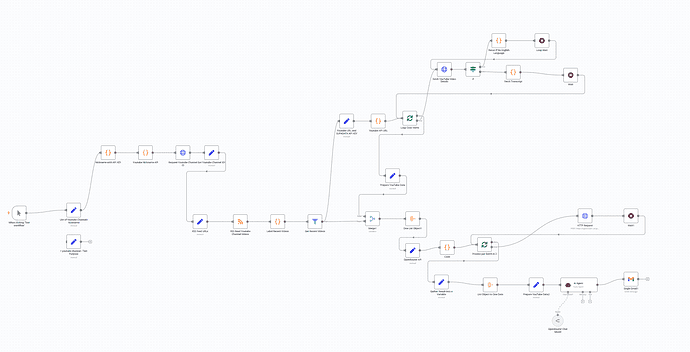
Loops and branching paths make the search even longer. A failed run stops the entire process unless the user builds custom fallback steps.
Most teams want cleaner error handling, but n8n places much of that work on the builder.
Factors to Consider When Choosing the Best n8n Alternatives Workflow Automation Tools
Several factors matter more than the rest when you compare workflow automation apps.
1. AI Workflow Automation Capabilities
These AI features have the greatest impact when choosing among n8n alternatives. Each one shapes how far you can push AI workflows.
Ability to Run AI Agents
AI agents help a flow respond to real inputs rather than following only fixed rules. An agent can read a long email, figure out the intent, and pick the next step without someone drawing every branch first.
Many teams handle large data sets that cross apps and storage systems. Those setups often turn into complex data workflows with many chances for mistakes.
AI agents reduce that strain by handling parsing, enrichment, and routing inside the platform.
LLM Orchestration
LLM calls rarely stand alone. Real work often needs several calls in a row, each with different prompts, tools, or checks. A platform that treats orchestration as a first-class feature links those calls into a sequence.
An orchestrator then tracks what the model did, which tools it called, and how each step affected the result. That structure gives technical teams insight into how an LLM arrived at its output and where to adjust prompts or steps when behavior drifts.
Context Handling
LLMs forget everything after each request, so a platform needs a way to store and reuse important details. Past messages, user preferences, and earlier outputs all help the next step make sense.
Manual context wiring slows teams down. Connecting every flow to a custom store or vector database takes time and invites errors.
A platform that offers built-in memory lets you keep simple AI workflows and gives the model enough context to stay consistent.
Multi-Step Reasoning
Reasoning lets an AI system work toward an objective. An agent can break a request into smaller actions, decide the order, and adjust when something fails or new data appears.
Hardcoding that behavior in n8n often leads to long chains of "if/else" paths. A platform with a reasoning support keeps more of that planning inside the AI layer.
You describe the goal and the tools the agent can use, and the system turns that into stable multi-step workflows without dozens of hand-written branches.
Retrieval or Knowledge Base Support
Most teams store important knowledge in docs, wikis, tickets, and product systems. LLMs cannot read all of that on every call, so retrieval becomes the bridge between stored knowledge and current questions.
A retrieval layer lets the AI search only the relevant pieces of data when needed. That pattern keeps responses grounded in real numbers, policies, and terms while keeping token costs in check.
2. Integration Depth
Integration lets you connect across multiple platforms. Below are the main areas to check.
Direct Integrations vs API-First Integrations
Direct integrations offer a faster start. Many people prefer this path because it hides the raw structure of the data and keeps the setup quick and steady.
An API-first design gives more freedom. Developers can call any endpoint, add custom logic, and handle unusual systems on their own terms. Although this approach demands knowledge of:
- REST methods
- Token formats
- JSON layouts
A single change on the vendor side can break the flow, which adds ongoing work for the team. Some tools highlight this gap through the contrast of "plug-and-play simplicity" versus the deeper control of raw API calls.
Custom Steps/Actions
Custom steps help you fill the gaps that no built-in connector covers.
Unique rules appear in nearly every company. Calculating a value, shaping a record, or applying a special approval rule can all happen inside the workflow. Keeping custom work in the same environment also makes monitoring easier because everything stays visible in one place.
A team benefits from this feature when its needs extend beyond standard actions, especially when internal systems or niche processes are involved.
Webhook Triggers
A webhook sends data the moment an event occurs, which avoids the delay that comes with polling.
Polling can hit the server every few minutes and often returns nothing useful. But through an event-driven model, it only sends data when something actually changes, which saves resources and avoids rate limits.
Many tools let you generate a webhook URL in a single step, too. That design supports niche apps because the system accepts any valid POST request, even when no native connector exists.
Data Mapping
Data from different tools rarely match each other. One app may call a field "Lead Name," another uses "First_Name," and a database might combine both into one value. Mapping helps each step understand what the previous one meant.
Accurate mapping prevents common issues like blank names, misplaced values, or mismatched formats. A platform that offers a visual picker or drag-and-drop layout reduces mistakes and keeps the flows easy to read.
Nested structures appear in many modern systems, so mapping tools need to handle arrays and objects without forcing the user to write loops. A smooth mapping process lets you focus on the logic of the workflow.
3. Workflow Building Experience
Teams reach for alternatives when the building experience slows them down. The way a software handles code and step layout determines who can build and how quickly your visions become working flows.
No-Code vs Low-Code vs Developer-Focused
Platforms fall into three groups: no-code, low-code, and developer-focused.
A no-code automation platform helps you build without touching scripts. You can create flows through no-code simplicity, guided steps, and clear prompts.
Low-code automation platforms, on the other hand, offer a mixed path. Users start with visuals, then reach a point where writing code becomes necessary to handle edge cases. Many teams hit this wall when they need more detail than the interface allows.
Then, developer-focused systems give you complete control. Every detail can be shaped through custom logic. However, only technical teams can maintain these setups, which slows work in groups that want broad access.
Drag-and-Drop Builders
Many teams switch to alternatives when the canvas becomes crowded or when simple actions require too many nested settings inside each step.
Dragging a node onto a canvas and linking it to the next step speeds up early drafts. A visual workflow builder makes changes easier when a flow grows in size.
In addition, a builder with a visual workflow design doesn't force you to memorize settings hidden inside each node.
4. Automation Speed
Speed affects every part of automation work. A fast system reduces waiting time during daily operations.
Execution Speed
A quick run improves follow-ups, routing, and notifications. When your automation platform reacts right away, you avoid slowdowns that break the pace of work.
Large flows benefit even more. A platform with workflow execution handles heavy traffic. In fact, teams often move away from n8n when delays appear during long chains of actions or when they need better performance during busy hours.
Handling Failures and Retries
Errors will occur, so the platform needs a plan for them. A retry system helps a flow continue when a service has a brief outage.
For more control over complex workflows, search for software with:
- Structured fallback paths
- Alerts
- Logs
When a job fails after several retries, a holding area for stuck runs helps you fix issues without stopping the rest of their work.
Logs and Debugging
Logs shorten the time needed to fix a broken flow. Teams use these logs to trace inputs and outputs through each step. A trail then removes guesswork, especially when flows become large or touch many systems.
Debugging tools matter even more for groups with mixed skills. A replay feature or step inspection view helps someone understand where data changed and why a run failed. Without these tools, every fix requires time from a developer.
Structured logs also support planning. Trends in failures, slow steps, or misrouted data become easier to spot when the platform organizes information cleanly.
Audit Trails
Tracking changes across a system helps your teams stay secure and organized. An audit trail records every edit to a flow and every change to settings.
These details show who made the change, when it happened, and what shifted inside the workflow. Also, you get informed immediately when someone changes API keys.
Audit trails also support compliance work. When you're in regulated environments, you should know how data is moved and who accessed it. A clear record protects your business and gives you confidence that nothing is happening in the dark.
5. Hosting Options and Deployment Model
A lot of teams compare cloud-hosted and self-hosted setups before they commit to a new stack.
Cloud-hosted
In cloud-hosted plans, the vendor manages updates, backups, and uptime, so your focus stays on shipping new automations.
Budget planning also becomes easier when most costs sit inside one subscription. You avoid separate bills for servers, storage, and late-night engineering work just to keep the system online.
And since everyone signs in through a browser, people in different offices or time zones can share the same projects inside one workspace without extra VPN setup or local installs.
Self-hosted
Self-hosted deployment suits teams that want deep control over data and runtime. You install the tool on your own servers and can even run it on your own hardware devices inside a data center.
After the initial setup, a steady stream of runs may cost less than a cloud plan that charges by usage, especially when automations run all day. Your engineers decide when to upgrade, which regions to host in, and how tight to make network and access rules.
Teams that should meet strict internal or sector rules often prefer self-hosted options, since every layer of the stack stays under their direct control.
6. Enterprise Security
Security often decides whether a workflow automation platform even reaches the shortlist.
SOC2/ISO Considerations
Many companies start their review by asking for SOC 2 reports or ISO 27001 certificates. These frameworks show that a vendor follows documented security practices and lets an outside auditor inspect them on a regular schedule.
SOC 2 tends to show up more often in North American vendor checks.
Then, ISO 27001 is more recognized in Europe and Asia.
A platform that holds one or both can shorten long security reviews and make it easier to win larger customers.
Role-Based Access Control
Role-based access control (RBAC) manages who can do what inside the automation tool.
Without clear roles, a single person might change a production flow or delete an important project by mistake. RBAC reduces that risk by limiting edit rights and access to sensitive data.
As teams grow, role-based control becomes the main way to keep order without slowing everyone down.
Data Privacy
Privacy rules shape how you collect, store, and move data through your automations. Laws such as GDPR, CCPA, or HIPAA compliance push teams to pick tools that already include strong protection.
Reviewers typically ask where the data lives, how long logs are retained, and how erasure requests are handled before approving a new vendor. Vendors that invest in compliance features make those talks smoother.
Encryption for data in transit and at rest, detailed audit logs, and precise retention settings all help privacy teams feel comfortable. A platform that spells out data ownership and offers simple export and deletion tools also supports user rights.
Companies that handle personal or regulated data rely on these safeguards to protect customers, avoid fines, and sleep better when automations touch sensitive information.
How Activepieces Solves the Common n8n Pain Points

Many teams go for Activepieces, an open-source automation tool, once they see how easily they can deploy complex workflows, as this n8n vs Activepieces comparison shows. These are some of the advanced features you can get:
AI Workflow Automation Capabilities
Through Activepieces, you can set up automated workflows that draft replies, score leads, or summarize tickets.
It includes AI Copilot, which acts like an AI assistant inside the builder. You describe the flow using natural-language prompts, and it suggests steps, inputs, and outputs.
Even non-technical teammates can create AI automations without asking a developer to wire every node.
You can try all of this on the free tier, then $5 per active flow per month.
Integration Depth
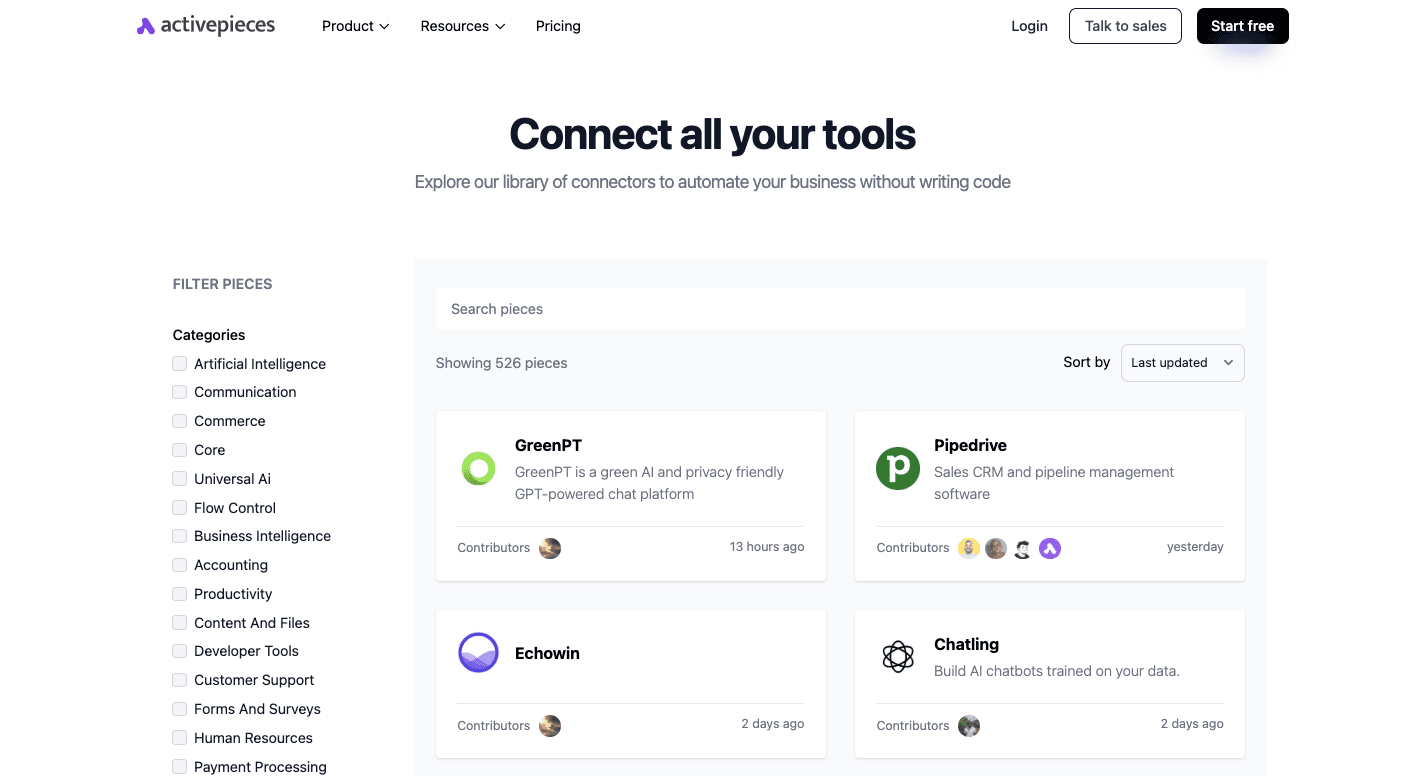
As of now, Activepieces covers 526 pre-built pieces, and that keeps growing through community work. You can connect CRMs, chat apps, sheets, and other tools in a few clicks, so data moves across the stack without long setup cycles.
Some of the common data integrations:
- Google Sheets
- Pipedrive
- Slack
- HubSpot
- CustomGPT
- Synthesia
Developers can also create custom integrations as reusable pieces in TypeScript when a niche tool or internal system is missing. Once a piece lands in the library, anyone in the team can drop it into flows.
Workflow Building Experience
The visual builder in Activepieces follows a top-to-bottom layout, so you can read a full flow like a checklist. Each step has a label, inputs, and outputs, which helps new teammates understand what happens at every stage.
Meanwhile, the drag-and-drop interface keeps edits fast since you don't need a technical setup. You move steps up or down, branch paths, or add approvals with a few quick changes.
Non-technical teammates feel comfortable shaping flows because they do not need to learn query languages or complex syntax first.
Automation Speed
Activepieces focuses on fast runs as much as simple builds. A linear engine processes steps in order, which keeps workflow execution predictable and quick for both small and large flows.
Logs and run views show each step's input and output, so you can spot slow parts and fix them before they become a problem for the rest of the business.
Hosting Options and Deployment Model
Cloud hosting removes the need to manage servers or containers.
You log in with Activepieces, connect apps, and run flows while the vendor takes care of scaling, backups, and updates.
Self-hosted setups fit groups that need strict control over data location or network paths. You can run the stack in your own cluster, align it with existing access rules, and plug it into internal services that never touch the public internet.
Security
Enterprise buyers often require enterprise-grade security, and Activepieces covers that with encryption, access rules, and detailed logs. Larger companies also look for governance features, and the platform provides version tracking, role-based access, and change logs.
Stop Evaluating Alternatives and Start Automating With Activepieces

Many users start searching for n8n alternatives after dealing with steep learning curves or workflows that take too long to maintain. Activepieces removes those problems by pairing an intuitive interface with enough depth to support advanced workflows without constant developer help.
You can start on the free plan, test real automations, and move to paid plans only when your usage grows.
Developers still get strong control through deep customization, while non-technical teammates rely on Copilot and built-in AI features to shape flows faster. The platform also helps you connect tools across sales, service, and marketing.
Other than that, the automation logic keeps flows stable, and flexible hosting options support both small teams and enterprise teams that need predictable oversight.
FAQs About n8n Alternatives Workflow Automation Tools
What should I look for in an n8n alternative?
For an n8n alternative, look for a visual automation platform that helps your non-technical teams automate tasks more easily, supports strong error handling, and lets you build AI agents without a heavy learning curve.
It should give you clear logs, safe ways to manage credentials, and enough power to handle mission-critical workflows. AI support matters too, so check that the tool has AI features rather than just a single LLM node.
Are there open-source alternatives to n8n?
Yes, there are open-source options. Activepieces stands out for AI-powered automation, while Node-RED offers a low-code, flow-based canvas. Airbyte focuses on data pipelines and syncs data between tools, and Apache Airflow for data teams helps schedule and orchestrate heavy jobs.
Are n8n cloud-hosted automation platform alternatives safer than self-hosted ones?
Cloud vs self-hosted safety depends on your skills and rules.
Cloud tools give managed updates and 24/7 monitoring. Self-hosted setups provide full control if your security team can harden and watch the stack.
What are the best n8n alternatives?
The best n8n alternatives depend on your needs:
- Activepieces for AI and no-code builders
- Microsoft Power Automate inside the Microsoft stack
- Integrately for eCommerce workflows
- Workato for enterprise sales and marketing teams
- Relay.app when you want something with the AI agent builder focus
Still comparing
The fastest way to settle it is to build something.
Open source under MIT, so you can self-host the same thing later.
Start free Talk to sales