
n8n vs Make.com: Which One Is Better?
Read our n8n vs Make.com review and find out how the two platforms compare. Discover what makes Activepieces the superior alternative to both.

November 17, 202516 min read @ashrafsam
Some teams land on n8n vs Make.com once they need more flexibility in how they build flows. These platforms take pressure off teams by reducing repetitive tasks and linking apps that don’t connect by default.
People compare n8n and Make.com when they want more control without diving deep into code. It’ll help you sort things out.
This guide will teach you how each software performs during regular work. You’ll also see how Activepieces performs in comparison to these two platforms.
What Is n8n?
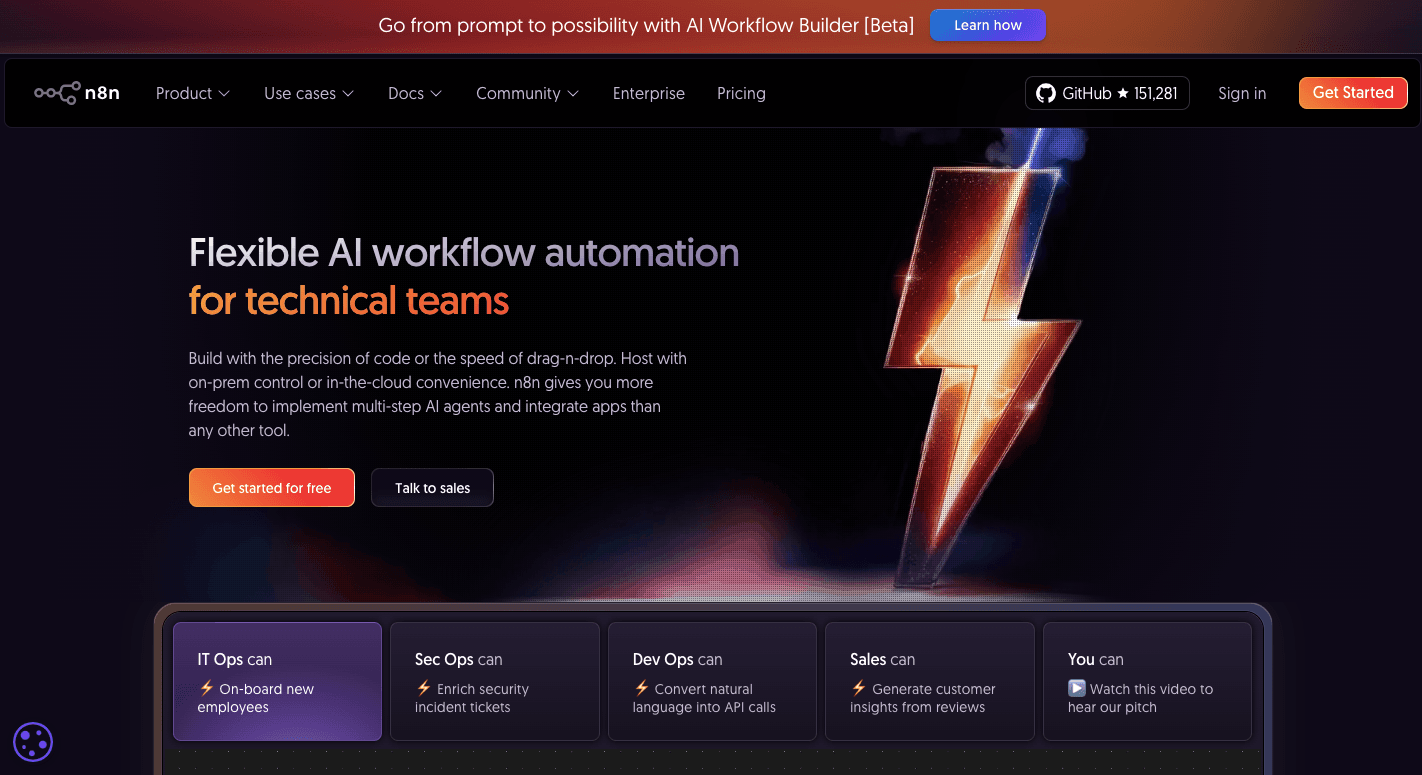
n8n works as a workflow automation app that gives you more control than most no-code tools. You can host n8n on your own server when you want better control over setup, access, and data ownership. It also supports the creation of sophisticated workflows, so you can go far beyond basic steps.
You build flows with nodes. Each node handles one task, and you connect them to shape the full structure. The builder accepts multiple triggers, so a flow can start with a webhook, a time event, or a change in another app.
Once a trigger fires, n8n begins the complete workflow execution, and you see what moves through each node. That level of detail helps with testing and smooth error handling.
For deeper control, you can open a code node to write custom JavaScript, adjust data, or add small custom integrations. Some users also install external packages when they need extra functions.
These advanced features especially benefit your technical teams that manage complex data paths and want full control over every step.
The fastest way to settle a shortlist is to try one. Activepieces is free to try, no credit card.
What Is Make.com?
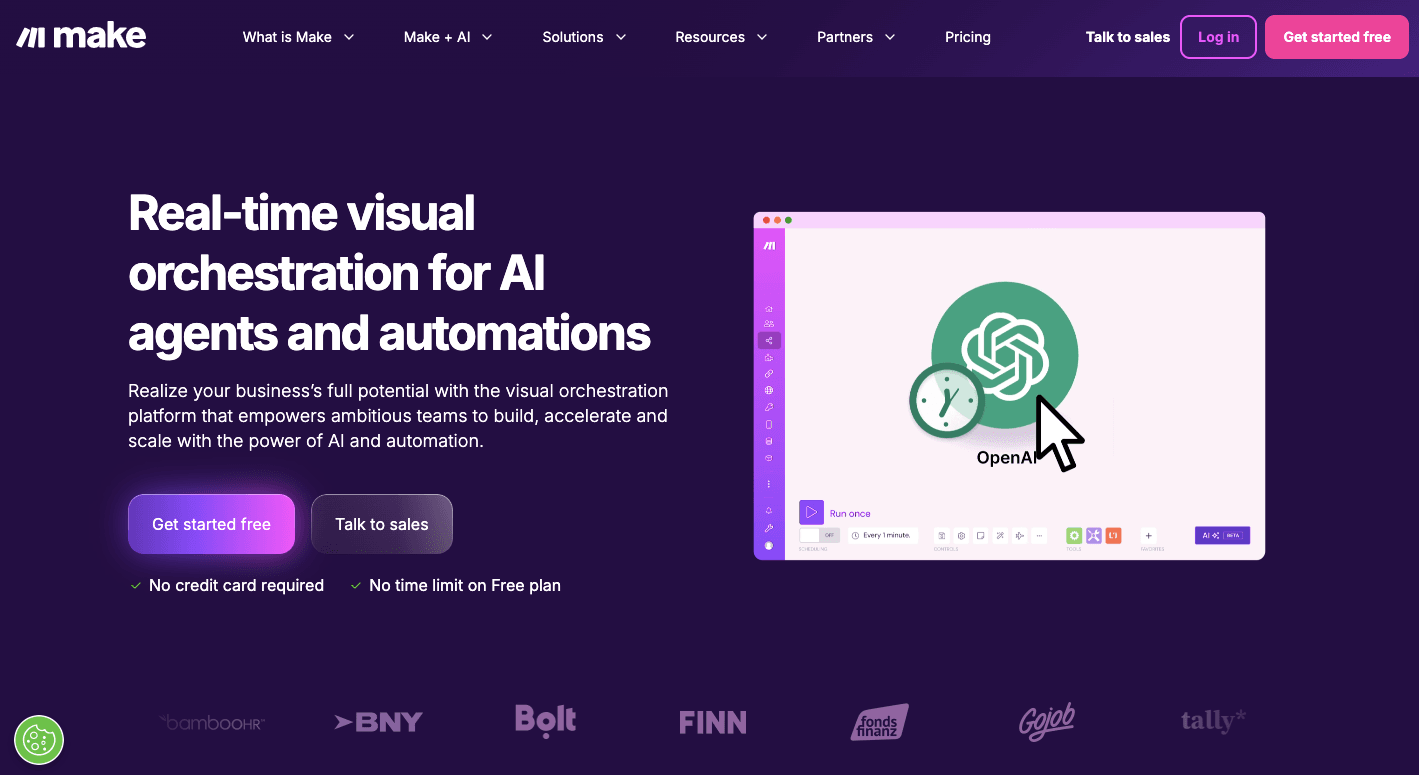
Make.com (previously Integromat) is a visual-first automation platform for both simple and complex workflows. You build scenarios on a canvas and place modules that each handle one task, such as sending a message.
Each scenario starts with a trigger. You then link more modules that run one by one or branch out with routers. Those routers support conditional logic, so one path can handle new leads, and another can handle updates.
It further applies data encryption in transit and at rest to protect the data stored by the platform.
What Is Activepieces?

Activepieces is an open-source automation platform that lets you build workflows without having technical knowledge. People often find it superior to both n8n and Make.com, since it feels easier to learn and still supports large systems.
Developers who want more control can create new pieces or add functions. Many data integrations, or pieces, come from the community, which helps the library grow faster than other tools in the same space.
In addition, you can use providers like OpenAI or Gemini, build agents with the AI SDK, or ask the Copilot to create parts of a flow for you. Large groups that need privacy can run the platform on their own servers and keep all data inside their network.
n8n vs Make.com vs Activepieces: Key Features
A quick look at the core features of n8n, Make.com, and Activepieces helps you see how each platform handles real automation work.
1. Learning Curve
Different tools ask for different levels of skill, so the experience changes a lot from one platform to another.
n8n
n8n has a steeper learning curve than simple no-code tools, and you need some technical knowledge to use it well. New users often spend their first week trying to understand how nodes work and how data moves from one step to the next.
Early steps include setting up a trigger, adding actions, and watching the data flow across each node so you can see how the platform behaves. Over time, you start to rely on naming steps and testing small parts of a flow before you link them.
For deeper control, some users use JavaScript code nodes and mix in advanced tools to shape their work. Debugging becomes a normal part of the process, and that helps you fix errors before you publish anything.
Make.com
Make.com sits between simple builders and more technical platforms. You can build your first scenario in a short time, and many users understand the basics within a few sessions.
New users often start with simple tasks, such as saving an attachment. Once you add more modules, the builder shows how each step connects. Seeing the data flow in real time helps you understand where a branch should split or where a filter should sit.
The learning curve grows with each project, but most users reach a comfortable level after a few weeks of building small and mid-size flows.
Activepieces
Activepieces gives non-technical users an easier start because the builder stays direct. The visual interface follows a simple top-to-bottom flow, so you see each step without hunting through a canvas.
Many users build their first flow within minutes, which makes the early phase feel light compared to other no-code tools. More advanced users, on the other hand, can build new pieces in TypeScript or self-host the platform when they need more control.
2. Workflow Builder
Each platform approaches building flows in a different way.
n8n
n8n gives you a free-form canvas where you place nodes and connect them with lines to build your flow. It lets you add custom logic, build branches, and shape your work in a way that fits your own systems.
Some users run long chains of steps that make room for complex data transformations, which opens the door to detailed automations. The builder also supports merging capabilities, so you can combine paths or talk to virtually any API by using HTTP calls.
Those who build retrieval-augmented generation (RAG) setups need to follow the vector databases approach that the platform encourages, and that often adds one more layer of planning.
Make.com
Make.com works on a wide canvas that helps you see your entire workflow at a glance. Many power users enjoy the structure since the screen shows each module, each path, and each decision point.
You build scenarios by dragging and dropping modules onto the canvas and linking them together. Each module performs one task, so a large system still feels organized when you zoom out.
The builder shows how each step connects, and you can follow the flow as it moves from one part of the scenario to another. That clarity helps you correct mistakes early. You also get tools for filters, routers, and groups of items.
Activepieces
Activepieces uses a drag-and-drop interface with a top-to-bottom layout. You place each piece in order, and the flow stays readable even when you add more steps.
The structure allows you to see what happens at each step without searching across a large canvas. You define a trigger, add your pieces, and map data from one part of the flow to the next.
Users who want more depth can create new pieces in TypeScript, but many teams still stay productive without writing code.
3. AI Features
AI works differently in each workflow automation platform.
n8n
n8n gives you deep control when you want to build intelligent flows. People often start with simple steps and then add logic that mixes rules with LLM responses.
Some teams use the platform to build custom AI solutions because it lets them shape each step of the process and decide how the model should act. You can also add small scripts as custom code, which helps you adjust data, build tools for an agent, or connect extra services.
You can store short-term details in memory or connect to a database for longer use, too. Many users build chains that mix fixed steps with flexible actions, and that makes the system useful for support agents, research tasks, or structured data checks.
Make.com
Make.com lets you place AI modules directly on the canvas and see how each part connects to the next. Many teams use this structure when they want one agent to support multiple workflows, because a single agent can call several scenarios based on what the user asks for.
It also offers modules for summarizing text, checking tone, and other basic steps. You can link these to routers, filters, or any part of your scenario.
Those who use the agent feature can create systems that handle questions, choose the right scenario, and return a final result.
Activepieces
Activepieces offers AI steps that fit naturally into its builder. Many non-technical users add AI with a few clicks, and developers can go deeper when they want more control.
Activepieces provides several AI tools that help with tasks such as writing text, cleaning data, or guiding decisions inside a flow. Most users begin by placing an AI piece on the canvas and adding a short prompt to shape the output.
The AI Copilot feature helps you build the first draft of a flow. You describe the task in plain language, and the builder suggests the pieces you need. More advanced users create agents that call other flows when needed.
4. Integration Capabilities
The strength of your automations depends on how far you can connect with other apps.
n8n
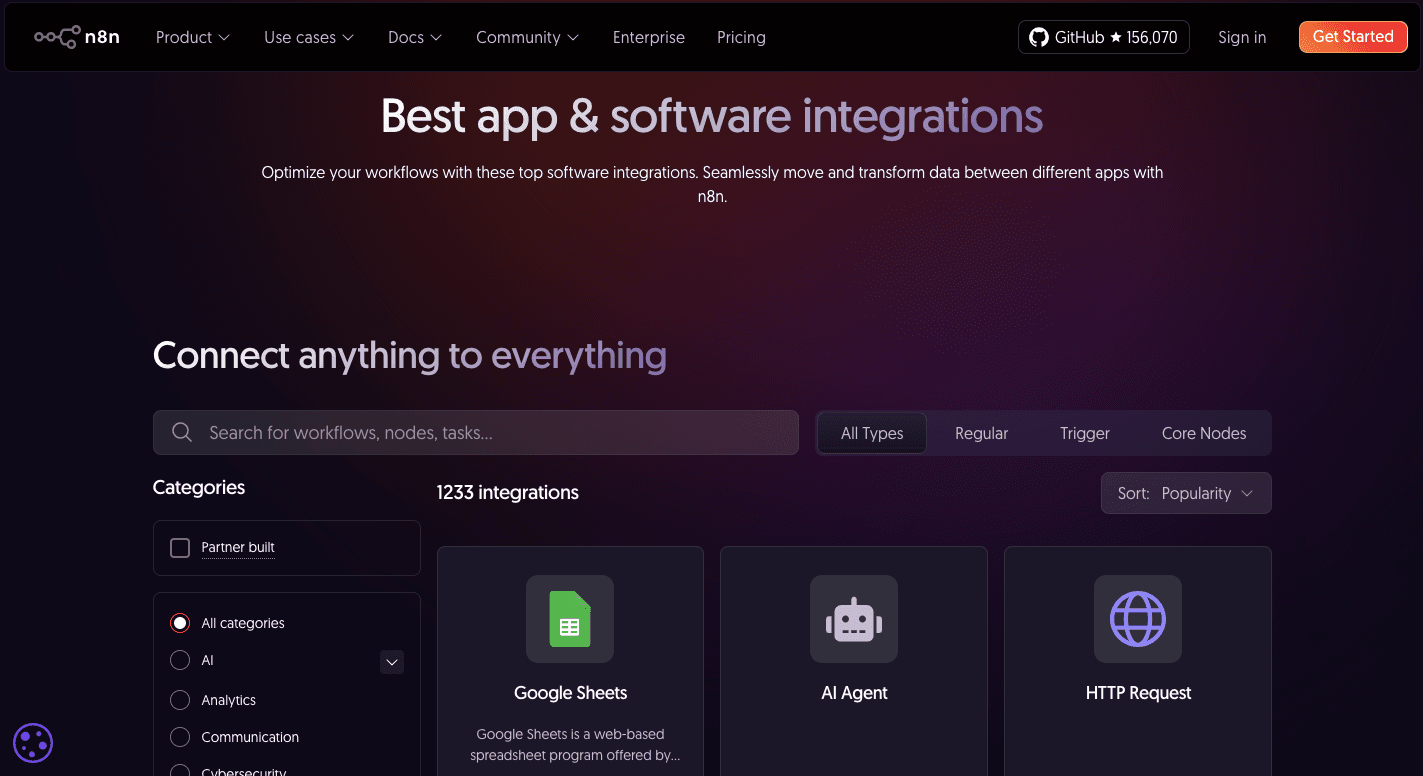
n8n has over 1,200 built-in options, and you can also build custom integrations when you need more control. Many people start with the pre-made nodes, but the platform becomes far more flexible once you begin to mix API calls with your own structure.
Developers often lean on the HTTP requests feature and custom nodes when they want to bring in services that don’t appear in the main library. These tools help you link virtually any service that exposes a public API, so you rarely hit a hard limit.
If an app doesn’t have the exact action you want, you can switch to the HTTP request node and run a direct call. That gives you the same level of control you would get from raw API work.
Make.com
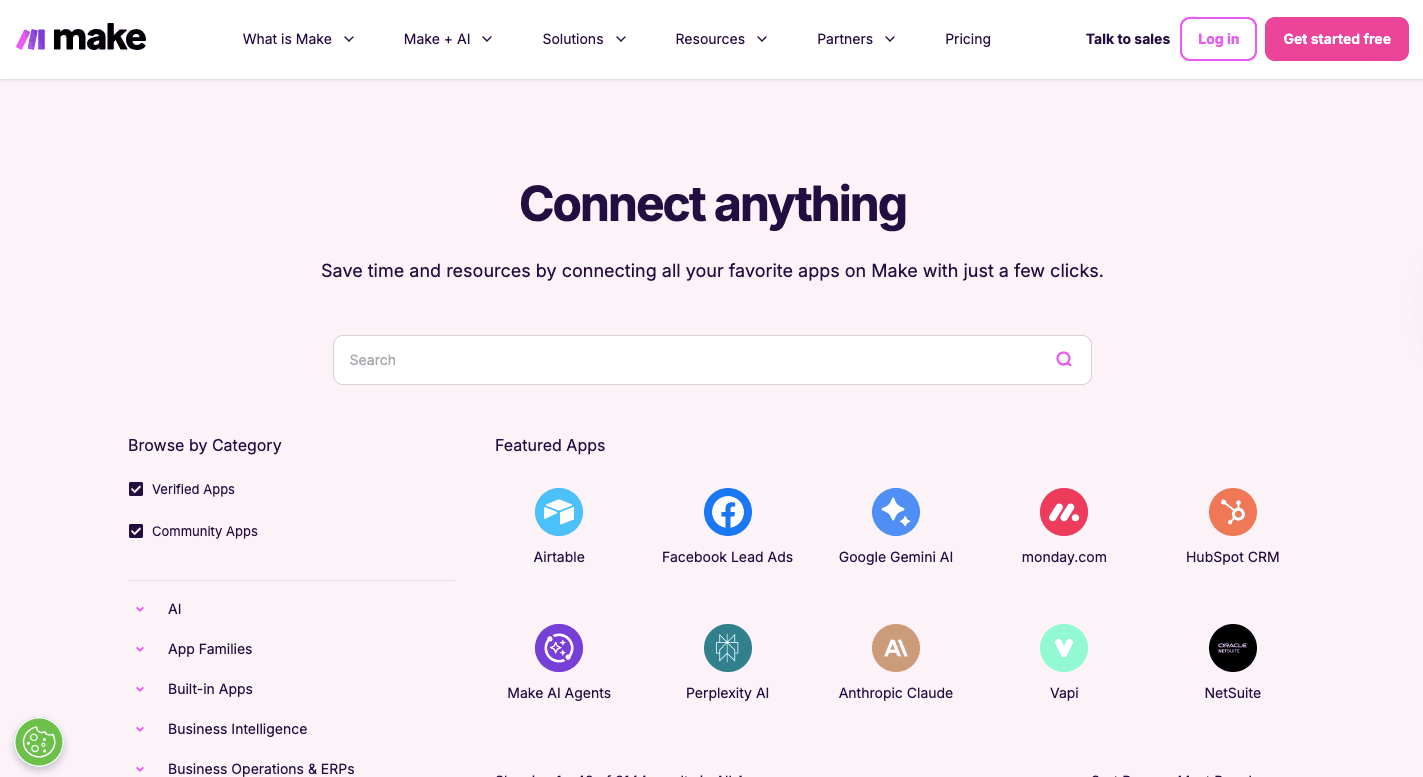
Make.com includes more than 3,100 native integrations and modules that fit together on a canvas. You grab a module and drop it anywhere you want, then connect it to build the chain of events.
It also supports deep API actions for most apps in its library. You can also build your own custom apps through a dedicated “Apps Editor.”
When the app exposes an API but has no module in the library, Make.com includes an HTTP request node so you can bring the data in directly. The mix of modules, the Apps Editor, and the HTTP tools gives you a broad set of options, whether you’re linking public services or internal tools.
As you expand your setup, you can chain more modules together and create complex routes. Filters, routers, and other controls help you shape the logic without writing code. Many teams use Make.com this way for systems that need constant syncing across large app stacks.
Activepieces
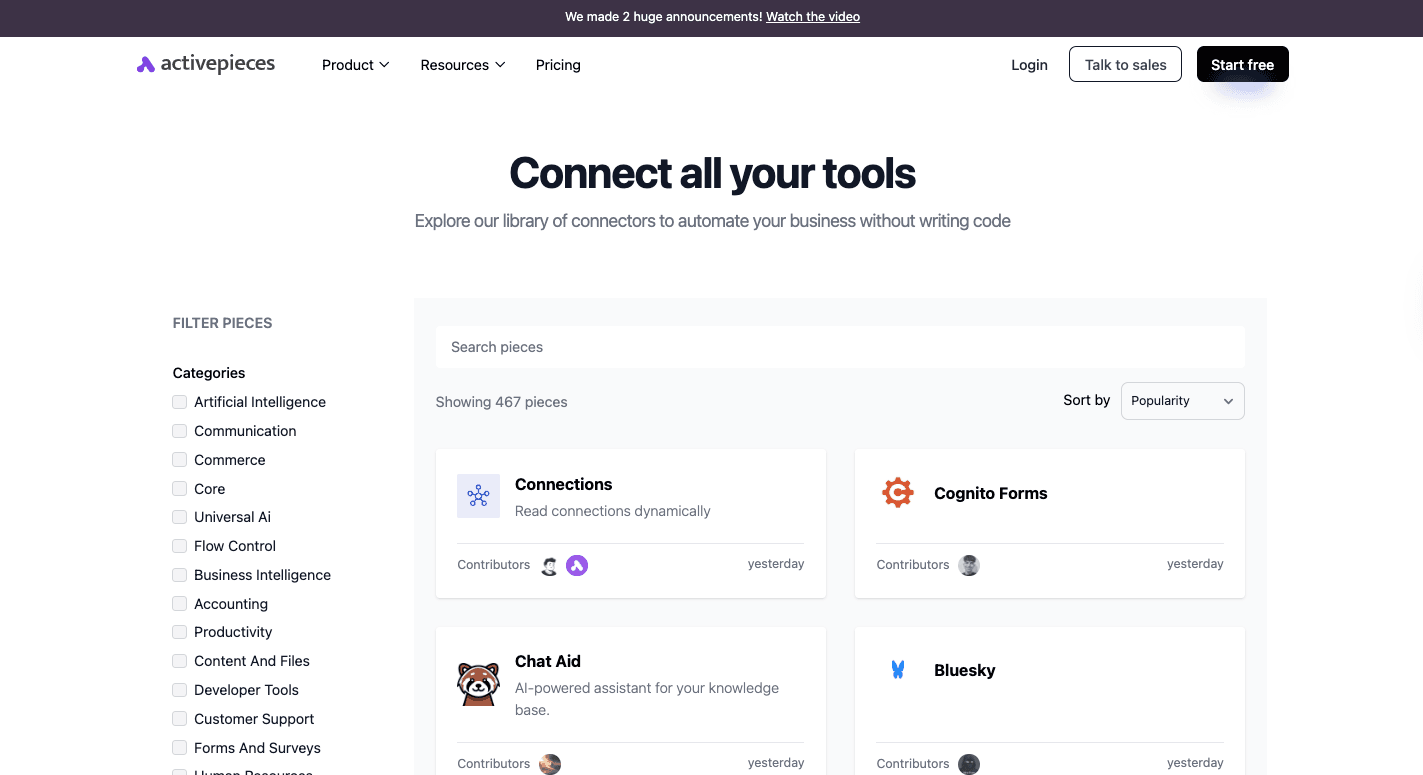
Activepieces currently offers 467 pre-built integrations called pieces. These pieces cover common apps plus many community additions, and the list keeps growing because the project is open source. You can add a piece to your flow with one click and map data into it without extra steps.
Some of the data integrations available are:
You can further build your own piece with TypeScript and add it to your system. Developers like this because they can match the behavior of the apps they use every day without waiting for official updates.
The mix of community pieces and custom work gives you a flexible base that works for personal use and large teams.
5. Error Handling
Your automations’ stability depends on how well errors are caught and resolved.
n8n
n8n provides a set of controls for handling failures in your automations. Every run shows clear logs by default, and the platform stops the workflow at the exact step where the issue happened.
Since n8n includes debugging tools, it’s easier to walk through each step, especially for high-volume workflows.
You can build a separate error flow that activates only when something fails. The main run sends the error message and the data that caused the problem straight into this backup flow. From there, you can send alerts to your team, log the failed entry, or try another endpoint.
Some teams push the data into storage for later review. Others set up fallback calls so the system keeps moving when a third-party service goes down.
Node-level controls help you fine-tune behavior for tricky steps. You can take a step to continue even when it fails or add retry logic to deal with temporary outages. Many teams mix these options to create a setup that recovers without human input.
Make.com
Make.com treats error handling as part of the visual building experience. When a module fails, the system stops the scenario and highlights the exact point of failure.
You can open the history to see the full context, including the message returned by the third-party app and the data that triggered the issue. These logs matter when you spend a lot of time managing data across different services.
There’s also an auto-retry option when you want the platform to try again before stopping.
Activepieces
Activepieces handles errors with logs and simple controls. When a step fails, the system stops the run and shows you what went wrong. You can open the log to see the exact step, the returned message, and the data that caused the failure.
You can add an “On Failure” branch to catch problems automatically. This branch only runs when something breaks in the main path. Many teams use it to send alerts, record the failed entry, or reroute data into a backup system.
If an issue comes from a temporary outage, you can fix the cause and run the failed execution again. The platform keeps the logs easy to read, which helps you track patterns over time.
6. Pricing Structure
Pricing matters because each platform measures usage in a different way, which changes how far your automations can scale before costs rise.
n8n
n8n gives you two ways to use the platform: a free self-host option and cloud plans that charge based on complete workflow execution counts.
Many teams start with self-hosting to reduce early costs, though some prefer to avoid server management and shift to the hosted service. The cloud plans use pricing models based on execution volume, which helps when your flows have many steps but run infrequently.
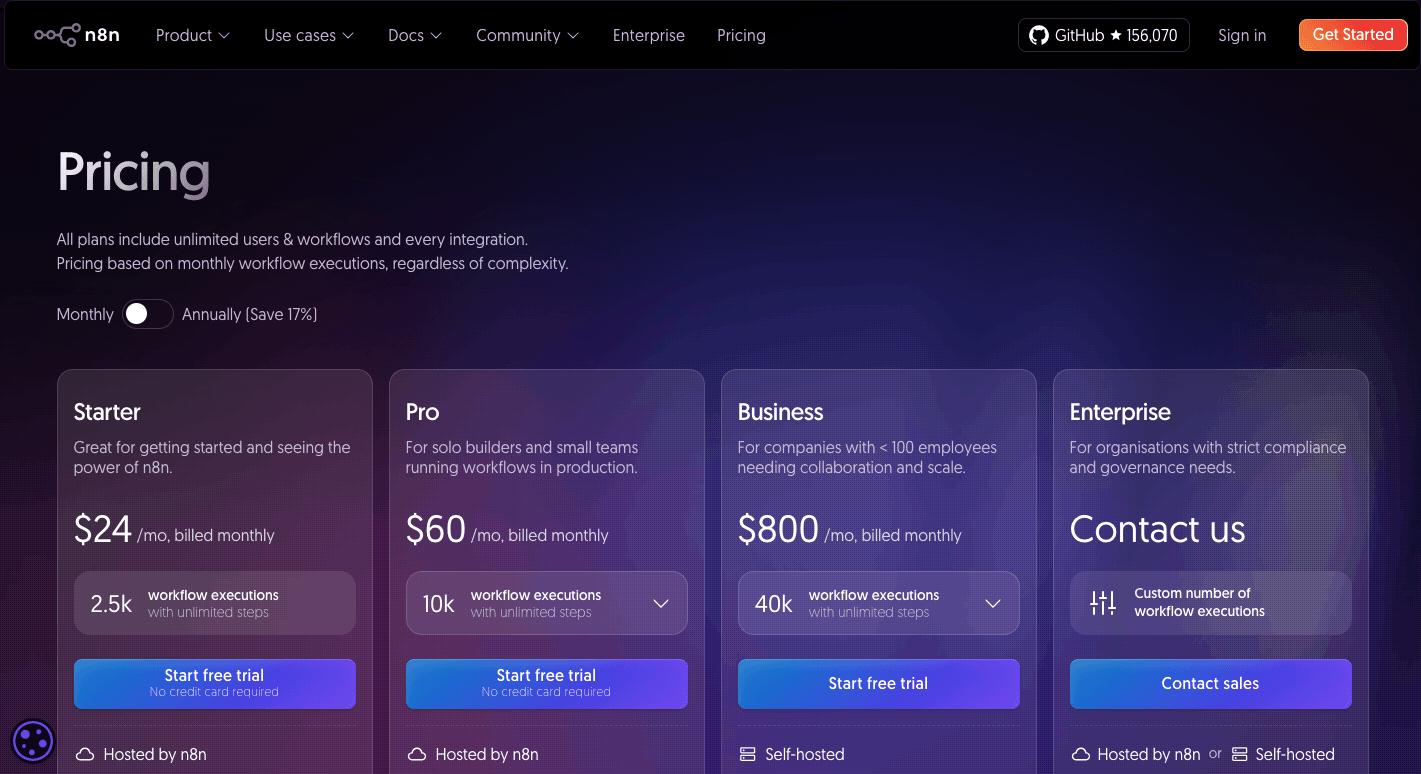
Paid plans:
- Starter plan ($24/month): Gives you 2,500 executions each month and fits small setups that run a few workflows daily.
- Pro plan ($60/month): Raises the limit to 10,000 executions and adds stronger project controls for growing teams.
- Business plan ($800/month): Supports 40,000 executions and adds features suited for larger groups that need cleaner permissions and more structure.
- Enterprise plan (custom): Offers tailored capacity and security for organizations that want deeper support and unlimited room to scale.
There’s also a startup discount that cuts the Business plan price in half for eligible companies.
Make.com
Make.com charges based on credits, which are consumed by each module action inside a scenario. The free plan gives you 1,000 credits each month, plus access to the visual builder, routers, filters, and the full library of apps.
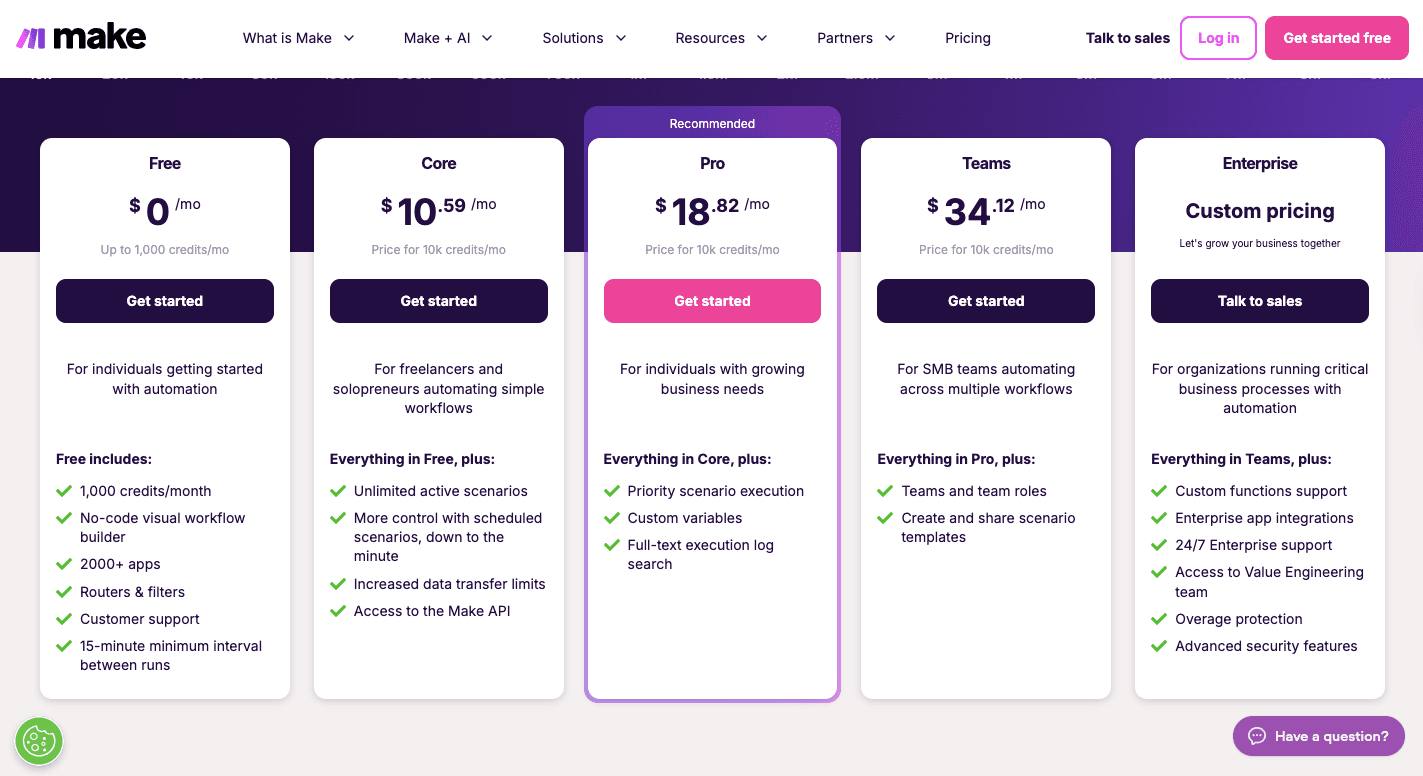
Paid plans:
- Core plan ($10.59/month for 10,000 credits): Adds unlimited active scenarios and shorter scheduling options for more frequent runs.
- Pro plan ($18.82/month for 10,000 credits): Includes priority execution, custom variables, and full-text search across logs.
- Teams plan ($34.12/month for 10,000 credits): Adds team roles and shared templates for collaborative work across departments.
The platform supports custom functions through advanced modules, which gives you more control across larger builds.
Activepieces
Activepieces now uses a simple usage-based model.
The Standard plan begins with ten free active flows, unlimited runs, AI agents, unlimited MCP servers, unlimited tables, and email support. After that, the cost shifts to $5 per active flow each month, which keeps billing predictable without forcing you into credits or execution counting.
Then the Ultimate plan runs on an annual contract and includes stronger security and governance tools. You get access controls for pieces, global connections, custom RBAC, SSO, audit logs, centralized AI billing, and management APIs.
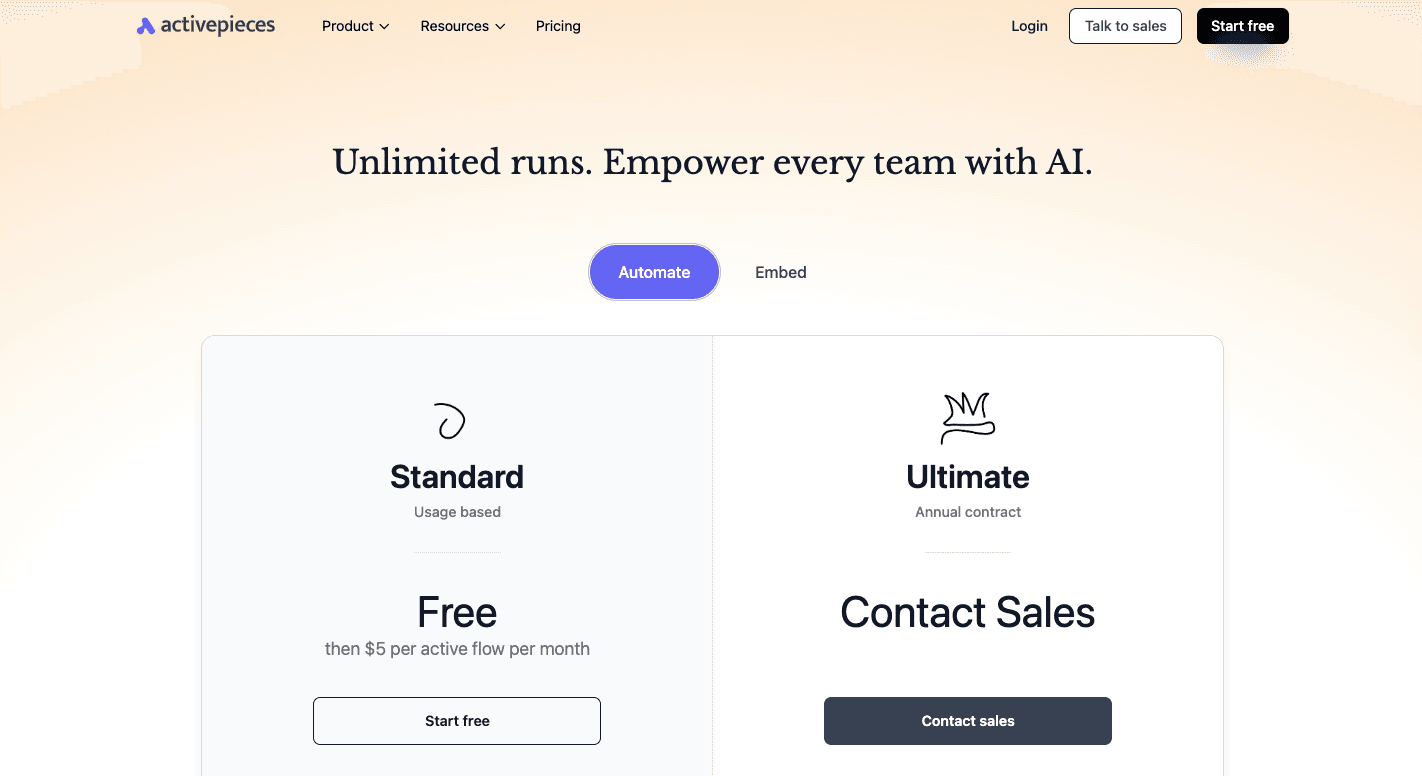
Activepieces also offers the Embed plan for companies that want to add automation to their own products.
It starts at $30,000 per year and includes an embedded builder, embedded AI agents, a JavaScript SDK, custom templates, branding options, piece management, private pieces, and dedicated support.
The open-source edition is cost-effective and lets you self-host the platform and remove task limits entirely.
Unlock Automation That Outperforms n8n and Make.com With Activepieces

Activepieces gives you a faster way to automate your work. It stays easy for beginners and powerful for technical teams, which makes it a better option when you compare it to n8n or Make.com.
The visual workflows stay clean even as your processes grow, so you don’t deal with clutter or confusing paths. You can build flows in minutes, and anyone on your team can contribute without needing deep technical setup.
Pieces are open source and written in TypeScript, which gives developers room to extend the platform. Many of these pieces come from the community, so the data integration library grows quickly. You can add new pieces, test them locally, and adapt them to your systems.
If you need strict control over your environment, you can self-host and gain complete control over data without losing features. Activepieces also brings AI into the builder in a natural way. You can add AI tools, create agents, or use Copilot to generate flows from plain prompts.
FAQs About n8n vs Make.com
Is Make.com better than n8n?
Make.com is easier for beginners and faster to learn, especially when you want quick results without much setup. The visual canvas helps you track multi-step workflows clearly. n8n is stronger when you want deeper control, more freedom with complex logic, and the option to write code.
When you have the technical skills to shape your workflows the way you want, n8n can feel more flexible. If you prefer a cleaner interface with fewer moving parts, Make.com may feel better. The “better” choice depends on your automation needs, not a universal rule.
Is Make and n8n the same?
Both platforms solve similar problems, but they work very differently. Make.com leans toward a visual builder that feels simple and guided.
n8n, on the other hand, has a developer-friendly setup with more advanced options, open-source flexibility, and a structure that rewards people who want deeper customization.
What is better than n8n?
Activepieces is a strong alternative because it gives you a simpler builder, native AI features, and more flexibility without the heavy lifting. You can create custom solutions without fighting the interface, and you can scale from small tasks to full automation systems.
Can I use n8n for commercial purposes?
Yes, you can use n8n in commercial projects. You can run it yourself or pay for the hosted version. The license allows commercial use, including building client projects or internal company workflows.
Still comparing
The fastest way to settle it is to build something.
Open source under MIT, so you can self-host the same thing later.
Start free Talk to sales